
Product Overview
The AMZSA C29 Smartwatch is a robust and versatile wearable designed for daily use and active lifestyles. Featuring a durable metal casing and a vibrant 1.52-inch HD display, it offers a wide range of functionalities from communication to comprehensive health and fitness tracking. This manual provides detailed instructions to help you get the most out of your device.

Image: The AMZSA C29 Smartwatch, showcasing its round HD display, robust metal casing, and the two included strap options (metal and silicone).
Setup
1. Charging the Device
Before first use, fully charge your smartwatch. Connect the magnetic charging cable to the charging points on the back of the watch and plug the USB end into a compatible power adapter (not included). A full charge takes approximately 2 hours. The watch features a 410 mAh battery, providing 7-10 days of typical use and up to 30 days of standby time.

Image: The smartwatch screen showing battery life and the 410 mAh battery capacity, highlighting its powerful battery life.
2. App Installation and Pairing
To unlock all features, download the companion application on your smartphone. Scan the QR code provided in the watch's quick start guide or search for the app name (usually mentioned in the packaging or on the watch itself) in your device's app store (compatible with Android and iOS). Follow the in-app instructions to pair your smartwatch via Bluetooth. Ensure Bluetooth is enabled on your phone.
3. Customizing Watch Faces
The 1.52-inch HD screen (360x360 resolution) allows for extensive customization. Through the companion app, you can select from a variety of pre-installed watch faces or upload your own photos, such as selfies or pictures of family and pets, to personalize your display.

Image: A visual representation of different customizable watch faces available for the AMZSA C29 Smartwatch, including options to use personal photos.
Operating Instructions
Calls and Notifications
The smartwatch is equipped with a high-fidelity microphone and speaker, enabling you to make and answer calls directly from your wrist via Bluetooth. It also supports push notifications from various social applications like SMS, Email, WhatsApp, Facebook, and Instagram, ensuring you never miss important messages.
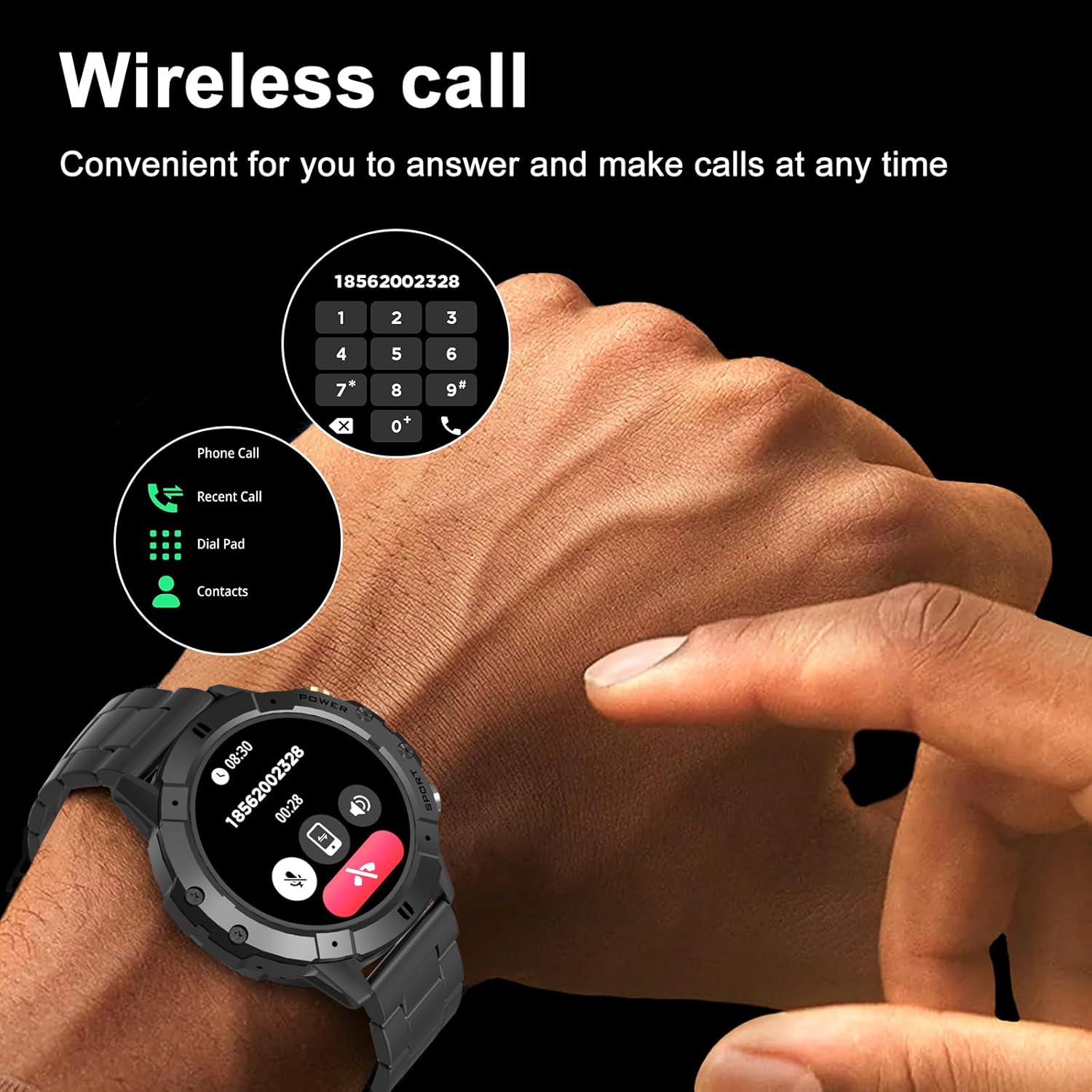
Image: A person's hand wearing the smartwatch, demonstrating the wireless call function with a dial pad and call history displayed on the screen.

Image: The smartwatch screen showing an incoming message notification, with icons of various social media and messaging apps floating around, indicating notification support.
Health Monitoring
The C29 Smartwatch acts as a personal health tracker, monitoring your heart rate in real-time throughout the day. It also provides insights into blood pressure, blood oxygen levels, and guides breathing exercises. A high-precision sensor and advanced detection algorithm accurately record and analyze your sleep patterns, helping you understand and improve your sleep quality.

Image: The smartwatch screen showing detailed sleep monitoring data, including sleep stages (Awake, REM, Light, Restful) and a graph of sleep records over several days, with a person sleeping in the background.
Sport Modes and Activity Tracking
With over 120 sport modes, the smartwatch is an ideal companion for various physical activities, including swimming, cycling, tennis, running, and walking. It accurately tracks daily activity data such as steps taken, calories burned, distance covered, and active hours, providing a comprehensive overview of your fitness progress.
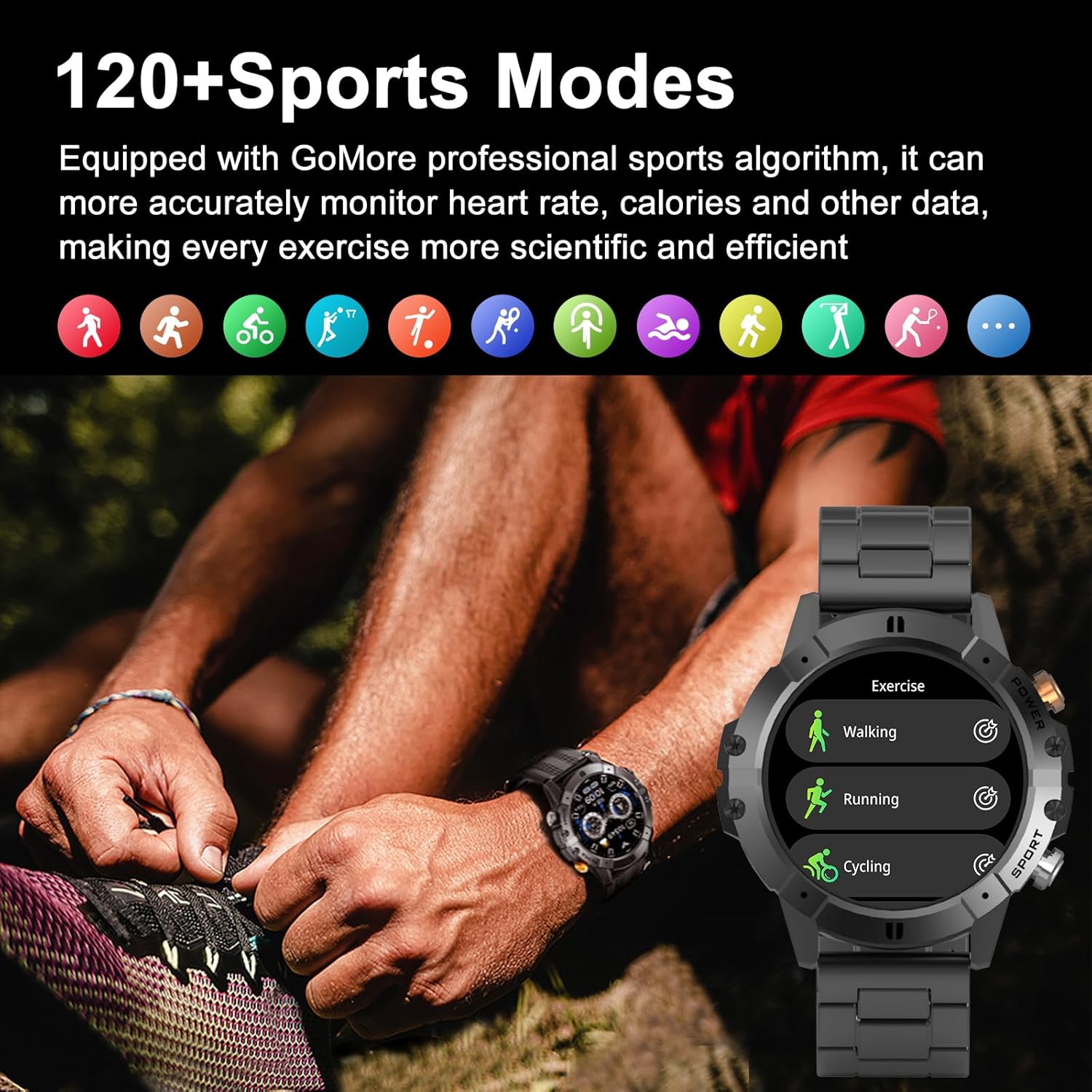
Image: The smartwatch screen showing a list of sport modes like Walking, Running, and Cycling, with icons representing various sports activities above, and a person tying their shoelaces in the background.
Water Resistance: The watch is 1 ATM water-resistant, suitable for activities like swimming. However, it is not recommended for use in saunas, hot water, or during showers, as extreme temperatures or steam can compromise its seals.

Image: The smartwatch partially submerged in water with splashes, indicating its 1 ATM water resistance.
Music Control
Control your smartphone's music playback directly from your smartwatch. You can play, pause, skip tracks, and adjust volume, making it convenient to manage your audio experience during workouts or on the go.
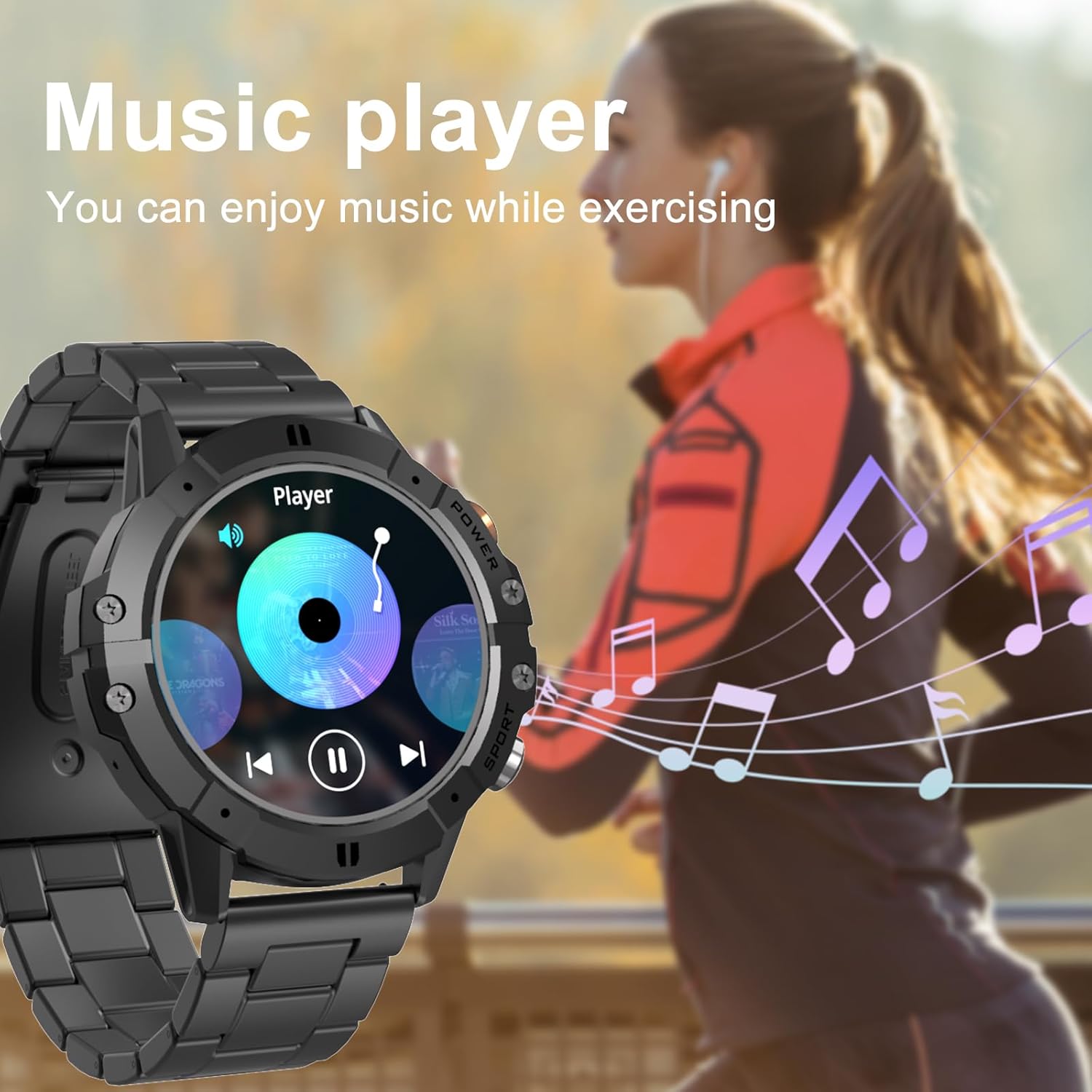
Image: The smartwatch screen showing music player controls (play/pause, skip), with musical notes floating and a person running in the background, suggesting music playback during exercise.
AI Voice Assistant
Utilize the integrated AI Voice Assistant for hands-free control. Simply use voice commands to perform various tasks, such as setting alarms, making calls, checking the weather, or playing music, enhancing convenience and accessibility.

Image: The smartwatch screen displaying the AI Voice Assistant interface, with example voice commands like "Turn on the alarm," "Call my mom," "How is the weather tomorrow?", and "Play my favorite music." A smartphone showing weather information is also visible.

Image: The smartwatch screen showing current weather conditions, with icons representing different weather types (sunny, snow, rain, cloudy) in the background.
Maintenance
- Cleaning: Regularly wipe the watch screen and body with a soft, dry, lint-free cloth. For stubborn smudges, slightly dampen the cloth with water. Avoid using harsh chemicals or abrasive materials.
- Strap Care: The smartwatch comes with both metal and silicone straps. Clean silicone straps with mild soap and water. For metal straps, use a soft brush to remove dirt from crevices and wipe with a dry cloth. Ensure straps are dry before reattaching.
- Charging Port: Keep the charging contacts on the back of the watch clean and free of debris to ensure proper charging.
- Storage: When not in use for extended periods, store the smartwatch in a cool, dry place away from direct sunlight and extreme temperatures.
- Water Exposure: While 1 ATM water-resistant, avoid prolonged submersion or exposure to high-pressure water jets. Dry the watch thoroughly if it gets wet.
Troubleshooting
| Problem | Possible Cause | Solution |
|---|---|---|
| Watch does not turn on | Low battery; device frozen. | Charge the watch for at least 30 minutes. If still unresponsive, press and hold the power button for 10-15 seconds to force a restart. |
| Cannot pair with phone | Bluetooth off; app not running; watch not in pairing mode; interference. | Ensure Bluetooth is enabled on your phone. Restart both the watch and phone. Open the companion app and follow pairing instructions. Move closer to the watch. |
| Notifications not received | App permissions; notification settings; Bluetooth disconnected. | Check app notification permissions on your phone. Verify notification settings within the smartwatch app. Ensure the watch is connected via Bluetooth. |
| Inaccurate health data | Loose fit; sensor obstruction; movement during measurement. | Ensure the watch is worn snugly on your wrist, not too tight or too loose. Clean the sensor on the back of the watch. Remain still during measurements. |
| Short battery life | Frequent use of power-intensive features (calls, bright screen); excessive notifications. | Reduce screen brightness. Limit background app refresh. Disable unnecessary notifications. Charge fully before use. |
Specifications
| Feature | Detail |
|---|---|
| Brand | AMZSA |
| Model Number | C29 |
| Display | 1.52-inch HD Round Screen (360x360 resolution) |
| Connectivity | Bluetooth |
| Battery Capacity | 410 mAh Lithium-polymer |
| Battery Life | 7-10 days (typical use), 30 days (standby) |
| Charging Time | Approx. 2 hours |
| Water Resistance | 1 ATM (suitable for swimming, not hot water/sauna) |
| Operating System | Android compatible |
| Compatible Devices | iPhone, Android Smartphones |
| Special Features | Bluetooth Calling, Music Player, Weather Forecast, Notifications, Multi-sport Tracker, AI Voice Assistant, Health Monitoring (HR, BP, SpO2, Sleep) |
| Included Straps | Metal and Silicone |
Warranty and Support
For warranty information and customer support, please refer to the documentation included with your purchase or contact the seller directly. The product is sold by IFITWELL STORE and fulfilled by Amazon. For any issues, please reach out to the seller through your Amazon order history for assistance.
Return Policy: This product typically comes with a 30-day return policy for refund or replacement, as per Amazon's standard return guidelines.
For further assistance, you may visit the Amazon Customer Service page.


