
1. Introduction
This manual provides essential information for the safe and effective use of your ChuangMaiShi Intelligent Body Fat Scale. Please read this manual thoroughly before using the device and retain it for future reference.
The Intelligent Body Fat Scale is designed to provide comprehensive body composition analysis, including weight, body fat percentage, BMI, and muscle mass. It connects to a mobile application via Bluetooth for detailed tracking and health management.
2. Product Overview
Key Features:
- Accurate and Intelligent Measurement: Provides precise readings for weight, body fat percentage, BMI, and muscle mass using high-precision sensors.
- Bluetooth Connectivity: Seamlessly syncs data with your smartphone via a dedicated companion app.
- Sleek and Durable Design: Features a black glass surface with an LED backlight display, and is constructed with 4mm heat-resistant tempered glass.
- Water and Dust Resistant: Designed for durability in bathroom environments.
- Portable and Convenient: Lightweight, compact, and easy to store, with touch control operation.
- Multi-User Support: Allows creation of up to 8 user profiles for family tracking.
- USB Charging: Rechargeable with an included Lithium Ion battery.
What's in the Box:
- ChuangMaiShi Intelligent Body Fat Scale (Black)
- USB Charging Cable
- User Manual (this document)

Image: The Intelligent Body Fat Scale shown alongside a smartphone displaying its health tracking application interface.
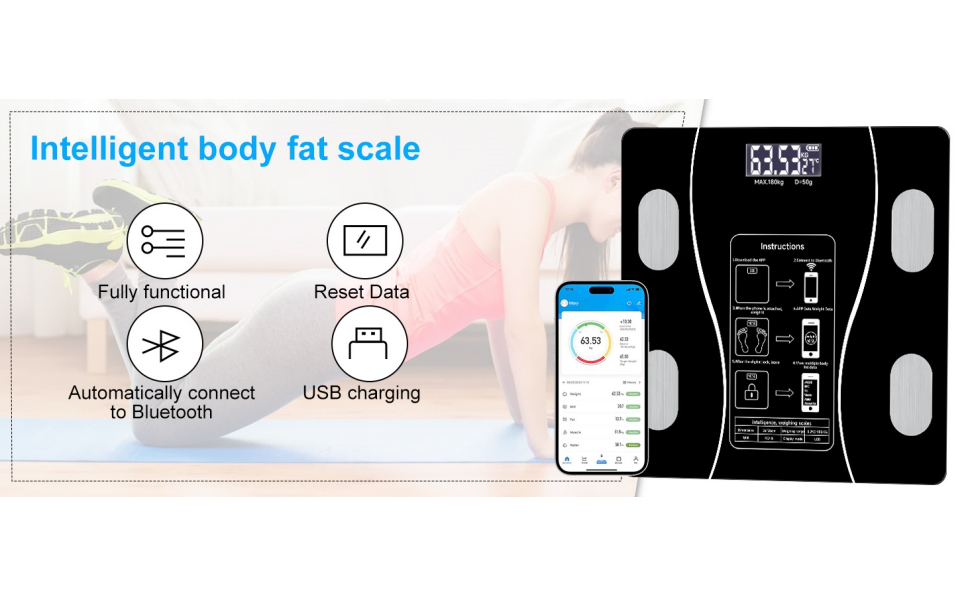
Image: Visual representation of the scale's core functionalities including full functionality, data reset, automatic Bluetooth connection, and USB charging.
3. Setup
- Charge the Scale: Before first use, ensure the scale is fully charged using the provided USB cable. The charging port is typically located on the side or back of the device.
- Download the App: Search for the "AiLink" app (or specified companion app) on your smartphone's app store (iOS App Store or Google Play Store) and install it.
- Create a Profile: Open the app and follow the on-screen instructions to create your user profile. You will typically need to enter basic information such as age, gender, height, and activity level.
- Enable Bluetooth: Ensure Bluetooth is enabled on your smartphone.
- Pair the Scale: Step onto the scale barefoot. The scale will automatically turn on and attempt to connect to the app via Bluetooth. Follow any pairing prompts within the app.
- Place on a Flat, Hard Surface: For accurate measurements, always place the scale on a hard, flat surface. Avoid carpets or uneven flooring.

Image: Details of the scale's USB charging capability, indoor temperature display, and options within the app to set weight units (KG, LB).
4. Operating Instructions
Taking a Measurement:
- Open the companion app on your smartphone.
- Place the scale on a hard, flat surface.
- Step onto the scale barefoot, ensuring your feet are centered on the electrode pads. Stand still until the measurement is complete.
- The scale's display will show your weight. The app will automatically receive and display a full body composition analysis, including BMI, body fat, muscle mass, and more.
- Step off the scale. The digital lock icon will appear on the scale's display, indicating the measurement is complete and data has been sent to the app.
Switching Weight Units:
The scale supports Kilograms (KG), Pounds (LB), and Stone (ST:LB). You can change the unit preference within the companion app settings.
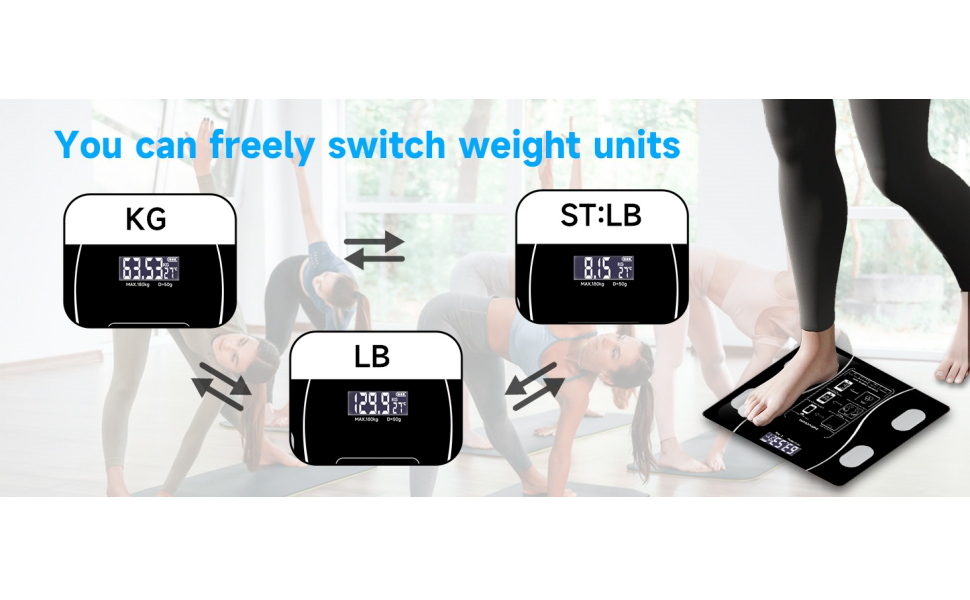
Image: Visual guide demonstrating the ability to switch between Kilograms (KG), Pounds (LB), and Stone (ST:LB) weight units on the scale's display.

Image: A user's foot positioned on the scale, highlighting the ultimate accuracy of the device and the app's interface for tracking workouts and body metrics.
5. App Integration and Data Tracking
The companion app provides a comprehensive platform for monitoring your health and fitness progress.
- Detailed Body Metrics: The app records 18 key body and health measures, including BMI, Body Fat, Muscle Rate, Moisture, Bone Mass, Protein Rate, Basal Metabolic Rate, Visceral Fat Index, Body Age, Standard Weight, Subcutaneous Fat, Weight Control, Fat Mass, Lean Body Mass, Muscle Mass, Protein Amount, and Obesity Rating.
- Historical Data: Access weekly, monthly, and quarterly reports, and view weight changes through curves and graphs.
- Multi-User Management: Add up to 10 member data profiles and easily switch between them to track individual progress.
- Progress Tracking: Set personal health goals and monitor your achievements over time.
- Data Sharing: Share your data with other health applications like Apple Health App and Fit Bit APP for integrated health management.

Image: An infographic detailing the 18 body metrics tracked by the AiLink app, including weight, BMI, body fat, and muscle mass, shown with a person exercising and the scale.
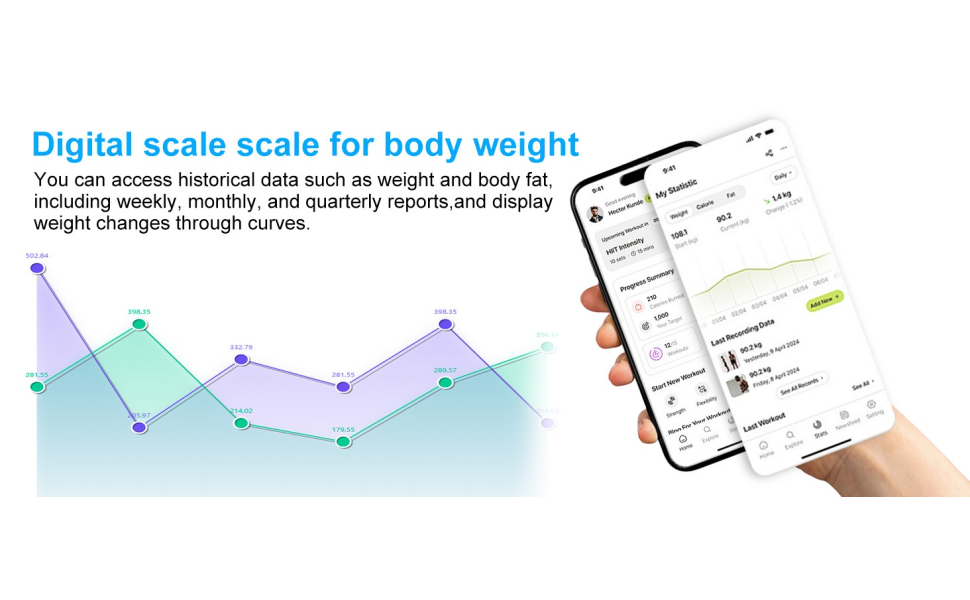
Image: A smartphone displaying the app's interface with historical data, including weight and body fat trends over time, presented in graphical format.

Image: Two individuals engaged in outdoor exercise, accompanied by a smartphone screen illustrating the app's progress tracking features for fitness goals.
6. Maintenance
- Cleaning: Wipe the scale surface with a soft, damp cloth. Do not use abrasive cleaners or immerse the scale in water.
- Storage: Store the scale in a cool, dry place. Avoid extreme temperatures and direct sunlight.
- Battery: The scale uses a rechargeable Lithium Ion battery. Recharge when the battery indicator on the display is low.
- Calibration: The scale features auto-calibration. If you move the scale, step on it briefly to allow it to recalibrate before taking a measurement.
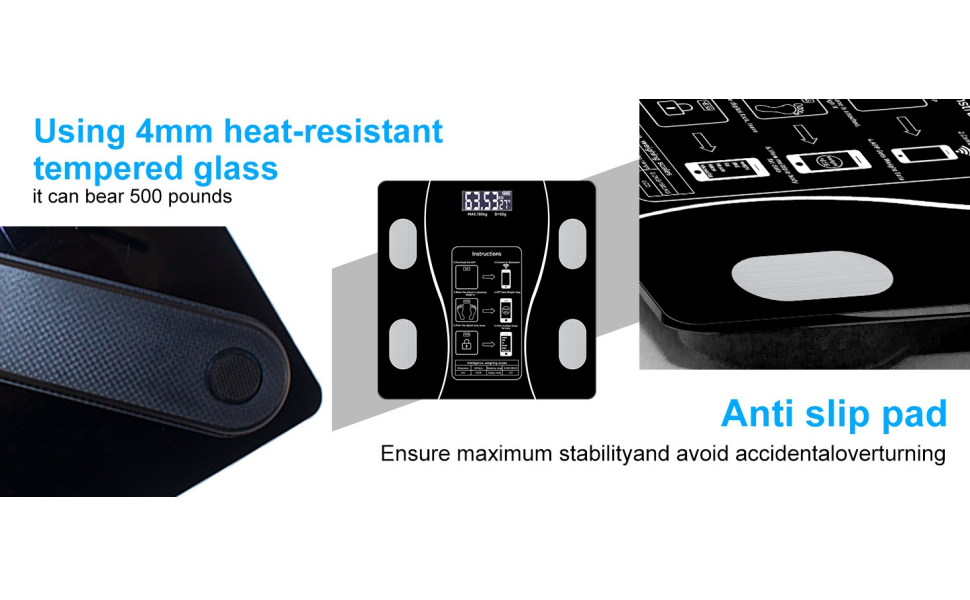
Image: Detailed views of the scale's durable 4mm heat-resistant tempered glass and anti-slip pads, designed for stability and safety.
7. Troubleshooting
| Problem | Possible Cause | Solution |
|---|---|---|
| Scale does not turn on. | Low battery or no charge. | Charge the scale using the USB cable. |
| Inaccurate readings. | Scale on uneven surface; not calibrated; feet not properly placed on electrodes. | Place scale on a hard, flat surface. Step on briefly to recalibrate. Ensure bare feet are centered on electrode pads. |
| App not connecting to scale. | Bluetooth off; app not open; scale not active; interference. | Ensure Bluetooth is on. Open the app. Step on the scale to activate. Move closer to the scale. Restart phone/app. |
| Body composition data not showing. | Not standing barefoot; feet not making contact with electrodes. | Ensure you are standing barefoot with feet making good contact with all four electrode pads. |
8. Specifications
| Feature | Detail |
|---|---|
| Model Number | DN-3MBF-QTQU |
| Brand | ChuangMaiShi |
| Color | Black |
| Weight Limit | 395 Pounds (180 kg) |
| Display Type | LCD with LED backlight |
| Power Source | 1 Lithium Ion battery (included), USB rechargeable |
| Special Features | Body Fat, Body Mass Index, Bodyweight, Lightweight, Muscle Mass, Water Resistant, Dust Resistant, Auto Calibration, Indoor Temperature Measurement |
| Material | 4mm Heat-resistant Tempered Glass |
| Package Dimensions | 10.63 x 10.55 x 1.14 inches; 1.98 Pounds |

Image: An illustration emphasizing the scale's technical specifications, including four high-precision sensors, four sensitive electrodes, and automatic calibration for consistent accuracy.

Image: A visual representation of the scale's physical dimensions, indicating its compact and slim profile for easy placement and storage.
9. Safety Information
- Do not use this device if you have a pacemaker or other internal medical device.
- Do not use this device if you are pregnant.
- Keep the scale dry. Do not step on the scale with wet feet or when the surface is wet to prevent slipping.
- Do not jump on the scale or use it for purposes other than body measurement.
- Keep out of reach of children.
- Dispose of batteries according to local regulations.
10. Warranty and Support
For warranty information and customer support, please refer to the manufacturer's official website or contact their customer service directly. Details can often be found on the product packaging or the manufacturer's online resources.
Manufacturer: ChuangMaiShi