1. Overview
The Manfrotto Befree GT PRO Carbon Fiber Tripod Legs (Model: MTBFRTC4GTFB) are designed for professional travel photographers requiring a compact, portable, and stable support system. These standalone legs allow for pairing with various tripod heads, offering versatility for DSLR and mirrorless camera setups. Key features include a robust spider design for stability, ergonomic leg-angle selectors, and a reliable twist lock mechanism for quick adjustments.
The tripod legs are constructed from carbon fiber, providing a lightweight yet sturdy foundation for your photographic equipment. Its innovative folding mechanism ensures a compact form factor, making it ideal for transport.
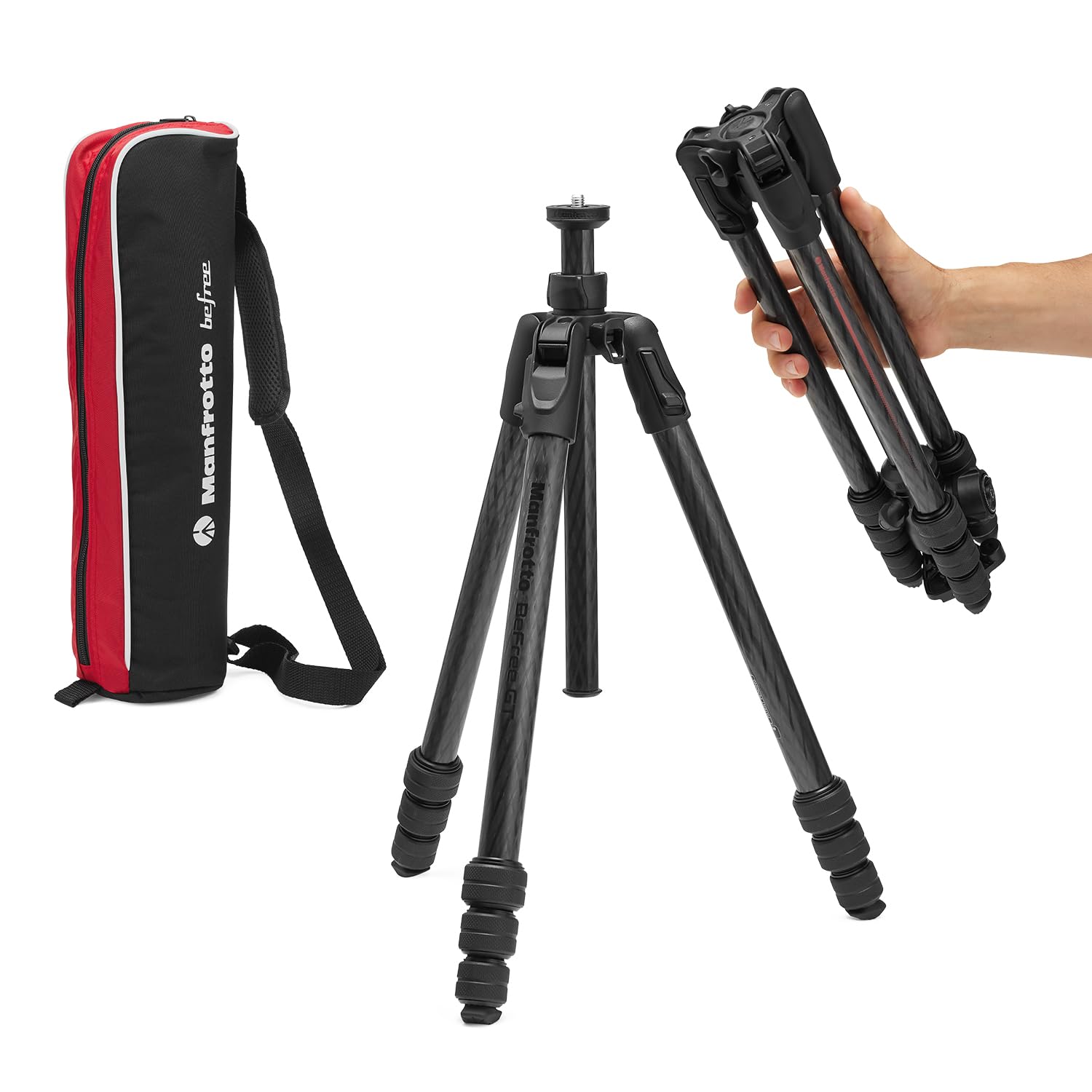
Figure 1: Manfrotto Befree GT PRO Carbon Fiber Tripod Legs.
2. Setup
2.1 Unpacking and Initial Inspection
Carefully remove the tripod legs from its packaging. Inspect all components for any signs of damage. The package should include the tripod legs and a small tightening tool.
2.2 Unfolding the Tripod Legs
The Befree GT PRO features a unique folding mechanism where the legs fold completely over the head for compact storage. To unfold:
- Gently extend the legs outwards from the folded position.
- Ensure each leg clicks into its initial locked position.

Figure 2: Folded dimensions and weight of the tripod legs.
2.3 Attaching a Tripod Head (Not Included)
The tripod legs are designed to be paired with your preferred tripod head. The mounting plate features a standard 3/8" thread for secure attachment.
- Align your tripod head with the 3/8" screw on the tripod's mounting plate.
- Rotate the head clockwise until it is securely fastened.

Figure 3: Examples of compatible tripod heads (sold separately).
2.4 Extending and Adjusting Legs
Each leg features twist locks for quick and secure height adjustment.
- Rotate the twist locks counter-clockwise to loosen the leg sections.
- Extend each leg section to the desired height.
- Rotate the twist locks clockwise to secure the leg sections firmly.
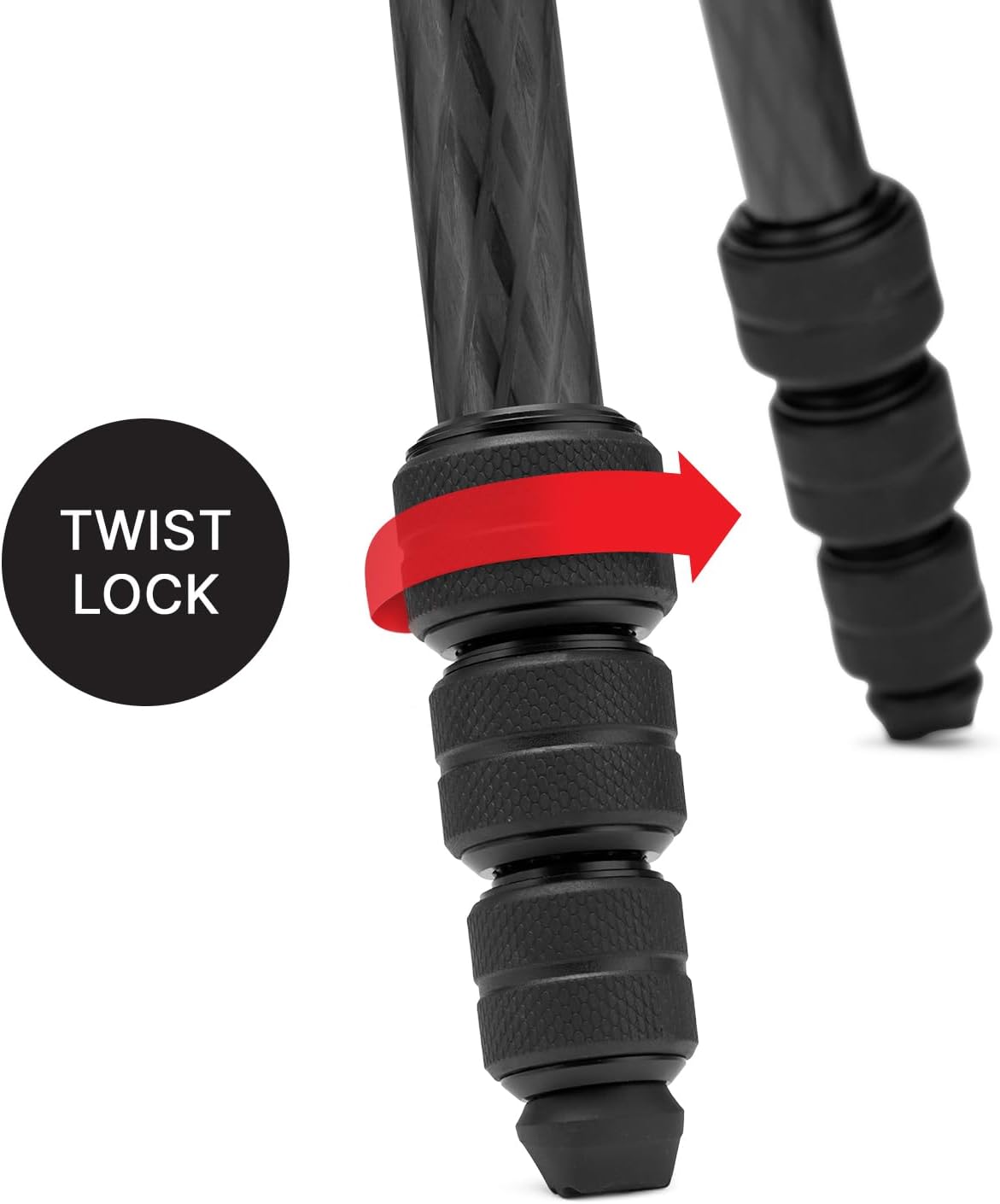
Figure 4: Detail of the twist lock mechanism.
2.5 Adjusting Leg Angles
The ergonomic leg-angle selectors allow for three independent leg angle positions, providing versatility for various terrains and shooting requirements.
- Press the leg-angle selector button located at the top of each leg.
- Adjust the leg to one of the three available angles.
- Release the button to lock the leg in place.
2.6 Using the Easy Link Attachment
The tripod's spider features an Easy Link attachment point, allowing you to connect various accessories such as external monitors, LED lights, or reflectors.
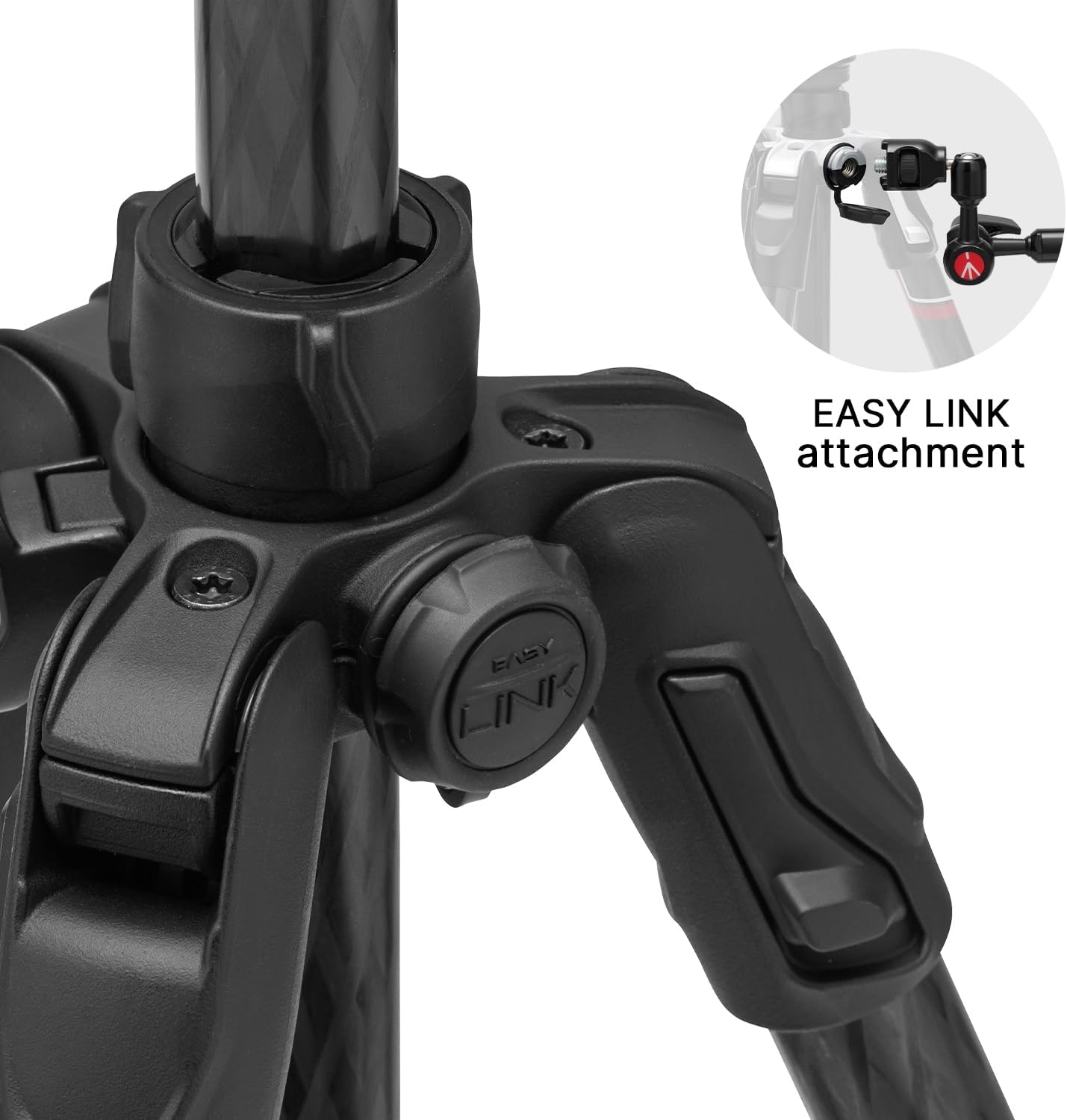
Figure 5: Easy Link attachment point for accessories.
2.7 Official Setup Video
Video 1: This official Manfrotto video demonstrates the setup and key features of the Befree GT PRO Carbon Fiber Tripod Legs, including unfolding, leg adjustments, and head compatibility.
3. Operating
3.1 Standard Operation
Once set up, ensure all leg sections and angle selectors are securely locked before mounting your camera. The tripod provides a stable platform for various photographic applications.
3.2 Low-Angle Shooting
For extremely low-angle shots, the center column can be inverted. This allows the camera to be positioned below the tripod's apex, closer to the ground, without needing to remove the central column.
- Loosen the center column locking knob.
- Carefully pull the center column upwards until it is fully extended.
- Re-insert the center column upside down into the tripod's spider.
- Tighten the center column locking knob to secure it.

Figure 6: Tripod extended to maximum height (150 cm).
4. Maintenance
4.1 Cleaning
To maintain the longevity and performance of your tripod, regularly clean the legs and locking mechanisms. Use a soft, damp cloth to wipe away dirt and dust. Avoid harsh chemicals or abrasive materials.
4.2 Tightening Leg Hinges
Over time, the leg hinges may require tightening to maintain optimal stability. Use the provided small tightening tool to adjust the hinge tension as needed. Do not overtighten.
5. Troubleshooting
5.1 Tripod Instability
- Ensure all leg sections are fully extended and twist locks are securely tightened.
- Verify that the leg angle selectors are properly engaged in one of the three positions.
- Check the tightness of the center column locking knob.
- Ensure the tripod head (if attached) is securely mounted to the 3/8" thread.
5.2 Difficulty Adjusting Legs
- Ensure twist locks are fully loosened before attempting to extend or retract leg sections.
- Clean any dirt or debris from the leg sections and twist lock mechanisms.
6. Specifications
| Feature | Specification |
|---|---|
| Model Number | MTBFRTC4GTFB |
| Material | Carbon Fiber |
| Product Dimensions | 17.52 x 4.65 x 4.65 inches (folded) |
| Item Weight | 3.34 pounds (1.51 kg) |
| Weight Limit (Payload) | 12 Kilograms (26.45 lbs) |
| Maximum Height | 150 Centimeters (59.06 inches) |
| Minimum Height | 12.2 Inches (31 cm) |
| Special Features | Foldable, Lightweight, Easy Link Attachment |
| Compatible Devices | Camera (DSLR, Mirrorless) |
7. What's in the Box
- 1 x Manfrotto Befree GT PRO Tripod Legs
- 1 x Small tightening tool for leg hinges
8. Warranty and Support
For detailed warranty information and customer support, please refer to the official Manfrotto website or contact their customer service directly. Keep your proof of purchase for any warranty claims.


