Introduction
This manual provides instructions for the setup, operation, maintenance, and troubleshooting of your new Generic Replacement Remote Control. This remote is designed to be compatible with Technics SA-GX730, SA-GX500, and SA-GX710 AV Control Stereo Receivers.
No programming is required for this remote control. It is pre-programmed and ready for use once batteries are installed.
Setup
1. Battery Installation
The remote control requires two AAA batteries (not included). Please ensure you purchase new, high-quality batteries for optimal performance.
- Locate the battery compartment cover on the back of the remote control.
- Slide the cover downwards or press the latch and lift to open the compartment.
- Insert two AAA batteries, ensuring the positive (+) and negative (-) terminals align correctly with the markings inside the compartment.
- Replace the battery compartment cover by sliding it back into place until it clicks securely.

Image: Remote control with its battery compartment open, illustrating where to insert the batteries.
Once batteries are correctly installed, the remote control is ready for immediate use with your compatible Technics receiver.
Operating Instructions
This remote control functions identically to the original remote for your Technics SA-GX730, SA-GX500, or SA-GX710 AV Control Stereo Receiver. Simply point the remote control directly at the infrared sensor on your receiver and press the desired function button.
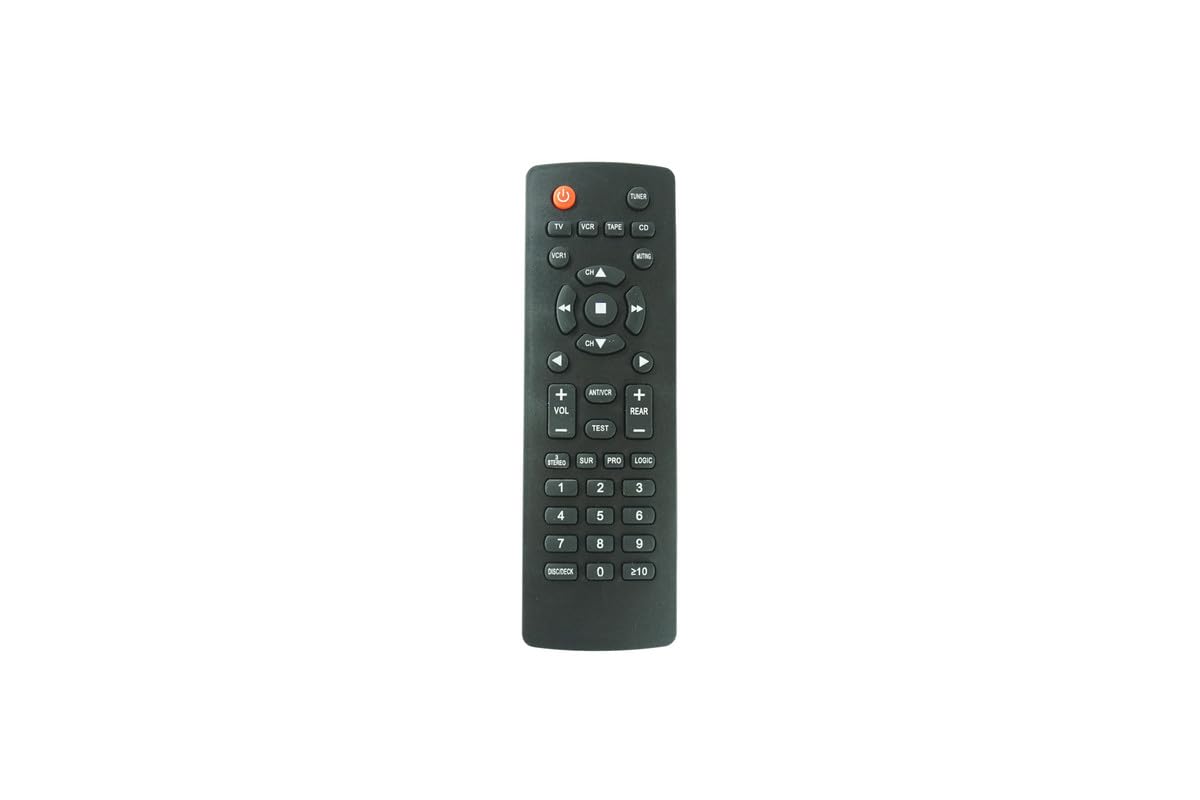
Image: The Generic Replacement Remote Control, showing its overall design.
Key Functions:
The remote features standard buttons for controlling your AV receiver, including power, volume up/down, channel/input selection, and other specific functions depending on your receiver model. Refer to your Technics receiver's original manual for detailed descriptions of each function button.
Maintenance
Cleaning:
To clean the remote control, gently wipe it with a soft, dry cloth. Do not use liquid cleaners, abrasive pads, or chemical solvents, as these can damage the remote's surface or internal components.
Battery Replacement:
Replace batteries when the remote's range decreases or it becomes unresponsive. Always replace both batteries at the same time with new ones. Do not mix old and new batteries, or different types of batteries.
Storage:
If the remote control will not be used for an extended period, remove the batteries to prevent leakage and potential damage to the remote.
Troubleshooting
- Remote not responding:
- Ensure batteries are correctly installed with the correct polarity (+/-).
- Replace old batteries with new ones.
- Check for any obstructions between the remote control and the receiver's infrared sensor.
- Ensure you are within the effective operating range (up to 8 meters).
- Point the remote directly at the receiver's sensor.
- Limited operating range:
- Replace batteries with new ones.
- Ensure there are no strong light sources (like direct sunlight or fluorescent lights) interfering with the infrared signal.
Specifications
| Brand | Generic |
| Compatibility | Technics SA-GX730, SA-GX500, SA-GX710 AV Control Stereo Receivers |
| Special Feature | No Programming Required |
| Connectivity Technology | Infrared |
| Maximum Range | 8 Meters |
| Power Source | 2 x AAA Batteries (not included) |
| Controller Type | Button Control |
Warranty and Support
No specific warranty information is provided with this product. For any support inquiries or issues, please contact the seller directly through your purchase platform. Ensure you have your order details available when contacting support.


