
THREE PEACHES ST 3
THREE PEACHES ST 3 Wireless Earbuds User Manual
Model: ST 3
Introduction
Thank you for choosing the THREE PEACHES ST 3 Wireless Earbuds. This manual provides detailed instructions for setting up, operating, and maintaining your new earbuds. Please read this manual thoroughly before use to ensure optimal performance and longevity of your device.
Package Contents
Verify that all items are present in your package:
- 1x Wireless Charging Case
- 2x Wireless Earbuds (Left and Right)
- 1x Charging Cable (USB Type-C)
- 1x User Manual (This document)
Product Overview
The THREE PEACHES ST 3 Wireless Earbuds feature a compact design with a smart touch screen charging case. The earbuds are equipped with advanced audio technology for an enhanced listening experience.

Figure 1: Overview of the THREE PEACHES ST 3 Wireless Earbuds and their charging case. The case features a touch screen display, and the earbuds are shown both inside and outside the case.
Key Features:
- Active Noise Cancellation (ANC) & Environmental Noise Cancellation (ENC): Reduces ambient noise for clear audio and calls.
- Intelligent Touch Screen Charging Case: 2.01-inch LCD full-color display for music playback, equalizer, settings, and more.
- Bluetooth 5.4 Connectivity: Ensures stable and fast wireless connection.
- IPX4 Waterproof Rating: Resistant to splashes and sweat, suitable for sports.
- Extended Playtime: Up to 5 hours per earbud, with an additional 20 hours from the charging case.
- Multiple Sound Equalizer Modes: Standard, Rock, Pop, Classical, DJ, Disco, Jazz.
- "Find My Earbuds" Function: Helps locate misplaced earbuds.
Setup
1. Initial Charging
Before first use, fully charge the earbuds and the charging case. Use the provided USB Type-C cable to connect the charging case to a power source.
- Insert the earbuds into the charging case.
- Connect the USB Type-C cable to the charging port on the case and a USB power adapter (not included).
- The digital display on the case will indicate the charging status. A full charge typically takes approximately 1 hour for the case and earbuds.

Figure 2: Illustration of the charging case displaying battery levels and indicating up to 5 hours of music time per earbud and 20 hours from the charging case, totaling 25 hours.
2. Bluetooth Pairing
The earbuds support one-step pairing for convenience.
- Ensure the earbuds are charged and placed inside the charging case.
- Open the charging case. The earbuds will automatically enter pairing mode.
- On your device (smartphone, tablet, etc.), enable Bluetooth.
- Search for "ST 3" in the list of available Bluetooth devices and select it to connect.
- Once connected, a voice prompt will confirm successful pairing.
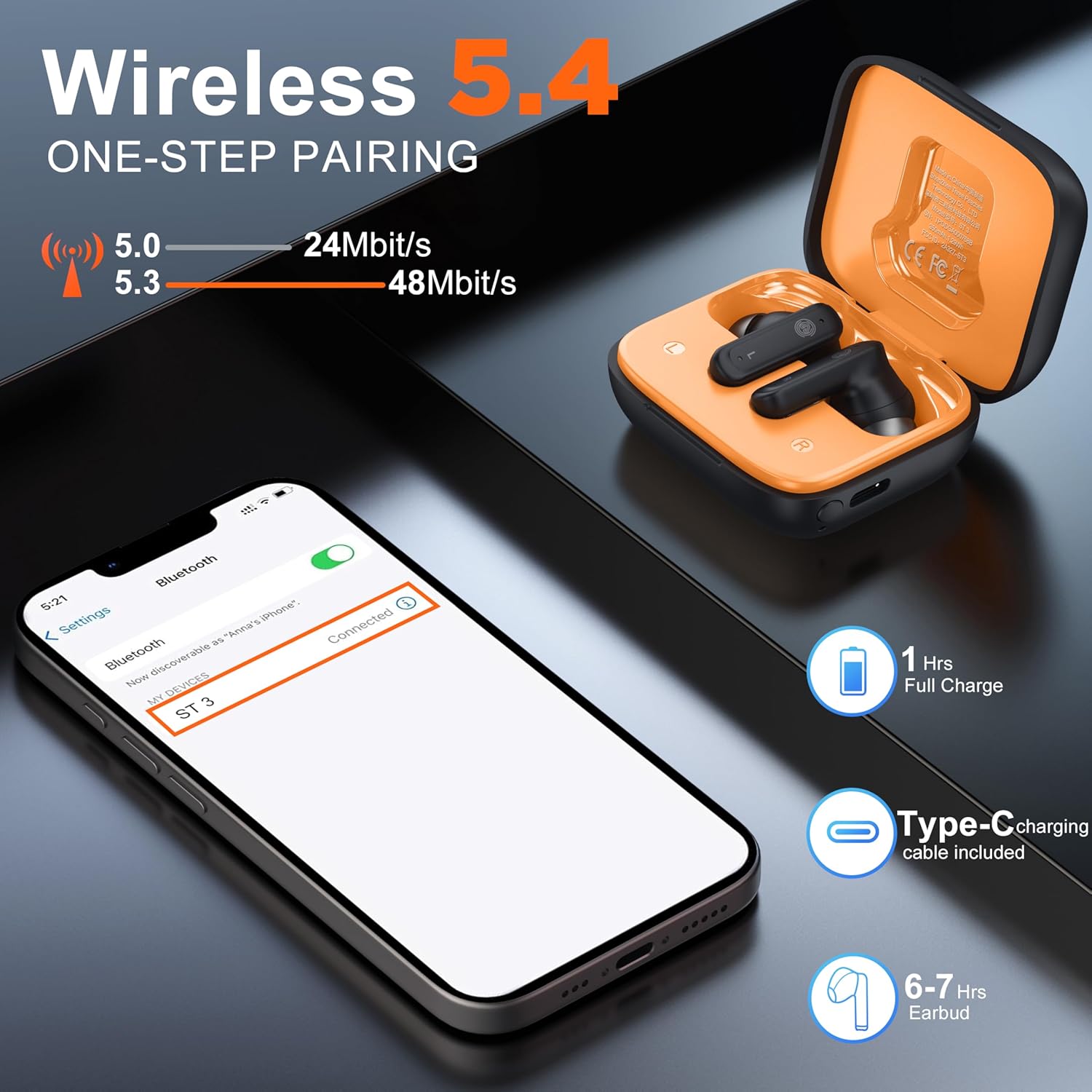
Figure 3: Demonstrates the Bluetooth pairing process, showing a smartphone's Bluetooth settings with "ST 3" listed as a discoverable device, along with charging information.
Note: The earbuds will automatically reconnect to the last paired device when removed from the case, if Bluetooth is enabled on the device.
Operating Instructions
Earbud Touch Controls
The earbuds feature touch-sensitive areas for controlling various functions:
- Play/Pause: Double tap either earbud.
- Next Track: Triple tap the right earbud.
- Previous Track: Triple tap the left earbud.
- Answer/End Call: Double tap either earbud.
- Reject Call: Press and hold either earbud for 2 seconds.
- Activate/Deactivate ANC: Press and hold either earbud for 3 seconds.
- Voice Assistant: (Specific gesture may vary, refer to touch screen settings for customization).
Touch Screen Charging Case Functions
The 2.01-inch LCD touch screen on the charging case provides access to a wide range of features:

Figure 4: Displays the various functions accessible via the touch screen on the charging case, including music playback, equalizer settings, call management, flashlight, voice assistant, and the "Find Earbuds" feature.
- Music Playback: Control play/pause, skip tracks, and adjust volume directly from the screen.
- Sound Equalizer: Select from 7 preset sound effects: Standard, Rock, Pop, Classical, DJ, Disco, Jazz.
- Language Settings: Choose from 6 supported languages.
- Message Reminder: View notifications (requires app integration, if applicable).
- Multi-Wallpaper Switch: Customize the screen background.
- Screen Brightness Adjustment: Modify display brightness.
- Call Management: Make and receive calls directly from the case.
- Voice Assistant: Activate your device's voice assistant (e.g., Siri, Google Assistant).
- Find Earbuds: Trigger an alarm sound on misplaced earbuds to help locate them.
- Music Game Dual Mode: Switch between music and game modes for optimized audio latency.
- Remote Camera Control: Use the case to remotely trigger your phone's camera (specific functionality may vary by device).
- Flashlight: Activate a small flashlight feature.
Noise Cancellation (ANC+ENC)
The earbuds feature both Active Noise Cancellation (ANC) and Environmental Noise Cancellation (ENC) for calls. ANC reduces ambient noise during listening, while ENC focuses on clear voice transmission during calls.

Figure 5: Illustrates the ANC+ENC intelligent noise reduction feature, showing an earbud in use with sound waves indicating noise cancellation for clearer calls and listening.
To toggle ANC, press and hold the touch area on either earbud for 3 seconds. The touch screen case may also offer controls for noise cancellation modes (ANC On/Off, Transparency Mode).
Scene Modes
Optimize your audio experience for different activities using the dedicated scene modes, accessible via the touch screen:
- Music Mode: Enhances human voice and provides bright, clear tones for general music listening.
- Game Mode: Offers ultra-low latency (approximately 0.06 seconds) for synchronized audio during gaming.
- Movie Mode: Provides enhanced sound effects and premium sound quality for an immersive cinematic experience.

Figure 6: Depicts the three major scene modes: Music, Game, and Movie, illustrating how each mode optimizes audio for specific content types.
Maintenance
Cleaning
Regular cleaning helps maintain sound quality and hygiene.
- Use a soft, dry, lint-free cloth to wipe the earbuds and charging case.
- For ear tips, gently remove them and clean with a mild soap solution if necessary, then rinse and dry completely before reattaching.
- Avoid using abrasive materials, alcohol, or chemical cleaners.
- Ensure charging contacts on both earbuds and case are clean and free of debris.
Water Resistance (IPX4)
The earbuds are rated IPX4, meaning they are resistant to splashing water from any direction. This makes them suitable for workouts and light rain.
- Do not submerge the earbuds in water.
- The charging case is not waterproof. Keep it dry.
- If the earbuds get wet, wipe them dry completely before placing them back in the charging case to prevent damage.
Overvoltage Protection
The charging case is equipped with overvoltage protection (OVP), battery protection, and Negative Temperature Coefficient (NTC) thermistor for safe charging.
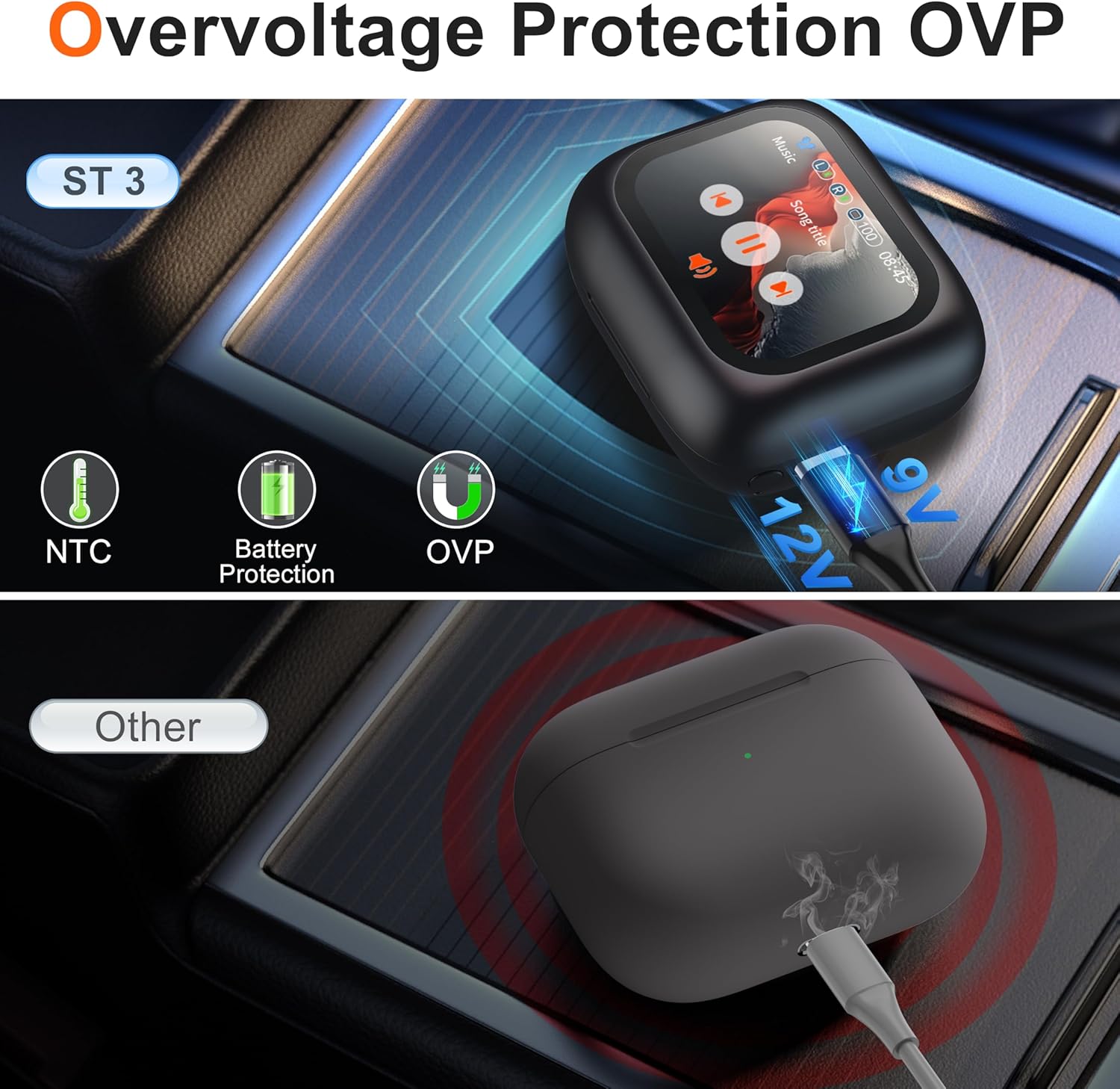
Figure 7: Illustrates the overvoltage protection (OVP) feature of the ST 3 charging case, highlighting NTC, Battery Protection, and OVP for safe charging compared to other devices without such protection.
Troubleshooting
Common Issues and Solutions:
- Earbuds not pairing with device:
- Ensure earbuds are charged.
- Turn off and on Bluetooth on your device.
- Place earbuds back in the case, close, then open again to re-enter pairing mode.
- Forget "ST 3" from your device's Bluetooth list and try pairing again.
- Only one earbud working:
- Ensure both earbuds are charged.
- Place both earbuds back in the charging case, close the lid, wait a few seconds, then open again.
- Check if the earbud's charging contacts are clean.
- Poor sound quality or intermittent connection:
- Ensure the earbuds are within the Bluetooth range of your device (typically 10 meters/33 feet).
- Minimize obstacles between the earbuds and your device.
- Check for interference from other wireless devices.
- Clean the earbuds, especially the speaker mesh.
- Charging case not charging:
- Ensure the USB Type-C cable is properly connected to both the case and the power source.
- Try a different charging cable or power adapter.
- Check the charging port for any debris.
- Touch screen unresponsive:
- Ensure the case is charged.
- Restart the case by closing and reopening the lid.
- "Find My Earbuds" not working:
- Ensure the earbuds are powered on and connected to the charging case or your device.
- The function works best when earbuds are within Bluetooth range.
Specifications
| Model Name | ST 3 |
| Brand | THREE PEACHES |
| Connectivity Technology | Wireless (Bluetooth 5.4) |
| Noise Control | Active Noise Cancellation (ANC) |
| Water Resistance Level | IPX4 (Earbuds only) |
| Battery Life (Earbuds) | Up to 5 hours |
| Total Playtime (with Case) | Up to 25 hours |
| Charging Interface | USB Type-C |
| Control Method | Touch (Earbuds), Touch Screen (Case) |
| Compatible Devices | Cellphones, Laptops, Tablets, Smart Speakers |
| Product Dimensions | 3.54 x 3.54 x 1.4 inches |
| Item Weight | 3.84 ounces |
| UPC | 712110633237 |
Safety Information
- Do not disassemble or modify the product.
- Keep away from extreme temperatures, direct sunlight, and open flames.
- Avoid dropping or subjecting the product to strong impacts.
- Do not expose the charging case to water or moisture.
- Prolonged exposure to loud sounds may cause hearing damage. Adjust volume to a safe level.
- Dispose of batteries and electronic components responsibly according to local regulations.
Warranty and Support
THREE PEACHES products are designed for reliability and performance. For warranty information or technical support, please refer to the contact details provided with your purchase or visit the official THREE PEACHES website.
For further assistance, please contact customer support.