
Introduction
This manual provides essential information for the safe and efficient use of your XMHEIRD 54.6V AC/DC Adapter Charger. Please read this manual thoroughly before operating the device and retain it for future reference. This charger is designed for use with compatible 48VDC Li-ion batteries, specifically those found in Samebike models such as MY-SM26, X09, XWLX09, LOTDM200, LO26, DM-200, DM200, 20LVXD30, 20LVXD30-IT, 26A, C05, RS-A01, XWC05, YY26, and M200.
Safety Information
Your safety is paramount. Please observe the following precautions:
- Compatibility Check: Before connecting, always verify the DC socket type, power consumption (which must not exceed the adapter's maximum output), and polarity of your device. Incorrect usage may lead to damage or malfunction.
- Protection Mechanisms: This charger is equipped with multiple safety features, including protection against short circuiting, overvoltage, overcurrent, and internal overheating. However, proper handling is still required.
- Indoor Use Only: This device is intended for indoor use in dry conditions. Do not expose to rain, moisture, or extreme temperatures.
- Ventilation: Ensure adequate ventilation around the charger during operation to prevent overheating. Do not cover the charger.
- Handle with Care: Avoid dropping or subjecting the charger to strong impacts. Do not disassemble or attempt to repair the charger yourself. Refer to qualified personnel for service.
- Children and Pets: Keep the charger and its cables out of reach of children and pets.
- Unplug When Not In Use: Disconnect the charger from the power outlet when not in use or during electrical storms.
Product Overview
Familiarize yourself with the components of your charger.

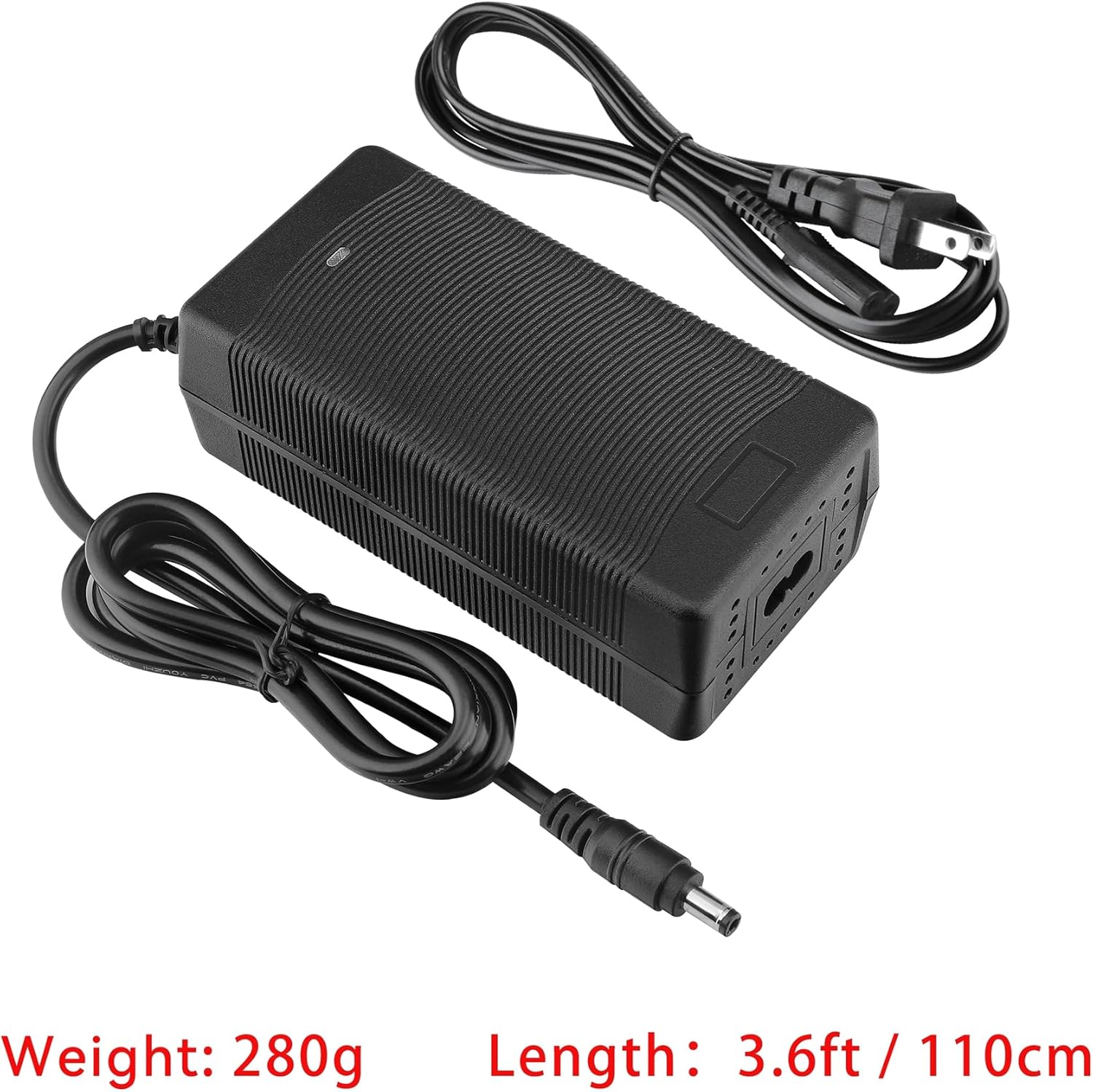


Specifications
| Feature | Detail |
|---|---|
| Model Number | XSD-4000450HUSD20240726-0024 |
| Input Voltage | 100V-240V AC, 50/60Hz |
| Output Voltage/Current | 54.6V DC, 2A (Micro USB) |
| Product Dimensions | 5 x 2.4 x 1.2 inches (approx. 12.7 x 6.1 x 3.0 cm) |
| Item Weight | 3 ounces (approx. 85 grams) |
| Color | Black |
| Manufacturer | ShenZhen Moveforest Electric Appliance Industry Co.,LTD |
| Country of Origin | China |
| Compatible Devices | Samebike MY-SM26, X09, XWLX09, LOTDM200, LO26, DM-200, DM200, 20LVXD30, 20LVXD30-IT, 26A, C05, RS-A01, XWC05, YY26, M200 48VDC Li-ion Battery |
Setup
- Unpack: Carefully remove the charger and all components from the packaging.
- Inspect: Check the charger and cables for any visible damage. Do not use if damaged.
- Connect AC Power Cord: Insert the AC power cord into the charger's input port.
- Verify Compatibility: Before plugging into your device, ensure the charger's output specifications (54.6V DC, 2A, Micro USB connector) match your device's charging requirements. Pay close attention to the DC socket type and polarity.
Operating Instructions
- Plug into Wall Outlet: Insert the AC power cord plug into a standard 100V-240V AC wall outlet. The charger's indicator light (if present) may illuminate, indicating power is supplied.
- Connect to Device: Carefully insert the DC output connector of the charger into the charging port of your compatible 48VDC Li-ion battery or device.
- Monitor Charging: Observe the charging indicator on your device (if available) to confirm that charging has begun. The charger itself may also have an indicator light that changes color (e.g., red for charging, green for fully charged).
- Disconnect After Charging: Once your device's battery is fully charged, first disconnect the DC output connector from your device, then unplug the charger from the wall outlet.
Important: Do not leave the charger connected to the device or power outlet for extended periods after charging is complete. Avoid charging in direct sunlight or excessively hot environments.
Maintenance
- Cleaning: Disconnect the charger from all power sources before cleaning. Use a soft, dry cloth to wipe the surface. Do not use liquid cleaners or abrasive materials.
- Storage: Store the charger in a cool, dry place away from direct sunlight and moisture when not in use. Coil cables loosely to prevent damage.
- Cable Care: Do not bend, twist, or pinch the cables excessively. Regularly inspect cables for fraying or damage. Replace if any damage is observed.
Troubleshooting
| Problem | Possible Cause | Solution |
|---|---|---|
| Charger not powering on / No indicator light | No power from outlet; Loose connection; Faulty charger. | Check wall outlet with another device. Ensure AC cord is firmly connected to charger and outlet. Try a different outlet. If problem persists, contact customer support. |
| Device not charging | Incorrect charger compatibility; Loose DC connection; Device battery issue. | Verify charger output specifications match device input. Ensure DC connector is fully and correctly inserted. Check device's charging port for debris. Test device with another known-good charger if possible. |
| Charger gets excessively hot | Poor ventilation; Overload; Internal fault. | Ensure charger is in a well-ventilated area. Do not cover it. Confirm device power consumption does not exceed charger's max output. Discontinue use if overheating persists and contact support. |
Warranty and Support
This XMHEIRD product comes with a 12-month guarantee from the date of purchase. We are committed to providing friendly customer service.
Return Policy: Products are eligible for return or replacement within 30 days of purchase.
If you encounter any issues with your product, please do not hesitate to contact us. We will gladly assist with returns, resends, or provide a full refund as applicable. For support, please visit the XMHEIRD Store on Amazon or refer to your purchase documentation for direct contact information.