
1. Introduction
Thank you for choosing the Rip Curl Digital Automatic Watch, Model 00EWTI. This watch is designed for durability and functionality, featuring a pre-programmed tide module, a robust ABS injection-molded fiber reinforced case, and a durable polyurethane strap. It is water-resistant up to 100 meters (330 feet), making it suitable for various water activities.
This manual provides detailed instructions on how to set up, operate, and maintain your watch to ensure optimal performance and longevity.
2. Watch Components
Familiarize yourself with the main components and buttons of your Rip Curl watch:
- LIGHT Button: Activates the backlight for visibility in low light conditions.
- MODE Button: Cycles through different watch functions (Time, Date, Tide, Stopwatch, Timer, Alarm).
- UP Button: Used for adjusting settings upwards or navigating menus.
- DOWN Button: Used for adjusting settings downwards or navigating menus.

Image 1: Front view of the Rip Curl Digital Automatic Watch 00EWTI. The digital display shows the current time, date, and a tide graph. The watch features four buttons: LIGHT (top left), MODE (bottom left), UP (top right), and DOWN (bottom right). The watch face also indicates "100M/330FT" for water resistance.

Image 2: Angled front view of the Rip Curl Digital Automatic Watch 00EWTI. This perspective emphasizes the watch's profile and the placement of the control buttons on the sides of the case.
3. Setup
3.1 Initial Time and Date Setting
- Press the MODE button repeatedly until the time setting mode is displayed (often indicated by flashing digits).
- Use the UP and DOWN buttons to adjust the hours.
- Press the MODE button again to move to minutes, then adjust with UP and DOWN.
- Continue pressing MODE to set the year, month, and day, adjusting each with UP and DOWN.
- Once all settings are correct, press the MODE button to exit the setting mode.
3.2 Tide Module Configuration
Your watch features a pre-programmed tide module. For accurate tide data, you may need to select your nearest surf spot or geographical region.
- In time mode, press the MODE button until the tide display appears.
- Press and hold the MODE button (or a combination of buttons, refer to specific model instructions if available) to enter tide setting mode.
- Use the UP and DOWN buttons to scroll through available locations or adjust tide offset if applicable.
- Confirm your selection by pressing the MODE button.
Note: The accuracy of the tide data depends on the correct geographical setting and may vary based on local conditions.
4. Operating Instructions
4.1 Basic Time Display
In the default time mode, the watch displays the current time (hours, minutes, seconds), day of the week, and date. A 'P' indicator may signify PM for 12-hour format.
4.2 Using the Backlight
Press the LIGHT button (top left) to illuminate the display. The backlight will typically stay on for a few seconds before automatically turning off.
4.3 Cycling Through Modes
Press the MODE button (bottom left) to cycle through the various functions of your watch. The typical sequence includes:
- Time/Date Display
- Tide Display
- Stopwatch
- Timer
- Alarm
Refer to the display indicators for the current mode.
4.4 Stopwatch Function
- Navigate to the Stopwatch mode using the MODE button.
- Press the UP button to start the stopwatch.
- Press the UP button again to pause/resume.
- Press the DOWN button to reset the stopwatch to zero.
5. Maintenance
5.1 Cleaning Your Watch
To clean your watch, wipe it gently with a soft, damp cloth. For stubborn dirt, use a mild soap solution and rinse thoroughly with fresh water. Avoid using harsh chemicals or abrasive materials, as these can damage the watch case, lens, or strap.
5.2 Water Resistance
Your watch is water-resistant to 100 meters (330 feet). This rating means it is suitable for swimming, snorkeling, and surfing. However, it is not recommended for scuba diving. Always ensure the buttons are not pressed while the watch is submerged in water to prevent water ingress.
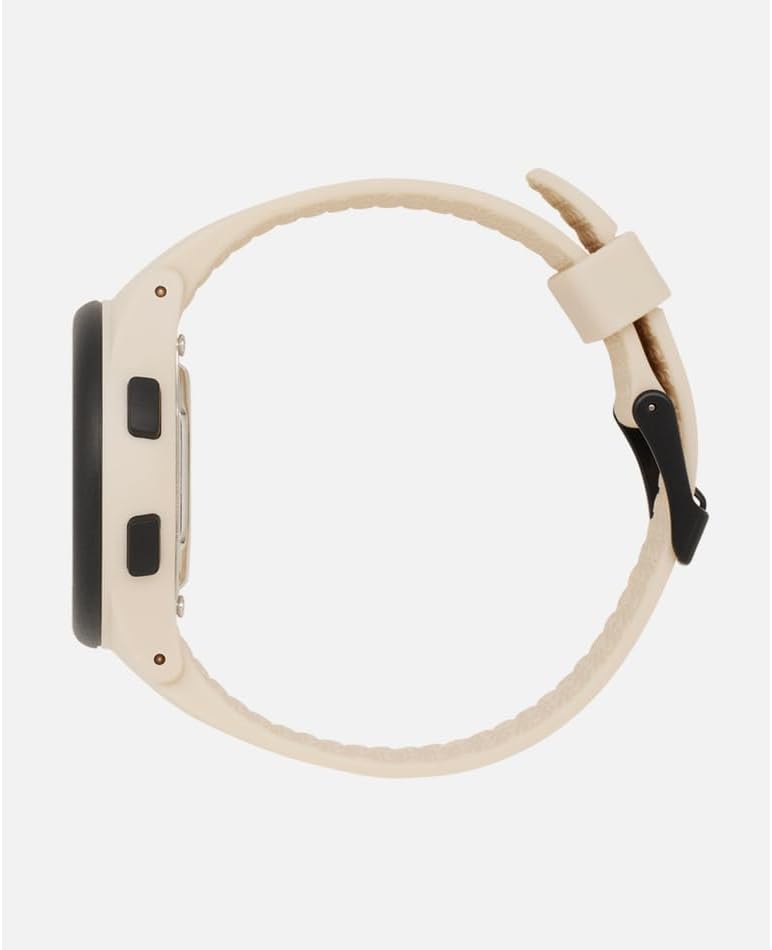
Image 3: Side view of the Rip Curl Digital Automatic Watch 00EWTI. This image illustrates the watch's profile, the robust case construction, and the durable polyurethane strap.
5.3 Battery Replacement
When the display becomes dim or the watch stops functioning, it may be time to replace the battery. It is highly recommended to have the battery replaced by a qualified watch technician to ensure the water resistance seal is properly maintained.
5.4 Strap Care
The polyurethane strap is designed for durability. To prolong its life, avoid prolonged exposure to direct sunlight, extreme temperatures, and harsh chemicals. Clean the strap regularly with mild soap and water.
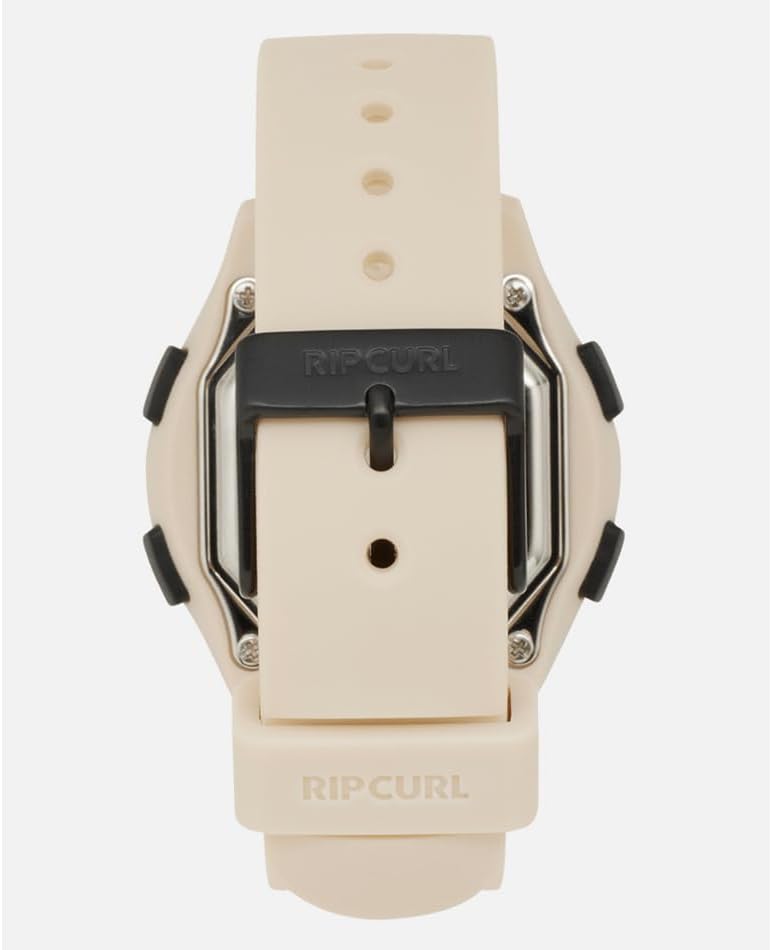
Image 4: Back view of the Rip Curl Digital Automatic Watch 00EWTI. This image highlights the marine-grade 316L stainless steel forged buckle and the attachment points of the polyurethane strap to the watch case.
6. Troubleshooting
6.1 Display is Blank or Dim
- Cause: Low battery.
- Solution: Replace the battery (refer to Section 5.3).
6.2 Incorrect Time/Date
- Cause: Time/date not set correctly or watch was reset.
- Solution: Re-set the time and date (refer to Section 3.1).
6.3 Tide Data Appears Incorrect
- Cause: Incorrect location selected for the tide module.
- Solution: Verify and adjust the tide module configuration (refer to Section 3.2). Ensure your selected location is accurate.
6.4 Buttons Not Responding
- Cause: Watch may be in a locked mode, or internal issue.
- Solution: Try pressing the MODE button for a few seconds to see if it unlocks. If the issue persists, a battery replacement or professional inspection may be required.
7. Specifications
| Model Number | 00EWTI |
| Case Material | ABS Injection-Molded Fiber Reinforced |
| Lens Material | Ultrasonically Welded Plastic |
| Strap Material | Polyurethane |
| Strap Width | 22 mm |
| Buckle Material | Marine-Grade 316L Stainless Steel (Forged) |
| Water Resistance | 100 meters (330 feet) |
| Special Features | Pre-programmed Tide Module |
| Dimensions (Package) | 17.78 x 7.62 x 5.08 cm |
| Weight (Package) | 226.8 grams |
8. Warranty and Support
Rip Curl watches are manufactured to high-quality standards. For information regarding warranty coverage, please refer to the warranty card included with your purchase or visit the official Rip Curl website. For technical support or service inquiries, please contact Rip Curl customer service directly.
Please retain your proof of purchase for any warranty claims.