
Brickhouse Security EON Odyssey
EON Odyssey GPS Tracker Instruction Manual
Model: EON Odyssey | Brand: Brickhouse Security
1. Introduction
The EON Odyssey GPS Tracker is a state-of-the-art, long-life tracking device designed for vehicles, assets, and fleet management. Featuring a powerful magnetic mount and extended battery life, it provides real-time location data and alerts across 4G LTE networks globally. This manual provides essential information for setting up, operating, maintaining, and troubleshooting your EON Odyssey GPS Tracker.

Image: The EON Odyssey GPS Tracker device shown next to its retail packaging, highlighting its compact size and the brand.

Image: A graphic depicting the EON Odyssey GPS Tracker's capability to track anything, anywhere, with a truck on a bridge overlaid with tracking circles.
2. Setup and Activation
Before using your EON Odyssey GPS Tracker, it is essential to activate your subscription plan and prepare the device for operation.
2.1 Subscription Requirement
A subscription plan is required for the EON Odyssey GPS Tracker to function. Plans start at $17.99/unit/month (billed annually) for the BASIC plan, with PLUS and PREMIUM options available. You can choose from monthly, quarterly, or annual billing. No contracts are required, and you can cancel anytime.

Image: A detailed comparison table of Basic, Plus, and Premium subscription plans, outlining features like cellular data, cloud software, update frequency, alerts, and reporting.
2.2 Initial Charging
Ensure your device is fully charged before its first use. The EON Odyssey features an unrivaled long-lasting battery, capable of tracking for months or even years on a single charge, depending on usage and reporting frequency.
2.3 Device Placement and Installation
The EON Odyssey GPS Tracker is designed for effortless deployment. It features a built-in high-powered magnet for quick attachment to metallic surfaces. For non-metallic surfaces or added security, integrated strap loops are provided.
- Magnetic Attachment: Simply 'slap and track' by attaching the device to any suitable magnetic surface on your vehicle, trailer, or asset.
- Strap Loops: Utilize the included strap loops for secure installation in various environments.
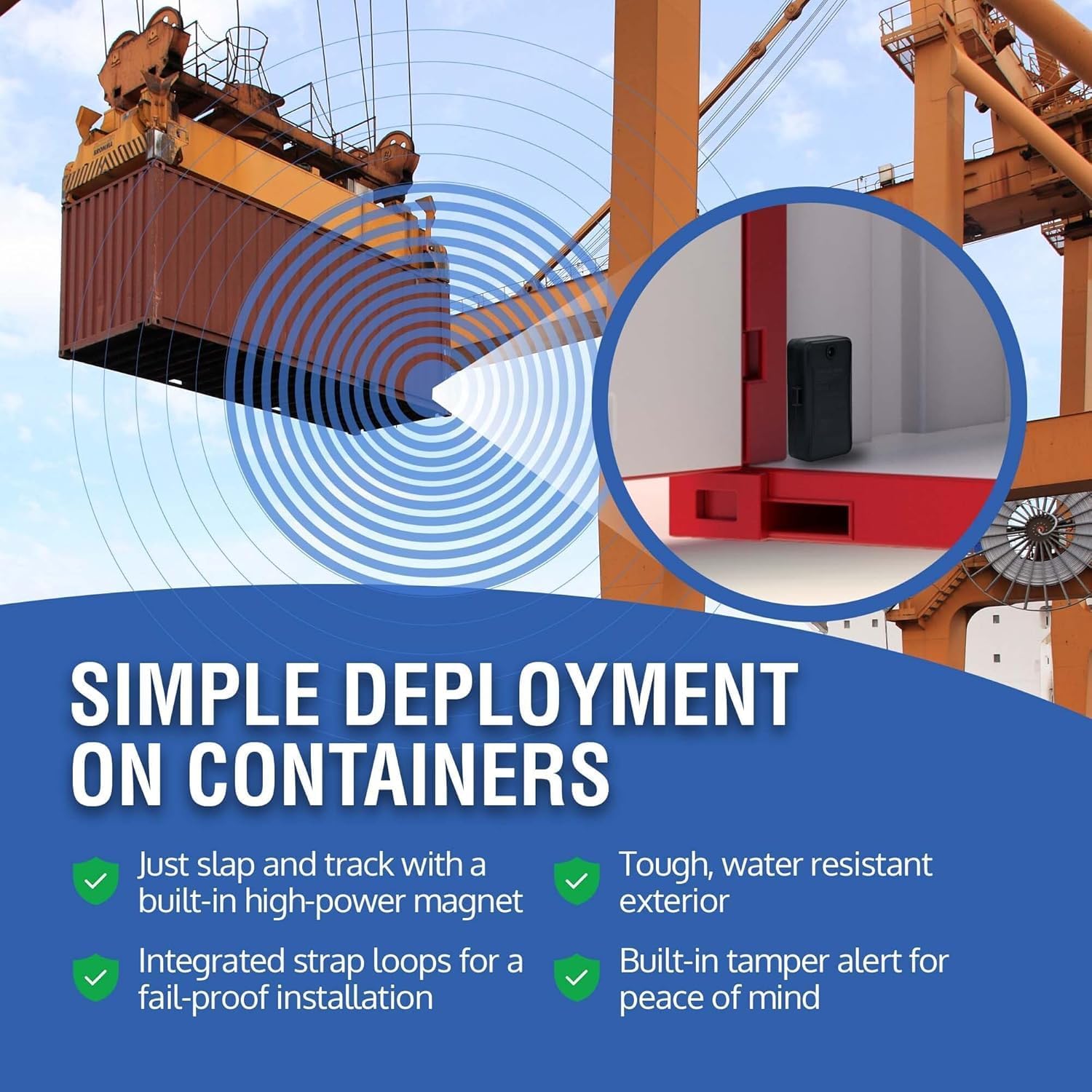
Image: The EON Odyssey GPS Tracker magnetically attached inside a cargo container, demonstrating simple deployment.
3. Operating the Device
The EON Odyssey GPS Tracker operates through a dedicated tracking platform, accessible via mobile application (iOS, Android) or web browser.
3.1 Accessing the Tracking Platform
Download the Brickhouse Security tracking application from your device's app store or access the web platform via a browser. Log in using your credentials established during subscription activation.
- Supported Applications: GPS, iOS iPhone, Android, Web App, Alexa.

Image: Individuals viewing the tracking platform on a tablet, laptop, and smartphone, illustrating accurate, real-time tracking from any device.
3.2 Real-Time Tracking and Historical Data
Once logged in, you can view the current location of your EON Odyssey GPS Tracker on a map. The platform also provides access to historical location data, allowing you to review past routes and stops.
3.3 Setting Up Alerts and Custom Reporting
The EON Odyssey allows you to configure various alerts to stay informed about your asset's status and location. You can also generate custom reports based on tracking data.
- Motion Alerts: Receive notifications if the device moves unexpectedly.
- Geofence Alerts: Get alerts when the device enters or exits a predefined geographical boundary.
- Tamper Alerts: Be notified if the Odyssey is removed or its compartment is opened.
- Speed Alerts: Set maximum speed thresholds and receive alerts if exceeded.
- Custom Reporting: Generate detailed reports on current and historical location data, movement, and alerts.

Image: A screenshot of the tracking application displaying a map with geofences and a list of motion, geofence, and tamper alerts, emphasizing custom alert capabilities.
4. Maintenance
Proper care and maintenance will ensure the longevity and optimal performance of your EON Odyssey GPS Tracker.
4.1 Battery Life and Recharging
The EON Odyssey is designed for extended battery life, lasting up to 18 months on a single charge for stationary assets, and significant periods for moving assets. When the battery level is low, recharge the device using the provided charging cable.
4.2 Device Care
The EON Odyssey features a tough, water-resistant exterior, making it suitable for various conditions. However, avoid submerging the device in water or exposing it to extreme physical impact.

Image: A graphic highlighting key features: up to 18 months battery life, high power magnet, waterproof for all conditions, and ability to withstand temperatures from -20°C to +70°C.
5. Troubleshooting
If you encounter issues with your EON Odyssey GPS Tracker, refer to the following common troubleshooting steps:
| Problem | Possible Cause | Solution |
|---|---|---|
| Device not tracking / No location updates | Device is out of battery No cellular signal Subscription issue | Charge the device fully. Move the device to an area with better 4G LTE coverage. Verify your subscription is active and in good standing. |
| App not displaying correct information | App requires update Temporary software glitch | Ensure your tracking app is updated to the latest version. Close and restart the app. Try logging out and logging back in. |
| Alerts not being received | Alert settings not configured Notification settings on phone | Check alert settings within the tracking platform to ensure they are enabled and correctly configured. Verify your phone's notification settings allow alerts from the tracking app. |
If these steps do not resolve the issue, please contact Brickhouse Security customer support.
6. Specifications
Key technical specifications for the EON Odyssey GPS Tracker:
- Product Dimensions: 4.29 x 2.4 x 1.2 inches
- Item Weight: 1.1 pounds
- Color: Black
- Connectivity Technology: Cellular (4G LTE)
- Battery Life: Up to 18 months (depending on usage and reporting frequency)
- Operating Temperature: -20°C to +70°C
- Special Features: Lifetime Warranty, Push/SMS/Email Alerts (Speed, Fence, Movement), Smallest GPS Tracker, High-powered magnet, Water-resistant
- What's in the Box: EON Odyssey GPS Tracker, High-powered magnet, SIM Card, Strap loops

Image: The EON Odyssey GPS Tracker with its dimensions (4.29" x 2.4" x 1.2") and a list of features emphasizing its versatility, including flexible installation, easy transfer, extended battery life, and global reach.
7. Warranty and Support
7.1 Lifetime Warranty
The EON Odyssey GPS Tracker comes with a Lifetime Warranty, ensuring peace of mind regarding your investment.
7.2 Customer Support
For any questions, technical assistance, or warranty claims, please contact Brickhouse Security customer support. You can find contact information on the official Brickhouse Security website or through your tracking platform account.
Visit the official Brickhouse Security store for more information: Brickhouse Security Store
Related documentsEON Odyssey


Ask a question about this manual
Ask about setup, troubleshooting, compatibility, parts, safety, or missing instructions. Manuals+ will review the question and use this page’s manual context to help answer it.