
1. Product Overview
The Ledvion 2M LED Track Lighting System offers a modern and flexible solution for illuminating various indoor spaces. This single-phase track system includes four dimmable GU10 spotlights, allowing you to customize the lighting ambiance. It is designed for energy efficiency and adaptability, suitable for homes, offices, and retail environments.
Key Features:
- Modern and Flexible Lighting: Provides a contemporary and versatile way to illuminate any room, easily creating the desired atmosphere.
- Light Customization: The track lighting can be used with or without desired (color) lamps to fully adjust light intensity and color temperature to your needs.
- Easy Installation: Designed for straightforward installation in kitchens, living rooms, or other areas. Spotlights can be positioned precisely where needed.
- Energy Efficient and Dimmable: Compatible with energy-saving LED lamps and can be dimmed using an external dimmer, allowing perfect lighting adjustment for any occasion.
- Versatile Application: An elegant and energy-efficient lighting solution ideal for homes, offices, and shops, providing optimal personalized lighting in every room.

Image 1.1: The Ledvion 2M LED Track Lighting System installed in a modern kitchen, demonstrating its application and aesthetic.
2. What's in the Box
The Ledvion 2M LED Track Lighting System (SKU: LVT10001_2m4s) package includes the following components:
- 2-meter track rail (2 sections)
- 4 Track Spotlights with GU10 fitting
- Mounting hardware (screws, wall plugs)
- Track connector
- End cap
- Optional anti-glare grids (4 pieces)

Image 2.1: All components included in the Ledvion 2M LED Track Lighting System package.
3. Setup and Installation
Before beginning installation, ensure the power supply is turned off at the main circuit breaker. This system is designed for wall or ceiling mounting.
3.1 Mounting the Track Rail
- Plan Layout: Determine the desired location for your track lighting system on the wall or ceiling. Mark the drilling points for the mounting brackets.
- Drill Holes: Use an appropriate drill bit to create holes at the marked points. Insert the provided wall plugs if necessary.
- Secure Track: Attach the track rail sections to the wall or ceiling using the provided screws. Ensure the track is securely fastened and level. If using multiple track sections, connect them using the track connector.
- Connect Power: Connect the track's power feeder to your electrical wiring. Ensure all connections are secure and comply with local electrical codes.
3.2 Installing Spotlights
The spotlights feature a plug-and-play installation system for easy attachment and repositioning.
- Insert Spotlight: Align the spotlight's connector with the track rail. Push the spotlight firmly into the track.
- Secure Spotlight: Rotate the locking mechanism on the spotlight's base to secure it in place. Ensure it clicks or locks to prevent accidental detachment.
- Install GU10 Lamps: Insert GU10 LED lamps (not always included) into the spotlight fixtures by pushing and twisting them into the socket.
- Add Anti-Glare Grid (Optional): If desired, insert the anti-glare grid into the front of the spotlight.

Image 3.1: Plug and Play Installation of the track spotlights.
4. Operating Instructions
Once installed, the Ledvion track lighting system offers flexible control over your illumination.
4.1 Powering On/Off
Turn the track lighting system on or off using your standard wall switch connected to the power supply.
4.2 Adjusting Spotlights
Each spotlight can be independently adjusted to direct light precisely where needed.
- Rotation: The spotlight can be rotated 350 degrees horizontally along the track.
- Tilt: The spotlight head can be tilted up to 90 degrees vertically.
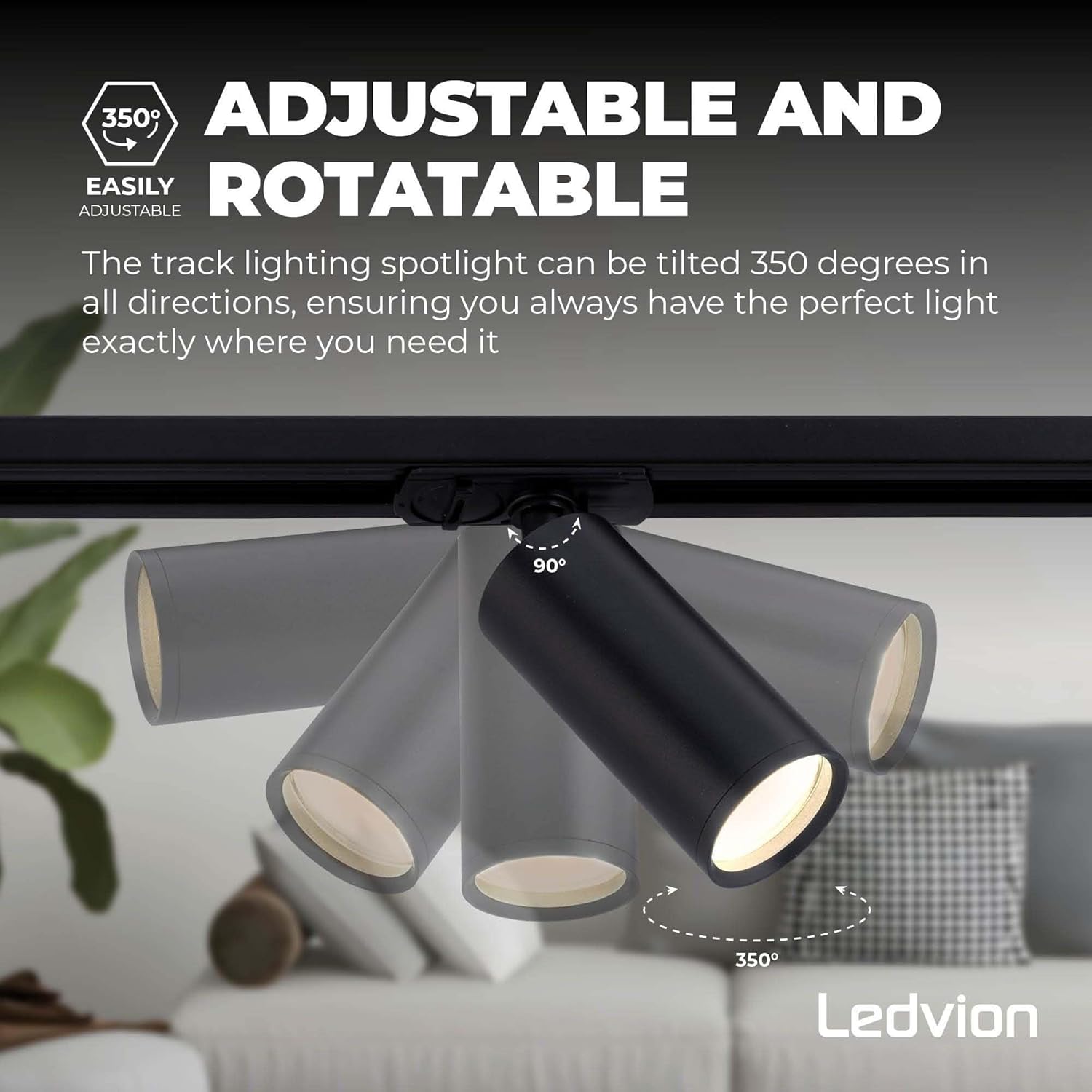
Image 4.1: Adjustable and Rotatable features of the spotlights.
4.3 Dimming (if applicable)
If you have installed dimmable GU10 LED lamps and connected the system to an external dimmer switch, you can adjust the light intensity. Refer to your dimmer's instructions for specific operation.
4.4 Anti-Glare Grid (Optional)
The optional anti-glare grid can be easily added or removed from the front of the spotlight to reduce glare and soften the light output.
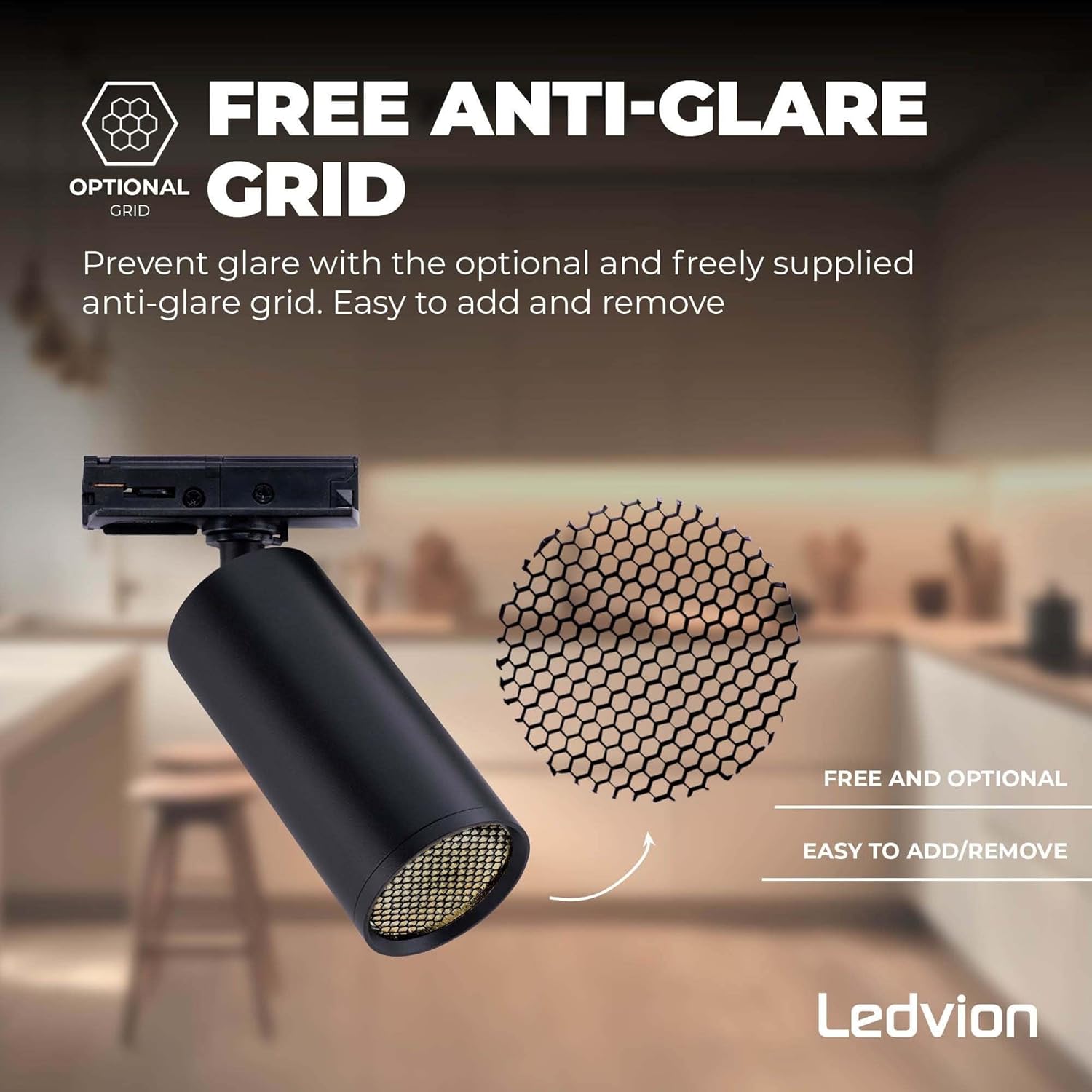
Image 4.2: Optional Anti-Glare Grid.
5. Maintenance
Regular maintenance ensures the longevity and optimal performance of your Ledvion track lighting system.
- Cleaning: Disconnect power before cleaning. Use a soft, dry cloth to wipe the track and spotlights. Do not use abrasive cleaners or solvents, as these may damage the finish.
- Lamp Replacement: Ensure power is off before replacing GU10 lamps. Allow lamps to cool completely. Gently push and twist the old lamp to remove, then insert the new GU10 lamp.
- Inspection: Periodically check all connections and mounting points to ensure they remain secure.
6. Troubleshooting
If you encounter issues with your track lighting system, refer to the following common problems and solutions:
| Problem | Possible Cause | Solution |
|---|---|---|
| Lights do not turn on. | No power supply; loose connection; faulty lamp; faulty spotlight. | Check circuit breaker. Ensure all wiring connections are secure. Replace the GU10 lamp. Try moving the spotlight to another position on the track or test with a known working spotlight. |
| Lights flicker. | Loose lamp; unstable power; incompatible dimmer (if applicable). | Ensure lamps are securely seated. Check power supply stability. Verify dimmer compatibility with LED lamps. |
| Spotlight not securely attached. | Locking mechanism not engaged. | Ensure the spotlight is fully inserted and the locking mechanism is rotated to the locked position. |
7. Specifications
Technical details for the Ledvion 2M LED Track Lighting System (Model: LVT10001_2m4s).
| Feature | Detail |
|---|---|
| Brand | Ledvion |
| Model Number | LVT10001_2m4s |
| Product Dimensions (L x W x H) | 105 x 20 x 10 cm (approx. 2 meters track length) |
| Item Weight | 1.93 Kilograms |
| Color | Black |
| Style | Minimalist |
| Number of Spotlights | 4 |
| Bulb Type | LED (GU10 fitting) |
| Voltage | 230 Volts |
| Switch Style | Dimmer (external dimmer required for dimming function) |
| Installation Type | Wall Mount, Ceiling Mount |
| Country of Origin | China |
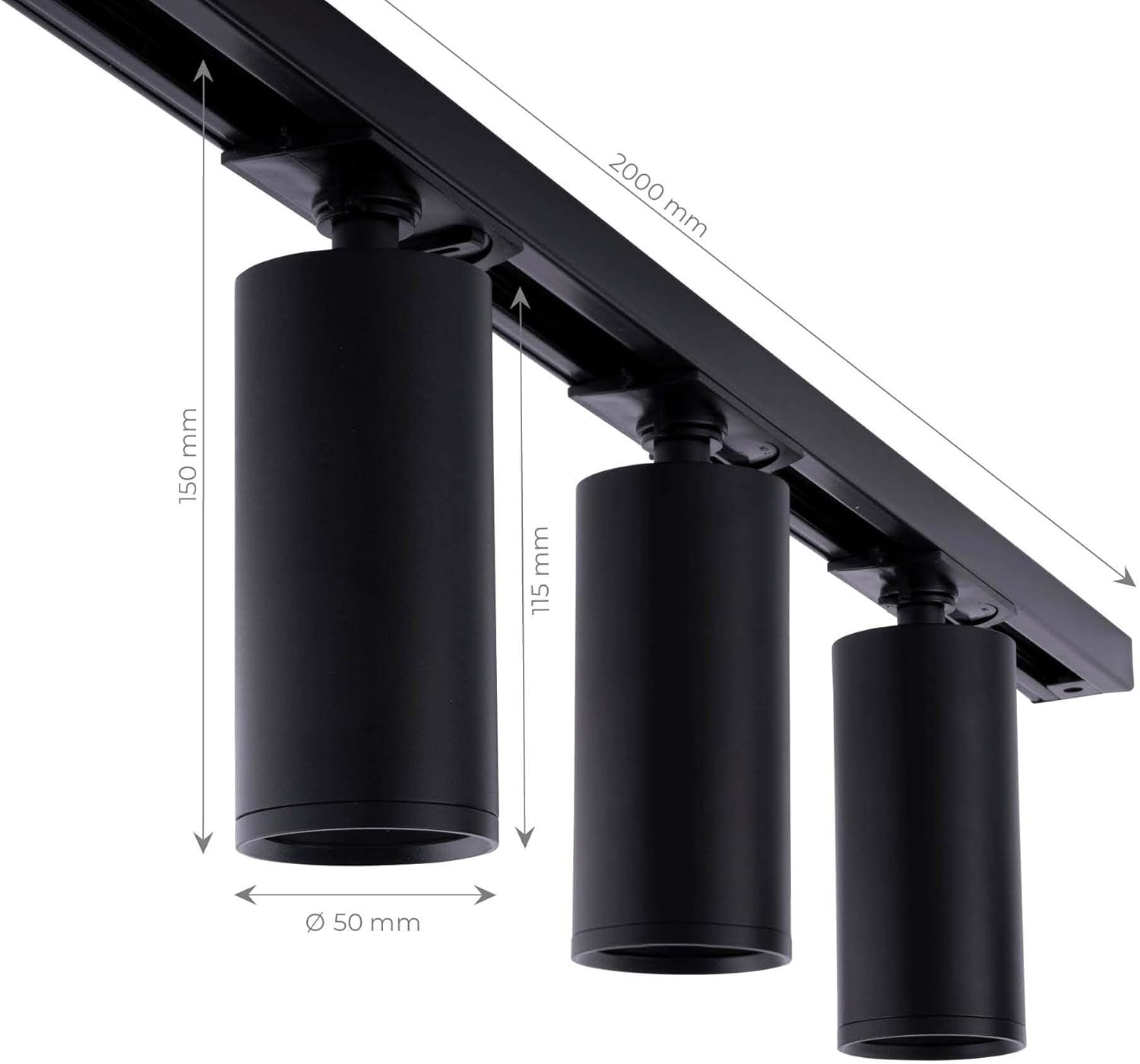
Image 7.1: Dimensions of the track lighting system and spotlights.
8. Optional Accessories
The Ledvion track system is expandable with various optional accessories to enhance functionality and design. These include different types of connectors and pendant options.
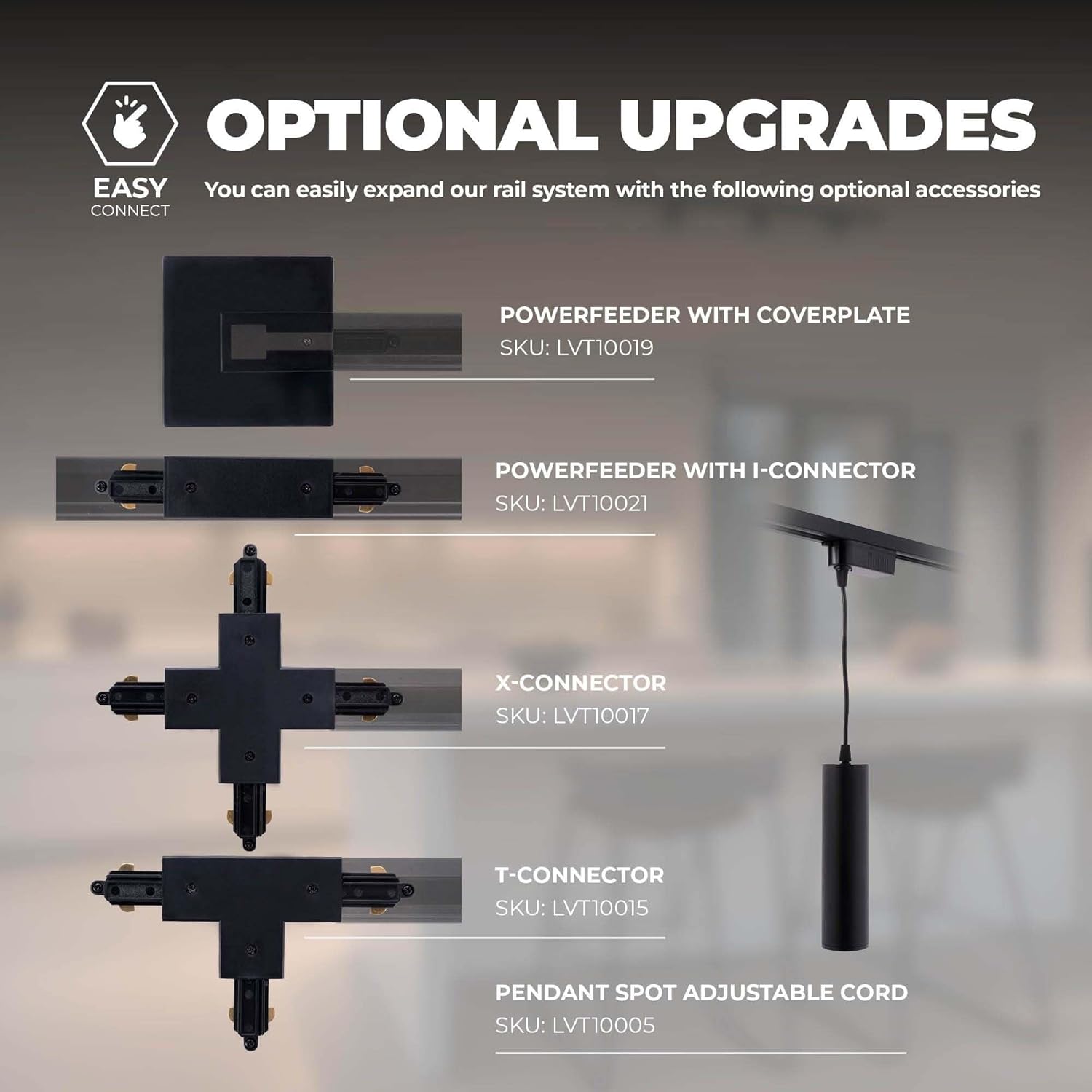
Image 8.1: Optional upgrades and accessories for the track system.
9. Warranty and Support
For warranty information and customer support, please refer to the documentation included with your purchase or visit the official Ledvion website. Keep your proof of purchase for warranty claims.
Manufacturer: Ledvion
Contact: Refer to Ledvion's official support channels for assistance.