
Introduction
This manual provides comprehensive instructions for the Hmusic A3 OTG Neckband Headphones. It covers product features, setup procedures, operational guidelines, maintenance tips, troubleshooting solutions, and detailed specifications. Please read this manual thoroughly to ensure proper use and optimal performance of your device.
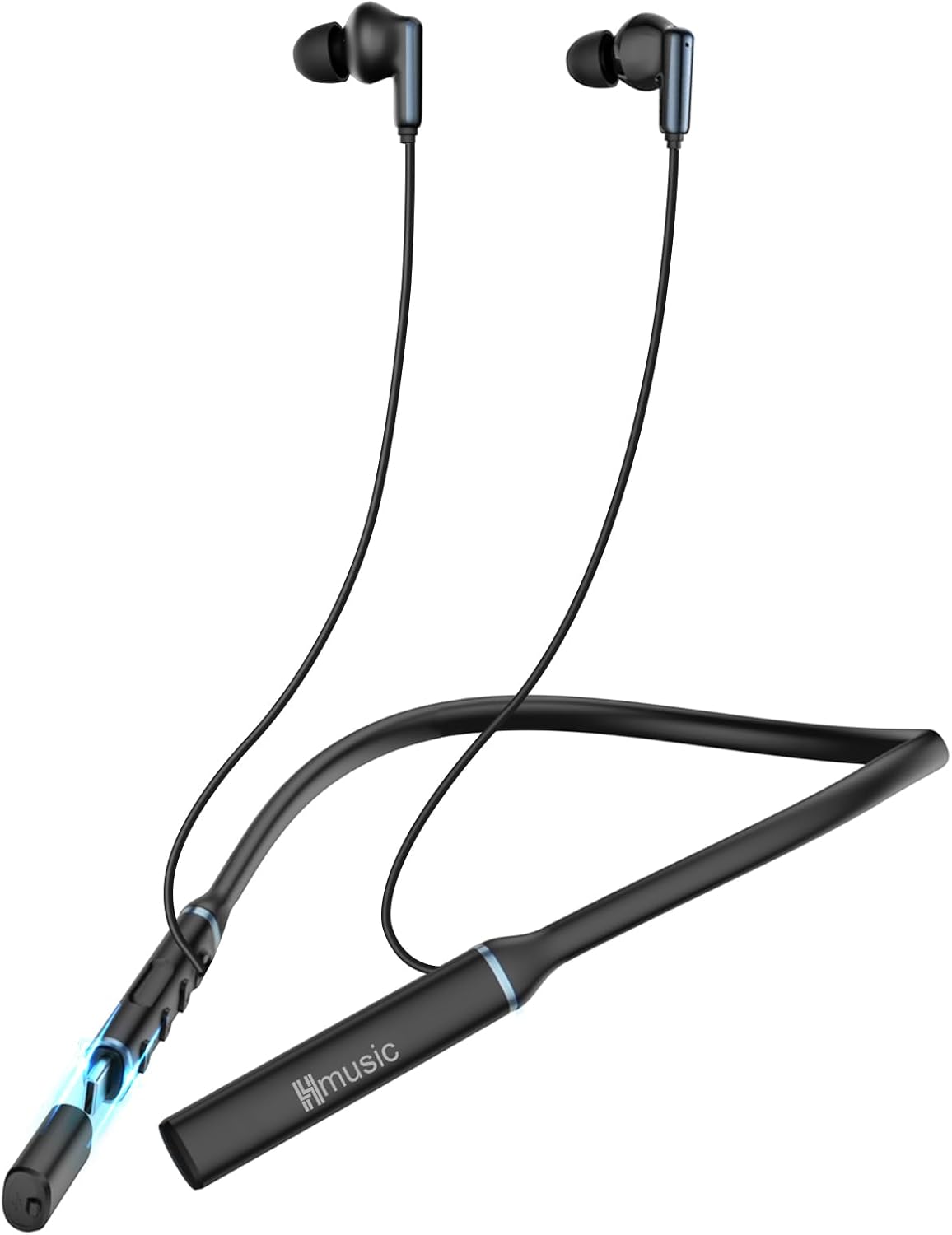
Image: Hmusic A3 OTG Neckband Headphones, showcasing the neckband design and earbuds.
What's in the Box
Verify that all components are present in the product packaging:
- Hmusic A3 OTG Neckband Headphones (1 unit)
- USB-C Charging Cable (1 unit)
- Storage Bag (1 unit)
- User Manual (1 unit)
- Customized Eartips (various sizes)

Image: An illustration showing the Hmusic A3 neckband headphones, USB-C charging cable, storage bag, user manual, and customized eartips included in the package.
Product Overview
Key Features
- OTG Plug-in Charging: Supports direct charging via mobile devices and standard USB-C cable.
- Extended Playtime: Up to 35 hours of audio playback on a single 1.5-hour charge.
- Dynamic Sound: Equipped with 12mm drivers for clear audio and deep bass.
- Customizable Audio: Three Equalizer (EQ) modes (Bass, Vocal, Equilibrium) for varied listening experiences.
- Clear Communication: Environmental Noise Cancelling (ENC) microphone for hands-free calls.
- Advanced Connectivity: Bluetooth 5.4 for stable connection and dual device pairing.
- Low-Latency Gaming: Dedicated 45ms low-latency game mode.
- Comfortable Design: Lightweight (33g), skin-friendly TPE material, and magnetic earbuds for secure wear and storage.

Image: Visual representation of the Hmusic A3 headphones highlighting key features such as OTG USB-C charging, 35H playback, EQ mode, Bluetooth 5.4, 12mm dynamic driver, ENC mic, game mode, and silicone neckband design.
Controls
The control panel is located on the neckband. Refer to the diagram below for button functions:

Image: A detailed diagram illustrating the control buttons on the Hmusic A3 neckband. It shows the Power Button, Volume Up (+ Key), and Volume Down (- Key) with their respective functions for single clicks, long presses, and multiple clicks.
- Power Button:
- Press 2s: Power On
- Press 4s: Power Off
- x1 Click: Answer Incoming Calls / Hang Up A Call / Play/Pause
- Long Press: Reject an Incoming Call
- x2 Click: Switch EQ Modes
- x3 Click: Switch Game/EQ Modes
- Press 2s: Activate Phone Voice Assistant
- x3 Click: Configure Prompt Language
- + Key:
- x1 Click: Volume Up
- Long Press: Previous Song
- - Key:
- x1 Click: Volume Down
- Long Press: Next Song
Setup
Charging the Headphones
The Hmusic A3 headphones offer versatile charging options:
- OTG Plug-in Charging: The neckband features a built-in USB-C connector that can be directly plugged into compatible mobile phones, power banks, or tablets for charging.
- USB-C Cable Charging: Use the provided USB-C cable to connect the headphones to a standard USB-C charger.
A full charge takes approximately 1.5 hours and provides up to 35 hours of playtime.
Important Note: Do not use chargers with an output exceeding 10W (e.g., 5V/1A) as this may damage the battery and pose a safety risk.

Image: Demonstrates the OTG Type-C fast charging plug being used with a laptop, power bank, cellphone, and tablet. It also shows a standard charger (5V/1A, <10W) as a compatible option.
Bluetooth Pairing
Follow these steps to pair your Hmusic A3 headphones with a device:
- Power On: Press and hold the Power Button for 2 seconds to turn on the headphones. They will automatically enter pairing mode.
- Activate Bluetooth: On your device (smartphone, tablet, computer), enable Bluetooth.
- Select Device: Search for "A3" in the list of available Bluetooth devices and select it to connect.
- Confirmation: A voice prompt will confirm successful pairing.
Dual Device Connection
The Hmusic A3 supports simultaneous connection with two devices:
- First, pair the headphones with Device A as described above.
- Turn off the Bluetooth function on Device A. The headphones will be ready for another connection.
- Search for and connect to "A3" with Device B.
- Turn on the Bluetooth function on Device A. The headphones will automatically connect to Device A from the history connected device list. You will hear a "second device is connected successfully" prompt.
You can now seamlessly switch between audio sources from both connected devices.
Image: Illustrates the process of connecting the Hmusic A3 headphones to two devices simultaneously (a smartphone and a laptop) and a user enjoying low-latency game mode.
Operating
Basic Functions
- Power On/Off: Refer to the 'Controls' section for detailed instructions.
- Volume Adjustment: Use the '+' and '-' keys.
- Music Playback: Use the Power Button for Play/Pause and the '+' / '-' keys for Previous/Next Song.
- Call Management: Use the Power Button to Answer/Hang Up/Reject calls.
- Voice Assistant: Press the Power Button for 2 seconds to activate your device's voice assistant.
Equalizer (EQ) Modes
The Hmusic A3 headphones feature three distinct EQ modes to optimize your listening experience:
- Bass Mode: Enhances low frequencies for a powerful, deep bass sound.
- Vocal Pattern: Optimizes mid-range frequencies for clear vocal reproduction, ideal for podcasts and audiobooks.
- Equilibrium: Provides a balanced sound profile across all frequencies.
To switch between EQ modes, double-click the Power Button.
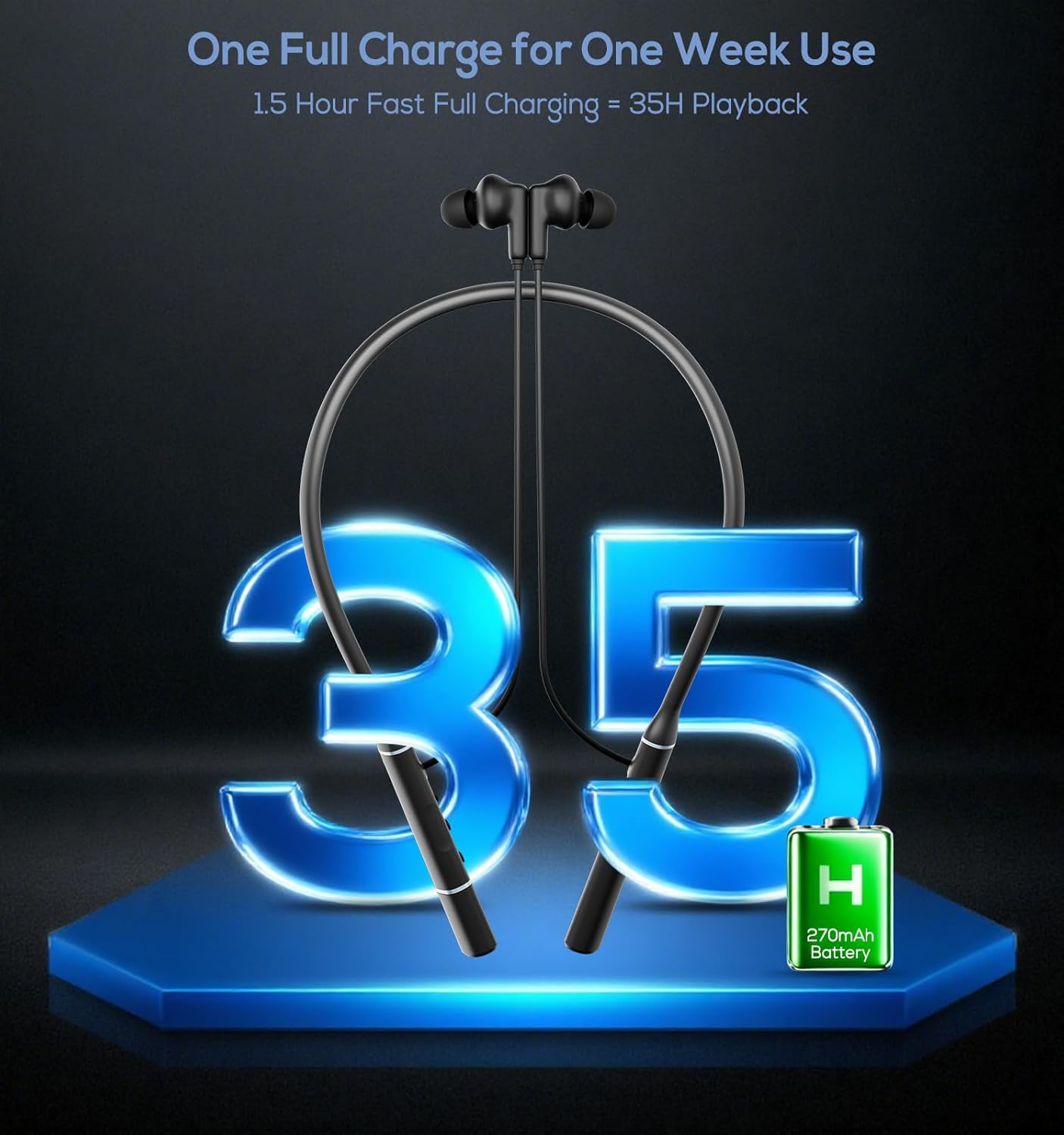
Image: A visual representation of the 12mm dynamic driver and the three equalizer modes (Bass Mode, Vocal Pattern, Equilibrium) available on the Hmusic A3 headphones.
Game Mode
For an optimized gaming experience, activate the low-latency game mode. This mode reduces audio delay to 45ms, ensuring synchronized sound with on-screen action.
To switch between game mode and music mode, triple-click the Power Button.
Maintenance
To ensure the longevity and optimal performance of your Hmusic A3 Neckband Headphones, follow these maintenance guidelines:
- Cleaning: Regularly wipe the neckband and earbuds with a soft, dry cloth. Avoid using harsh chemicals or abrasive materials.
- Storage: When not in use, store the headphones in the provided storage bag to protect them from dust and damage. The magnetic earbuds help prevent tangling.
- Avoid Moisture: The headphones are not water-resistant. Avoid exposure to water, sweat, or high humidity.
- Temperature: Do not expose the headphones to extreme temperatures (hot or cold) as this can affect battery life and internal components.
- Charging Practices: Always use the provided USB-C cable or a compatible charger (under 10W output) to prevent battery damage.
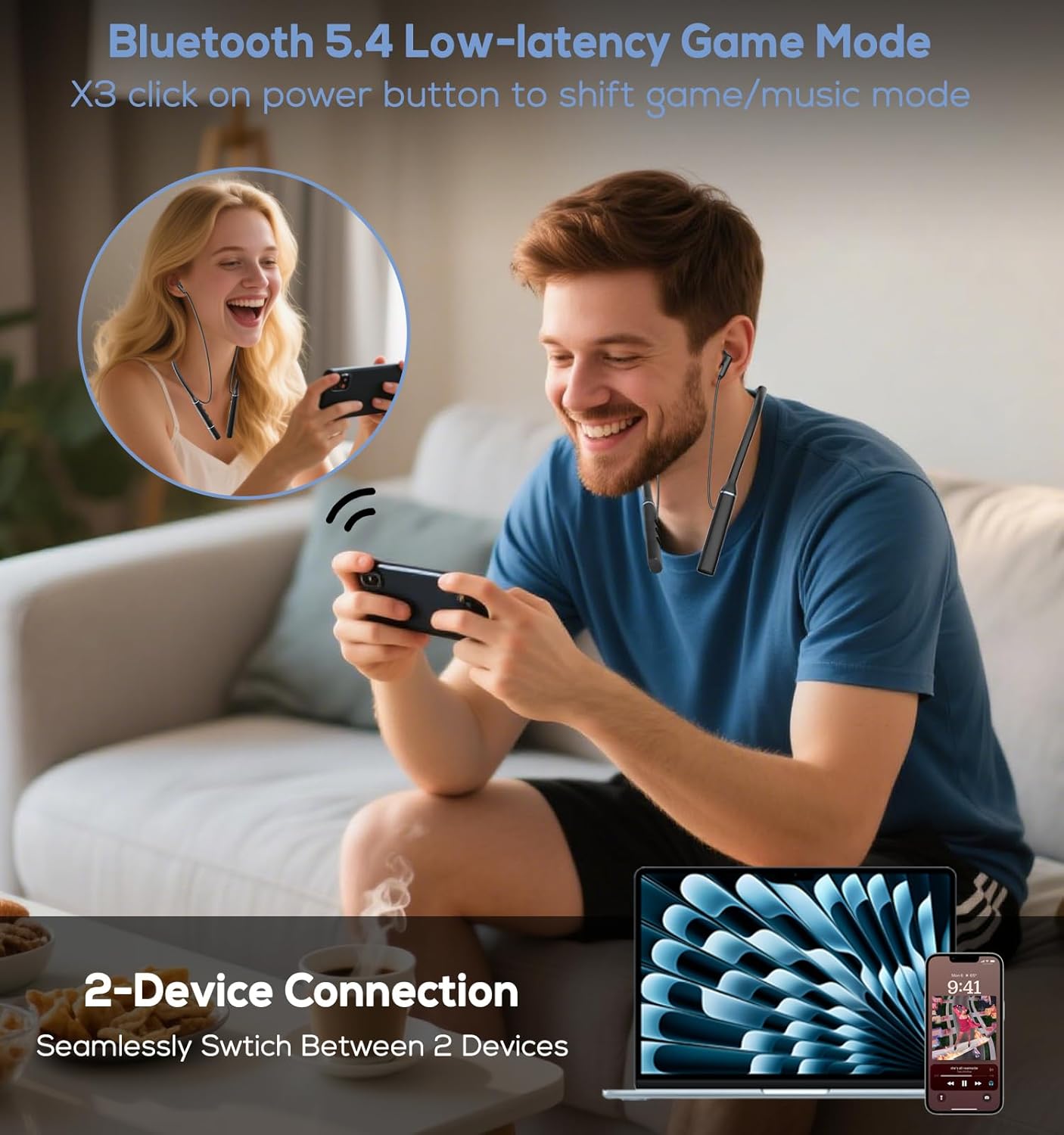
Image: Highlights the comfortable design of the Hmusic A3 headphones, emphasizing their lightweight nature, use of silicone gel material, and magnetic earbuds for secure and tangle-free wearing.
Troubleshooting
If you encounter issues with your Hmusic A3 headphones, refer to the following common solutions:
| Problem | Possible Solution |
|---|---|
| Headphones do not power on. | Ensure the headphones are fully charged. Press and hold the Power Button for 2 seconds. |
| Cannot pair with device. | Ensure Bluetooth is enabled on your device. Place headphones and device close together. Forget "A3" from your device's Bluetooth list and re-pair. |
| No sound or low volume. | Check volume levels on both headphones and your connected device. Ensure headphones are properly paired. |
| Poor call quality. | Ensure the microphone is not obstructed. Move to an area with less environmental noise. |
| Intermittent connection. | Ensure no obstacles are between the headphones and your device. Reduce distance between devices. Avoid areas with strong Wi-Fi or other wireless interference. |
Specifications
Detailed technical specifications for the Hmusic A3 OTG Neckband Headphones:
| Feature | Detail |
|---|---|
| Model Name | A3 Neckband Headphones |
| Connectivity Technology | Wireless (Bluetooth) |
| Wireless Communication Technology | Bluetooth 5.4 |
| Bluetooth Range | 15 Meters (approx. 49 feet) |
| Audio Driver Type | Dynamic Driver (12mm) |
| Noise Control | Sound Isolation, ENC Microphone |
| Battery Life | 35 Hours |
| Charging Time | 1.5 Hours (for 35H playtime) |
| Charging Interface | Dual USB-C (OTG plug-in & cable) |
| Material | Thermoplastic Elastomer (TPE) |
| Item Weight | 6.3 ounces (approx. 0.18 kg) |
| Control Method | Button Control |
| Compatible Devices | Laptops, Desktops, Tablets, Telephones, Smart Speakers |
| Water Resistance Level | Not Water Resistant |
Official Product Videos
View these official videos for additional product information and demonstrations:
Hmusic Wireless Neckband Headphones Overview
Video: This video provides a general overview of the Hmusic wireless neckband headphones, showcasing their design, key features like dual Type-C charging, ENC technology for clear calls, 35-hour playtime, magnetic earbuds, Bluetooth 5.4 connectivity, and game mode. It also demonstrates their versatility for various activities such as running, exercising, and leisure.
Hmusic Bluetooth Headphones Neckband Unboxing
Video: This video demonstrates the unboxing of the Hmusic Bluetooth neckband headphones, showing the contents of the package including the headphones, charging cable, and eartips. It also briefly highlights the magnetic earbuds and the OTG charging port.
Warranty and Support
Hmusic products are designed for reliability and performance. For any product-related inquiries, technical support, or warranty claims, please contact Hmusic customer service directly.
You may also consider purchasing an extended protection plan for additional coverage:
- 2-Year Protection Plan: Available for purchase.
- 3-Year Protection Plan: Available for purchase.
For direct support, please visit the Hmusic Store on Amazon or use the 'Ask a question' feature on the product page.