
Product Overview
The HENDUN Bicycle Alarm System is a versatile anti-theft device designed to protect your bicycle, electric bike, scooter, motorcycle, and other valuable items. It features a powerful 113 dB vibration sensor alarm, adjustable sensitivity, and convenient remote control operation. Its IP55 waterproof rating ensures durability for outdoor use.
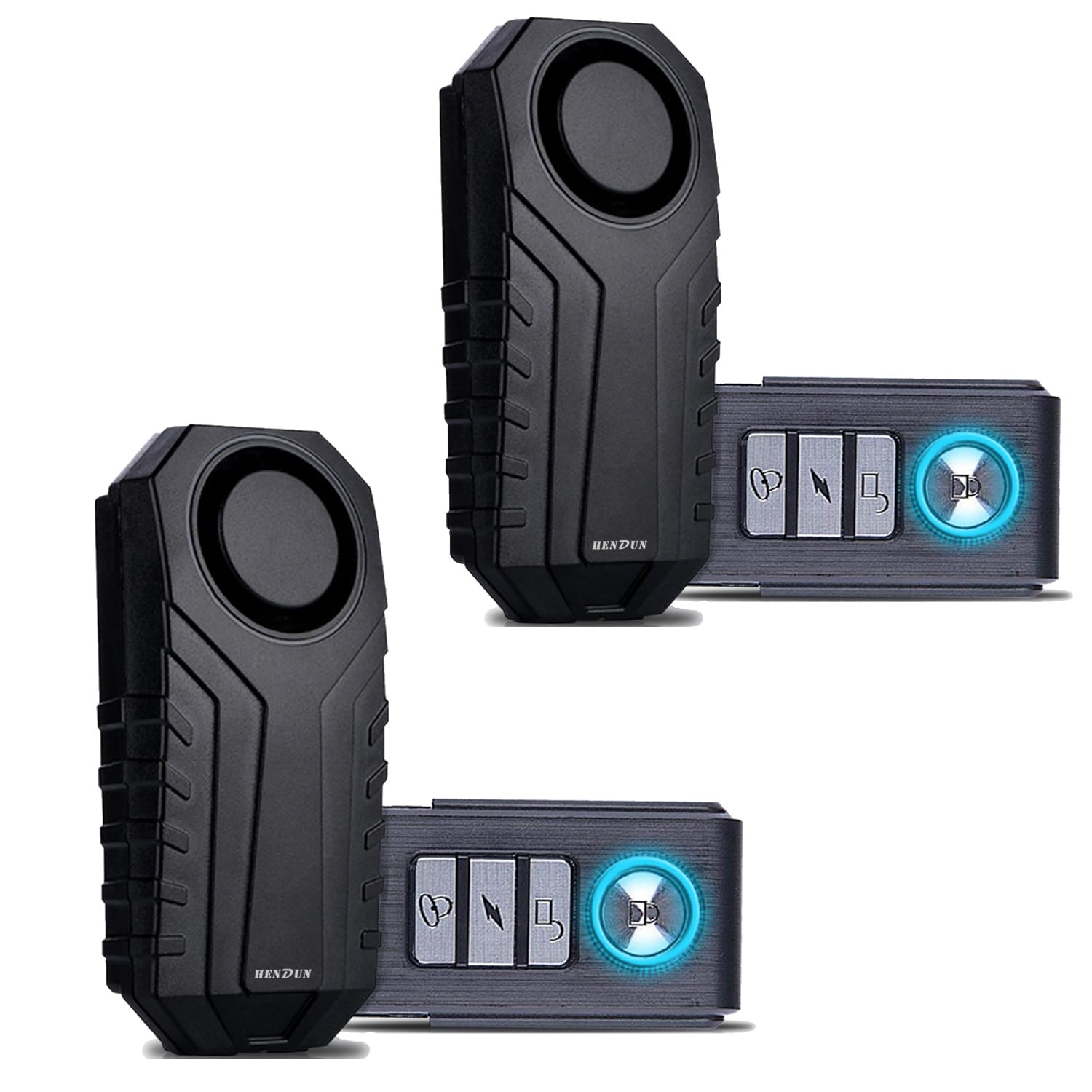
Image: The HENDUN alarm unit and its remote control, illustrating its compact design and primary components.
Package Contents
- 1 x HENDUN Alarm Unit
- 1 x Remote Control
- 1 x USB Charging Cable
- 1 x Double-sided Adhesive Tape
- 2 x Cable Ties
- 1 x User Manual (this document)
Setup
1. Charging the Alarm Unit
Ensure the alarm unit is fully charged before first use. Connect the USB charging cable to the alarm unit's charging port and a standard USB power adapter (not included). The indicator light will show charging status (e.g., red for charging, green for fully charged).
2. Remote Control Battery Installation
The remote control typically comes with a pre-installed battery. If replacement is needed, refer to the "Maintenance" section.
3. Installation of the Alarm Unit
The alarm unit can be installed using the provided double-sided adhesive tape or cable ties. Choose a discreet and secure location on your bicycle, scooter, or other item.
- Using Adhesive Tape: Clean the surface where the alarm will be mounted. Peel off the protective film from one side of the adhesive tape and apply it to the back of the alarm unit. Peel off the other side and firmly press the alarm unit onto the desired surface for at least 30 seconds.
- Using Cable Ties: Thread the cable ties through the designated holes on the back of the alarm unit. Securely fasten the alarm unit to a frame or pole on your vehicle, ensuring it is tight and stable.

Image: Diagram illustrating the installation of the alarm unit on a bicycle seat post using cable ties. The image shows the alarm unit attached to the rear of the seat post, secured by two cable ties threaded through its mounting holes.

Image: The alarm unit mounted on a door frame, demonstrating its use as a door or window vibration alarm. This highlights its versatility beyond just bicycles.
Operating Instructions
The HENDUN alarm system is operated entirely via the remote control.
Remote Control Functions:
- Arm Button (Lock Icon): Press once to arm the alarm. The alarm will emit a confirmation sound. Any vibration or movement detected will trigger the 113 dB alarm.
- Disarm Button (Unlock Icon): Press once to disarm the alarm. The alarm will emit a confirmation sound.
- Vehicle Search Button (Bell Icon): Press once to locate your vehicle. The alarm will emit a distinct sound, helping you find your item in a crowded area.
- SOS Function Button (Lightning Bolt Icon): Press and hold for 3 seconds to activate the SOS function. The alarm will sound continuously to attract attention in an emergency.
Adjusting Sensitivity Levels:
The alarm features 7 adjustable sensitivity levels. A higher level means the alarm is more sensitive to vibrations.
- Disarm the alarm.
- Press and hold the "Unlock" button until the alarm unit emits a short beep.
- Press the "Lock" button repeatedly to cycle through the 7 sensitivity levels. Each press will indicate the current level with a corresponding number of beeps (e.g., 1 beep for level 1, 7 beeps for level 7).
- Once the desired sensitivity level is reached, wait a few seconds without pressing any button. The alarm will save the setting and exit the adjustment mode.

Image: Graphic illustrating the 7 sensitivity levels of the HENDUN alarm. A hand icon points to a slider, indicating the adjustment of sensitivity from low to high.
Adjusting Volume Levels:
The alarm has 3 adjustable volume levels.
- Disarm the alarm.
- Press and hold the "Bell" button until the alarm unit emits a short beep.
- Press the "Bell" button repeatedly to cycle through the 3 volume levels. Each press will indicate the current level with a corresponding number of beeps (e.g., 1 beep for low, 3 beeps for high).
- Once the desired volume level is reached, wait a few seconds without pressing any button. The alarm will save the setting and exit the adjustment mode.
Maintenance
Alarm Unit Battery:
The alarm unit contains a rechargeable battery. Recharge the unit when the battery indicator is low or when the alarm performance diminishes. Use only the provided USB charging cable.
Remote Control Battery:
The remote control uses a replaceable button cell battery (e.g., CR2032, check product for exact type). If the remote control range decreases or it stops responding, replace the battery.
- Carefully open the remote control casing using a small screwdriver or pry tool.
- Remove the old battery, noting its polarity.
- Insert a new battery of the same type, ensuring correct polarity.
- Close the remote control casing securely.
Cleaning:
Wipe the alarm unit and remote control with a soft, dry cloth. Do not use abrasive cleaners or immerse the remote control in water. The alarm unit is IP55 waterproof, meaning it is protected against dust and low-pressure water jets, but not full immersion.
Troubleshooting
| Problem | Possible Cause | Solution |
|---|---|---|
| Alarm does not arm/disarm. | Remote control battery low/dead; Alarm unit battery low/dead; Remote control out of range. | Replace remote control battery; Recharge alarm unit; Move closer to the alarm unit. |
| Alarm is too sensitive/not sensitive enough. | Sensitivity level is incorrectly set. | Adjust the sensitivity level as described in the "Operating Instructions" section. |
| Alarm volume is too low/high. | Volume level is incorrectly set. | Adjust the volume level as described in the "Operating Instructions" section. |
| Alarm triggers frequently without cause. | Sensitivity is set too high; Alarm unit is not securely mounted. | Reduce sensitivity; Re-mount the alarm unit more securely. |
| Alarm does not sound when triggered. | Alarm unit battery dead; Speaker obstructed; Unit faulty. | Recharge alarm unit; Check for obstructions; Contact customer support if problem persists. |
Specifications
- Brand: HENDUN
- Model: B0DB5VQ4J6
- Sound Level: 113 Decibels
- Sensitivity Levels: 7 (adjustable)
- Volume Levels: 3 (adjustable)
- Waterproof Rating: IP55
- Compatible Devices: Electric bikes, scooters, motorcycles, doors, windows, luggage, etc.
- Alarm Unit Dimensions: Approximately 9 cm x 4 cm x 2 cm (3.7 in x 1.6 in x 0.8 in)
- Remote Control Dimensions: Approximately 6 cm x 3 cm (2.4 in x 1.2 in)
- Alarm Unit Battery: Rechargeable (Nickel-zinc composition)
- Remote Control Battery: Button cell (type not specified, typically CR2032)

Image: Visual representation of the dimensions for both the HENDUN alarm unit and its remote control, showing measurements in centimeters and inches.
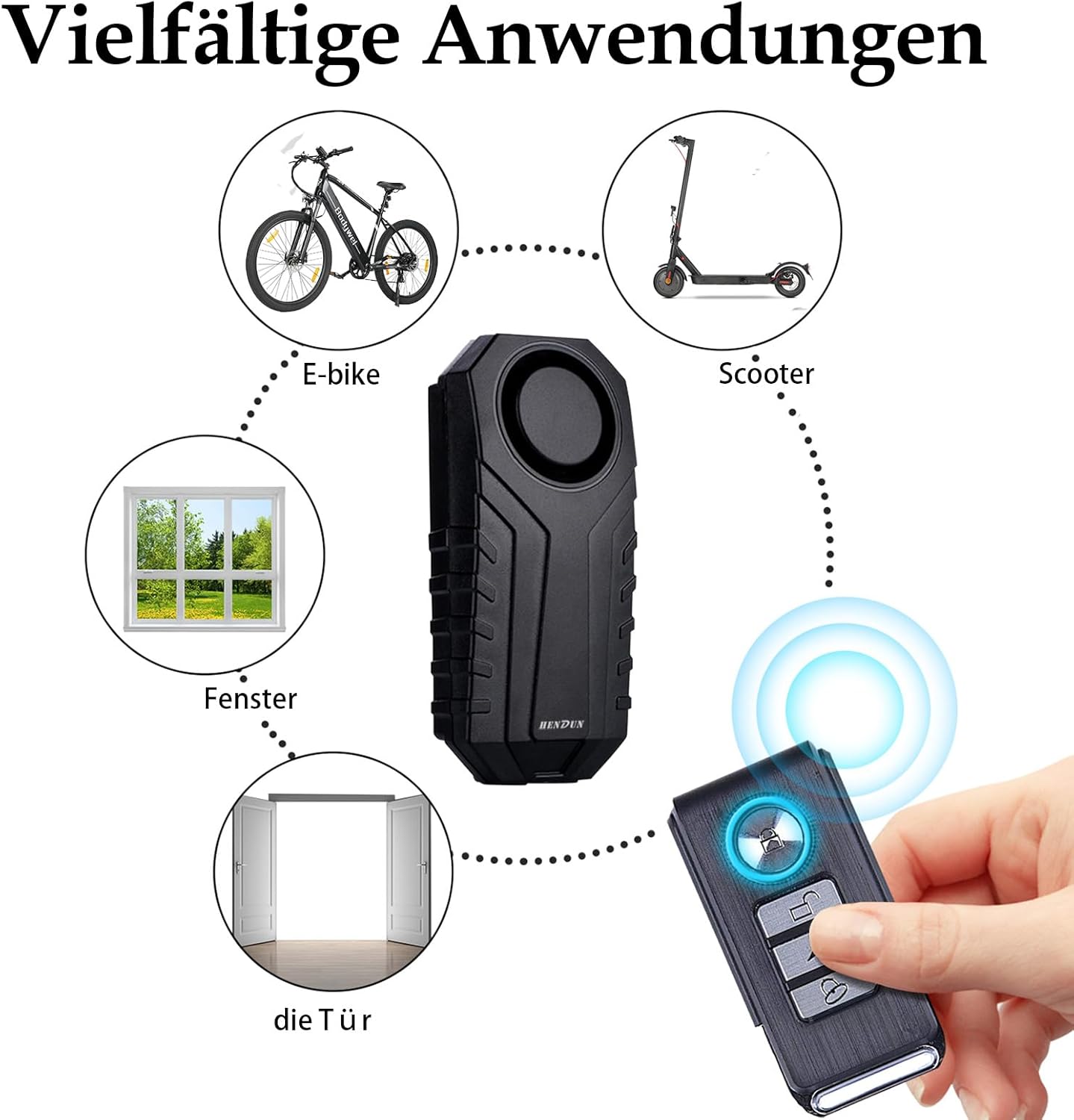
Image: The HENDUN alarm unit and its remote control, showcasing the overall design and size.
Image: An example of the alarm unit installed on a bicycle, demonstrating its discreet placement.
Warranty and Support
For warranty information and customer support, please refer to the seller's policy on the purchase platform or contact HENDUN customer service directly. Keep your purchase receipt as proof of purchase.
Manufacturer: Suzhou Hengdun Technology Co., LTD