
1. Introduction
Thank you for choosing the SKYANS Portable CD Player, Model KC918. This device offers versatile audio playback options, including CD, USB, and Bluetooth 5.3 connectivity, along with built-in HiFi speakers and a rechargeable battery. This manual provides detailed instructions to ensure optimal performance and longevity of your product.
2. Safety Information
- Do not expose the device to extreme temperatures, direct sunlight, or high humidity.
- Avoid dropping or subjecting the device to strong impacts.
- Keep the device away from water or other liquids.
- Do not attempt to disassemble or repair the device yourself. Contact qualified service personnel for assistance.
- Use only the provided charging cable and adapter to prevent damage.
- Ensure proper ventilation when operating the device.
3. Product Overview
Familiarize yourself with the components and controls of your SKYANS Portable CD Player.

Image: Front and side view of the SKYANS Portable CD Player, highlighting the dust cover, charging port, USB port, AUX port, mode switching button, A-B repeat button, cycle mode button, LED display, previous song button, pause/play button, next song button, and volume control.
Controls and Ports:
- Dust Cover: Protects the CD compartment.
- Hold/ON/OFF Switch: Powers the device on/off and locks buttons.
- Charging Port (Type-C): For charging the internal battery.
- USB Port: For USB flash drive playback.
- AUX Port (3.5mm): For connecting to external audio devices.
- M (Mode) Button: Switches between CD, USB, and Bluetooth modes. Long press to activate Bluetooth transmission.
- A-B Repeat Button: Repeats a specific section of audio.
- Cycle Mode Button: Toggles between repeat modes (ONE, ALL, SHUF, OFF, A-B).
- LED Display: Shows track number, time, and mode.
- Previous Song Button: Skips to the previous track.
- Pause/Play Button: Starts or pauses playback.
- Next Song Button: Skips to the next track.
- Volume Control: Adjusts the audio output level.
4. Setup
4.1 Charging the Device
The SKYANS Portable CD Player features a built-in 2000mAh rechargeable battery. Before first use, fully charge the device.
- Connect the provided USB Type-C cable to the charging port on the device.
- Connect the other end of the cable to a compatible USB power source (e.g., wall adapter, power bank, car charger, computer USB port).
- The charging indicator on the device will illuminate during charging and turn off when fully charged.
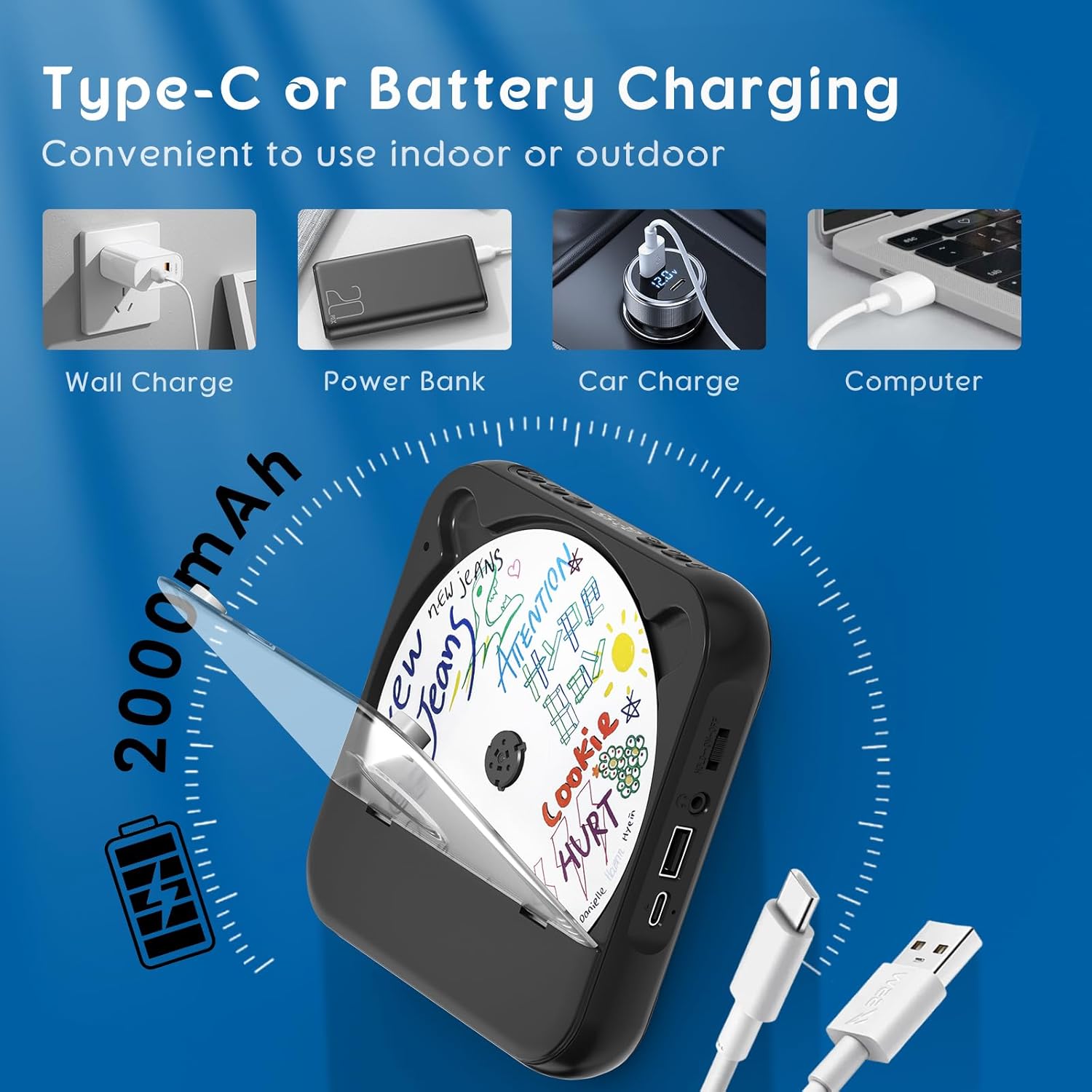
Image: The CD player can be charged via wall charger, power bank, car charger, or computer USB port using the Type-C cable.
4.2 Power On/Off
- To turn on the device, slide the Hold/ON/OFF switch to the 'ON' position.
- To turn off the device, slide the Hold/ON/OFF switch to the 'OFF' position.
- The 'Hold' position locks the buttons to prevent accidental operation.
5. Operating Instructions
5.1 Playing CDs
- Ensure the device is powered on.
- Gently open the dust cover.
- Place a CD (CD, CD-R, CD-RW, MP3, WMA format) onto the spindle with the label side facing up.
- Close the dust cover firmly.
- The device will automatically detect the CD and begin playback, or you may need to press the Play/Pause button.
- Use the Previous Song and Next Song buttons to navigate tracks.
- Adjust volume using the Volume Control.
- Press the Cycle Mode button to select repeat options: ONE (repeat current track), ALL (repeat all tracks), SHUF (shuffle playback), OFF (normal playback).
- Press the A-B Repeat button to set a start point (A) and end point (B) for repeating a specific section. Press again to clear.

Image: The LED display shows various repeat modes: ONE, ALL, SHUF (Shuffle Play), OFF (Normal Play), and A-B Repeat.
5.2 USB Playback
- Insert a USB flash drive containing MP3 or WAV audio files into the USB port.
- Press the M (Mode) button to switch to USB mode. The LED display will indicate 'USB'.
- The device will automatically begin playback of the audio files on the USB drive.
- Use the Previous Song, Next Song, Play/Pause, and Volume Control buttons as with CD playback.

Image: The portable CD player supports USB drive playback for MP3/WAV files, allowing users to enjoy music from a USB stick.
5.3 Bluetooth Connectivity (Transmitter Function)
This CD player functions as a Bluetooth transmitter, allowing it to send audio to Bluetooth speakers or headphones. It does not have Bluetooth receiver functionality, meaning it cannot connect to devices like mobile phones or tablets to play their audio.
- Ensure the device is powered on and in CD or USB playback mode.
- Long press the M (Mode) button to activate Bluetooth transmission. The Bluetooth icon on the LED display will flash, indicating pairing mode.
- Place your Bluetooth speaker or headphones in pairing mode.
- The CD player will automatically search for and connect to nearby Bluetooth audio devices. Once connected, the Bluetooth icon on the display will stop flashing and remain solid.
- Audio from the CD player will now be transmitted to your connected Bluetooth device.
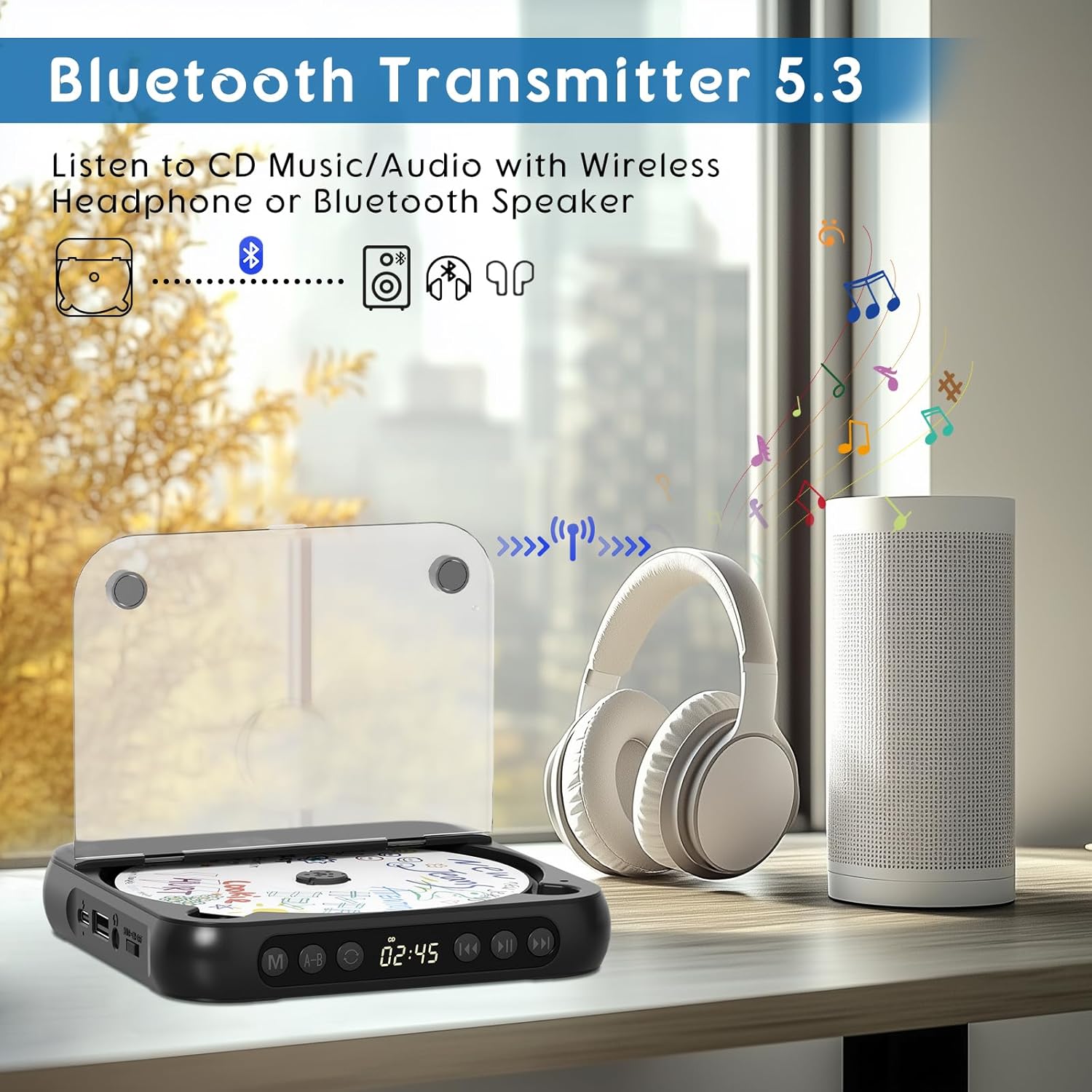
Image: The SKYANS CD player uses Bluetooth 5.3 to transmit audio to wireless headphones or a Bluetooth speaker.

Image: This diagram clarifies that the CD player transmits Bluetooth audio to headphones and speakers, but cannot receive Bluetooth audio from devices like smartphones or tablets.
5.4 AUX Connection
The 3.5mm AUX port allows you to connect the CD player to external speakers or your car's audio system.
- Connect one end of a 3.5mm AUX cable (not included) to the AUX port on the CD player.
- Connect the other end of the AUX cable to the AUX input jack on your external speaker or car audio system.
- Ensure your external device is set to AUX input mode.
- Adjust volume on both the CD player and the external device as needed.
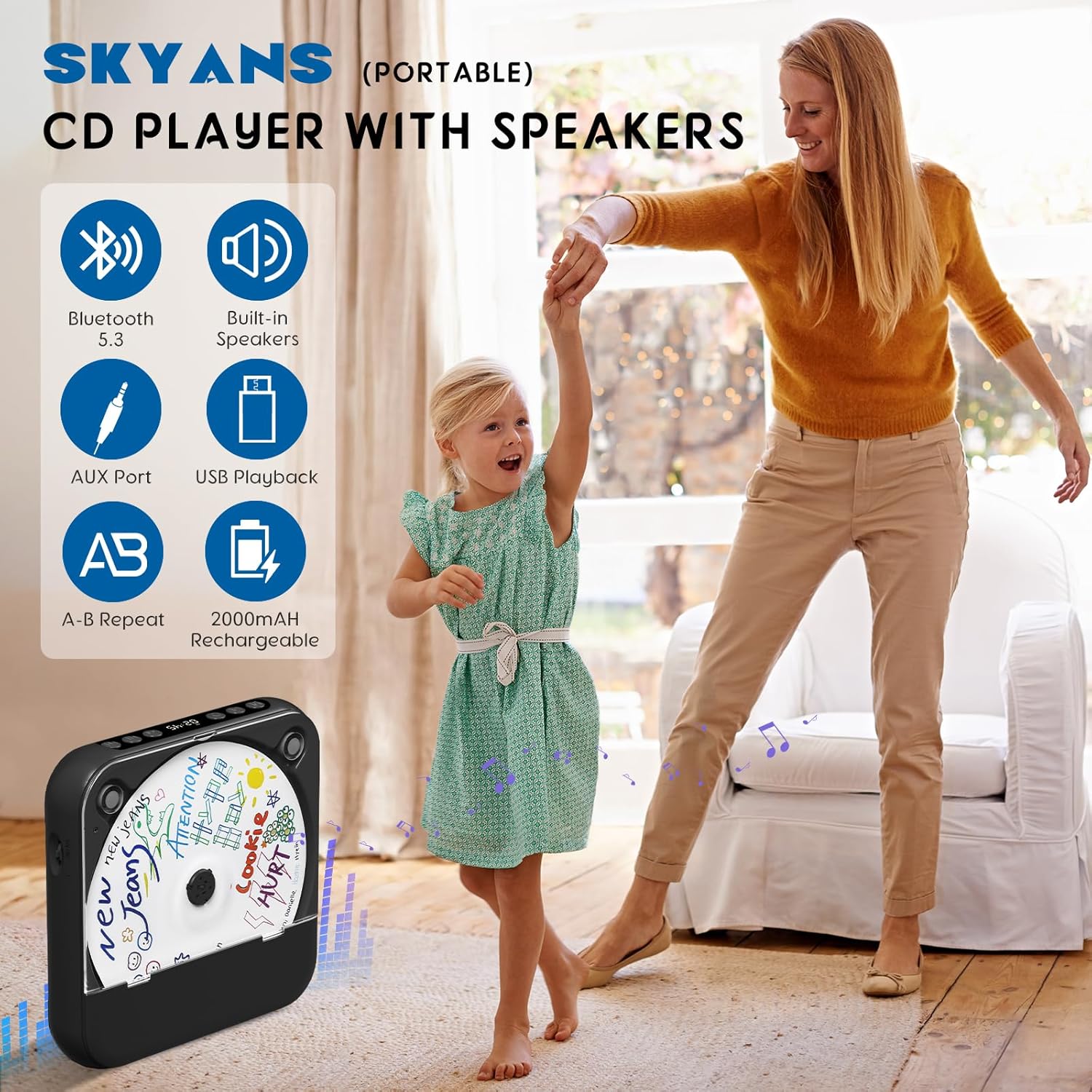
Image: Instructions for connecting the CD player to a car's audio system using a 3.5mm AUX cable. Note: This portable CD player does not support Bluetooth transmission to car audio systems; a physical AUX connection is required.
5.5 Using Headphones
The device includes a pair of wired headphones for private listening. Simply plug the 3.5mm headphone jack into the AUX port on the CD player. The built-in speakers will automatically mute when headphones are connected.
6. Maintenance
6.1 Cleaning the Device
- Wipe the exterior of the CD player with a soft, dry cloth.
- For stubborn dirt, slightly dampen the cloth with water and mild soap, then wipe dry immediately.
- Do not use abrasive cleaners, alcohol, or solvents, as these can damage the surface.
- To clean the CD lens, use a specialized CD lens cleaning kit. Do not touch the lens directly.
6.2 Battery Care
- To prolong battery life, avoid fully discharging the battery frequently.
- If storing the device for an extended period, charge it to approximately 50% every few months.
- Avoid exposing the device to high temperatures, which can degrade battery performance.
6.3 Storage
- Store the CD player in a cool, dry place away from direct sunlight and dust.
- Keep the dust cover closed to prevent dust from entering the CD compartment.
7. Troubleshooting
If you encounter issues with your SKYANS Portable CD Player, refer to the following common problems and solutions:
| Problem | Possible Cause | Solution |
|---|---|---|
| Device does not power on. | Battery is depleted. Hold/ON/OFF switch is in 'OFF' or 'Hold' position. | Charge the battery. Slide the switch to 'ON'. |
| CD does not play or skips. | CD is dirty, scratched, or inserted incorrectly. CD format not supported. | Clean the CD. Reinsert the CD correctly. Ensure it's a supported format (CD, CD-R, CD-RW, MP3, WMA). |
| No sound from speakers/headphones. | Volume is too low. Headphones not fully plugged in. Bluetooth not connected. AUX cable loose. | Increase volume. Ensure headphones are fully inserted. Re-pair Bluetooth device. Check AUX cable connection. |
| Bluetooth device not pairing. | CD player not in pairing mode. Bluetooth device too far or not in pairing mode. | Long press 'M' button to enter pairing mode. Ensure Bluetooth device is in pairing mode and close to the CD player. |
| USB drive not recognized. | USB drive not inserted correctly. Files not in supported format (MP3, WAV). | Reinsert USB drive. Ensure files are MP3 or WAV. |
If the problem persists after attempting these solutions, please contact customer support for further assistance.
8. Specifications
- Model: KC918
- Brand: SKYANS
- Connectivity Technology: Auxiliary, Bluetooth 5.3
- Supported Disc Formats: CD, CD-R, CD-RW, MP3, WMA
- Supported USB Formats: MP3, WAV
- Battery: 2000mAh Lithium Polymer (rechargeable)
- Item Weight: 1.6 ounces
- Package Dimensions: 7.48 x 5.59 x 1.34 inches
- Included Components: CD player, headphones, USB charging cable
9. Warranty and Support
Your SKYANS Portable CD Player is covered by a manufacturer's warranty. For specific warranty details, please refer to the warranty card included with your product or contact SKYANS customer service.
Customer Support:
For technical assistance, troubleshooting, or warranty inquiries, please visit the official SKYANS website or contact their customer service department through the contact information provided with your purchase or on their website.