1. Introduction
This manual provides instructions for the Generic replacement infrared (IR) remote control, designed for use with X96Q Max and X96 Mate Android 10 Smart TV Boxes. This remote functions as a direct replacement for your original remote control. Please ensure your original remote matches the appearance of this replacement for full compatibility.

Image 1.1: Front view of the replacement remote control. This image displays the overall layout of the remote, including the power button, navigation cluster, volume controls, and numeric keypad.
2. Setup
2.1 Battery Installation
The remote control requires two AAA batteries (not included) for operation. Follow these steps to install the batteries:
- Locate the battery compartment on the back of the remote control.
- Press down on the tab and slide the battery cover downwards to open it.
- Insert two AAA batteries, ensuring the positive (+) and negative (-) terminals align correctly with the markings inside the compartment.
- Slide the battery cover back into place until it clicks securely.
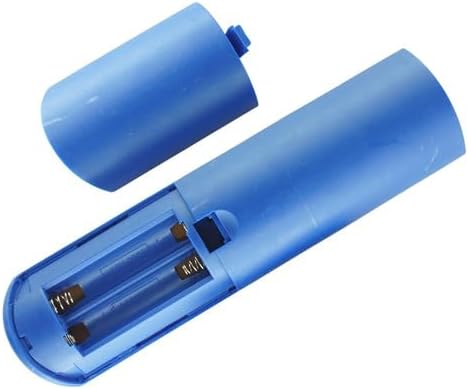
Image 2.1: View of the remote control's battery compartment, showing the correct orientation for AAA battery insertion.
2.2 Initial Use
This is an infrared (IR) replacement remote control. No pairing is typically required. Once batteries are installed, point the remote directly at your X96Q Max or X96 Mate Android TV Box and begin operation. Ensure there are no obstructions between the remote and the TV box's IR receiver.
3. Operating Instructions
Familiarize yourself with the buttons on your remote control. Below is a general guide to common functions:
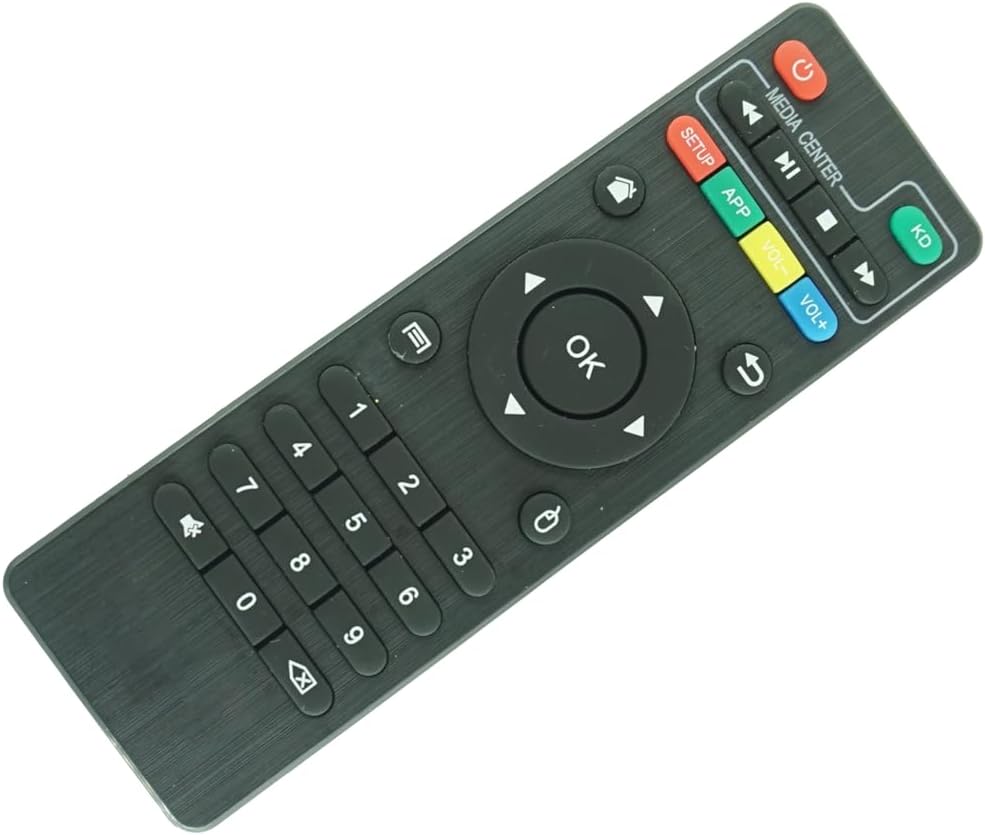
Image 3.1: Close-up view of the remote control's buttons, highlighting the navigation, media, and numeric keys.
- Power Button (●): Turns the TV box on or off.
- Navigation Pad (Up, Down, Left, Right, OK): Used to navigate menus and select items. The OK button confirms selections.
- Back (↶): Returns to the previous screen or menu.
- Home (⌂): Returns to the main home screen of the TV box.
- Volume Up (VOL+): Increases the volume.
- Volume Down (VOL-): Decreases the volume.
- Mute (🔇): Mutes or unmutes the audio.
- Media Controls (Play/Pause, Fast Forward, Rewind, Stop): Controls media playback.
- Numeric Keypad (0-9): Used for direct input of numbers, such as channel selection or passwords.
- APP: Accesses the applications menu.
- SETUP: Accesses system settings or setup menu.
- KD: Likely a shortcut button for Kodi or a similar media center application.
Note: Specific button functionalities may vary slightly depending on the software version and configuration of your X96Q Max or X96 Mate Android TV Box.
4. Maintenance
4.1 Cleaning
To clean the remote control, use a soft, dry cloth. For stubborn dirt, slightly dampen the cloth with water or a mild, non-abrasive cleaner. Do not use harsh chemicals or immerse the remote in water.
4.2 Battery Replacement
Replace batteries when the remote's response becomes sluggish or stops working. Always replace both batteries at the same time with new AAA batteries. Do not mix old and new batteries, or different types of batteries.
4.3 Storage
Store the remote control in a cool, dry place away from direct sunlight and extreme temperatures. If the remote will not be used for an extended period, it is recommended to remove the batteries to prevent leakage.
5. Troubleshooting
| Problem | Possible Cause | Solution |
|---|---|---|
| Remote not responding. |
|
|
| Some buttons do not work. |
|
|
| Remote works intermittently. |
|
|
6. Specifications
- Product Type: Replacement IR Remote Control
- Compatibility: X96Q Max, X96 Mate Android 10 Smart TV Box
- Power Source: 2 x AAA Batteries (not included)
- Color: Black
- Special Feature: Infrared (IR) communication, Ergonomic design
- Max Number of Supported Devices: 1 (the compatible TV box)
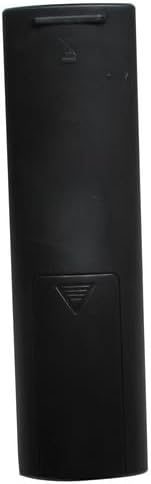
Image 6.1: Rear view of the remote control, showing the battery compartment cover.
7. Warranty and Support
As a generic replacement product, specific warranty and dedicated technical support information may not be provided by the manufacturer. Please refer to the retailer's return policy for any issues with the product upon receipt.


