
1. Introduction
This manual provides essential information for the safe and effective operation of your LasGoo LG-3DMAX 3x360° Green Laser Level. Please read these instructions thoroughly before use and retain for future reference. Proper understanding and adherence to these guidelines will ensure optimal performance and extend the lifespan of your device.
2. Safety Information
WARNING: LASER RADIATION. AVOID DIRECT EYE EXPOSURE.
This device emits Class II laser radiation. Do not stare directly into the laser beam. Avoid exposing the laser beam to the eyes of others. Use caution when operating the laser level to prevent accidental exposure. Always wear the provided green laser enhancement glasses when working in bright conditions to improve visibility and protect your eyes.
- Do not attempt to disassemble or modify the laser level.
- Keep the device out of reach of children.
- Ensure the work area is clear of obstructions and potential hazards.
- Operate the device within the specified temperature range.
3. Package Contents
Verify that all items listed below are included in your package:
- LasGoo LG-3DMAX Laser Level
- 2 x Rechargeable Lithium-Ion Batteries
- Fine-Tuning Bracket Adapter
- Green Laser Enhancement Glasses
- Laser Target Plate
- Type-C Cable
- User Manual (this document)
- Hard Carrying Case

Image: LasGoo LG-3DMAX Laser Level and its complete set of accessories, including batteries, bracket, glasses, target plate, cable, and hard carrying case.
4. Setup
4.1 Battery Installation and Charging
The LasGoo LG-3DMAX is powered by rechargeable lithium-ion batteries. Ensure batteries are fully charged before first use.
- Open the battery compartment cover on the laser level.
- Insert a charged lithium-ion battery into the compartment, ensuring correct polarity.
- Close the battery compartment cover securely.
- To charge, connect the Type-C cable to the battery or directly to the laser level's charging port and a suitable USB power source. The battery indicator will show charging status.

Image: The LasGoo LG-3DMAX laser level shown with its two rechargeable lithium-ion batteries, highlighting the quick-swap design for continuous use.
4.2 Mounting the Device
The laser level features 1/4"-20 and 5/8"-11 mounting threads for compatibility with various tripods and accessories.
- Using a Tripod: Screw the laser level onto a compatible tripod.
- Using the Fine-Tuning Bracket Adapter: Attach the laser level to the bracket. The magnetic base of the adapter allows for secure attachment to metal surfaces, while its clampable design and fine-tuning knobs enable precise positioning and adjustment.

Image: A detailed view of the magnetic bracket adapter, showcasing its adjustment knobs, mounting threads, and magnetic surfaces for versatile attachment.
5. Operating Modes
The LasGoo LG-3DMAX offers multiple operating modes for diverse applications.
5.1 Self-Leveling Mode
This mode automatically levels the laser lines within a certain tilt range (typically ±4°). If the device is outside this range, the laser lines will flash to indicate it is not level.
- Slide the pendulum lock to the unlocked position.
- Place the laser level on a stable surface. The device will self-level, and the laser lines will become steady.
- If the lines flash, adjust the device's position until it is within the self-leveling range.
5.2 Manual Mode
For applications requiring angled lines, the manual mode allows you to lock the pendulum and project lines at any desired angle.
- Slide the pendulum lock to the locked position.
- The laser lines will be projected but will not self-level, allowing for angled layouts.

Image: A visual comparison demonstrating the self-leveling mode, where the laser automatically adjusts for inclination, and the manual mode, which allows for projection at any angle.
5.3 Pulse Mode
Pulse mode is designed for use with a laser receiver (not included) to extend the working range and improve visibility in bright outdoor conditions.
- Activate pulse mode by pressing the designated button (refer to device interface).
- Use a compatible laser receiver to detect the pulsed laser beam over longer distances.

Image: The laser level projecting lines in pulse mode, indicating an extended range of up to 328 feet for enhanced visibility with a receiver.
6. Key Features
6.1 3x360 Degree Full Layout Coverage
The LasGoo LG-3DMAX provides one horizontal and two vertical 360° laser lines, offering comprehensive coverage for all your leveling and alignment needs. This allows for simultaneous measurements and markings in horizontal and vertical planes, significantly improving work efficiency.

Image: The LasGoo LG-3DMAX laser level set up in a room, projecting three distinct 360-degree green laser lines to cover all surfaces for comprehensive layout.
6.2 High Precision Green Laser
Equipped with bright, clear green laser beams, the LG-3DMAX offers superior visibility up to 100 feet, making it suitable for both indoor and outdoor use. The laser meets Class II safety standards with an output power under 1mW.
6.3 Rechargeable Battery System
The device includes two rechargeable lithium-ion batteries, allowing for quick swapping when one battery is depleted. This design minimizes downtime and ensures continuous operation for tasks requiring extended use.
6.4 Durable and Robust Design (IP54)
The LasGoo LG-3DMAX is built with a robust metal construction and features an IP54 rating, providing protection against dust and splashing water. This ensures reliable performance in various working environments.

Image: The LasGoo LG-3DMAX laser level positioned on rough terrain, emphasizing its IP54 rating for waterproof and dustproof durability in challenging environments.
7. Applications
The LasGoo LG-3DMAX is ideal for a wide range of tasks, including:
- Construction leveling
- Room layout planning
- Picture hanging
- Flooring installation
- Cabinet installation
- Tile alignment
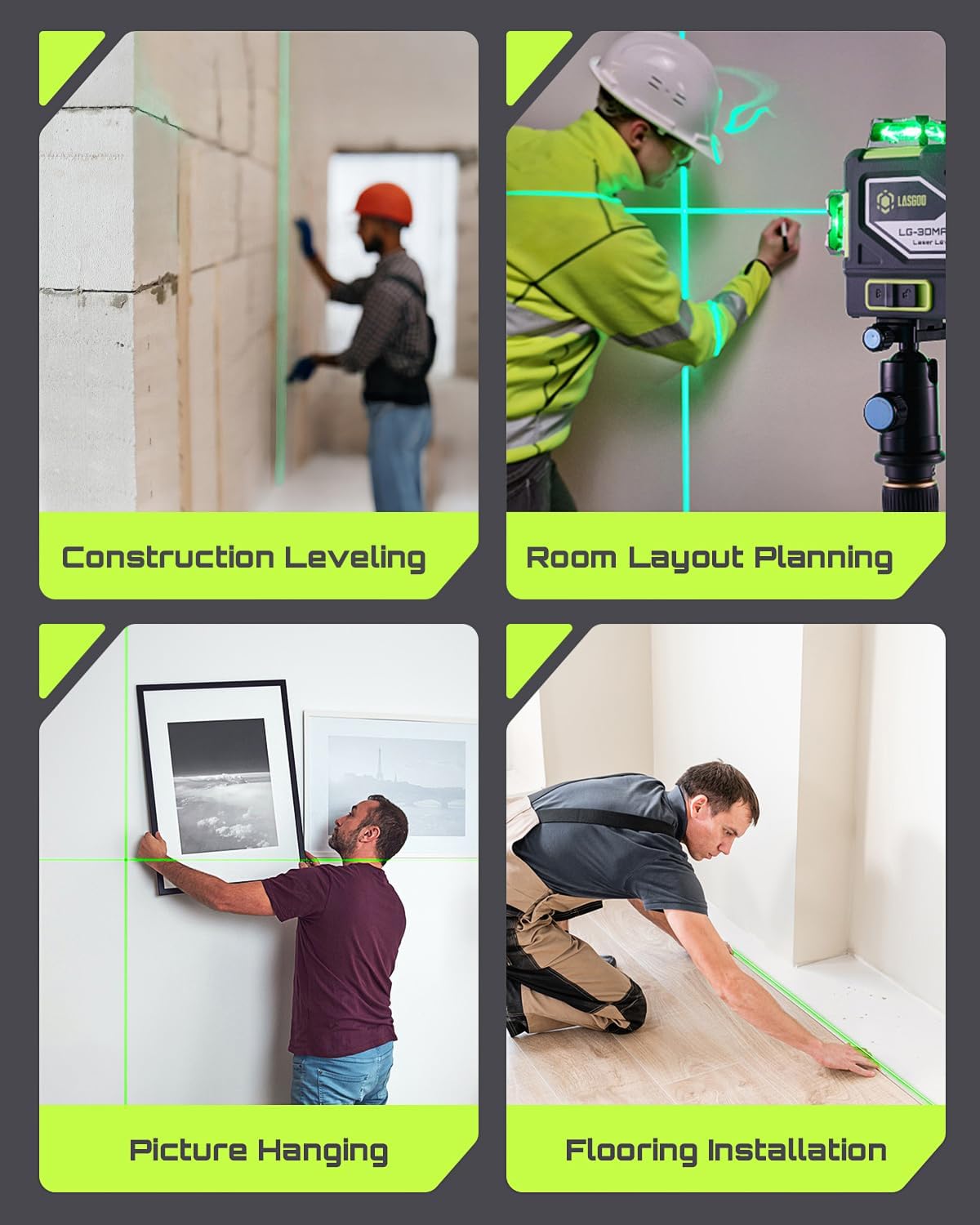
Image: A collage of four images illustrating practical applications of the laser level, including construction leveling, room layout planning, precise picture hanging, and efficient flooring installation.
8. Maintenance
- Keep the laser level clean and dry. Use a soft, damp cloth to wipe the device.
- Do not use harsh chemicals or abrasive cleaners.
- Store the device in its hard carrying case when not in use to protect it from dust and impact.
- Remove batteries if the device will not be used for an extended period.
9. Troubleshooting
- Laser lines flashing: The device is outside its self-leveling range. Adjust its position until the lines become steady.
- No laser lines: Check if the device is turned on and if the batteries are properly installed and charged.
- Weak laser lines: Ensure the batteries are fully charged. Use the green laser enhancement glasses for better visibility.
10. Specifications
| Feature | Specification |
|---|---|
| Brand | LASGOO |
| Model | LG-3DMAX |
| Material | Metal |
| Colour | Green |
| Operation Mode | Automatic |
| Mounting Threads | 1/4"-20 and 5/8"-11 |
| Laser Class | Class II (<1mW) |
| IP Rating | IP54 |
11. Product Video
Video: An official product video from LasGoo Direct showcasing the features and operation of the LG-3Dx Laser Level.
12. Warranty and Support
For warranty information or technical support, please refer to the contact details provided in your product packaging or visit the official LASGOO website. Keep your purchase receipt as proof of purchase for warranty claims.