
Arafuna 2745b388-9e0c-4801-87b5-2fdf627805b5
Arafuna DAB Radio User Manual
Model: 2745b388-9e0c-4801-87b5-2fdf627805b5
Introduction
Thank you for choosing the Arafuna DAB Radio. This portable digital radio offers a comprehensive listening experience with DAB/DAB+ and FM radio capabilities, Bluetooth connectivity, dual alarms, and a sleep timer. Its compact design and rechargeable battery make it an ideal companion for various settings. This manual provides detailed instructions to help you set up, operate, and maintain your radio.
Safety Information
- Do not expose the device to extreme temperatures, direct sunlight, or high humidity.
- Avoid dropping or subjecting the radio to strong impacts.
- Do not disassemble or attempt to repair the device yourself. Refer all servicing to qualified personnel.
- Keep the device away from water and other liquids.
- Use only the provided Type-C cable for charging.
- Ensure proper ventilation when operating the radio.
Package Contents
Please check the box for the following items:
- Arafuna DAB Radio
- Type-C USB Charging Cable
- Owner's Manual
Product Overview

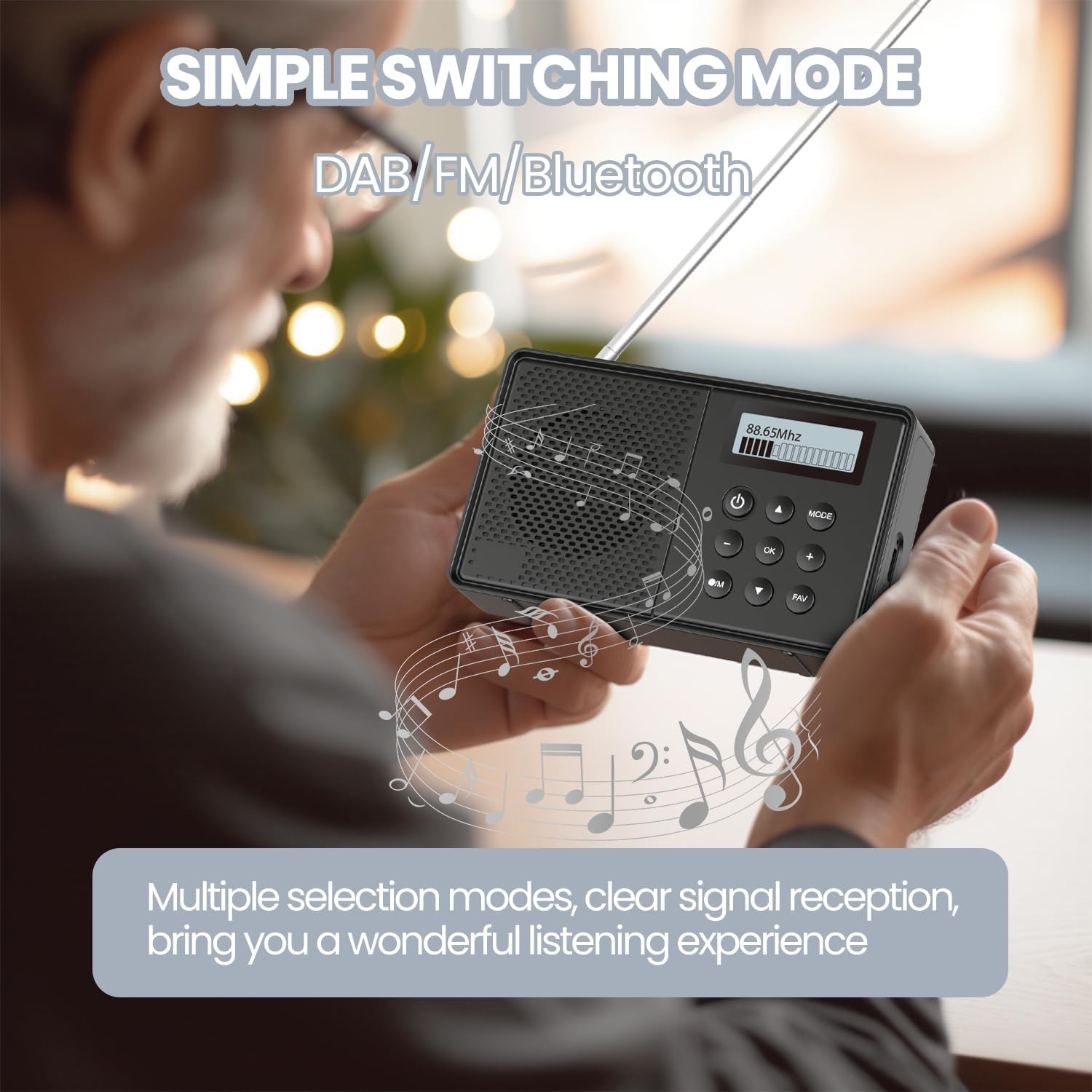
Controls and Ports
- Power Button (⏻): Turns the radio on/off.
- Mode Button: Switches between DAB, FM, and Bluetooth modes.
- OK Button: Confirms selections.
- Navigation Buttons (▲ ▼ ◀ ▶): Navigate menus and adjust settings.
- FAV Button: Accesses and saves favorite stations.
- /M Button: Menu/Information button.
- LCD Display: Shows frequency, station name, time, battery level, and other information.
- Type-C Charging Port: For charging the internal battery.
- 3.5mm Headphone Jack: For private listening.

Setup
Charging the Battery
The Arafuna DAB Radio has a built-in rechargeable lithium battery. Before first use, it is recommended to fully charge the radio.
- Connect the provided Type-C USB charging cable to the radio's Type-C port.
- Connect the other end of the cable to a USB power adapter (not included) or a computer's USB port.
- The charging indicator on the display will show charging status. A full charge takes approximately 2.5 hours.
- A full charge provides up to 5 hours of playback time.

Initial Power On
Press and hold the ⏻ Power button to turn on the radio. The display will light up, and the radio will typically start in the last used mode.
Operating Instructions
DAB/DAB+ and FM Radio Operation
The radio supports both DAB/DAB+ (174-240 MHz) and FM (87.5-108 MHz) bands.
- Switching Modes: Press the MODE button to cycle between DAB and FM modes.
- Automatic Station Search: In DAB or FM mode, press and hold the OK button to initiate an automatic scan for available stations. The radio will scan and store stations.
- Manual Tuning: Use the ▲ or ▼ buttons to manually tune to frequencies.
- Preset Stations: The radio can store up to 40 stations (20 DAB and 20 FM).

Storing and Recalling Stations

To Store a Station: Press and hold the FAV button for 2 seconds. If the screen shows "Empty", use ▲/▼ to choose a preset number, then press OK to confirm.
To Recall a Station: Briefly press the FAV button. Use ▲/▼ to navigate through presets, then press OK to select.
Bluetooth Connectivity
The radio can function as a Bluetooth speaker, allowing you to stream audio from your smartphone, tablet, or other Bluetooth-enabled devices.
- Press the MODE button until "Bluetooth" is displayed. The radio will enter pairing mode.
- On your device, enable Bluetooth and search for "Arafuna DAB Radio" (or similar).
- Select the radio from the list to connect. Once connected, you can play audio through the radio.
- Note: This radio supports Bluetooth input for audio playback but does not support connecting to Bluetooth headphones.

Sleep Timer and Dual Alarms
The radio features a sleep timer and dual alarm functions for your convenience.
- Sleep Timer: You can set a sleep timer from 15 to 90 minutes. The radio will automatically turn off after the set duration, allowing you to fall asleep to your favorite station. Consult the on-screen menu for setting options.
- Dual Alarms: Set two independent alarms, which can be configured for weekdays, weekends, or daily.
- Important Note: The alarm function works only when the radio is connected to a power supply. Ensure the time is set and synchronized to the actual time for accurate alarm operation.

Headphone Use
For private listening, connect standard 3.5mm headphones to the headphone jack on the side of the radio.

Maintenance
- Cleaning: Use a soft, dry cloth to clean the radio's surface. Do not use abrasive cleaners or solvents.
- Storage: When not in use for extended periods, store the radio in a cool, dry place away from direct sunlight.
- Battery Care: To prolong battery life, avoid fully discharging the battery frequently. Charge it regularly, even if not in constant use.
Troubleshooting
| Problem | Possible Cause | Solution |
|---|---|---|
| No power/Radio won't turn on. | Battery is depleted. | Connect the radio to a power source using the Type-C cable and allow it to charge. |
| Poor radio reception (DAB/FM). | Weak signal; antenna not extended. | Fully extend the telescopic antenna. Try repositioning the radio or performing an auto-scan again. |
| Bluetooth device won't connect. | Radio not in pairing mode; device too far. | Ensure the radio is in Bluetooth mode and visible. Move your device closer to the radio (within 10 meters). |
| Alarm does not sound. | Radio not connected to power; alarm not set correctly. | Ensure the radio is plugged in. Verify alarm settings and time synchronization. |
Specifications
- Model: 2745b388-9e0c-4801-87b5-2fdf627805b5
- Brand: Arafuna
- Product Dimensions: 12L x 3W x 7H centimetres (12 x 3 x 7 cm)
- Weight: 220 g
- Tuner Technology: DAB, FM
- Radio Bands Supported: DAB/DAB+ (174-240 MHz), FM (87.5-108 MHz)
- Power Source: USB Charging (Built-in rechargeable lithium battery)
- Charging Time: Approximately 2.5 hours
- Battery Life: Up to 5 hours (playback)
- Display Type: LCD
- Bluetooth Range: Up to 10 meters
- Manufacturer: Arafuna
- Country of Origin: China
Warranty and Support
Arafuna products are designed and manufactured to the highest quality standards. For any questions, technical support, or warranty claims, please contact our customer service team. Please refer to your purchase documentation for specific warranty terms and contact information.
For further assistance, please visit the official Arafuna website or contact your retailer.
Related documents2745b388-9e0c-4801-87b5-2fdf627805b5

Ask a question about this manual
Ask about setup, troubleshooting, compatibility, parts, safety, or missing instructions. Manuals+ will review the question and use this page’s manual context to help answer it.