
1. Introduction
Thank you for choosing the eSituro SCD0229 Desk. This manual provides essential information for the safe assembly, operation, and maintenance of your new desk. Please read these instructions carefully before beginning assembly and retain them for future reference.
The eSituro SCD0229 is a versatile white desk featuring a spacious tabletop and five integrated drawers, designed for various uses including a computer desk, study desk, dressing table, or sewing table. Its modern design complements various room styles.
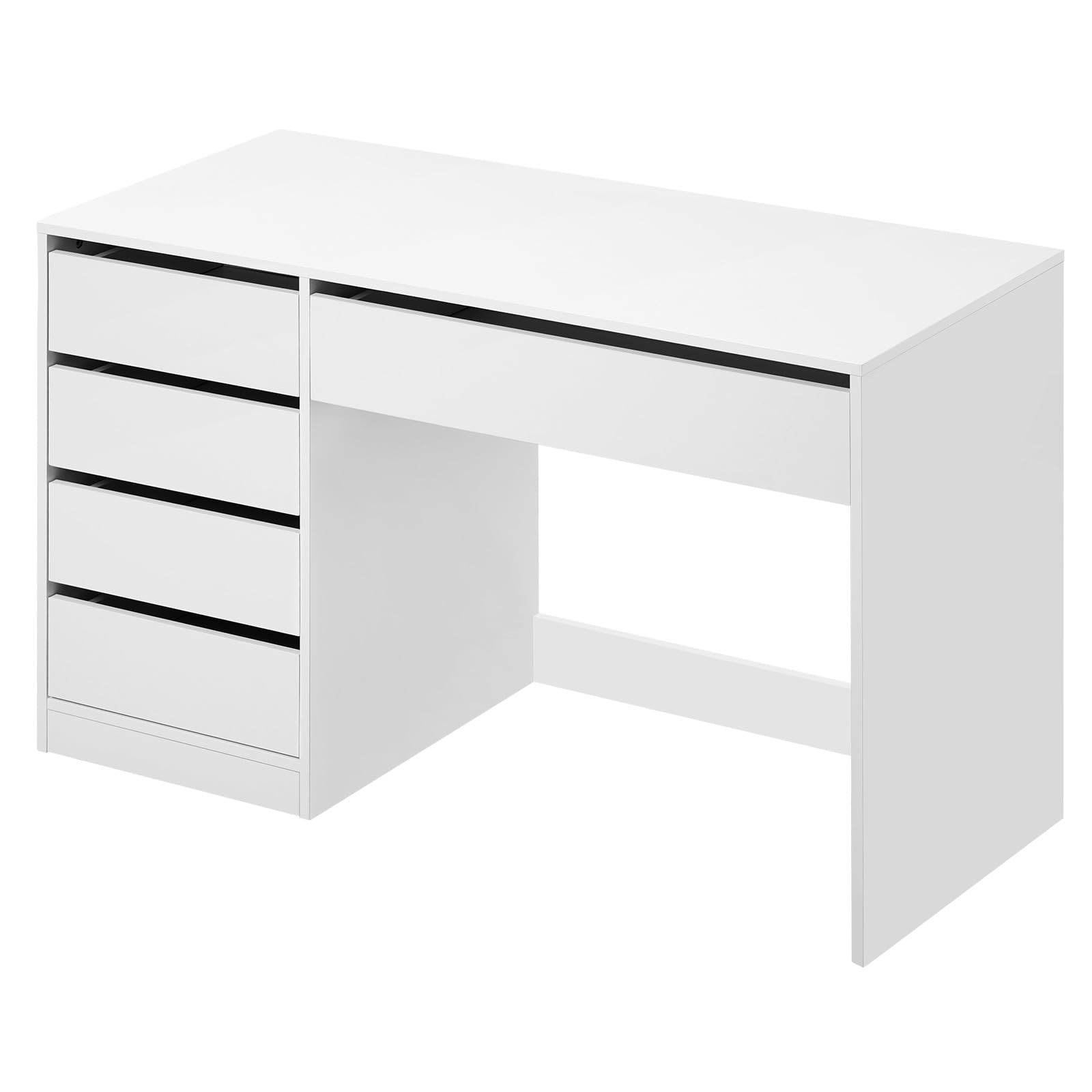
Image 1.1: The eSituro SCD0229 Desk in a typical room setup, showcasing its clean white finish and integrated drawers. Note: Mirror and accessories shown are for illustration only and are not included with the desk.
2. Safety Instructions
- Always assemble the product on a clean, soft surface (e.g., carpet) to prevent scratches.
- Ensure all parts are present and undamaged before assembly. Do not proceed with assembly if any parts are missing or damaged.
- Follow the assembly instructions step-by-step. Incorrect assembly can lead to instability and potential injury.
- Do not overtighten screws, as this can damage the material.
- Keep small parts and packaging materials away from children and pets to prevent choking hazards.
- Do not exceed the maximum load capacity of 50 kg (110 lbs) for the tabletop.
- Periodically check all connections and tighten them if necessary to maintain stability.
3. Package Contents
The eSituro SCD0229 desk is shipped in two separate packages. Please ensure you have received both packages before starting assembly. Each package contains a detailed instruction manual and a complete kit of accessories and tools required for assembly.
Upon opening, verify that all components listed in the instruction manual are present. Typical components include:
- Tabletop panels
- Side panels and support panels
- Drawer panels (front, back, sides, bottom)
- Drawer runners/slides
- Assembly hardware (screws, dowels, cam locks, etc.)
- Reinforced rear crossbar
- Assembly tools (e.g., Allen key)
4. Assembly Instructions
Assembly of the eSituro SCD0229 desk is designed to be straightforward with the provided detailed manual. For an experienced individual, assembly typically takes approximately 3 hours. We recommend having a second person assist during certain steps for easier handling and stability.
4.1. Preparation
- Unpack all components from both packages and lay them out on a soft, clean surface to prevent damage.
- Identify each part by comparing it with the parts list in your included instruction manual.
- Gather all necessary tools, including those provided and any additional tools like a screwdriver (Phillips head recommended).
4.2. Step-by-Step Assembly Overview
Refer to the detailed 18-page A5 format instruction manual included in your package for precise, illustrated steps. The general assembly sequence involves:
- Constructing the Drawer Units: Assemble the individual drawer boxes first, attaching the drawer runners to the sides.
- Assembling the Main Frame: Connect the side panels and the reinforced rear crossbar to form the basic structure of the desk.
- Installing Drawer Slides: Attach the corresponding drawer slides to the interior of the desk frame.
- Attaching the Tabletop: Secure the main tabletop panel to the assembled frame.
- Inserting Drawers: Carefully slide the assembled drawers into their respective slots.

Image 4.1: Dimensional diagram of the eSituro SCD0229 desk, illustrating overall measurements and individual drawer sizes. This image can assist in understanding the structure during assembly.
5. Product Features and Usage
5.1. Spacious Tabletop
The desk offers a generous surface area of 120 x 55 cm, providing ample space for various activities. You can comfortably place a computer monitor, keyboard, laptop, books, documents, or makeup and skincare products, creating an organized and comfortable workspace or vanity area.

Image 5.1: The spacious tabletop of the eSituro SCD0229 desk, shown with a computer setup, demonstrating its capacity for work or study essentials.
5.2. Ample Storage Space
The desk is equipped with four side drawers and one large central drawer, offering extensive storage for stationery, office supplies, documents, and personal items. This design helps maintain a clean and organized desk surface.
- Silent Runners: All drawers feature silent runners, ensuring smooth, quiet opening and closing without disturbing your environment.
- Handle-less Design: The drawers are designed without external handles, providing a sleek, modern aesthetic and preventing accidental bumps.
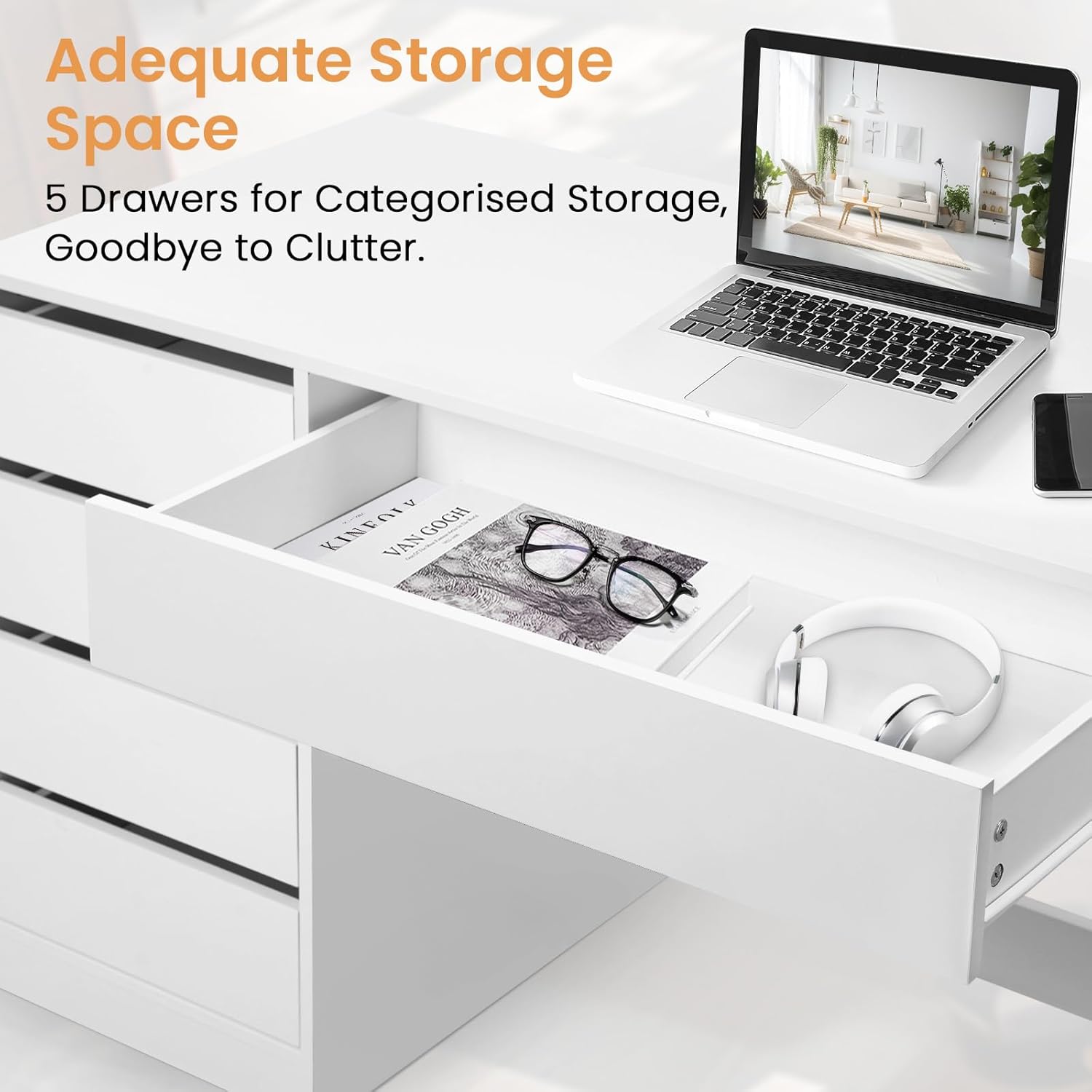
Image 5.2: An open drawer of the eSituro SCD0229 desk, demonstrating its internal storage capacity for various items.


Image 5.3: Details of the silent drawer runners (left) and the handle-less design (right) for smooth and safe operation.
5.3. Stable Construction and Quality Material
The desk is constructed from high-quality E1 particle board, known for its durability and environmental standards. This material is resistant to water and scratches, making the surface easy to clean and maintain. The design incorporates a wide base and a reinforced rear crossbar to ensure exceptional stability and a load capacity of up to 50 kg.

Image 5.4: Visual representation of the desk's robust construction and material properties, including resistance to water and scratches, and structural reinforcements.


Image 5.5: Detailed views showing the water-resistant surface (top left), scratch-resistant surface (top right), wide cabinet base (bottom left), and reinforced rear crossbar (bottom right).
5.4. Multipurpose Use
The modern and simple design of this white desk allows it to seamlessly integrate into various settings and serve multiple functions:
- Office Desk: Ideal for home offices, providing a dedicated space for computers and work materials.
- Dressing Table: Perfect for bedrooms or dressing areas, offering space for makeup and accessories.
- Children's Study Desk: Suitable for children's rooms, providing a comfortable area for homework and creative activities.
- Sewing Table: Can be used in craft rooms for sewing machines and supplies.
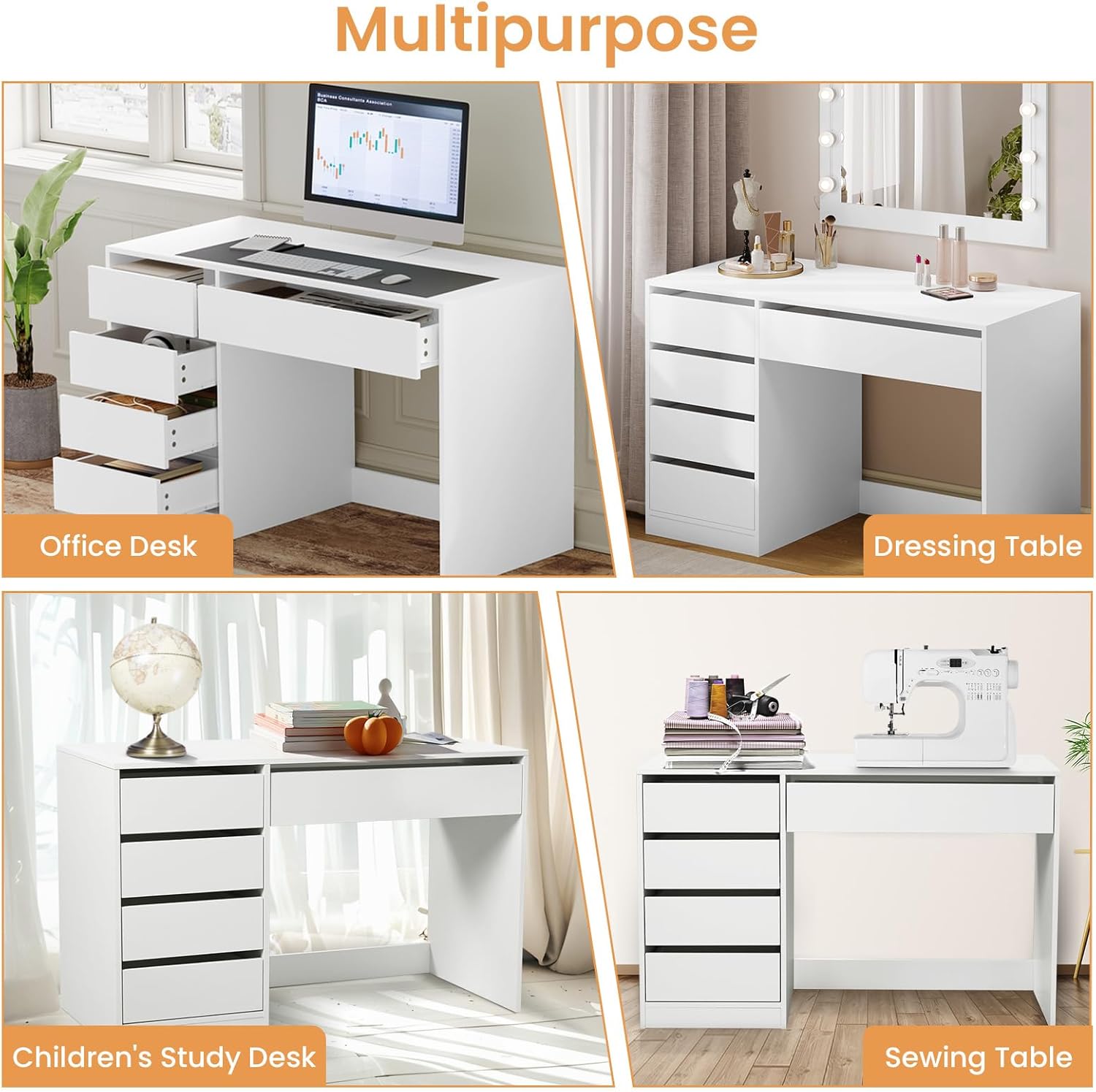
Image 5.6: Examples of the eSituro SCD0229 desk's versatile applications in different room settings and for various purposes.
6. Care and Maintenance
- Cleaning: Wipe the surface with a soft, damp cloth. Avoid using harsh chemicals or abrasive cleaners, as these can damage the finish.
- Spills: Immediately wipe up any spills to prevent water damage, especially on the edges.
- Heat: Avoid placing hot items directly on the surface. Use coasters or protective pads.
- Sunlight: Prolonged exposure to direct sunlight may cause discoloration over time.
- Stability Check: Periodically check all screws and fittings to ensure they remain tight. Retighten if necessary.

Image 6.1: Demonstrating the ease of cleaning the desk surface with a soft cloth.
7. Troubleshooting
| Problem | Possible Cause | Solution |
|---|---|---|
| Desk is wobbly/unstable. | Screws are loose; uneven floor; incorrect assembly. | Ensure all screws are tightened. Check for uneven floor and use furniture pads if necessary. Review assembly steps. |
| Drawers do not slide smoothly. | Drawer runners misaligned; debris in runners; incorrect drawer assembly. | Check alignment of drawer runners on both the drawer and the desk frame. Clean any debris. Ensure drawers are assembled correctly. |
| Missing parts or damaged components. | Shipping error; oversight during unpacking. | Contact customer support with your purchase details and a list of missing/damaged parts. Do not attempt to assemble with missing parts. |
| Difficulty during assembly. | Complex step; unclear diagram; lack of experience. | Refer to the detailed instruction manual. If still stuck, consider seeking assistance from an experienced person. |
8. Specifications
| Brand | eSituro |
| Model Number | SCD0229 |
| Color | White |
| Product Dimensions (L x W x H) | 120 x 55 x 75 cm (47.2 x 21.6 x 29.5 inches) |
| Product Weight | 38 kg (83.8 lbs) |
| Material | E1 Particle Board |
| Maximum Load Capacity | 50 kg (110 lbs) |
| Number of Drawers | 5 (4 side, 1 central) |
| Special Features | Spacious surface, water-resistant, scratch-resistant, silent drawer runners, handle-less design, reinforced structure, versatile use. |
9. Warranty and Support
For warranty information, please refer to the terms and conditions provided at the time of purchase or contact your retailer. If you encounter any issues or require assistance with your eSituro SCD0229 desk, please contact eSituro customer support through the retailer's platform or the official eSituro website.
When contacting support, please have your model number (SCD0229) and purchase details readily available.