
1. Setup
1.1 Package Contents
Please verify that your package contains the following items:
- JINSHANGZI ET570 Smartwatch
- Charging Cable
- User Manual
1.2 Charging the Smartwatch
Before first use, fully charge the smartwatch. Connect the magnetic charging cable to the charging contacts on the back of the watch and plug the USB end into a standard USB power adapter (not included).
The watch display will show the charging status. A full charge typically takes approximately 2 hours.
1.3 App Installation and Pairing
To unlock the full functionality of your ET570 Smartwatch, you need to install the companion application on your smartphone. Scan the QR code provided in the quick start guide or search for the app name (usually indicated on the watch screen during initial setup or in the manual) in your phone's app store (App Store for iOS, Google Play Store for Android).
Once the app is installed:
- Enable Bluetooth on your smartphone.
- Open the companion app and follow the on-screen instructions to create an account or log in.
- In the app, select 'Add Device' or 'Pair Device' and choose the ET570 from the list of available devices.
- Confirm the pairing request on both your smartphone and the smartwatch.

Image: The smartwatch screen showing a Bluetooth call interface, illustrating its connectivity.
2. Operating Instructions
2.1 Basic Navigation
The ET570 Smartwatch features a 1.95-inch full touchscreen for intuitive navigation. Swipe left, right, up, or down to access different menus and functions. Press the side button to return to the home screen or to turn the screen on/off.
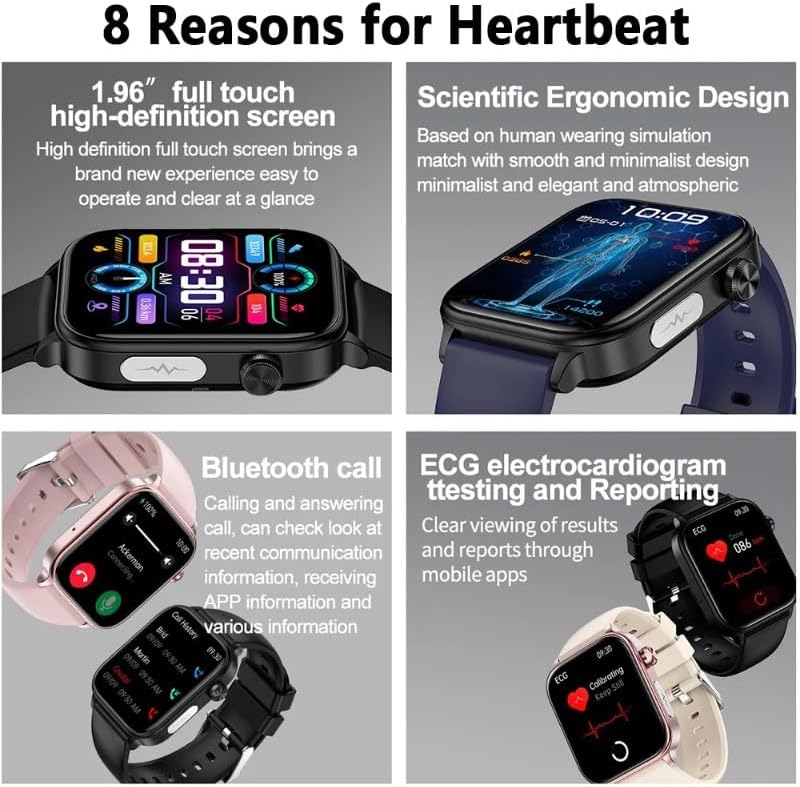
Image: The smartwatch's high-definition full touch screen showing various data points.
2.2 Bluetooth Call Function
Once paired with your smartphone, the ET570 Smartwatch allows you to make and answer calls directly from your wrist. When a call comes in, the watch will display the caller ID. Tap the green icon to answer or the red icon to reject. To make a call, access the dialer or contact list through the watch interface.
2.3 Fitness Tracking
The smartwatch tracks various fitness metrics:
- Step Counting: Automatically records your daily steps, distance, and calories burned.
- Activity Modes: Select from multiple sports modes (e.g., running, cycling) to get more accurate data for specific workouts.
2.4 Health Monitoring
The ET570 Smartwatch offers comprehensive health monitoring features:
- Heart Rate Monitoring: Continuously monitors your heart rate throughout the day. View real-time data on the watch or detailed trends in the app.
- Blood Oxygen (SpO2) Monitoring: Measures your blood oxygen saturation levels. Ensure the watch is worn snugly on your wrist for accurate readings.
- ECG (Electrocardiogram): Perform an ECG measurement by following the instructions on the watch screen and in the app. Results can be viewed and shared via the app.
- Sleep Tracking: Monitors your sleep patterns, including deep sleep, light sleep, and awake times.
- Body Temperature: Provides an estimate of your body temperature.

Image: The smartwatch showing a blood oxygen saturation reading, indicating the monitoring function.

Image: Multiple smartwatches showcasing different health management features like ECG, heart rate, blood pressure, and sleep tracking.
2.5 Notifications
Receive notifications for calls, messages, and app alerts directly on your smartwatch. Ensure notification permissions are enabled in both your phone's settings and the companion app.
2.6 GPS Functionality
The smartwatch supports GPS tracking for outdoor activities. This allows for accurate recording of routes and distances during workouts. Ensure GPS is enabled on your phone and the app has location permissions.
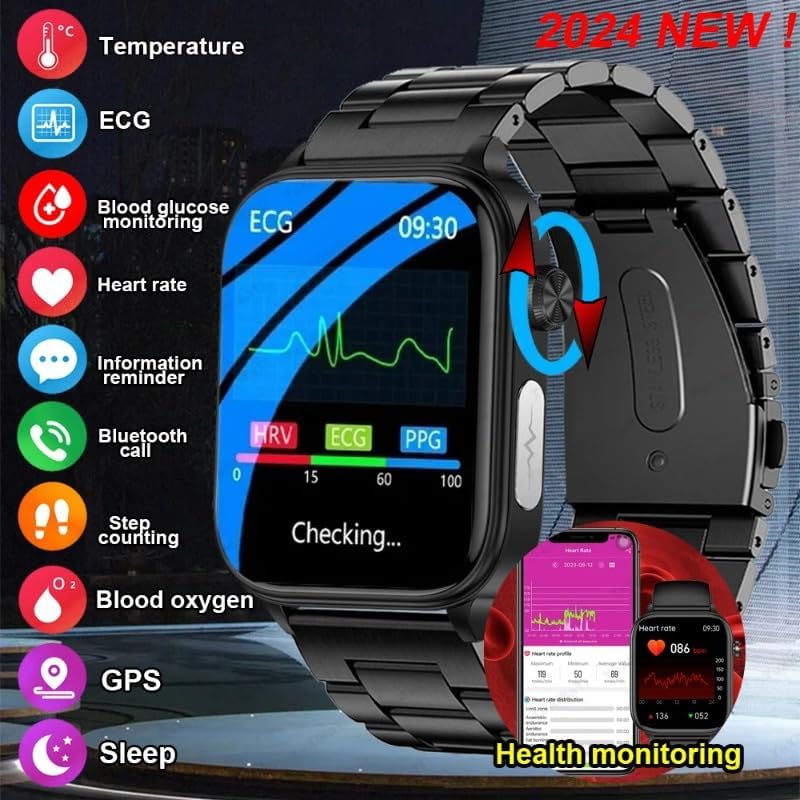
Image: An overview of the smartwatch's main features, including health monitoring and connectivity options.
3. Maintenance
3.1 Cleaning the Smartwatch
Wipe the watch screen and strap regularly with a soft, dry, lint-free cloth. For stubborn dirt, slightly dampen the cloth with water. Avoid using harsh chemicals, abrasive cleaners, or solvents, as these can damage the watch's finish and sensors.
3.2 Water Resistance
The ET570 Smartwatch is designed with a certain level of water resistance (e.g., splash-proof, suitable for hand washing). However, it is not recommended for swimming, showering, or diving. Avoid prolonged exposure to water or steam.
3.3 Battery Care
To prolong battery life, avoid fully discharging the watch frequently. Charge it when the battery level is low. Store the watch in a cool, dry place when not in use for extended periods.
4. Troubleshooting
4.1 Watch Not Turning On
- Ensure the watch is fully charged. Connect it to the charger for at least 30 minutes.
- Press and hold the side button for 10-15 seconds to force a restart.
4.2 Unable to Pair with Smartphone
- Make sure Bluetooth is enabled on your smartphone and the watch.
- Ensure the watch is within Bluetooth range of your phone (typically 10 meters).
- Restart both your smartphone and the smartwatch.
- Clear the Bluetooth cache on your phone (if applicable) and try pairing again.
- Check if the companion app is updated to the latest version.
4.3 Inaccurate Health Readings
- Ensure the watch is worn snugly on your wrist, not too tight or too loose.
- Keep your arm still during measurements.
- Clean the sensor on the back of the watch.
- Note that smartwatches are not medical devices and readings are for reference only.
4.4 Notifications Not Appearing
- Verify that Bluetooth is connected.
- Check notification permissions in your phone's settings for the companion app.
- Ensure notification settings are enabled within the companion app for specific applications.
- Make sure 'Do Not Disturb' mode is not active on either your phone or watch.
5. Specifications
| Brand | JINSHANGZI |
| Model | ET570 |
| Display | 1.95-inch Full Touchscreen |
| Input Device | Touchscreen |
| Color | Black |
| Band Color | Black |
| First Available Date | July 25, 2024 |
6. Warranty and Support
6.1 Warranty Information
The JINSHANGZI ET570 Smartwatch comes with a standard manufacturer's warranty. Please refer to the warranty card included in your package or contact your retailer for specific warranty terms and conditions. Keep your proof of purchase for warranty claims.
6.2 Customer Support
If you encounter any issues not covered in this manual or require further assistance, please contact the retailer where you purchased the product or visit the official JINSHANGZI support website for contact information.