
Foleto B0DB57YY6F
Foleto Automatic Electric Nail Clipper User Manual
Model: B0DB57YY6F
Product Overview
This manual provides instructions for the safe and effective use of your Foleto Automatic Electric Nail Clipper. This device combines nail trimming and polishing functions with adjustable speeds, an LED light, and automatic nail chip storage, designed for ease of use across various age groups.
Safety Information
- Designed specifically for fingernails; do not use on other body parts.
- Keep away from water and heat sources.
- Keep out of reach of children under 4 years old to ensure safe and effective use.
- Always ensure the device is clean and free from debris before and after use.
Package Contents
- 1 x Rechargeable Electric Nail Clipper
- 1 x Cleaning Brush
- 1 x USB Type-C Charging Cable
- 1 x Instruction Manual
Product Components
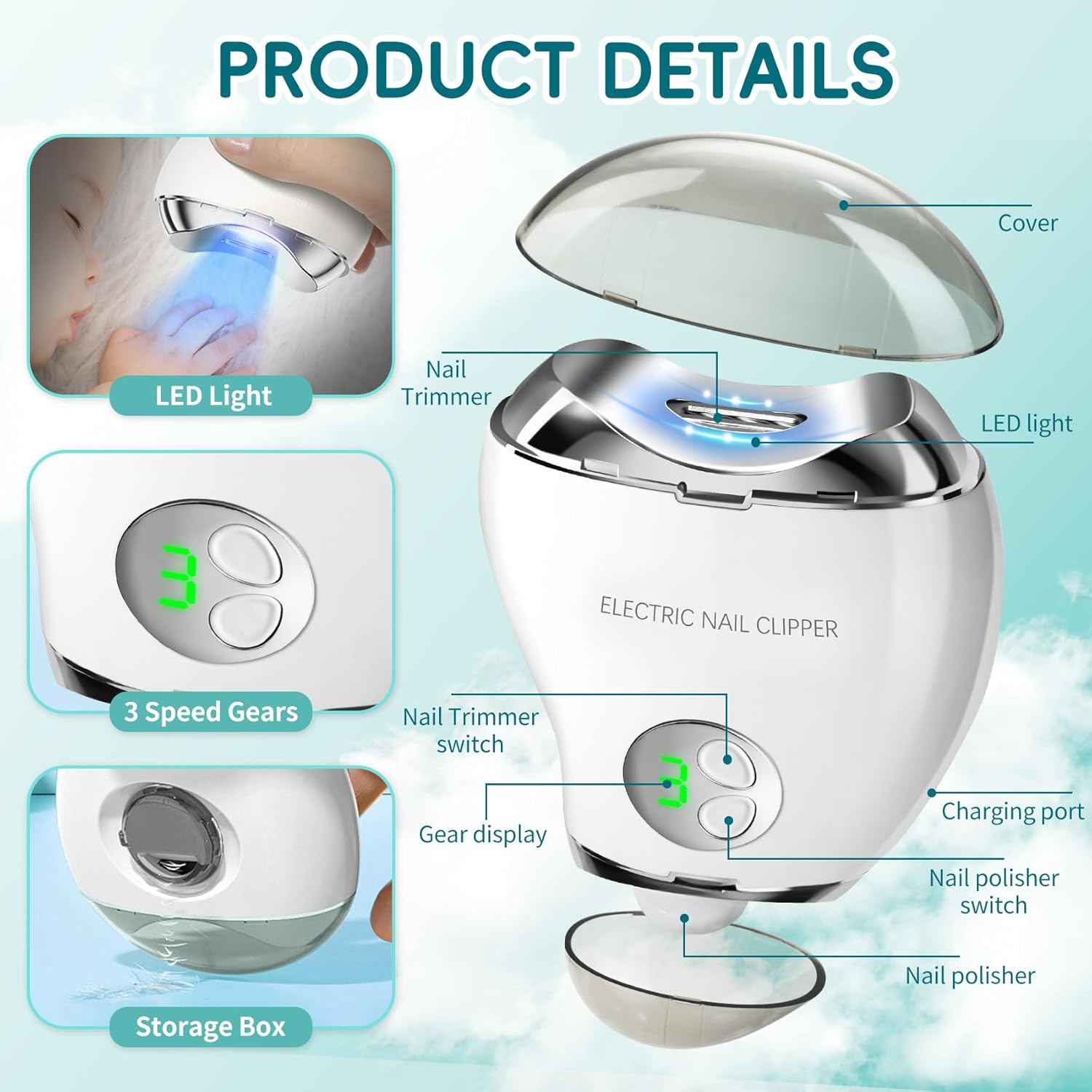
The diagram above illustrates the key components of the electric nail clipper.
- Nail Trimmer Opening: Area where nails are inserted for trimming.
- Nail Polisher: Rotating disc for smoothing and shining nails.
- LED Light: Illuminates the nail area for improved visibility, especially in low light.
- Power On/Off Button: Activates and deactivates the device.
- Speed Adjustment Buttons: Controls the trimming/polishing speed (Low, Medium, High).
- LCD Digital Display: Shows current speed setting and battery level.
- USB-C Charging Port: For recharging the device.
- Nail Chip Storage Box: Collects trimmed nail fragments for easy disposal.
Setup
- Charging: Connect the device to a power source using the provided USB Type-C charging cable. The LCD display will indicate the charging status. Ensure the device is fully charged before its first use.
- Initial Inspection: Before use, ensure all components are securely in place and free from any visible damage.
Video: Demonstrates how to charge the electric nail clipper and its components.
Operating Instructions
- Power On: Press the power button gently to turn on the device. The LED light will activate, and the LCD display will show the current speed setting.
- Select Function:
- Press the up button to activate the nail trimmer.
- Press the down button to activate the nail polisher.
- Adjust Speed: Use the speed adjustment buttons to select the desired speed (Low, Medium, High) as indicated on the LCD display.
- Low speed: Suitable for children.
- Medium speed: Suitable for the elderly.
- High speed: Suitable for young adults.
- Trimming Nails: For trimming, place the nail into the trimming opening. Move the machine slightly from side to side to trim the nail. Avoid keeping the device in the same area for too long to prevent over-trimming.
- Polishing Nails: For polishing, gently place the nail against the rotating polishing disc. Move the device to smooth and shine the nail surface.
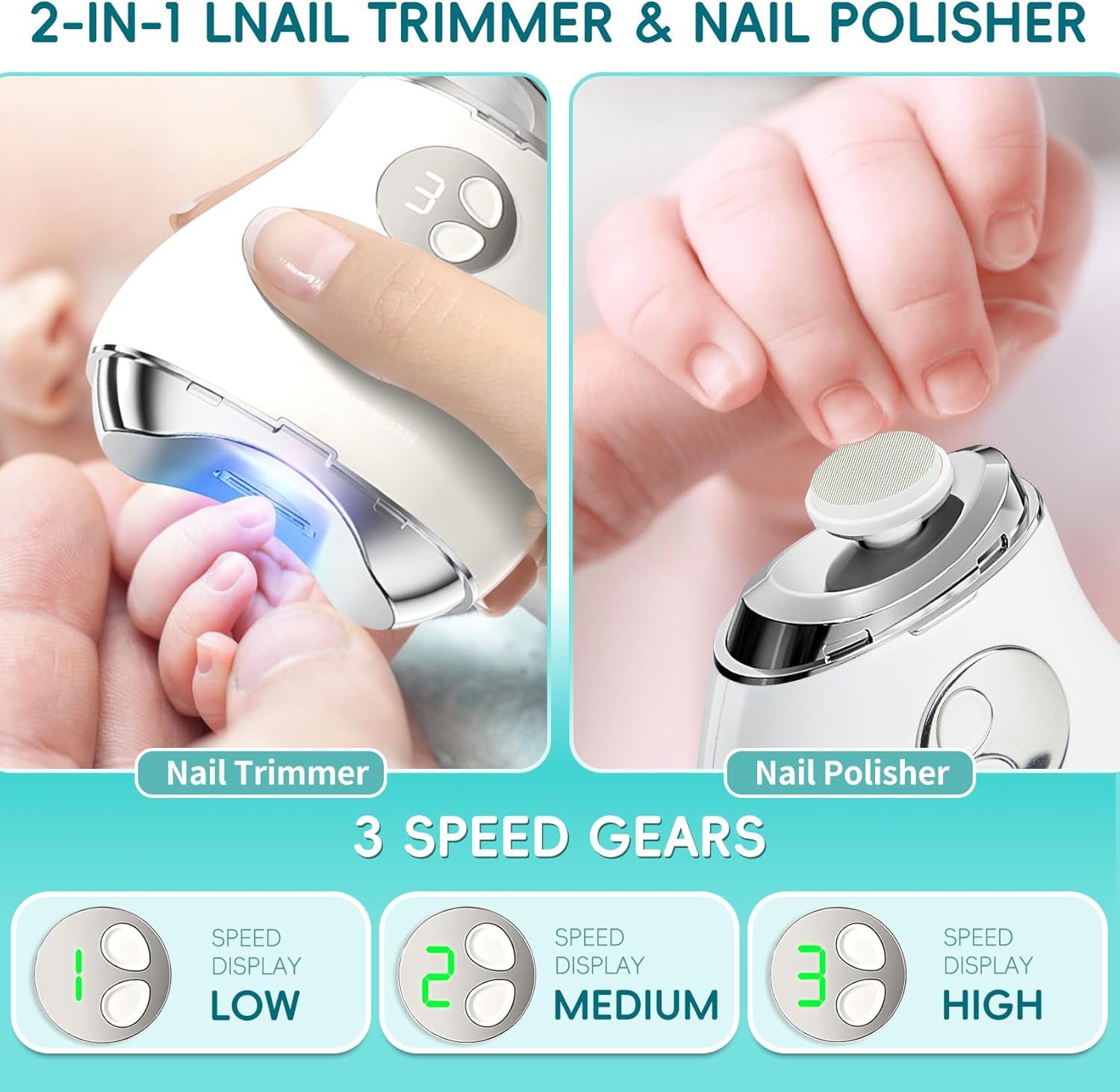
Image: Illustrates the use of both the nail trimmer and polisher functions, along with the three adjustable speed settings.
Video: Demonstrates the trimming and polishing functions of the electric nail clipper.
Maintenance
- Emptying Nail Clippings: The device features a built-in chip storage box. After trimming, rotate the button to open the storage and gently dump the collected nail clippings.
- Cleaning: Use the provided cleaning brush to remove any remaining debris from the trimming opening and polishing disc. Ensure the device is clean to maintain optimal performance.
- Storage: Store the device in a dry, cool place away from direct sunlight and out of reach of children.
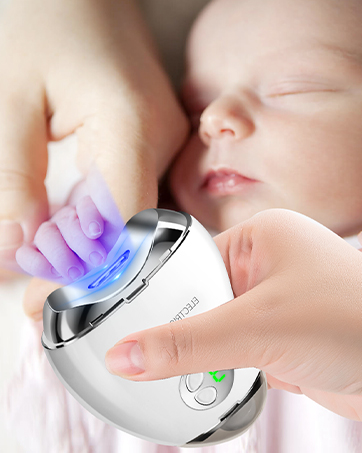
Image: Shows the automatic nail chip storage feature, which collects clippings for easy disposal.
Troubleshooting
- Device Not Turning On: Ensure the device is fully charged. If the issue persists, refer to the instruction manual for further guidance or contact customer support.
- Ineffective Trimming/Polishing: Check if the blades or polishing disc are clean and free from debris. Ensure the correct speed setting is selected for the nail type.
- Difficulty Opening Storage Box: Refer to the product diagram for the correct button or rotation mechanism to open the nail chip storage.
Specifications
| Feature | Specification |
|---|---|
| Brand | Foleto |
| Material | Plastic, Stainless Steel |
| Blade Edge | Concave or Curved |
| Battery Type | 1 Lithium Ion battery required |
| Noise Level | Approximately 45 decibels |
| Charging Interface | USB Type-C |
| Rated Voltage/Power | 5V/2.5W |
| Battery Capacity | 500 mAh |
| Weight | 240g |

Image: Provides a detailed description of the device's function indicators and technical specifications.
Warranty and Support
We strive for product quality; however, if your item arrives damaged or dirty due to transportation, please contact us immediately. We are committed to providing a prompt replacement or refund.
For further assistance or to explore more Foleto products, please visit our official store: Foleto Store on Amazon.
Ask a question about this manual
Ask about setup, troubleshooting, compatibility, parts, safety, or missing instructions. Manuals+ will review the question and use this page’s manual context to help answer it.