
NATNO SJT60E
NATNO 54.6V 2A Electric Scooter Charger User Manual
Model: SJT60E
1. Product Overview
This NATNO 54.6V 2A Electric Scooter Charger is designed as a high-quality replacement power supply for various 48V lithium-ion batteries used in electric scooters and bikes. It features multiple protection mechanisms to ensure safe and efficient charging.
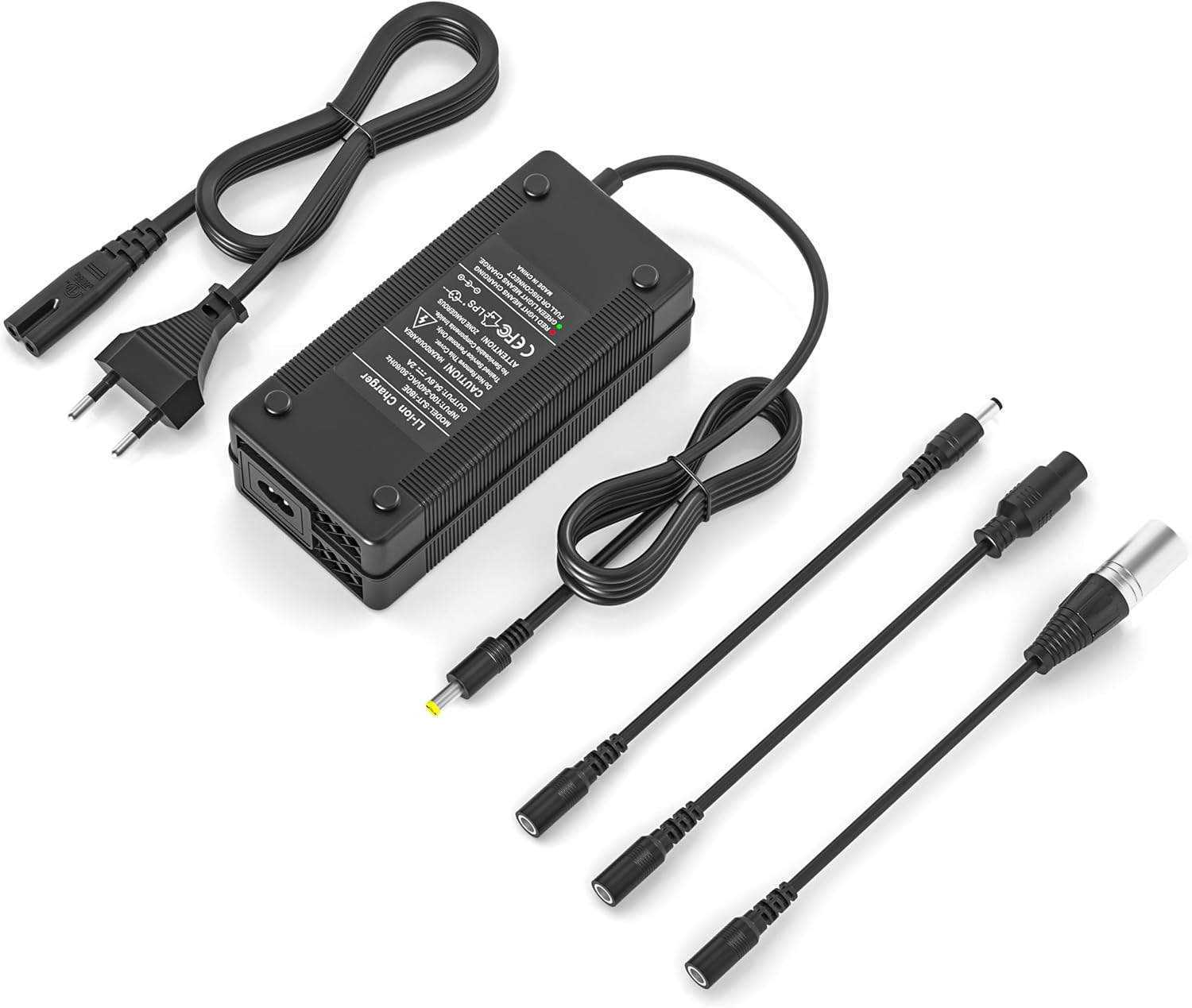
Image 1: The NATNO 54.6V 2A Electric Scooter Charger, showing the main charging unit and the included interchangeable connector cables.
2. Safety Information
Please read all safety instructions carefully before using the charger. Failure to follow these instructions may result in electric shock, fire, or serious injury.
- Indoor Use Only: This charger is designed for indoor use. Do not expose it to rain, moisture, or extreme temperatures.
- Proper Voltage: Ensure the input voltage (100-240V) matches your local power supply.
- Compatible Batteries: Only use this charger with 48V lithium-ion batteries. Do not attempt to charge other battery types (e.g., lead-acid batteries) or batteries with different voltage ratings.
- Ventilation: Ensure adequate ventilation around the charger during operation. Do not cover the charger.
- Avoid Damage: Do not use the charger if the cable or plug is damaged. Do not disassemble or modify the charger.
- Children and Pets: Keep the charger out of reach of children and pets.
- Unplug When Not in Use: Always unplug the charger from the power outlet and the device when not in use or before cleaning.
3. Setup
Follow these steps for initial setup:
- Identify Battery Connector: Determine the correct charging port type on your electric scooter or bike.
- Select Appropriate Connector: The charger comes with three different connector types: DC5.5x2.5mm/DC5.5x2.1mm, 12mm 3P-GX16, and 3-pin XLR. Choose the connector that matches your device's charging port.
- Attach Connector: Securely attach the selected connector cable to the output port of the charger.
- Connect to Device: Plug the chosen connector into your scooter's or bike's charging port.
- Connect to Power: Plug the AC power cord into a standard wall outlet (100-240V).

Image 2: This diagram illustrates the different compatible connector types (DC 5.5x2.1mm, DC 5.5x2.5mm, 12mm 3-prong, and 3-pin XLR) and their dimensions, along with examples of incompatible connectors.
4. Operating Instructions
Once connected, the charger will begin charging your device. The LED indicator provides charging status:
- Red LED: Indicates that the battery is currently charging.
- Green LED: Indicates that the battery is fully charged or the charger is in standby mode (not connected to a device or device is off).
A full charge typically takes 4 to 6 hours, depending on the battery capacity of your device.

Image 3: This image displays the charger's LED indicator, showing a red light when charging is in progress and a green light when the battery is fully charged or the charger is disconnected.
5. Maintenance
To ensure the longevity and optimal performance of your charger, follow these maintenance guidelines:
- Cleaning: Disconnect the charger from power and the device before cleaning. Use a soft, dry cloth to wipe the surface. Do not use liquid cleaners or solvents.
- Storage: Store the charger in a cool, dry place away from direct sunlight and extreme temperatures.
- Cable Care: Avoid bending or crimping the cables excessively. Do not pull the cable to disconnect the charger; always grasp the plug.
- Inspection: Periodically inspect the charger and cables for any signs of damage. If damage is found, discontinue use and replace the charger.
6. Troubleshooting
| Problem | Possible Cause | Solution |
|---|---|---|
| Charger LED is off. | No power supply; charger not connected to device; device battery fully charged. | Check power outlet and connections. Ensure charger is properly plugged into both the wall and the device. If battery is full, LED will be green. |
| Red LED is on, but battery is not charging. | Incorrect connector; faulty battery; charger malfunction. | Verify the correct connector is used and securely attached. Test with another compatible device if possible. If problem persists, contact support. |
| Green LED is on, but battery is not full. | Battery issue; charger issue. | Ensure the battery is not already full. If the battery is not charging to full capacity, the battery itself might be faulty. |
| Charger gets hot during charging. | Normal operation; poor ventilation; overload. | A slight warmth is normal. Ensure adequate ventilation around the charger. If it becomes excessively hot, disconnect immediately and contact support. |
This charger is equipped with multiple protection features including overvoltage, overload, overcurrent, and short-circuit protection to prevent damage to your device and the charger itself.
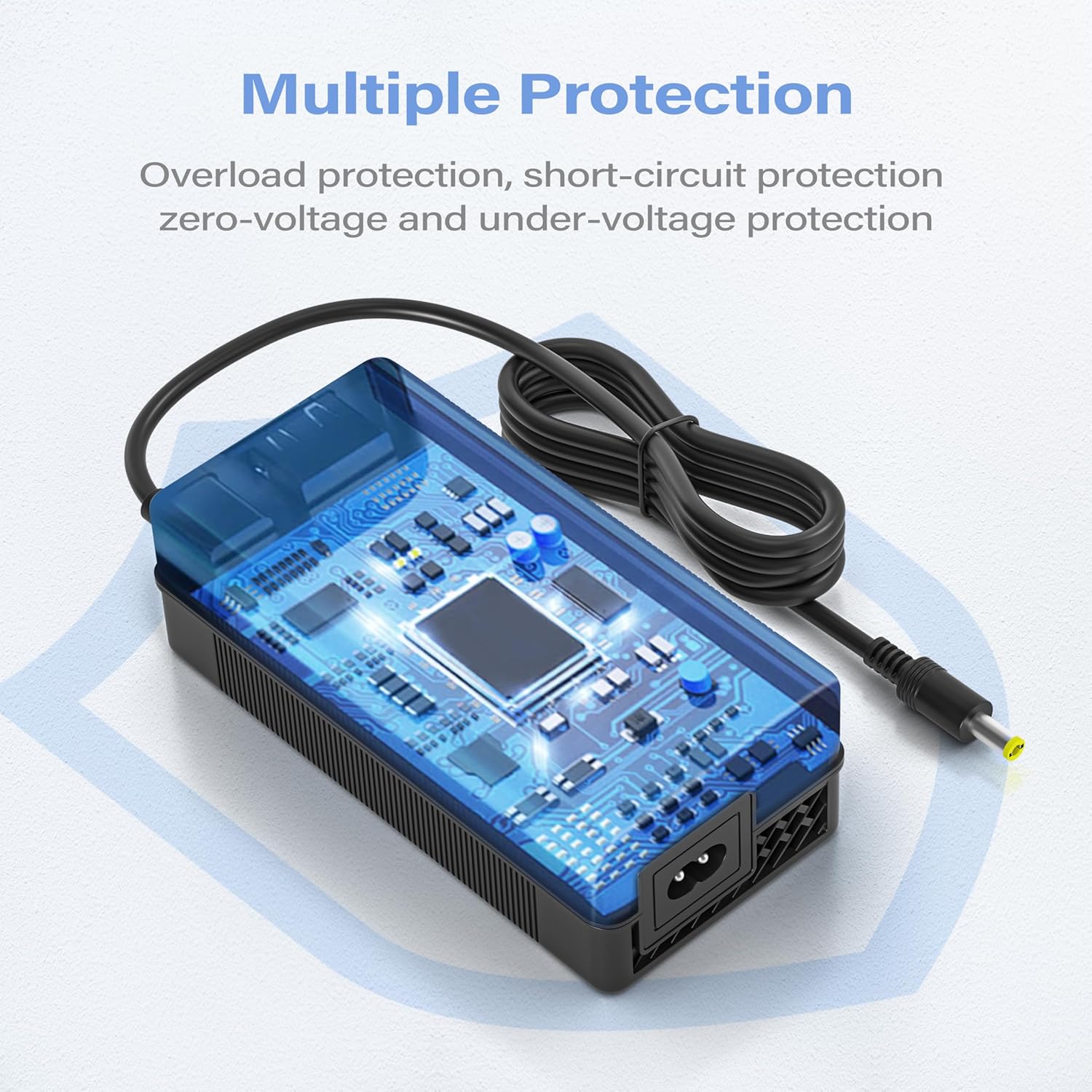
Image 4: An illustration of the charger's internal circuitry, emphasizing its built-in intelligent protection module designed to prevent short-circuits, overcurrents, overloads, and overvoltages.
7. Specifications
| Brand | NATNO |
| Model Number | SJT60E |
| Input Voltage | AC 100-240V, 50-60Hz |
| Output Voltage | DC 54.6V |
| Output Current | 2A |
| Rated Power | 110W |
| Compatible Battery Voltage | 48V Lithium-ion Battery |
| Connectors Included | DC5.5x2.5mm/DC5.5x2.1mm, 12mm 3P-GX16, 3-pin XLR |
| Charging Indicator | Red (Charging), Green (Fully Charged/Standby) |
| Charging Time | Approx. 4-6 hours (depending on battery capacity) |
| Protection Features | Overvoltage Protection, Overload Protection, Overcurrent Protection, Short-circuit Protection |
| Material | ABS+PC (High-temperature resistant) |
| Certifications | CE, FCC, RoHS |
| Product Dimensions | 15P x 7l x 4.5H centimeters (approx. 5.91 x 2.76 x 1.77 inches) |
| Product Weight | Approx. 456.4g |
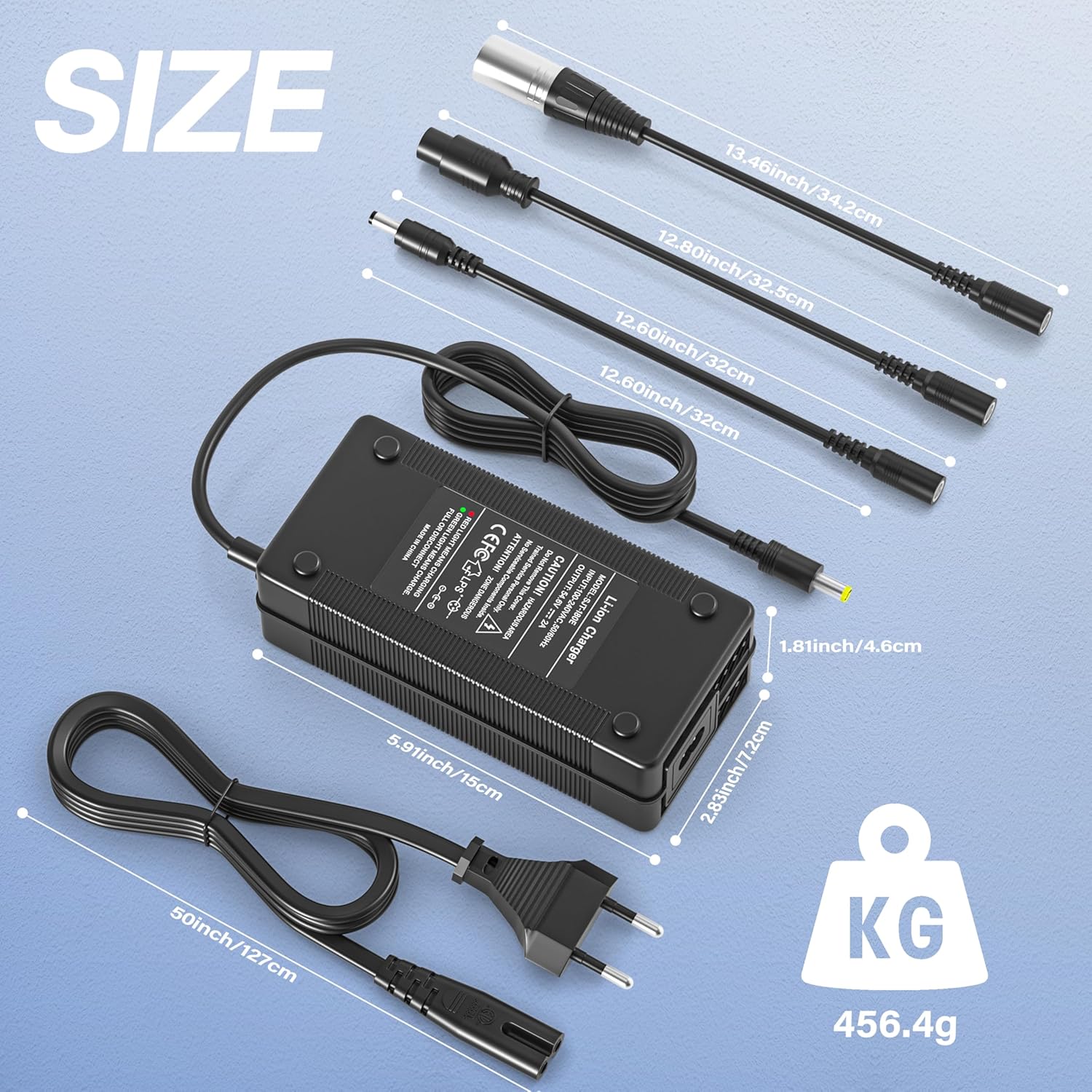
Image 5: This image provides a visual representation of the charger's dimensions and the lengths of its various connector cables, along with the total weight of the unit.
8. Compatible Models
This charger is compatible with 48V Lithium-ion batteries for a wide range of electric scooters and bikes, including but not limited to:
- GOTRAX Series: GXL DLX, G2, G3, G4, G MAX Ultra, Apex, Glider, XR Elite, XR Ultra
- Jetson Series: Adventure, Bolt, Bolt Pro, Metro Bike
- Evercross: H5
- Kugoo: M4, M4 Pro
- Hitway: H5, H5 Pro
- JOYOR Series: S5, F5S+, G5, GS5, X5S, Y5S
- Hiboy: S2 Pro
- Rival
Note: Always verify your device's battery voltage and charging port type before purchasing and using a replacement charger.

Image 6: This image shows the NATNO 54.6V 2A Electric Scooter Charger in use with an electric scooter, visually representing its suitability for electric bikes, scooters, hoverboards, and mobility scooters, while also listing its key protection features.
9. Warranty and Support
For warranty information or technical support, please contact the seller directly through your purchase platform. Keep your purchase receipt as proof of purchase.
Manufacturer: Guang Dong San jia tong Electronic Technology Co.,Ltd
Ask a question about this manual
Ask about setup, troubleshooting, compatibility, parts, safety, or missing instructions. Manuals+ will review the question and use this page’s manual context to help answer it.