
KNQZE KB7
KNQZE Lumbar Support Pillow KB7 Instruction Manual
Model: KB7 | Brand: KNQZE
1. Introduction
This manual provides detailed instructions for the safe and effective use of your KNQZE Lumbar Support Pillow, Model KB7. Please read this manual thoroughly before operation and retain it for future reference.
2. Important Safety Instructions
- Do not use if the product or power cord is damaged.
- Keep away from water and moisture.
- Unplug when not in use or before cleaning.
- Consult a physician before use if you have medical conditions, are pregnant, or have a pacemaker.
- Do not use on sensitive skin areas or on individuals unable to feel heat.
- Avoid prolonged use at high heat settings to prevent burns.
3. Package Contents
- KNQZE Lumbar Support Pillow (Model KB7)
- Power Adapter (Home)
- Car Adapter
- Instruction Manual
4. Product Features
- Ergonomic Design: Contours to the natural curve of the spine for optimal lumbar support.
- Vibration Massage: 4 motors with 3 modes and 3 intensity levels for targeted back muscle relaxation.
- 3-Level Heating: Adjustable heat (100°F-113°F) for muscle tension relief and improved circulation.
- Auto-Off Timer: Safety feature with 15/20/30 minute options.
- Adjustable Straps: Secure attachment to various chairs.
- Versatile Use: Suitable for home, office, and car.
- Material: High-density memory foam with breathable mesh cover.

Image: The KNQZE Lumbar Support Pillow, highlighting its ergonomic shape, internal heating elements, vibration motors, and the wired remote control for operation.
5. Setup and Installation
- Unpack: Carefully remove the lumbar support pillow and all accessories from the packaging.
- Positioning: Place the pillow against the backrest of your chair (office chair, car seat, sofa). Ensure the ergonomic curve aligns with your lower back.
- Secure with Straps: Use the adjustable straps on the back of the pillow to secure it firmly to your chair. Adjust the strap length for a snug fit.

Image: The lumbar support pillow secured to an office chair using its adjustable straps, demonstrating proper placement.
- Connect Power:
- For Home/Office Use: Connect the home power adapter to the pillow's power input, then plug the adapter into a standard electrical outlet.
- For Car Use: Connect the car adapter to the pillow's power input, then plug the car adapter into your vehicle's 12V power outlet (cigarette lighter socket).
6. Operating Instructions
The KNQZE Lumbar Support Pillow is operated via a wired remote control.
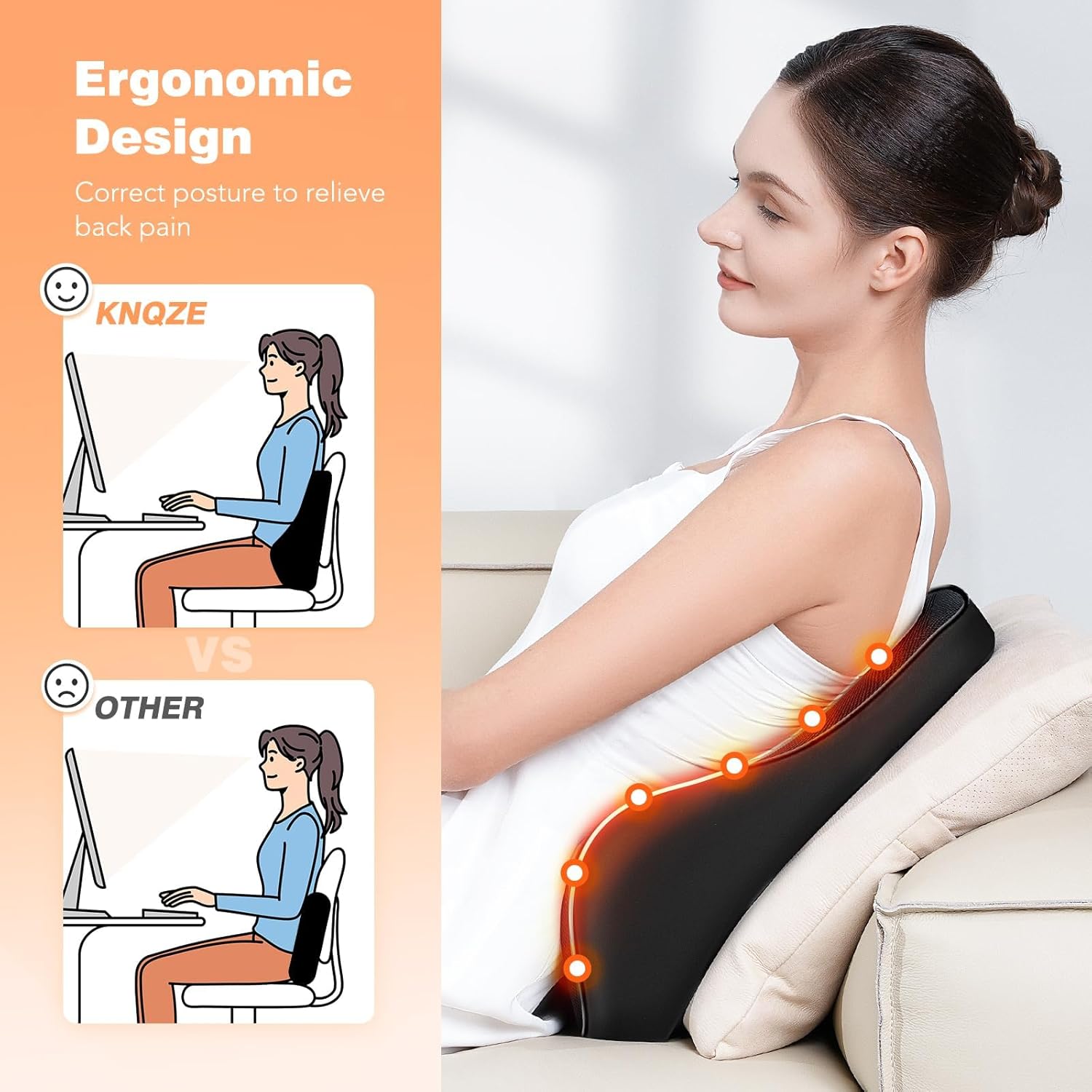
Image: Close-up of the remote control, displaying buttons for power, vibration intensity, heat level, massage mode, and timer settings.
6.1 Remote Control Functions
- Power Button (⏻): Press and hold for a few seconds to turn the unit ON/OFF.
- Intensity Button (‖): Cycles through 3 vibration intensity levels (Low, Medium, High).
- Heat Button (SSS): Cycles through 3 heating levels (Low, Medium, High).
- Mode Button (M): Cycles through 3 vibration massage modes (Active, Soothing, Relaxing).
- Timer Button (⏷): Sets the auto-off timer to 15, 20, or 30 minutes.
6.2 Using Vibration Massage
- Ensure the pillow is powered on.
- Press the Mode button to select your desired vibration pattern.
- Press the Intensity button to adjust the strength of the vibration.

Image: Illustration detailing the three vibration modes and three intensity levels provided by the four internal motors.
6.3 Using Heating Function
- Ensure the pillow is powered on.
- Press the Heat button to activate and cycle through the 3 heating levels. The indicator light will change accordingly.
- The heating function has an automatic shut-off for safety.

Image: Visual representation of the 3-level heating function, indicating temperature ranges and its effect on the back.
6.4 Setting the Timer
- Press the Timer button to select a duration of 15, 20, or 30 minutes. The unit will automatically turn off after the selected time.
7. Care and Maintenance
- Cleaning: Unplug the device before cleaning. Wipe the surface with a soft, damp cloth. Do not immerse the pillow in water or use abrasive cleaners.
- Storage: Store the pillow in a cool, dry place away from direct sunlight when not in use. Avoid placing heavy objects on it.
- Avoid Sharp Objects: Do not use sharp objects near the pillow to prevent damage to the fabric or internal components.
8. Troubleshooting
| Problem | Possible Cause | Solution |
|---|---|---|
| Unit does not turn on. | Not properly plugged in; power outlet issue; damaged power cord. | Check power connections. Try a different outlet. Inspect power cord for damage. |
| Vibration is weak or non-existent. | Low intensity setting; internal motor issue. | Increase intensity using the remote. If problem persists, contact customer support. |
| Heating function is not working. | Heat function not activated; internal heating element issue. | Press the Heat button to activate. Ensure a heat level is selected. If problem persists, contact customer support. |
| Unit turns off unexpectedly. | Timer activated; overheating protection. | Check timer setting. Allow unit to cool down if it feels excessively warm. |
9. Specifications
- Model: KB7
- Brand: KNQZE
- Dimensions: 15.7"L x 5.5"W x 17"H
- Weight: 3.63 pounds
- Fill Material: Memory Foam
- Heating Levels: 3 (approx. 100°F-113°F)
- Vibration Motors: 4
- Vibration Modes: 3
- Vibration Intensities: 3
- Auto-Off Timer: 15/20/30 minutes
- Power Input: AC 100-240V (Home Adapter), DC 12V (Car Adapter)
10. Warranty Information
This KNQZE product comes with a one-year warranty from the date of purchase. The warranty covers manufacturing defects and malfunctions under normal use. It does not cover damage caused by misuse, accidents, unauthorized modifications, or improper maintenance.
Please retain your proof of purchase for warranty claims.
11. Customer Support
If you have any questions, concerns, or require assistance with your KNQZE Lumbar Support Pillow, please contact our customer service team:
- Email: support@knqze.com
- Website: KNQZE Official Store
When contacting support, please provide your product model (KB7) and a detailed description of the issue.
Ask a question about this manual
Ask about setup, troubleshooting, compatibility, parts, safety, or missing instructions. Manuals+ will review the question and use this page’s manual context to help answer it.