
1. Introduction
This manual provides detailed instructions for the installation, operation, and maintenance of your CAMECHO 2+64G Android 13 Car Radio. This unit is specifically designed for Fiat 500L models from 2013 to 2018. It features a 7-inch 2.5D touchscreen, 2GB RAM, 64GB ROM, a 4-core processor, and supports WiFi, Bluetooth, Wireless Carplay, Android Auto, GPS navigation, a rearview camera function, and FM/RDS radio. Please read this manual thoroughly before use to ensure proper functionality and safety.
2. Package Contents
Verify that all items listed below are included in your package:
- 1x Car Player
- 1x Canbus Decoder
- 1x Power Cable
- 1x RCA Cable
- 1x Antenna Head
- 2x USB Cables
- 1x Radio Antenna
- 1x GPS Antenna
- 1x User Manual
- 1x Rearview Camera

Figure 2.1: Included components and dimensions of the car radio unit.
3. Setup and Installation
3.1 Vehicle Compatibility
This car radio is designed for Fiat 500L models manufactured between 2013 and 2018. Ensure your vehicle falls within this range for proper fitment and functionality.

Figure 3.1: Before and after installation in a Fiat 500L dashboard.
3.2 Wiring Connections
Refer to the provided wiring diagram in the user manual for specific connections. Key connections include:
- Power Cable: Connect to the vehicle's power supply.
- RCA Cables: For audio/video input/output.
- USB Cables: For external devices and data transfer.
- GPS Antenna: For navigation functionality.
- Radio Antenna: For FM/RDS reception.
- Canbus Decoder: For steering wheel control integration and vehicle data communication.
- Rearview Camera: Connect the camera's power cable (black to GND, red to Power+) and video output to the designated input on the car radio.

Figure 3.2: Backup camera wiring diagram and features.
4. Operating Instructions
4.1 Wireless Carplay and Android Auto
The unit supports both wireless and wired Carplay/Android Auto. Connect your mobile phone to access contacts, emails, notifications, map navigation, music, videos, and other information. After initial Bluetooth pairing, the connection will establish automatically upon subsequent vehicle starts.
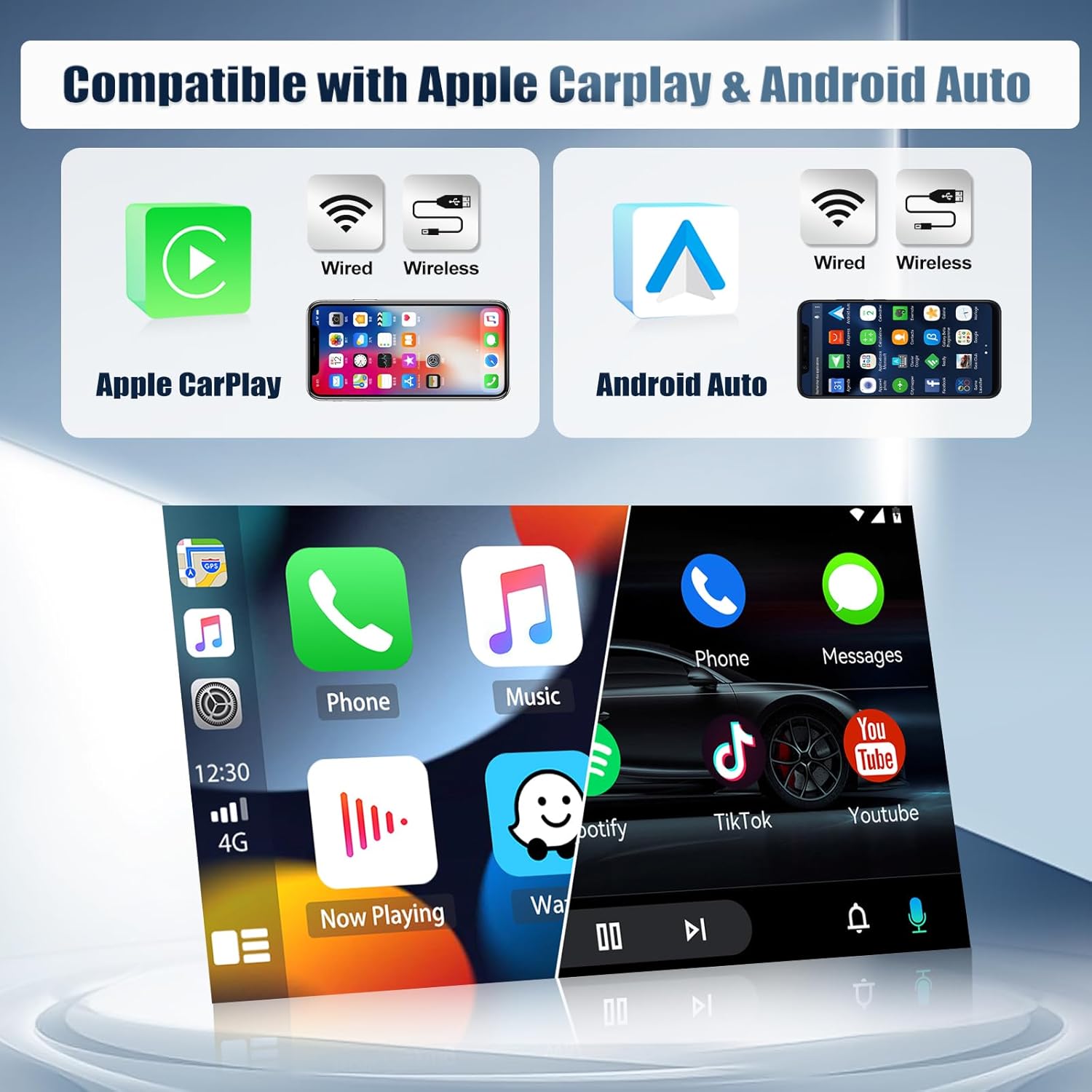
Figure 4.1: Wireless Carplay and Android Auto interface examples.
4.2 Bluetooth and WiFi Connectivity
The integrated Bluetooth allows for hands-free calling and music streaming. Connect to WiFi to access online maps, stream TV and movies, browse YouTube, and download applications from the Play Store.

Figure 4.2: Bluetooth connectivity for hands-free operation.

Figure 4.3: GPS navigation and WiFi interface.
4.3 GPS Navigation
The unit supports online and offline navigation. Users can download offline maps directly from the Play Store for use without an internet connection.
4.4 FM/RDS Radio
Enjoy FM radio with 18 preset stations. The RDS function provides clear channel search and reduced noise. Online music can also be streamed to the car radio via FM.

Figure 4.4: FM/RDS radio interface.
4.5 Mirror Link
Mirror Link allows you to display your smartphone's screen on the car radio. Android phones support two-way control, while iPhones support one-way control.

Figure 4.5: Mirror Link functionality.
4.6 Steering Wheel Control (SWC)
The included Canbus decoder enables integration with your vehicle's existing steering wheel controls. This allows for convenient operation of the radio without taking your hands off the wheel.

Figure 4.6: Steering Wheel Control interface.
4.7 HD Touchscreen and Backup Camera
The 1280*720 high-resolution capacitive touchscreen provides sensitive and precise control. The included backup camera supports both AHD and CVBS formats, featuring waterproof night vision. When reversing, the radio automatically displays the camera feed, aiding in precise parking.

Figure 4.7: High-resolution touchscreen and core specifications.

Figure 4.8: Overview of key features including backup camera.
4.8 Voice Control and Split-Screen
Utilize voice commands for various functions. The split-screen feature allows for multitasking, such as running navigation and music simultaneously.

Figure 4.9: Voice control and split-screen features.
4.9 EQ Adjustment
Customize your audio experience with the built-in equalizer. Adjust sound settings to your preference for various music genres.

Figure 4.10: Audio Equalizer settings.
5. Maintenance
To ensure the longevity and optimal performance of your car radio, follow these maintenance guidelines:
- Cleaning: Use a soft, dry cloth to clean the touchscreen and exterior. Avoid abrasive cleaners or solvents.
- Software Updates: Periodically check for and install software updates to ensure the system runs efficiently and securely.
- Environmental Conditions: Avoid exposing the unit to extreme temperatures or direct sunlight for prolonged periods.
- Cable Connections: Ensure all cables are securely connected to prevent intermittent issues.
6. Troubleshooting
If you encounter any issues with your CAMECHO car radio, refer to the following common troubleshooting steps:
| Problem | Possible Cause | Solution |
|---|---|---|
| Unit does not power on | Loose power connection, blown fuse | Check power cable connections. Inspect and replace vehicle fuse if necessary. |
| No sound | Volume too low, incorrect audio source, loose speaker wires | Increase volume. Select correct audio source. Check speaker wire connections. |
| GPS not working | GPS antenna not connected, poor signal | Ensure GPS antenna is securely connected and placed in an unobstructed location. |
| Bluetooth connection issues | Device not paired, Bluetooth off | Ensure Bluetooth is enabled on both devices. Re-pair the device. |
| Rear camera not displaying | Camera not connected, incorrect wiring | Check camera power and video connections. Ensure vehicle is in reverse. |
If the problem persists after attempting these solutions, please contact customer support.
7. Specifications
Below are the technical specifications for the CAMECHO 2+64G Android 13 Car Radio:
- Brand: CAMECHO
- Model Number: 2+64G
- Connectivity Technology: Bluetooth, Ethernet, USB, Wi-Fi
- Special Features: Built-in Bluetooth, Touchscreen
- Compatible Devices: Smartphone
- Total HDMI Ports: 1
- Audio Output Mode: Stereo, Surround
- Surround Sound Channel Configuration: 5.1
- Video Encoding: MKV, RMVB, AVI, MP4, MDV
- Number of Channels: 4
- Output Power: 45 Watts
- Analog RGB Input: RCA, USB
- Internet Applications: Internet radio
- Control Method: Touch
- Audio Output Type: Bluetooth, RCA
- Format: AVI, WAV, WMA
- Manufacturer: CAMECHO
8. Warranty and Support
8.1 Product Warranty
This product comes with a 2-year warranty. For any issues covered under warranty, please contact customer support. We offer a 14-day return policy.
8.2 Customer Support
For assistance, technical support, or to request a user manual, please contact us via email. We aim to respond within 24 hours.
Email: CAMECHOVIP@126.com

Figure 8.1: Customer support contact information.