
eufy Security
eufy Security Smart Lock E30 User Manual
Model: T85F1 | UPC: 194644207519
Introduction
The eufy Security Smart Lock E30 is an advanced keyless entry deadbolt designed to integrate seamlessly with your smart home ecosystem. It offers multiple convenient unlocking methods including fingerprint, mobile app control, keypad, physical key, and voice commands via Apple Home, Google Home, and Alexa. This manual provides detailed instructions for installation, operation, maintenance, and troubleshooting to ensure optimal performance and security.

Image: The eufy Security Smart Lock E30 packaging, showcasing the exterior keypad unit and the interior deadbolt mechanism, along with the product box.
What's Included
Verify that all components are present before beginning installation:
- eufy Smart Lock E30 Exterior Assembly (Keypad with Fingerprint Reader)
- eufy Smart Lock E30 Interior Assembly (Thumb Turn)
- Deadbolt Latch
- Strike Plate
- Mounting Plate
- Mounting Screws
- 8 AA Batteries (included)
- Physical Keys
- Installation Guide and User Manual (this document)
Setup and Installation
The eufy Smart Lock E30 is designed for easy DIY installation, typically taking around 15 minutes without the need for drilling. Ensure your door meets the compatibility requirements before proceeding.
1. Door Compatibility Check
Before installation, confirm your door's dimensions are compatible with the Smart Lock E30. This lock is compatible with standard doors in the US and Canada.
- Cross Bore Diameter: 1½" / 2⅛" (38mm / 54mm)
- Door Thickness: 1⅜" - 2⅛" (35mm - 55mm)
- Minimum Distance (from edge of door to center of cross bore): 1¾" (45mm)
- Backset Distance: 2⅜" / 2¾" (60mm / 70mm)

Image: A diagram illustrating the critical measurements required for door compatibility, including cross bore diameter, door thickness, minimum distance, and backset distance.
2. Physical Installation
Follow the step-by-step instructions provided in the included quick start guide for physical installation. The process involves replacing your existing deadbolt with the eufy Smart Lock E30 components.

Image: A person using a screwdriver to install the eufy Smart Lock E30 onto a door, demonstrating the ease of DIY installation.
For a visual guide on the installation process, refer to the official installation video:
Video: Official eufy Security video demonstrating the installation of the eufy Smart Lock E30, including steps for integrating with Apple Home Ecosystem.
3. App Setup and Smart Home Integration
Download the eufy Security app from your device's app store. Follow the in-app instructions to pair your Smart Lock E30 and configure its settings. The lock supports integration with Apple Home, Google Home, Alexa, and SmartThings, allowing for centralized control and automation.

Image: The eufy Smart Lock E30 installed on a door, with icons indicating compatibility and integration with Apple Home, Google Home, Alexa, and SmartThings.

Image: An assortment of smart home devices, including smart speakers and hubs, demonstrating the eufy Smart Lock E30's broad compatibility with major smart home ecosystems.
Operating the Smart Lock
The eufy Smart Lock E30 offers multiple convenient ways to lock and unlock your door.
Unlocking Methods
- Fingerprint: Place your registered finger on the fingerprint sensor for instant unlocking (less than 0.3 seconds). The lock's fingerprint recognition continuously improves with each use.
- App Control: Use the eufy Security app on your smartphone to remotely lock or unlock the door. The app also provides access management, real-time notifications, and event logs.
- Keypad: Enter your personalized access code on the illuminated keypad. You can create up to 100 customized codes for family members, guests, or service providers via the eufy Security App.
- Physical Key: For traditional access or in case of power failure, use the provided physical key.
- Voice Commands: Integrate with Apple Home (Siri), Google Assistant, or Amazon Alexa to lock, unlock, or check the status of your door using voice commands.
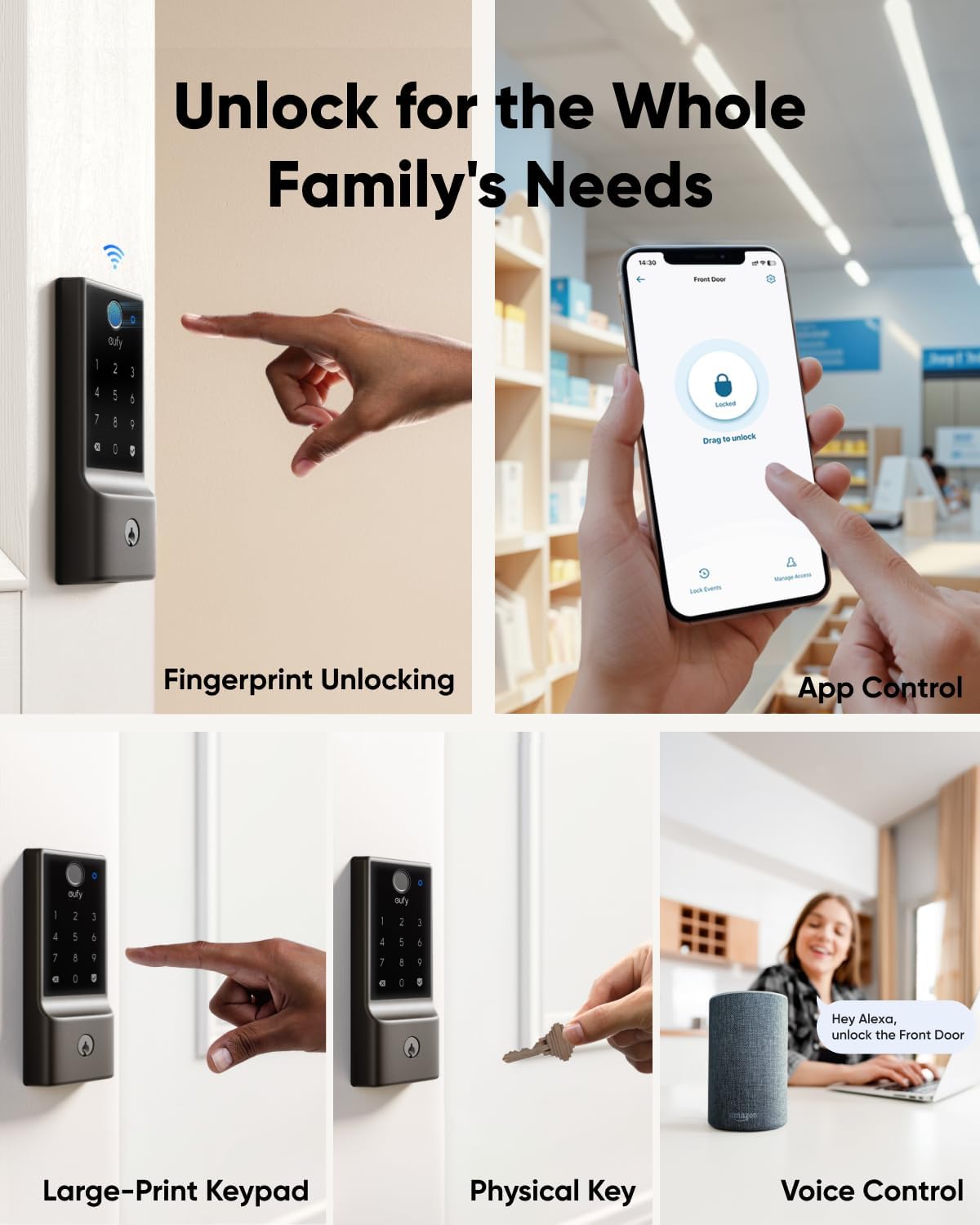
Image: A collage demonstrating the five primary unlocking methods for the eufy Smart Lock E30: fingerprint, app control, large-print keypad, physical key, and voice control via smart assistant.
Remote Control and Monitoring
With the eufy Security app and a compatible hub (like Apple HomePod, Apple TV, SmartThings Hub, Alexa Echo, Google Nest), you can manage your lock remotely. This includes:
- Managing users and access permissions.
- Receiving real-time notifications for lock activity.
- Reviewing event logs (who unlocked the door and when).
- Checking the current battery level.
- Unlocking the door from anywhere.

Image: A smartphone displaying the eufy Security app interface, showing options for managing access, viewing notifications, checking battery level, and remote unlocking of the Smart Lock E30.
Auto-Lock Feature
The auto-lock feature automatically secures your door after a set period, providing peace of mind that your home is always protected. This setting can be configured within the eufy Security app.
Maintenance
Battery Life and Replacement
The eufy Smart Lock E30 is powered by 8 AA batteries and typically lasts up to 8 months, based on an average of 10 unlocks per day. You will receive low battery alerts when the charge reaches 20%, providing ample time for replacement. The lock can operate in a power-save mode for up to one additional month after the initial alert.

Image: A visual representation highlighting the eufy Smart Lock E30's long-lasting power, indicating up to 8 months of battery life with 8 AA batteries.
In case of a completely drained battery, the lock features an emergency power port. You can use a portable charger to temporarily power the lock and gain entry.
Cleaning
To clean the lock, use a soft, dry cloth. Avoid abrasive cleaners or solvents that could damage the finish or electronic components.
Troubleshooting
- Lock not responding to app/HomeKit: Ensure your Wi-Fi network is stable and the lock is within range of your Wi-Fi router or smart home hub. Check for firmware updates in the eufy Security app. If issues persist, try restarting the lock by removing and reinserting the batteries.
- Fingerprint sensor not recognizing: Ensure your finger is clean and dry. Re-register your fingerprint if recognition issues continue. The sensor's accuracy improves with repeated use.
- Keypad not responding: Check battery level. Ensure the keypad is clean and free from debris.
- Lock randomly locking/unlocking: Verify that no automation rules or schedules are inadvertently set in the eufy Security app or your smart home platform that could cause this behavior. If the issue persists, contact customer support.
- Low battery alert: Replace all 8 AA batteries promptly. The lock will enter power-save mode, but prolonged low battery can affect performance.
For more detailed troubleshooting, refer to the eufy Security app's help section or contact customer support.
Specifications
| Feature | Detail |
|---|---|
| Brand | eufy Security |
| Model Name | T85F1 |
| UPC | 194644207519 |
| Lock Type | Deadbolt |
| Special Features | Fingerprint, Matter compatibility |
| Connectivity Protocol | Wi-Fi |
| Control Method | App, Keypad, Fingerprint, Physical Key, Voice |
| Controller Type | Google Assistant, Siri, SmartThings, Amazon Alexa |
| Material | Plastic, Metal |
| Color | Black |
| Finish Type | Powder Coated |
| Power Source | Battery Powered |
| Batteries Included | Yes (8 AA Alkaline batteries) |
| Average Battery Life | 8 months (based on 10 unlocks/day) |
| Item Dimensions (L x W x H) | 7.68 x 4.49 x 4.41 inches |
| Item Weight | 3.21 pounds |
| Installation Method | Screw In |
| Recommended Uses | Securing doors in homes |
| Country of Origin | China |

Image: Technical drawing showing the precise dimensions in millimeters for both the exterior keypad and interior thumb turn components of the eufy Smart Lock E30.
Safety Information
- Do not attempt to disassemble or repair the lock yourself. Refer to qualified service personnel.
- Use only specified battery types (AA Alkaline) and ensure correct polarity during installation.
- Keep physical keys in a secure location away from the lock.
- Regularly check the lock's functionality and battery status.
- Protect the keypad and fingerprint sensor from excessive moisture or extreme temperatures. The lock has an IP53 rating, suitable for various weather conditions from -22°F to 158°F (-30°C to 70°C).
Warranty and Support
eufy Security provides comprehensive after-sales support for your Smart Lock E30:
- Electronic Protection: 18 months of worry-free electronic protection.
- Mechanical Coverage: 36 months of mechanical coverage.
- Customer Support: Professional 24/7 customer support is available to assist with any inquiries or issues.
For assistance, please visit the eufy Security website or contact their customer service hotline.