
Introduction
Thank you for choosing the YYGGWL T75 TWS Bluetooth Earbuds. These bone conduction earbuds are designed for comfort, high-quality audio, and reliable performance, making them ideal for music, calls, sports, and gaming. This manual provides detailed instructions on how to set up, operate, and maintain your earbuds to ensure optimal performance and longevity.
What's in the Box
- YYGGWL T75 TWS Bluetooth Earbuds (Left and Right)
- Charging Case
- User Manual (This document)
- Charging Cable

Image: The YYGGWL T75 TWS Bluetooth Earbuds in pink, shown with their open charging case. The earbuds are designed to clip onto the ear.
Setup
1. Charging the Earbuds and Case
Before first use, fully charge both the earbuds and the charging case. Place the earbuds into the charging case. Connect the charging case to a power source using the provided charging cable. The indicator light on the charging case will show charging status.
- Charging Duration: Approximately 1 hour for a full charge.
- Earbud Usage Time: About 5 hours on a single charge.
- Cumulative Call Duration (with case): Up to 30 hours.
- Standby Duration: Approximately 300 hours.

Image: The earbuds in their charging case, illustrating the long battery life and charging duration. A green light indicates charging status.
2. Pairing with Your Device
- Ensure the earbuds are charged and inside the charging case.
- Open the charging case. The earbuds will automatically enter pairing mode.
- On your device (smartphone, tablet, etc.), go to Bluetooth settings and turn Bluetooth on.
- Search for available devices. You should see "YYGGWL T75" or a similar name in the list.
- Select "YYGGWL T75" to connect. Once connected, you will hear a confirmation tone, and the earbuds will be ready for use.
The earbuds utilize advanced Bluetooth 5.3 technology for a stable and fast connection, ensuring low latency for audio and video synchronization. The connection distance is up to 10 meters (33 feet).

Image: An earbud positioned in an ear, visually representing the stable and high-quality audio transmission achieved through Bluetooth 5.3 technology.
Operating Instructions
Wearing the Earbuds
The YYGGWL T75 earbuds feature an innovative ear-clip design made from high-elastic, skin-friendly material. This ergonomic design ensures a secure and comfortable fit without pressure, even during strenuous activities.
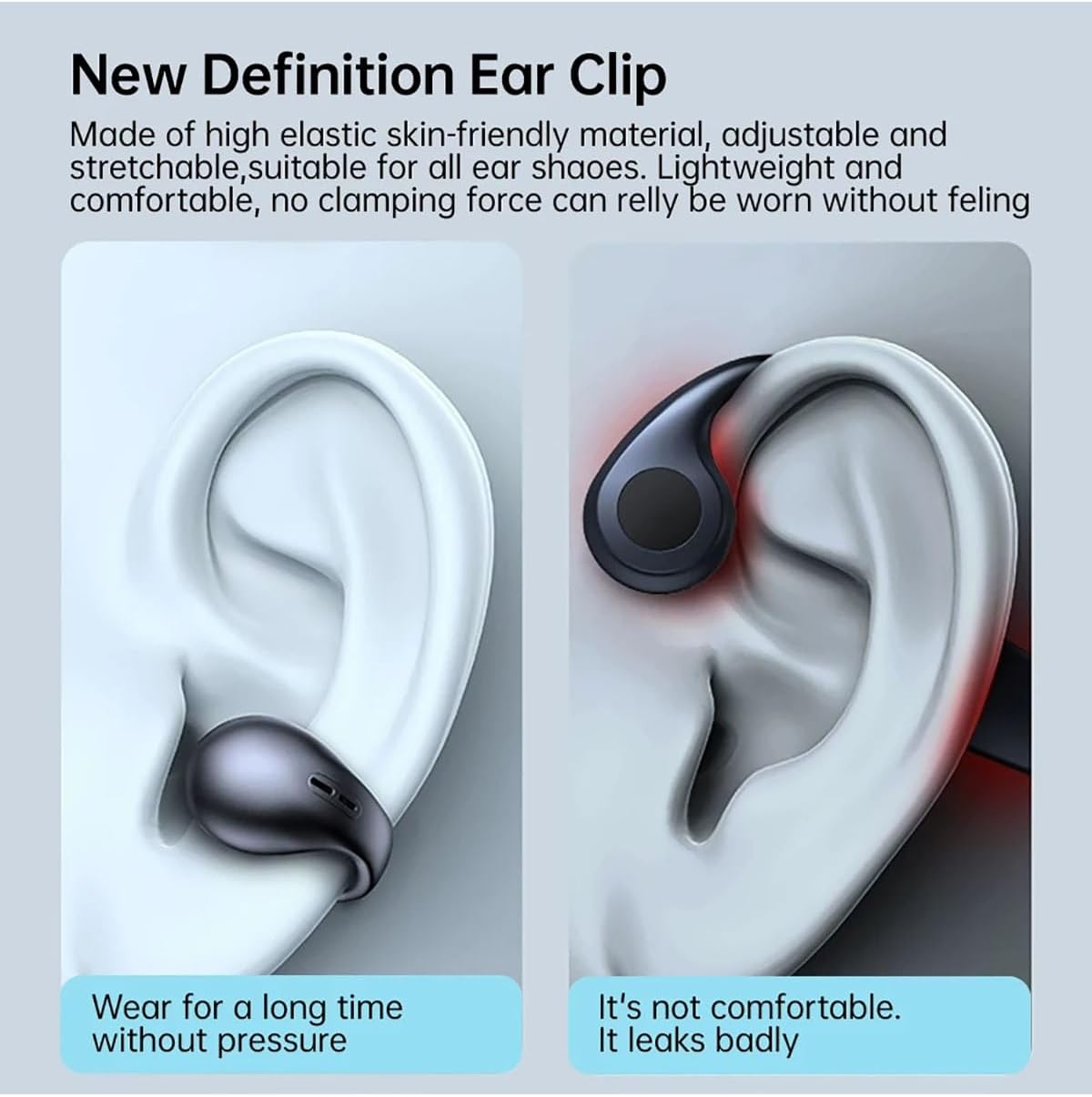
Image: A visual comparison illustrating the comfortable and secure fit of the ear-clip design, contrasting it with less comfortable alternatives that may leak sound.
Intelligent Touch Control
Each earbud features intelligent touch controls for easy management of audio playback and calls. The left and right earbuds can be controlled independently.
| Action | Function |
|---|---|
| Single Tap | Play/Pause Music, Answer/End Call |
| Double Tap (Left Earbud) | Previous Track |
| Double Tap (Right Earbud) | Next Track |
| Triple Tap | Activate Voice Assistant |
| Long Press | Reject Call |
Call Functions
The earbuds are equipped with ENC (Environmental Noise Cancellation) microphones to ensure clear calls by reducing background noise. The built-in microphone supports real-time calls with zero delay.
- Answering/Ending Calls: Single tap either earbud.
- Rejecting Calls: Long press either earbud.
Audio Technology
The YYGGWL T75 earbuds feature Pulsed DT3.0 Directional Transmission, which adaptively adjusts the sound beam's transmission angle to ensure efficient sound delivery into the ear canal. They also incorporate an Ultra Sensitive Dynamic Coil paired with a high-hardness diaphragm, enhancing small sound details for a rich audio experience.

Image: A diagram illustrating the Pulsed DT3.0 Directional Transmission technology, showing how sound is precisely directed into the ear canal.

Image: An exploded view diagram of the Ultra Sensitive Dynamic Coil, highlighting its components and how it enhances sound details.
Maintenance
Cleaning
Gently wipe the earbuds and charging case with a soft, dry, lint-free cloth. Do not use harsh chemicals, cleaning solvents, or strong detergents.
Water Resistance
The YYGGWL T75 earbuds are IP7 waterproof, meaning they are protected against immersion in water up to 1 meter for up to 30 minutes. This makes them suitable for use during workouts and in light rain. However, they are not designed for swimming or prolonged submersion. Ensure the charging port is dry before charging.
Note: While IP7 rated, avoid exposing the charging case to water.
Troubleshooting
| Problem | Possible Solution |
|---|---|
| Earbuds not pairing | Ensure earbuds are charged. Turn off and on Bluetooth on your device. Try resetting the earbuds (refer to manufacturer's website if specific reset instructions are not in manual). |
| No sound | Check volume levels on both earbuds and connected device. Ensure earbuds are properly connected. Try re-pairing. |
| Poor call quality | Ensure microphone is not obstructed. Move closer to your connected device. Check for environmental noise interference. |
| Earbuds not charging | Ensure charging cable is securely connected. Check if the charging case has power. Clean charging contacts on earbuds and case. |
Specifications
- Model: T75
- Bluetooth Version: 5.3
- Transmission Distance: Up to 10 meters (33 feet)
- Earbud Battery Capacity: 50mAh (each earbud)
- Charging Case Battery Capacity: 400mAh
- Earbud Usage Time: Approximately 5 hours (single charge)
- Cumulative Playtime (with case): Up to 30 hours
- Standby Time: Approximately 300 hours
- Speaker Unit: 13mm
- Water Resistance: IP7
- Control Type: Touch Control, Voice Control
- Item Weight: 150 Grams (total package weight)
- Manufacturer: YYGGWL (Dengzhou Yuqi Network Technology Co., Ltd)
- Country of Origin: China
Warranty and Support
For warranty information and technical support, please contact your retailer or the manufacturer directly. The manufacturer's contact details are provided below:
- Manufacturer: Dengzhou Yuqi Network Technology Co., Ltd
- Address: No. 56 Tuanjie Road, Gucheng Street, Dengzhou City, Nanyang City, Henan Province, China
- Email: yuqiwangluokj@163.com
For European customers, support is also available via REP Europe GmbH:
- Name: REP Europe GmbH
- Contact: Mr. Ben Xu
- Tel: +49 15560128437
- Address: Dusseldorf, Prinzenallee 7, 40549, Germany
- Email: info@rep-europe.de

Image: Table showing manufacturer contact details for Dengzhou Yuqi Network Technology Co., Ltd and European representative REP Europe GmbH, including addresses, phone numbers, and email addresses.