
HAUOMS B0DB14S3XV
HAUOMS Farmhouse Executive Desk - Instruction Manual
Model: B0DB14S3XV
1. Introduction
This manual provides detailed instructions for the assembly, operation, and maintenance of your HAUOMS Farmhouse Executive Desk. Please read all instructions carefully before beginning assembly and retain this manual for future reference. This desk is designed to provide a functional and organized workspace with integrated features for modern office needs.

Image 1.1: The HAUOMS Farmhouse Executive Desk, showcasing its design and features in a typical home office environment.
2. Safety Information
- Ensure proper assembly to support a maximum weight of 300 pounds.
- Always use the anti-dumping device provided to prevent tipping over, especially if the desk is placed against a wall.
- Follow all instructions provided in the assembly manual for safe assembly and use.
- Keep small parts away from children during assembly.
- Do not stand or sit on the desk.
3. Setup and Assembly
The HAUOMS Farmhouse Executive Desk requires assembly. It is recommended that two people assemble this desk to ensure stability and ease of construction. Assembly typically takes approximately 4-8 hours depending on experience. Please ensure all components are present before starting.
3.1. Dimensions

Image 3.1: Detailed dimensions of the desk, including length (59.1 inches), depth (19.7 inches), and height (35.4 inches).
3.2. Materials and Construction
The desk is crafted from high-quality engineered wood, providing a sturdy structure and a thick desktop for durability. Drawers are equipped with metal slides for smooth operation and feature easy-pull metal handles. Sturdy pedestals are designed to increase the base's contact with the floor, enhancing stability.

Image 3.2: Illustration of the metal slide rails used in the drawers, designed for smooth and stable operation.
3.3. Assembly Steps
Refer to the separate assembly manual included with your product for step-by-step instructions. Ensure all screws and fittings are tightened securely. Do not overtighten to avoid damaging the engineered wood.
4. Product Features and Operation
4.1. Spacious Desktop and Monitor Shelf
The 59.1"L x 19.7"W desktop provides ample space for computers, monitors, and other office essentials. An integrated monitor shelf helps elevate your screen, promoting an ergonomic posture and reducing strain on your back and neck.

Image 4.1: The desk's spacious desktop and monitor shelf, providing an organized area for work.

Image 4.2: Illustration demonstrating how the monitor stand helps maintain correct posture and reduce neck strain.
4.2. Storage Solutions
The desk features six drawers and a storage cabinet to help keep your workspace tidy. The right bottom drawer is designed to accommodate letter, A4, or legal-size files, equipped with heavy-duty side-mounted glides for smooth access.
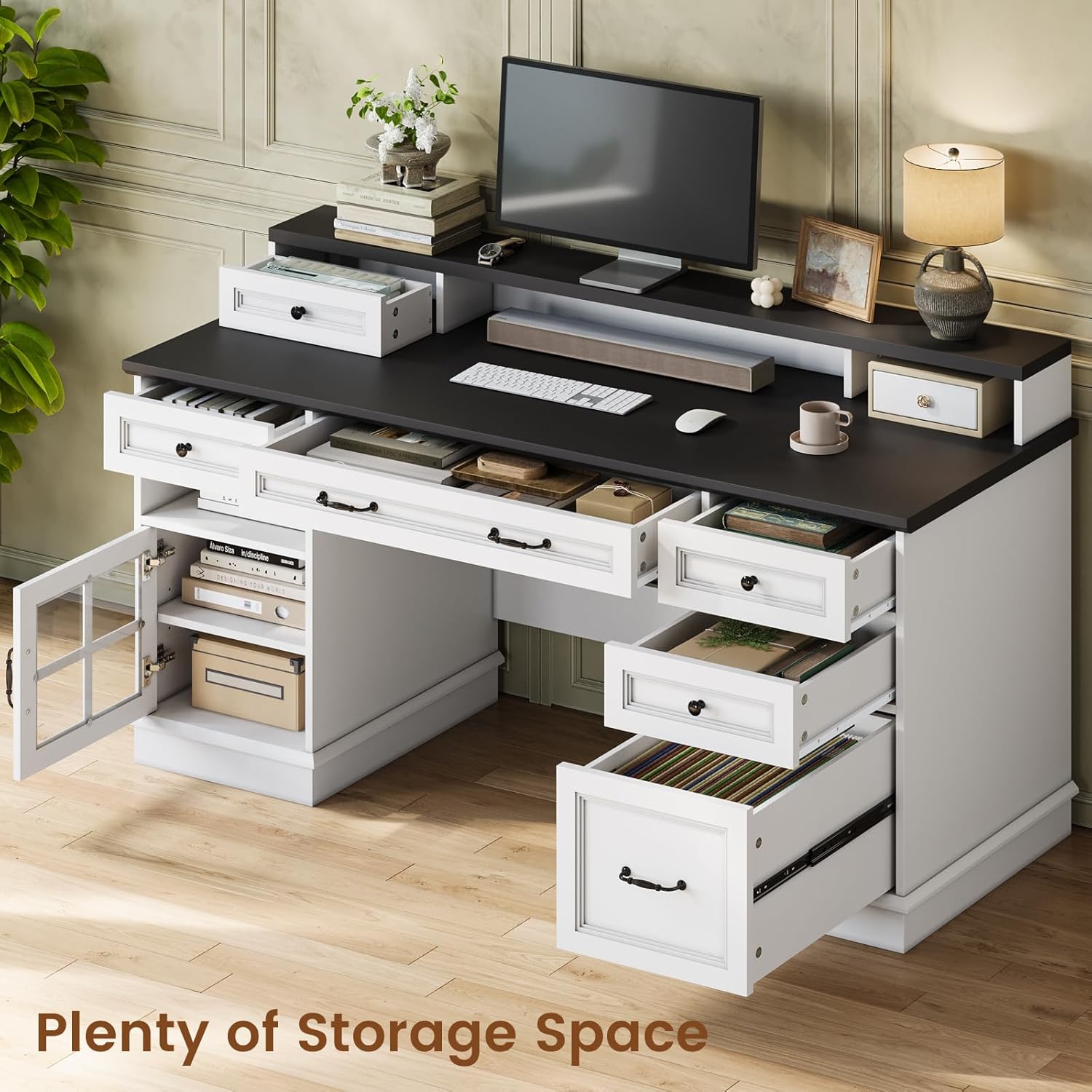
Image 4.3: The desk with various storage compartments open, demonstrating its ample capacity for office supplies and documents.

Image 4.4: A close-up view of the file drawer, showing its capacity for organizing hanging files.
4.3. Integrated Power Outlet and LED Lights
A convenient charging station is built into the desk, featuring two AC outlets (120V/12A) and two USB ports (5V/2A) with a maximum power of 1500W. The desk also includes RGB LED lights that can be controlled via an included remote or a phone application. These lights offer various colors, dynamic modes, and brightness levels, and can synchronize with music.
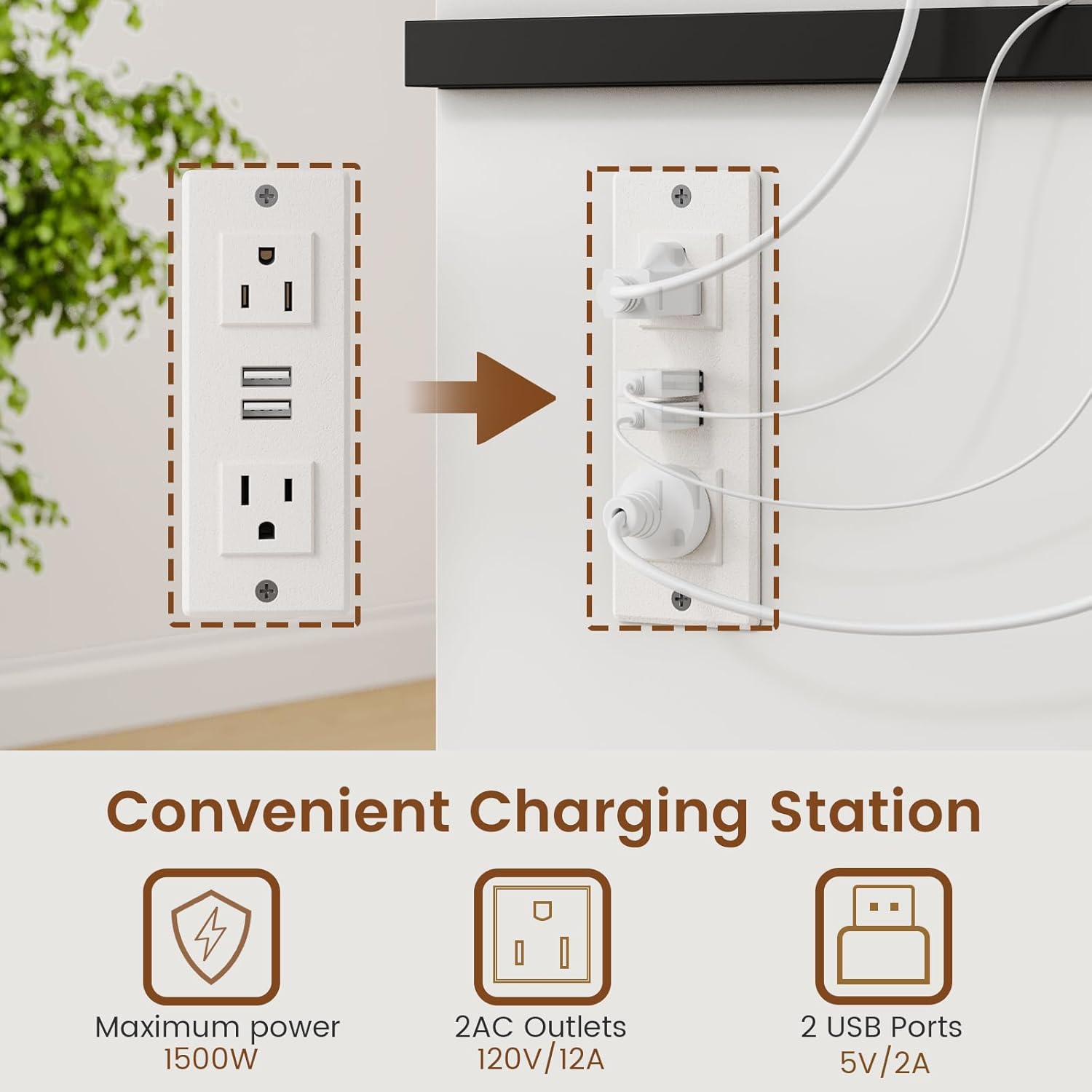
Image 4.5: The integrated charging station, providing convenient access to power for electronic devices.
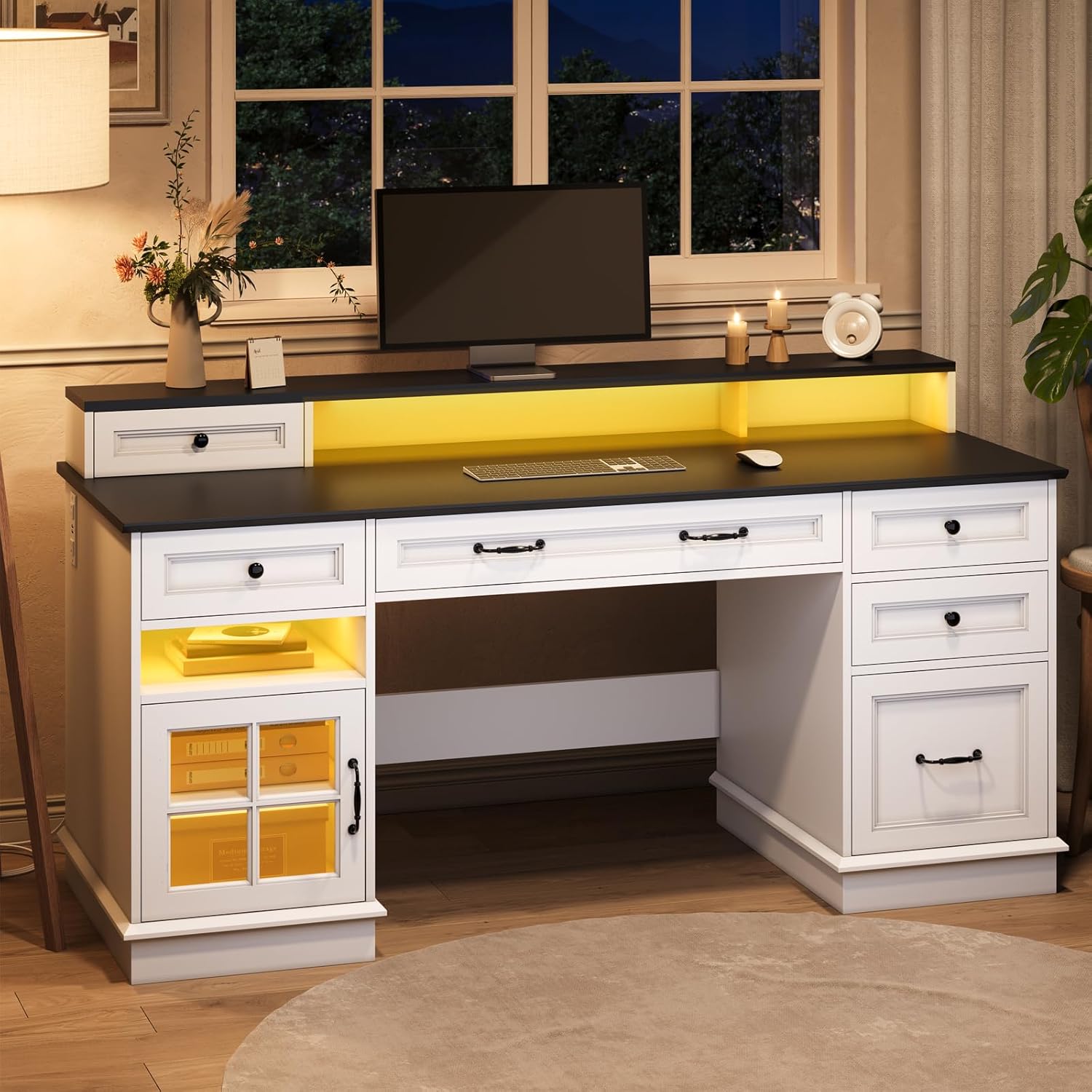
Image 4.6: The desk illuminated with blue LED lights, demonstrating the ambient lighting feature.
4.3.1. LED Light Operation
- Power On/Off: Use the remote control or app to turn the lights on or off.
- Color Selection: Choose from over 60,000 colors using the remote or app's color wheel.
- Dynamic Modes: Select from various pre-programmed dynamic modes (e.g., strobe, static, gradual change).
- Brightness Adjustment: Adjust the brightness level (6 levels available) to suit your preference.
- Music Sync: Activate music mode via the app to synchronize the lights with audio rhythms.
5. Maintenance
- Cleaning: Wipe the desk surfaces with a soft, damp cloth. Avoid harsh chemicals or abrasive cleaners that may damage the finish.
- Spills: Clean up spills immediately to prevent staining or damage to the engineered wood.
- Hardware: Periodically check all screws and fasteners to ensure they remain tight. Retighten as necessary, but do not overtighten.
- LED Strips: If LED strips begin to detach, re-secure them using appropriate adhesive designed for electronics and furniture.
6. Troubleshooting
- LED Lights Not Working: Check power connections to the LED strip and ensure the remote control batteries are functional. Verify the app connection if using phone control.
- LED Strips Detaching: The adhesive on LED strips can sometimes weaken. Re-apply with a stronger, furniture-safe adhesive if necessary.
- Drawers Not Sliding Smoothly: Check that the metal slide rails are clean and free of obstructions. Ensure all assembly screws for the rails are properly tightened.
- File Drawer Fit Issues: Ensure file hangers are correctly positioned within the drawer. Verify that the drawer itself is assembled correctly and aligned with the slides.
- Desk Wobbles: Ensure all assembly hardware is securely tightened. Check that the desk is on a level surface; use shims if necessary.
7. Specifications
| Feature | Specification |
|---|---|
| Brand | HAUOMS |
| Model Number | B0DB14S3XV |
| Product Dimensions (D x W x H) | 19.7" x 55" x 35.4" |
| Material | Engineered Wood |
| Color | White |
| Number of Drawers | 6 |
| Number of Cabinets | 1 |
| File Drawer Type | Letter / A4 / Legal Size |
| Power Outlet | 2 AC Outlets (120V/12A), 2 USB Ports (5V/2A) |
| Max Power (Charging Station) | 1500W |
| LED Lights | RGB, Dimmable, Music Sync, Remote/App Control |
| Maximum Weight Recommendation | 300 Pounds |
| Assembly Required | Yes |
8. Warranty Information
This HAUOMS Executive Desk comes with a limited warranty. Please refer to the warranty card included in your product packaging for specific terms, conditions, and duration of coverage. Retain your proof of purchase for any warranty claims.
9. Customer Support
For any questions, missing parts, or assistance with assembly or operation, please contact HAUOMS customer support. Contact information can typically be found on the product packaging, the brand's official website, or through your retailer's customer service portal.
Ask a question about this manual
Ask about setup, troubleshooting, compatibility, parts, safety, or missing instructions. Manuals+ will review the question and use this page’s manual context to help answer it.