
1. Introduction
This manual provides instructions for the LAX USB-C to USB-C Cable 2-pack. These cables are designed for charging and data transfer with a wide range of USB-C compatible devices. Please read this manual thoroughly before use to ensure proper operation and longevity of your cables.
2. Product Overview
The LAX USB-C to USB-C cable pack includes two cables: one 4-foot black cable and one 6-foot white cable. Both cables feature USB-C connectors on both ends, supporting Power Delivery (PD) for fast charging and efficient data synchronization.

Image 2.1: Close-up view of the LAX USB-C to USB-C cable connectors. Both ends feature the reversible USB-C connector type.
3. Setup and Usage
To use your LAX USB-C to USB-C cable:
- Connect to Power Source: Insert one end of the USB-C cable into a compatible USB-C power adapter or a device with a USB-C power output port (e.g., laptop, power bank).
- Connect to Device: Insert the other end of the USB-C cable into the USB-C charging port of your device (e.g., smartphone, tablet, laptop).
- Charging: Your device should begin charging automatically. For fast charging, ensure both your power adapter and device support USB Power Delivery (PD) and are rated for 60W or higher.
- Data Transfer: When connected to a computer or compatible device, your cable will facilitate data transfer. Follow your device's instructions for initiating data synchronization.
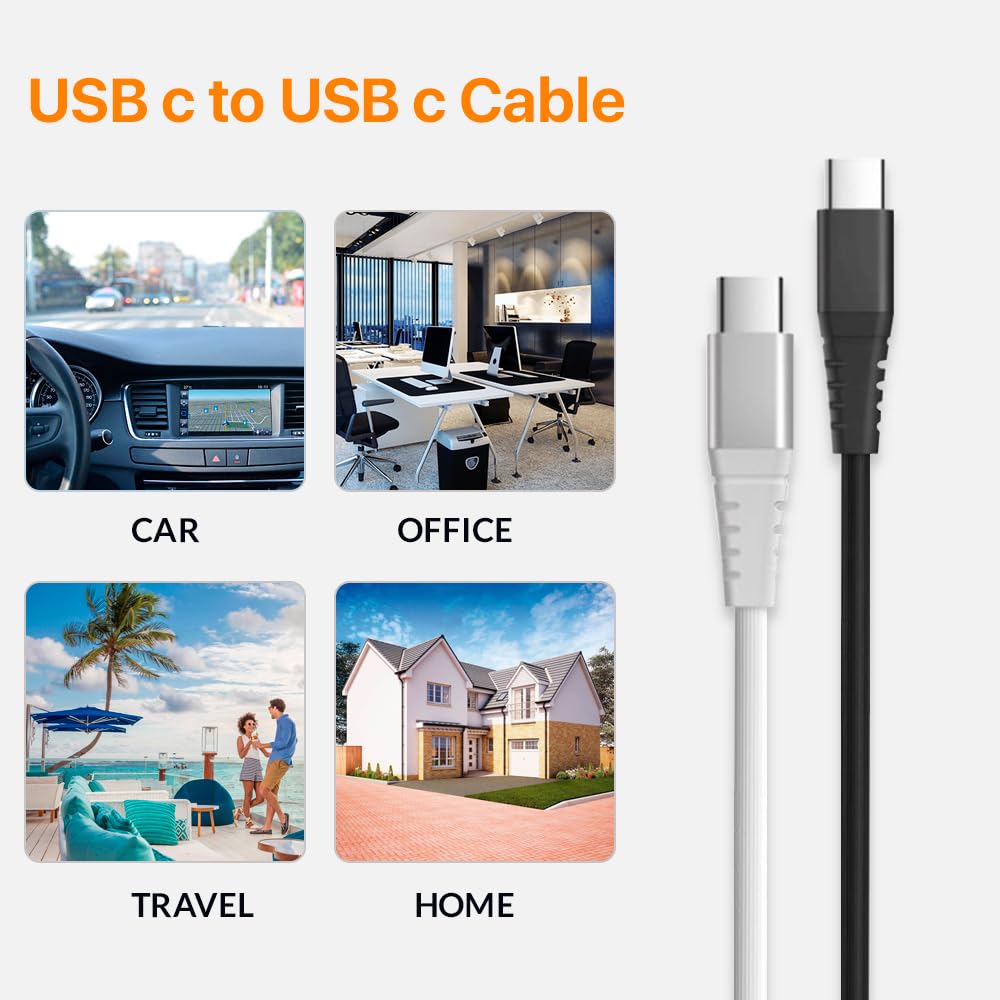
Image 3.1: The LAX USB-C cables are suitable for various charging and data transfer scenarios, including in a car, office, during travel, and at home.

Image 3.2: A smartphone is shown connected to a laptop via a white LAX USB-C cable, indicating active charging and Power Delivery compatibility.
4. Compatibility
These LAX USB-C to USB-C cables are broadly compatible with devices featuring a USB-C port. This includes, but is not limited to:
- Apple Devices: iPhone 15, iPhone 15 Pro, iPhone 15 Pro Max, iPhone 15 Plus, AirPods, iPad 10, iPad Air 5/4, iPad Mini 6, iPad Pro 12.9 (6th/5th/4th/3rd Gen), iPad Pro 11 (3rd/2nd/1st Gen), MacBook Retina 12", MacBook Air M2 15"/13", MacBook Air M1, MacBook Air Retina 13", MacBook Pro 16"/15"/14"/13", Mac Pro 2023/2019, Mac mini, Mac Studio, iMac 24" M3/M1, iMac Retina 5K/4K, iMac Pro.
- Samsung Galaxy: S23/S22/S20/S10/S9/S8/S7/S5/S4 series; Samsung Z Fold, Flip, A, Note, Tab series.
- Google Pixel: Pixel 2/3/4/5/6 series.
- Other Android Devices: Huawei P60/P50/P40/P30/P20, Mate, Nova; Xiaomi 14/13/12/11, Redmi, Mi; LG G8/G7/G6/G5/G4/G3, V60/V50/V40/V30/V20, Velvet, U, Stylo; HTC Desire, Wildfire, U; Motorola Edge, Razr, Moto G, Defy; Asus, Nokia, Sony, and other USB-C compatible devices.

Image 4.1: This diagram illustrates the broad compatibility of the USB-C cables with a range of devices, including mobile phones, tablets, laptops, and various USB peripherals.

Image 4.2: The LAX USB-C cables are shown connecting to a diverse set of electronic devices, highlighting their universal application for charging and data transfer.
5. Features and Specifications
- Cable Type: USB-C to USB-C
- Connector Type: Male-to-Male USB-C
- Power Delivery: Up to 60W Fast Charging
- Data Sync: Supported
- Material: Nylon Braided Outer Material, Aluminum Shell Connectors
- Durability: Withstands over 10,000 bend cycles and 1,000+ Type C plug tests. Heat-resistant connectors.
- Lengths: One 4-foot cable, one 6-foot cable
- Colors: Black (4ft cable), White (6ft cable)
- Special Feature: Tangle-Free design
- Certifications: ANSI, CE, CEC, CL2, CL3, CSA, EIA, ETL, FCC, IEC, IEEE, IMSA, ISO, MFI, NEMA, NFPA, RoHS, SAE, TIA, UL, USB-IF

Image 5.1: The image displays the robust construction of the LAX USB-C cables, emphasizing their durability through extensive testing for plug insertion and bending.
6. Care and Maintenance
To ensure the longevity and optimal performance of your LAX USB-C cables:
- Storage: Store cables in a cool, dry place away from direct sunlight and extreme temperatures. Avoid tightly coiling or bending the cables at sharp angles to prevent internal damage.
- Cleaning: Use a soft, dry cloth to gently wipe the cable and connectors. Do not use liquid cleaners or abrasive materials.
- Handling: Always grasp the connector head when plugging or unplugging the cable, rather than pulling on the cable itself. This prevents strain on the connection points.
- Inspection: Periodically inspect the cables for any signs of wear, fraying, or damage to the outer braiding or connectors. Discontinue use if damage is observed.
7. Troubleshooting
| Problem | Possible Cause | Solution |
|---|---|---|
| Device not charging. |
|
|
| Slow charging speed. |
|
|
| Data transfer not working. |
|
|
8. Safety Information
Please observe the following safety precautions:
- Do not expose the cables to water, moisture, or extreme temperatures.
- Avoid using damaged cables, as this may pose a fire or electric shock hazard.
- Keep out of reach of children and pets.
- Do not attempt to modify or disassemble the cables.
- Use only with compatible devices and power adapters.
9. Warranty and Support
For information regarding warranty coverage or technical support, please refer to the product packaging or contact LAX customer service directly. Contact details can typically be found on the manufacturer's official website or on the product's retail page.
10. Product Video
Video 10.1: An official product video showcasing the features and benefits of LAX Premium USB-C Cables, including universal compatibility, fast charging, and durable design.