
Introduction
Thank you for choosing the VRURC Portable Power Bank T2066. This high-capacity 20000mAh power bank is designed for fast and convenient charging of your electronic devices on the go. Featuring multiple built-in cables and versatile charging options, it ensures you stay powered up wherever you are. Please read this manual carefully to ensure proper use and optimal performance of your device.
Product Features
- Integrated Cables: Equipped with 3 output cables (Lightning, USB-C, Micro USB) and 1 input/output USB-A cable, eliminating the need to carry extra cords.
- High Capacity: A robust 20000mAh battery provides multiple charges for smartphones, tablets, and other small electronic devices.
- Fast Charging: Supports QC 22.5W and PD 20W fast charging for rapid power delivery to compatible devices.
- Multiple Recharging Options: Recharge the power bank via its built-in USB-C cable (18W), dedicated USB-C input (18W QC/PD 3.0), or built-in USB-A cable (10W).
- Smart LED Display: A clear digital display shows the remaining battery percentage.
- Compact and Portable: Designed for easy portability, fitting comfortably in pockets or bags.
- Airline Approved: Meets aviation safety standards for worry-free travel.
- Advanced Safety Features: Built-in safeguards protect against overcharge, overvoltage, overcurrent, short-circuits, and overtemperature.

Image: Detailed view of VRURC Power Bank's multiple built-in cables and external ports.
Setup
1. Initial Charging of the Power Bank
- Before first use, fully charge your VRURC Power Bank.
- You have three options to recharge the power bank:
- Using the Built-in USB-C Cable: Pull out the built-in USB-C cable and connect it to a compatible USB-C wall adapter (18W recommended for fastest charge).
- Using the USB-C Input Port: Connect a USB-C to USB-C cable (not included) from a compatible wall adapter (18W QC/PD 3.0 recommended) to the power bank's USB-C input port.
- Using the Built-in USB-A Cable: Pull out the built-in USB-A cable and connect it to a standard USB-A wall adapter (10W).
- The LED display will show the charging progress. Once it reaches 100%, the power bank is fully charged.

Image: Three methods for recharging the power bank.
Operating Instructions
1. Charging Your Devices
- Check Battery Level: Press the power button once to view the remaining battery percentage on the LED display.
- Connect Your Device:
- Using Built-in Cables: Select the appropriate built-in cable (Lightning for iPhones, USB-C for newer Android/USB-C devices, Micro USB for older Android/Micro devices) and connect it to your device.
- Using External Ports: If your device requires a different cable or you prefer to use your own, connect your device's charging cable to the power bank's USB-C output port or USB-A output port.
- The power bank will automatically begin charging your device. The LED display will show the current battery level of the power bank.
- To stop charging, simply disconnect your device.

Image: Fast charging a smartphone with the power bank.
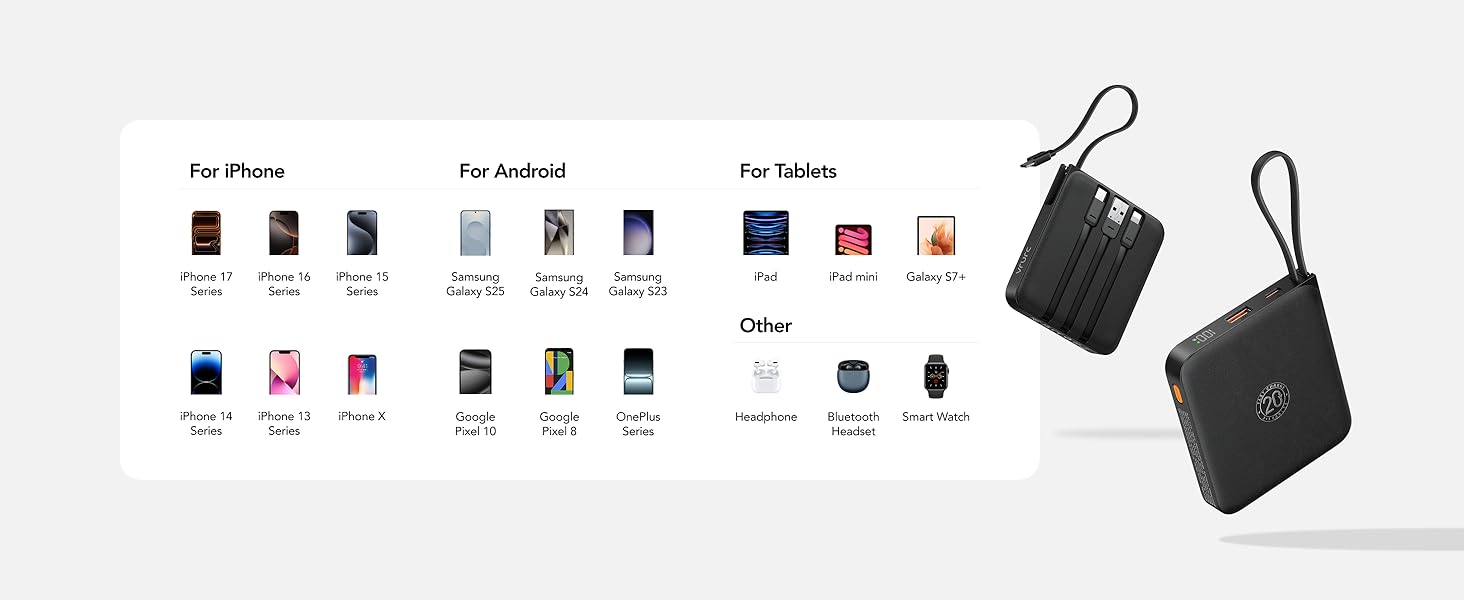
Image: Power bank simultaneously charging multiple devices.
Maintenance
- Cleaning: Use a soft, dry cloth to clean the power bank. Avoid liquid cleaners or abrasive materials.
- Storage: Store the power bank in a cool, dry place away from direct sunlight, extreme temperatures, and humidity.
- Battery Care: To prolong battery life, fully charge the power bank at least once every three months, even if not in regular use. Avoid fully discharging the battery frequently.
- Handling: Do not drop, disassemble, or attempt to repair the power bank yourself. This may void the warranty and cause damage.
Troubleshooting
- Power Bank Not Charging:
- Ensure the charging cable is securely connected to both the power bank and the power source.
- Verify that the wall adapter or USB port you are using is functional.
- Try a different charging cable or power source.
- Device Not Charging from Power Bank:
- Press the power button on the power bank to activate charging.
- Ensure the built-in cable or your external cable is securely connected to both the power bank and your device.
- Check if the power bank has sufficient charge remaining (indicated by the LED display).
- Try a different cable or port on the power bank.
- Slow Charging:
- Ensure both your device and the cable used support fast charging protocols (QC/PD).
- Charging multiple devices simultaneously may reduce the charging speed for individual devices.
Specifications
| Feature | Detail |
|---|---|
| Model Number | T2066 |
| Battery Capacity | 20000mAh |
| Fast Charging | QC 22.5W / PD 20W |
| Built-in Cables | USB-C, Micro USB, Lightning, USB-A (for input) |
| Ports | 1x USB Type-C (Input/Output), 1x USB Type-A (Output) |
| Product Dimensions | 3.74 x 3.5 x 1.03 inches |
| Item Weight | 10.6 ounces (310g) |
| Battery Type | Lithium Polymer |
| Manufacturer | Dong guan Utopia-Originality Technology Co., Ltd |

Image: Power bank dimensions.
Warranty and Support
Your VRURC Portable Power Bank T2066 comes with a 1-Year Protection Plan, offering peace of mind for your purchase. For any issues or inquiries, please refer to the contact information provided with your product packaging or visit the official VRURC support website.
This product is Verified by Transparency, ensuring authenticity and quality. Each item has a unique code that can be verified.

Image: Product packaging and included manual.


