
Introduction
This user manual provides comprehensive instructions for the installation, operation, and maintenance of your new 10-inch IPS LCD Touch Screen Climate Control Panel. Designed as a direct replacement for specific L405 models, this panel enhances your vehicle's interior with advanced climate control features and a high-resolution display. Please read this manual thoroughly before installation and use to ensure proper functionality and safety.
Product Features
- Enhanced Compatibility: This control panel is specifically designed to replace the L405 2013-2017 model, ensuring a precise fit and easy installation for your vehicle.
- Clear Display: Features a 10-inch high-resolution IPS LCD screen with 720p definition, providing a clear and vibrant visual experience. The fast response time allows for adjustment without any lag.
- Customizable Settings: Retains the functionality of your original CD or DVD player while offering the ability to adjust day and night mode settings. Easily adjust temperature settings to adapt to all driving conditions.
- Seamless Operation: Maintains original car functions with this control panel, including air conditioning, heating, cooling, rear AC control, ambient lights, steering wheel control, and reversing image support. Enjoy hassle-free integration with its plug-and-play installation.
- Enhanced User Experience: Improve your driving experience with the convenience and ease of use offered by this control panel. With its secure support and features, drive confidently knowing you have total control over your vehicle's climate settings.
Compatibility
This AC control panel is designed as a direct replacement for the following vehicle models:
- L405: 2013-2017 models
Important: Please verify your vehicle's model and manufacturing year before ordering and installation to ensure proper fitment and functionality.
Specifications
| Attribute | Value |
|---|---|
| Package Dimensions | 33 x 23 x 12 cm; 1.84 kilograms |
| First Available Date on Amazon.fr | 22 July 2024 |
| Manufacturer | Generic |
| ASIN | B0D9WHFVSJ |
| Item Model Number | Genericosp8n0k6ah |
| Country of Origin | China |
| Spare Parts Availability | Information unavailable on spare parts |
Setup and Installation
The AC control panel is designed for a straightforward plug-and-play installation. No complex wiring changes, modifications, or additional coding are required.
- Preparation: Ensure your vehicle's ignition is off and the battery is disconnected before beginning installation.
- Removal of Original Panel: Carefully remove the existing climate control panel from your vehicle's dashboard. Refer to your vehicle's service manual for specific instructions on panel removal.
- Connect Wiring: Connect the wiring harnesses from your vehicle to the corresponding ports on the new AC touch screen panel. The design ensures a secure fit.
- Secure with Bracket: The panel is equipped with a support bracket that holds it firmly in place without damaging the car's control panel area. Ensure the bracket is properly aligned and secured.
- Reinstallation: Carefully reinsert the new AC touch screen panel into the dashboard opening. Ensure it clicks securely into place.
- Final Steps: Reconnect the vehicle's battery. Turn on the ignition and test all functions of the new control panel.
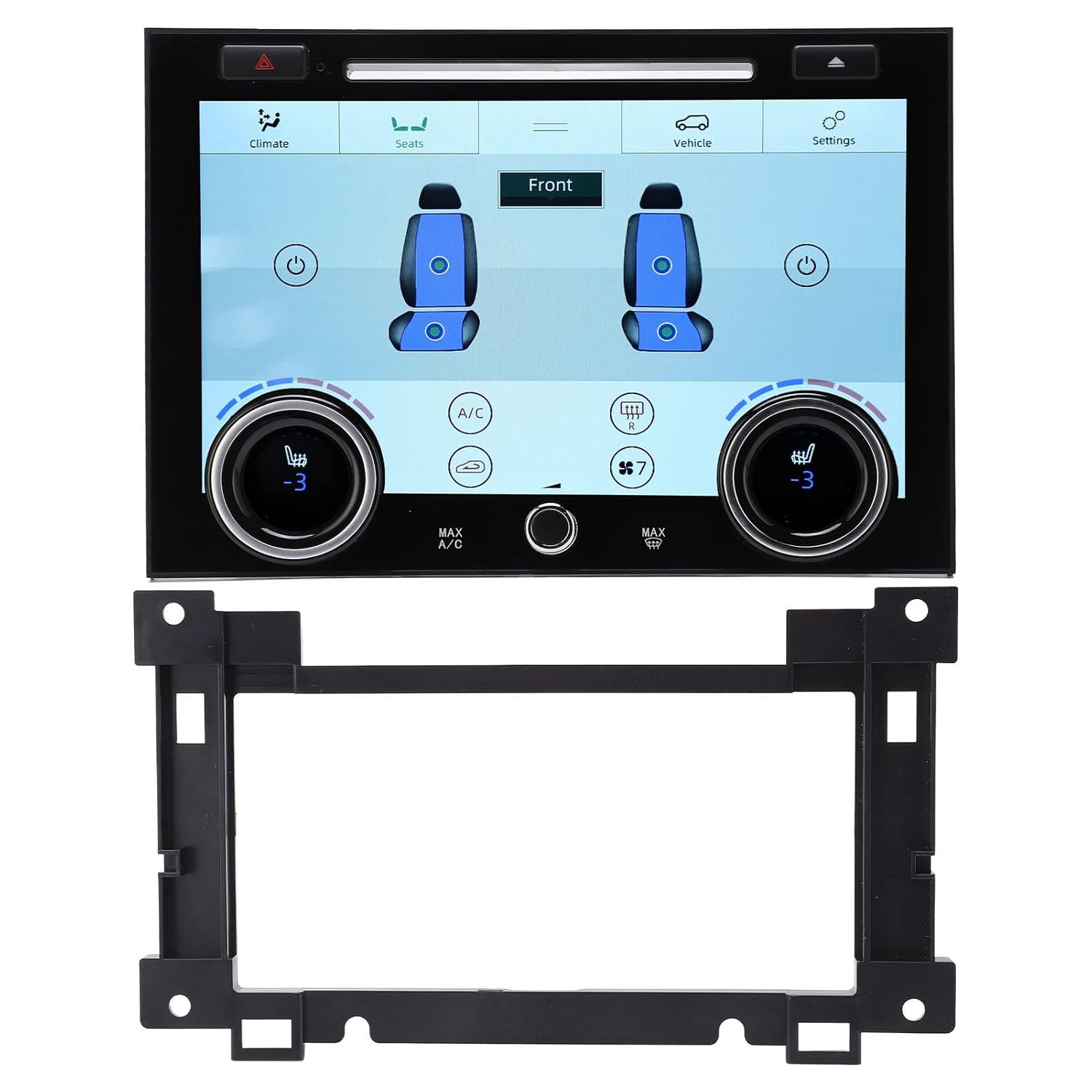
Image: The AC touch screen panel shown with its dedicated mounting bracket, designed for secure and easy installation.

Image: A close-up view of the rear of the control panel, highlighting the connection ports for plug-and-play integration.

Image: Comparison illustrating the "New Type" and "Old Type" back panels, indicating potential variations in manufacturing. Both types are compatible.
Operating Instructions
The 10-inch touch screen provides intuitive control over your vehicle's climate and other integrated functions. Familiarize yourself with the interface for optimal use.
Basic Climate Control
- Temperature Adjustment: Use the rotary knobs on the lower part of the screen or the on-screen touch controls to adjust the desired temperature for the driver and passenger sides.
- Fan Speed: Control the fan speed via the touch interface to increase or decrease airflow.
- AC On/Off: Toggle the Air Conditioning (AC) function on or off as needed.
- Heating/Cooling: Select heating or cooling modes to maintain your desired cabin temperature.
- Air Distribution: Adjust the direction of airflow (e.g., face, feet, defrost) using the on-screen icons.
- Day/Night Mode: The panel supports adjustable day and night modes. This feature allows you to optimize screen brightness and color scheme for different lighting conditions, reducing glare at night and ensuring visibility during the day.

Image: The main interface of the touch screen panel, displaying climate control options and vehicle information.

Image: The screen displaying options for air distribution and synchronization of climate settings.
Advanced Functions
- Rear Seat AC Control: If your vehicle supports it, the panel allows control over the rear seat climate settings.
- Seat Heating/Cooling: Access and control individual seat heating and cooling functions directly from the touch screen.
- Ambient Lights: Manage and adjust your vehicle's ambient lighting settings through the panel.
- Steering Wheel Control: The panel integrates seamlessly with existing steering wheel controls for convenient operation of various functions.
- Reversing Image Support: If your vehicle has a reversing camera, the panel will display the reversing image when the vehicle is in reverse gear.
- Original CD/DVD Player Retention: The panel is designed to retain the functionality of your vehicle's original CD or DVD player.

Image: The touch screen panel integrated into a car's dashboard, demonstrating its ability to support original car functions like climate control, heating, cooling, and reversing image.

Image: The screen displaying the interface for controlling front seat heating and cooling functions.
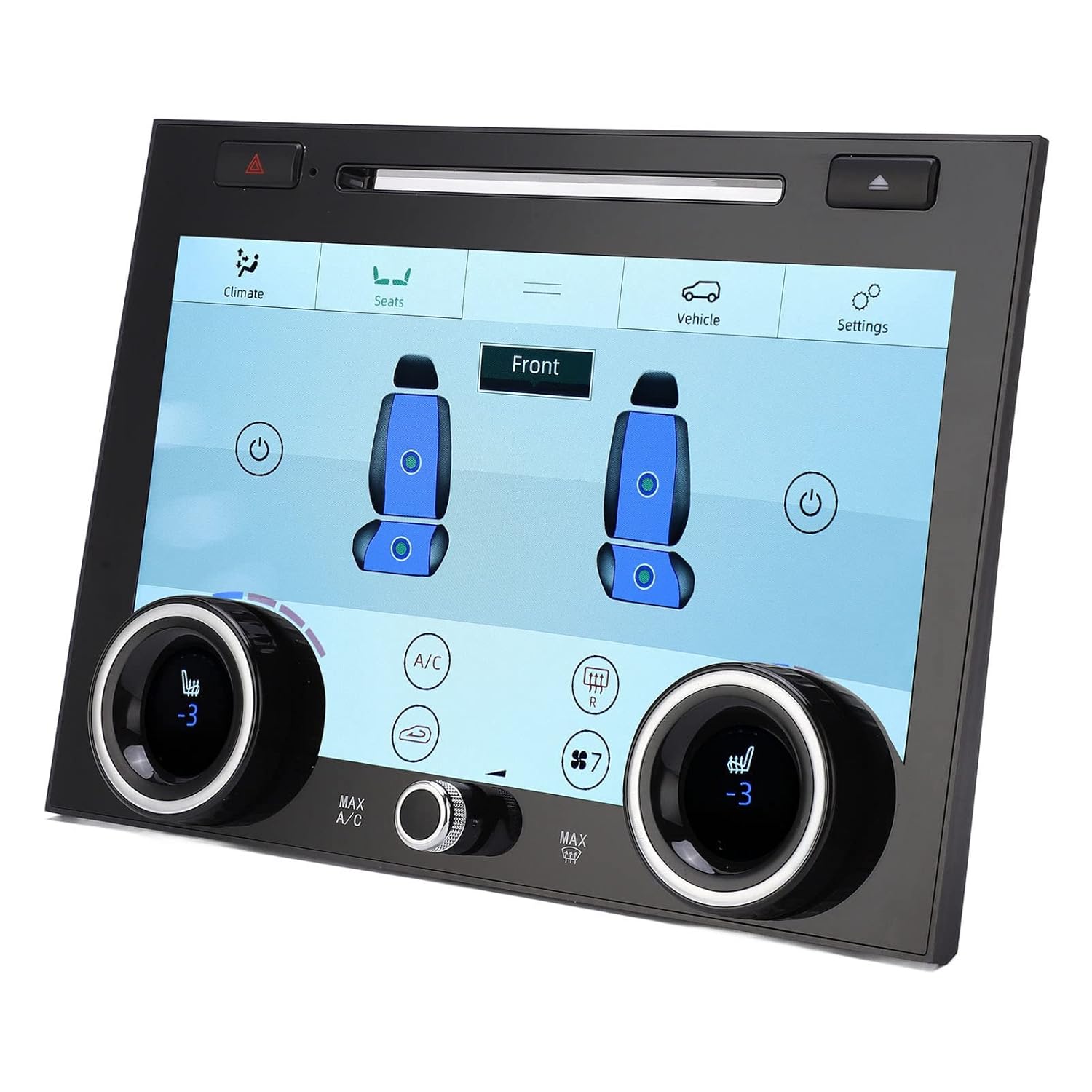
Image: Another view of the screen interface for seat climate controls, showing individual adjustments.

Image: A close-up of one of the physical rotary knobs on the panel, used for temperature or other adjustments.
Maintenance
To ensure the longevity and optimal performance of your touch screen panel, follow these simple maintenance guidelines:
- Cleaning the Screen: Use a soft, lint-free cloth (preferably microfiber) to gently wipe the screen. For stubborn smudges, slightly dampen the cloth with water or a screen-safe cleaner. Avoid abrasive materials, harsh chemicals, or excessive moisture.
- General Cleaning: Keep the surrounding area of the panel clean and free from dust and debris.
- Avoid Direct Sunlight: Prolonged exposure to direct sunlight can affect the screen's lifespan and performance. When parked, consider using a sunshade.
Troubleshooting
If you encounter any issues with your AC touch screen panel, consider the following basic troubleshooting steps:
- No Power/Screen Blank:
- Check all connections to ensure they are securely plugged in.
- Verify the vehicle's battery is properly connected and charged.
- Check relevant fuses in your vehicle's fuse box (refer to your vehicle's manual).
- Touch Screen Unresponsive:
- Perform a soft reset by turning off the vehicle's ignition, waiting a few minutes, and then restarting.
- Ensure the screen is clean and free of debris or moisture that might interfere with touch input.
- Climate Control Not Working Correctly:
- Verify that the correct mode (heating/cooling) is selected.
- Check if any error messages are displayed on the screen.
- Ensure all air vents are open and not obstructed.
If issues persist after attempting these steps, please contact customer support for further assistance.
What's in the Box
Upon opening the package, you should find the following items:
- 1 x AC Touch Screen Panel
- 1 x Mounting Bracket
- 1 x User Manual (this document)
Warranty and Support
For warranty information or technical support, please refer to the contact details provided by your retailer or the manufacturer. Keep your purchase receipt as proof of purchase for any warranty claims.
For general inquiries or assistance, please visit the manufacturer's official website or contact their customer service department.