
FQBLXY H21
FQBLXY 16000mAh Emergency Weather Radio
Model: H21
User Instruction Manual
1. Introduction
Thank you for choosing the FQBLXY 16000mAh Emergency Weather Radio. This multi-functional device is designed to provide essential communication and power in various situations, especially during emergencies or outdoor activities. It integrates AM/FM/NOAA weather radio, a powerful 16000mAh power bank, multiple charging methods, a flashlight, reading lamp, SOS alarm, and a compass.

Image: The FQBLXY Emergency Weather Radio positioned against a backdrop of various natural disaster scenarios, emphasizing its role in preparedness.
2. Safety Information
- Do not expose the device to extreme temperatures, direct sunlight, or high humidity.
- Keep away from water unless specifically designed for water resistance.
- Do not disassemble or attempt to repair the device yourself. Contact qualified service personnel.
- Use only specified charging cables and adapters.
- Keep out of reach of children.
3. Product Overview
The FQBLXY H21 Emergency Weather Radio is equipped with a range of features to ensure your safety and connectivity.

Image: Front view of the red FQBLXY Emergency Weather Radio, highlighting its large 16000mAh battery capacity, integrated compass, and headphone jack.
Key Features:
- 16000mAh Ultra Capacity Battery: Provides extended power for the radio and external devices.
- Dual Solar Panels: Enhances solar charging efficiency.
- AM/FM/NOAA Weather Broadcast: Access to essential weather alerts and standard radio frequencies.
- 3-Mode Flashlight: Offers versatile illumination options (High Beam, Dipped Beam, Far & Dipped Beam).
- Reading LED Light: Provides ambient light for reading or general illumination.
- SOS Alarm: Activates a loud siren and flashing light for emergency signaling.
- Power Bank Function: Charges mobile devices via USB output.
- Earphone Jack: For private listening.
- Compass: Integrated for navigation assistance.
- Upgraded LCD Display: Shows detailed channel and battery information.

Image: Detailed view showcasing the radio's powerful flashlight, the integrated reading lamp, and the SOS alarm function, demonstrating their utility in various situations.

Image: The emergency radio in an outdoor setting, highlighting its compass, super bright flashing flashlight, and loud SOS alarm for safety during journeys.
4. Setup
Initial Charging:
Before first use, it is recommended to fully charge the radio using the Type-C USB cable. Connect the cable to the Type-C input port on the radio and a compatible USB power source (e.g., wall adapter, computer USB port).
Antenna Setup:
For optimal radio reception, extend the telescopic antenna fully. Adjust its direction for the best signal clarity.
5. Operating Instructions
Power On/Off and Volume:
- Rotate the VOLUME knob clockwise to turn the radio on and increase volume.
- Rotate the VOLUME knob counter-clockwise to decrease volume and turn the radio off.
Radio Function (AM/FM/NOAA/WB):
- Switch between AM, FM, and WB (Weather Band) modes using the dedicated switch.
- Rotate the TUNING knob to scan for radio stations. The LCD display will show the current frequency.
- For NOAA weather alerts, ensure the radio is set to WB mode. The radio supports 7 NOAA channels (162.400-162.550 MHz).

Image: The radio's display showing the 7 preset NOAA weather band channels, indicating its capability to receive critical weather alerts.

Image: The radio highlighting its AM (520-1710 KHz), FM (87-108 MHz), and WB (162.400-162.550 MHz) frequency ranges for comprehensive emergency broadcasting.
Flashlight and Reading Lamp:
- Press the flashlight button to cycle through the 3 flashlight modes (High Beam, Dipped Beam, Far & Dipped Beam).
- Activate the reading lamp by pressing its dedicated button.
SOS Alarm:
- Press the SOS button to activate the loud alarm and flashing light for emergency signaling.
- Press again to deactivate.
Power Bank Function:
- Connect your mobile device to the USB output port using your device's charging cable.
- The radio's 16000mAh battery can provide emergency power for your devices.

Image: The emergency radio connected to a smartphone via a charging cable, illustrating its 16000mAh super battery capacity and power bank function, capable of charging an iPhone up to 3 times.

Image: The emergency radio actively charging a cellphone, emphasizing its power bank function to keep devices online during power outages.
Bluetooth Speaker:
- Long press the BT key to switch to Bluetooth speaker mode. The radio will enter pairing mode.
- Enable Bluetooth on your mobile device and select "H21" (or similar) from the list of available devices to connect.
- Once connected, you can play audio through the radio's speaker.
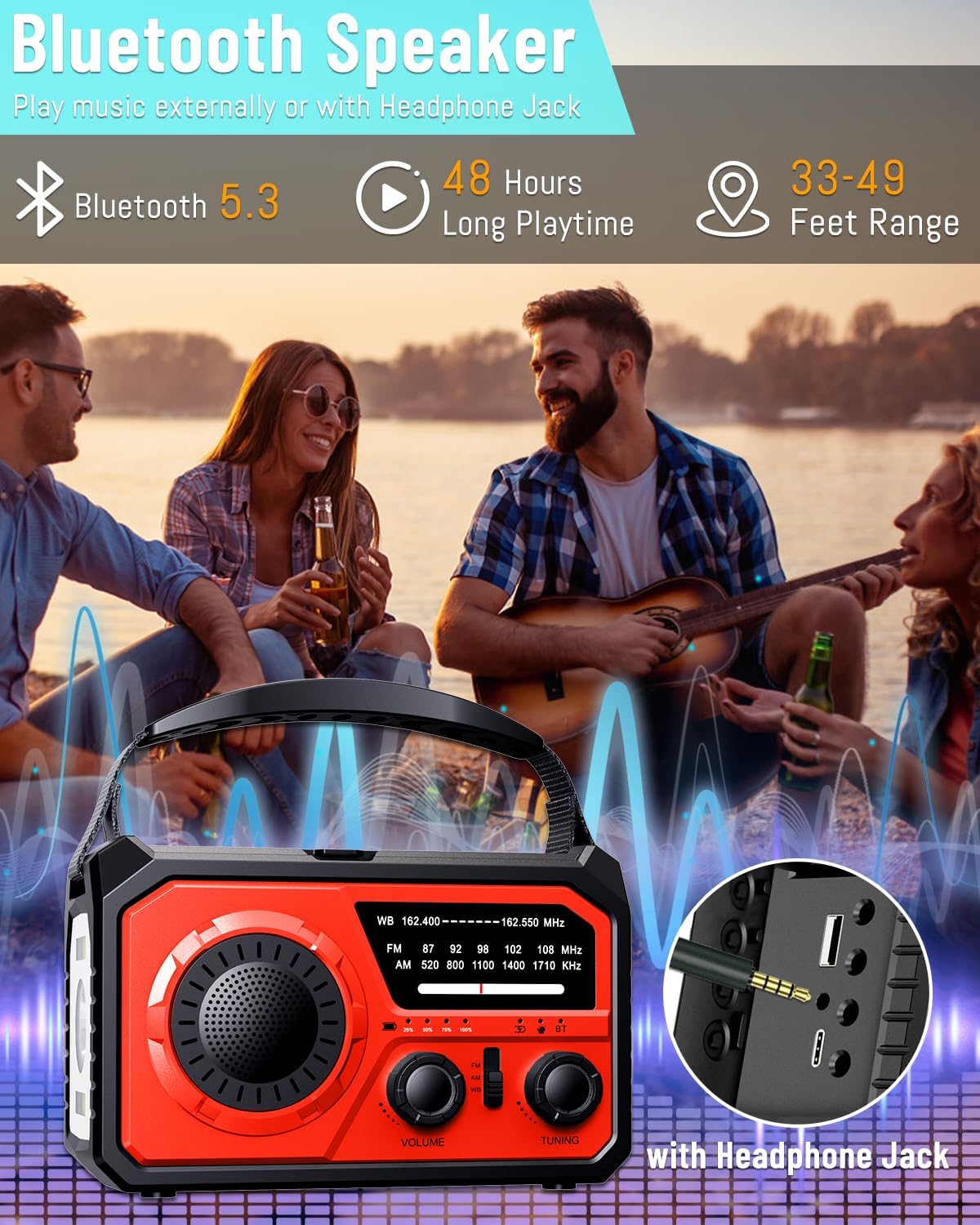
Image: The emergency radio being used as a Bluetooth speaker in an outdoor setting, demonstrating its Bluetooth 5.3 connectivity, 48-hour playtime, and 33-49 feet range.

Image: A group of people enjoying music outdoors, with the emergency radio serving as a wireless Bluetooth speaker, highlighting its entertainment capabilities.
Headphone Jack:
- Plug standard 3.5mm headphones into the headphone jack for private listening.
Compass:
- The integrated compass provides real-time direction indication, useful for outdoor navigation.
Video: Demonstration of the H21 Emergency Weather Radio's features, including radio tuning, power bank, solar charging, compass, headphone use, hand-crank charging, flashlight, reading lamp, and Bluetooth speaker.
6. Charging Methods
The FQBLXY Emergency Weather Radio offers three convenient ways to recharge its internal battery:
- Type-C Recharging: Connect the provided Type-C USB cable to a standard USB power source. This is the fastest charging method.
- Solar Panel Recharging: Place the radio in direct sunlight. The integrated solar panels will convert solar energy into electrical energy to charge the battery. This method is ideal for maintaining charge during prolonged outdoor use.
- Hand Crank Recharging: Rotate the hand crank on the side of the radio. This method generates power manually, providing a reliable charging option when other sources are unavailable.

Image: Visual representation of the three charging methods: solar panel recharging under sunlight, Type-C cable recharging, and hand crank recharging.

Image: The emergency radio demonstrating its three versatile charging options: solar panel, Type-C USB, and hand crank, ensuring continuous power availability.
7. Maintenance
- Cleaning: Wipe the device with a soft, dry cloth. Do not use abrasive cleaners or solvents.
- Storage: Store the radio in a cool, dry place when not in use. Avoid extreme temperatures.
- Battery Care: For optimal battery life, fully charge the radio at least once every three months if not used regularly.
8. Troubleshooting
| Problem | Possible Cause | Solution |
|---|---|---|
| No power/Doesn't turn on | Battery is depleted. | Charge the radio using Type-C, solar, or hand crank. |
| Poor radio reception | Antenna not extended or poor signal area. | Extend the telescopic antenna fully and adjust its position. Move to an open area. |
| Cannot charge external devices | Radio battery too low or incorrect cable. | Ensure the radio is sufficiently charged. Use the correct USB cable for your device. |
| Bluetooth not connecting | Not in pairing mode or device too far. | Long press the BT button to enter pairing mode. Ensure your device is within range (33-49 feet). |
9. Specifications
| Feature | Specification |
|---|---|
| Model Number | H21 |
| Battery Capacity | 16000mAh Lithium Polymer (included) |
| Radio Bands | AM: 520-1710 KHz, FM: 87-108 MHz, WB: 162.4-162.55 MHz (NOAA) |
| Charging Methods | Hand Crank, Solar Powered, Type-C USB |
| Flashlight Modes | 3 Modes (High Beam, Dipped Beam, Far & Dipped Beam) |
| Connectivity | USB (for power bank), Bluetooth 5.3, 3.5mm Headphone Jack |
| Product Dimensions | 3 x 3 x 5 inches |
| Item Weight | 1.76 ounces |
| Included Components | Emergency hand crank radio with LED flashlight, Owner's Manual, Portable Hand Strip, USB Cable |
10. Warranty and Support
For warranty information and customer support, please refer to the contact details provided with your purchase or visit the official FQBLXY website. Keep your purchase receipt for any warranty claims.
Ask a question about this manual
Ask about setup, troubleshooting, compatibility, parts, safety, or missing instructions. Manuals+ will review the question and use this page’s manual context to help answer it.