
Introduction
This manual provides detailed instructions for the safe and effective operation, setup, and maintenance of your XYFSP Bait Boat with Sonar and GPS. Please read this manual thoroughly before using the product to ensure optimal performance and longevity.

Figure 1: Overview of the XYFSP Bait Boat. This image displays the bait boat from an aerial perspective, highlighting its sleek design and dual bait compartments.
Product Features
- Long Range & Safety Function: Equipped with advanced high-frequency wireless technology, offering a remote control distance of up to 500 meters (546 yards) without interference. Features an automatic return function if signal is lost, battery is low, or the boat goes out of range.
- Large Bait Containers: Three independently controlled bait containers with a total load capacity of 2 kg (4.4 lb), allowing for precise bait release.
- Long-Lasting Battery: Powered by a 12000 mAh rechargeable lithium battery, providing approximately 4 hours of continuous use. The battery can be charged independently of the boat.
- Robust Construction: The boat body is molded from impact-resistant, weather-resistant, wave-resistant, and scratch-resistant ABS material. Its streamlined, fully enclosed, and waterproof design reduces water resistance and enhances stability. Propeller covers prevent entanglement with aquatic vegetation.
- Integrated GPS: Features a built-in GPS module for precise positioning, cruising, automatic return, and marking fishing spots. Includes up to 4 fixed autopilot points and automatic return on connection loss or low battery.
- Night Vision Lights: Front and rear two-color lights for clear visibility and navigation during low-light conditions.
- Wind Resistance: Designed to withstand 7-8 level winds, suitable for both freshwater and saltwater environments.
Package Contents
Please check the package contents upon unboxing. If any items are missing or damaged, contact customer support.
- XYFSP Bait Boat
- Remote Control Unit
- 12000 mAh Lithium Battery (x2 for this model)
- Charger
- Antenna
- User Manual (this document)
Setup
1. Charging the Battery
- Connect the charger to a power outlet.
- Connect the battery to the charger.
- Allow the battery to charge fully. The indicator light on the charger will change color (e.g., red to green) when charging is complete.
- Charging typically takes several hours. Do not overcharge.
2. Installing the Battery and Antenna
- Locate the battery compartment on the bait boat.
- Carefully insert the charged 12000 mAh lithium battery into the compartment, ensuring correct polarity.
- Securely close the battery compartment cover to maintain waterproofing.
- Screw the antenna onto its designated port on the boat. Ensure it is firmly attached for optimal signal reception.

Figure 2: Key components of the bait boat. This image labels the power light, handle, bait compartments (Playhouse 1, 2, 3), night vision light, and antenna.
3. Preparing the Remote Control
- Install the required batteries (not included, typically AA or AAA) into the remote control unit.
- Turn on the remote control.
- Turn on the bait boat. The boat and remote control should automatically pair. Refer to the remote control diagram for specific button functions.

Figure 3: Layout of the two-handed remote control. This image shows the calibration key, direction control keys, switch, one-click direct positioning key, return home button, cruise control cancel button, silo open buttons, night vision lights on/off, and set key.
Operating Instructions
1. Basic Navigation
- Use the Direction Control Keys on the remote control to move the boat forward, backward, left, and right.
- The boat can operate up to 500 meters (546 yards) from the remote control.
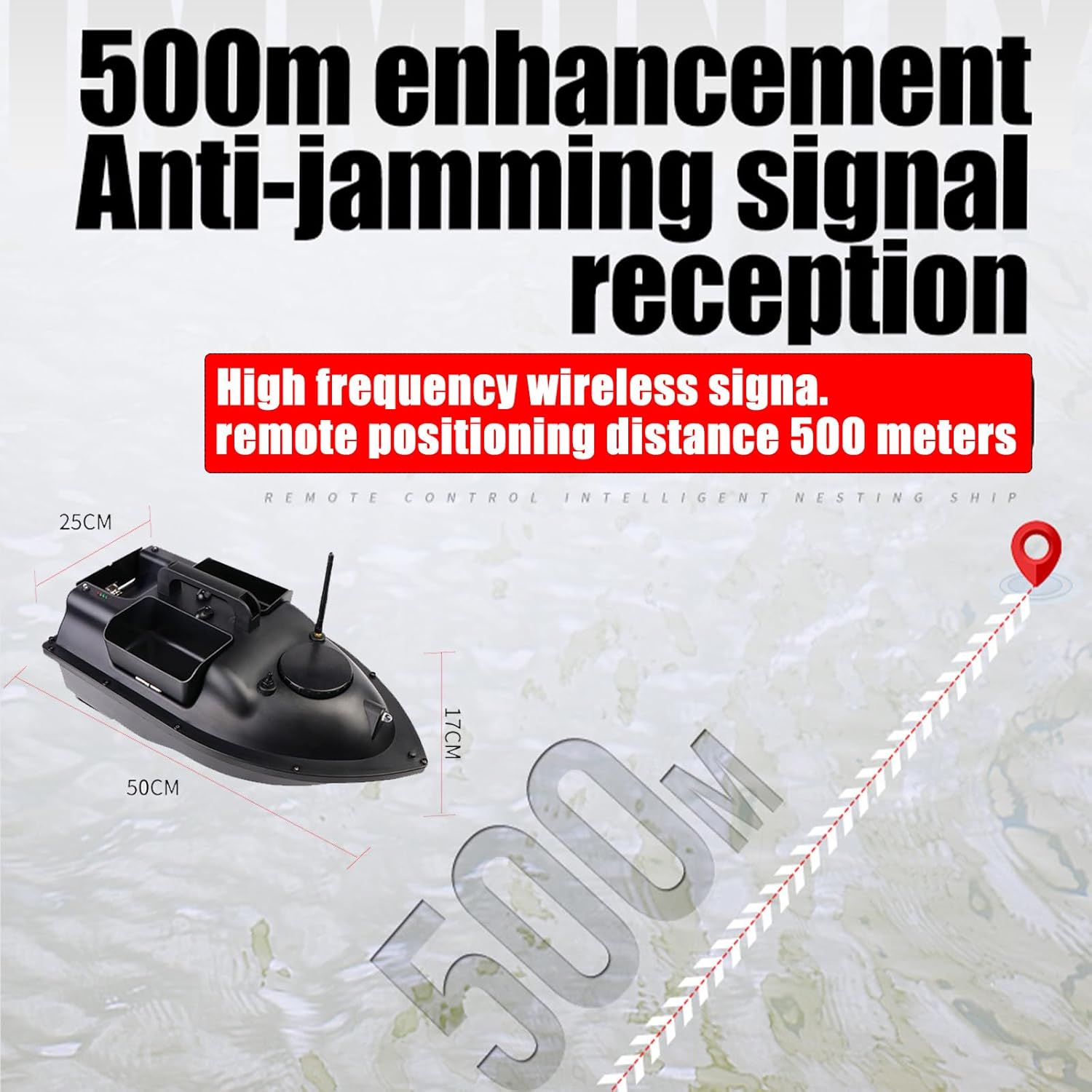
Figure 4: Illustration of the 500-meter remote control range. This image depicts the bait boat and remote control, showing the effective operating distance.
2. Bait Release
- Load bait into the three independent bait containers (Playhouse 1, 2, and 3). The total capacity is 2 kg.
- Navigate the boat to your desired baiting location.
- Press the corresponding Silo Open buttons on the remote control to release bait from each compartment individually.

Figure 5: Bait release from the three independent compartments. This image shows bait being dispensed from the boat's containers into the water.
3. GPS Functions
- Positioning: Use the GPS module to pinpoint your current location or mark specific fishing spots.
- Cruise Control: Engage cruise control for fixed-speed navigation.
- Fixed Autopilot Points: Set up to 4 fixed autopilot points. The boat can navigate to these points automatically.
- One-Key Return Home: Press the Return Home button for the boat to automatically return to its starting point.
- Automatic Return: The boat will automatically return to its starting point if the signal is lost or the battery level is critically low.
4. Night Vision Lights
- Activate the Night Vision Lights using the dedicated button on the remote control.
- The front and rear two-color lights provide clear visibility, allowing you to monitor the boat's position from a distance in low-light conditions.

Figure 6: Night light design for enhanced visibility. This image shows the front night light illuminated, along with battery and indicator lights.
Maintenance
- Cleaning: After each use, especially in saltwater, rinse the boat thoroughly with fresh water to prevent corrosion. Wipe it dry with a soft cloth.
- Battery Care:
- Always fully charge the battery before storage.
- Do not store the battery in extreme temperatures.
- If storing for extended periods, charge the battery every 3 months to maintain its health.
- Do not puncture or damage the battery.
- Propellers: Regularly check the propellers for any debris (weeds, fishing line) and remove them carefully to ensure smooth operation. The propeller covers help prevent entanglement.
- Storage: Store the bait boat and remote control in a cool, dry place away from direct sunlight and extreme temperatures.
- Waterproofing: Ensure all covers and seals (e.g., battery compartment) are properly closed and secured before placing the boat in water to maintain its waterproof integrity.
Troubleshooting
| Problem | Possible Cause | Solution |
|---|---|---|
| Boat does not power on. | Battery not charged or incorrectly installed. | Ensure battery is fully charged and correctly inserted. Check battery compartment connections. |
| Boat does not respond to remote control. | Remote control batteries low or not installed. Out of range. Interference. | Replace remote control batteries. Bring boat closer to remote. Ensure no strong interference sources nearby. Re-pair if necessary (refer to remote control instructions). |
| Boat returns automatically. | Low battery or signal loss. | This is a safety feature. Recharge the boat's battery. Ensure you are within the 500m operating range. |
| Bait compartments do not open. | Mechanism jammed or remote command not received. | Check for any obstructions in the bait compartments. Ensure the boat is within range and the remote control batteries are sufficient. |
| Boat moves slowly or erratically. | Propellers entangled or damaged. Low battery. | Check propellers for debris and clear them. Recharge the boat's battery. |
Specifications
| Feature | Detail |
|---|---|
| Model Number | B0D9W81SPC |
| Brand | XYFSP |
| Remote Control Range | Up to 500 meters (546 yards) |
| Bait Capacity | 2 kg (4.4 lb) across 3 independent containers |
| Battery Type | 12000 mAh Lithium Battery (2 included) |
| Operating Time | Approximately 4 hours (per battery) |
| Material | Impact-resistant ABS |
| Wind Resistance | 7-8 level |
| Dimensions (Approx.) | Length: 50 cm, Width: 25 cm, Height: 17 cm |
| Features | Integrated GPS, Sonar capability, Automatic Return, Night Vision Lights, Cruise Control, Fixed Autopilot Points |
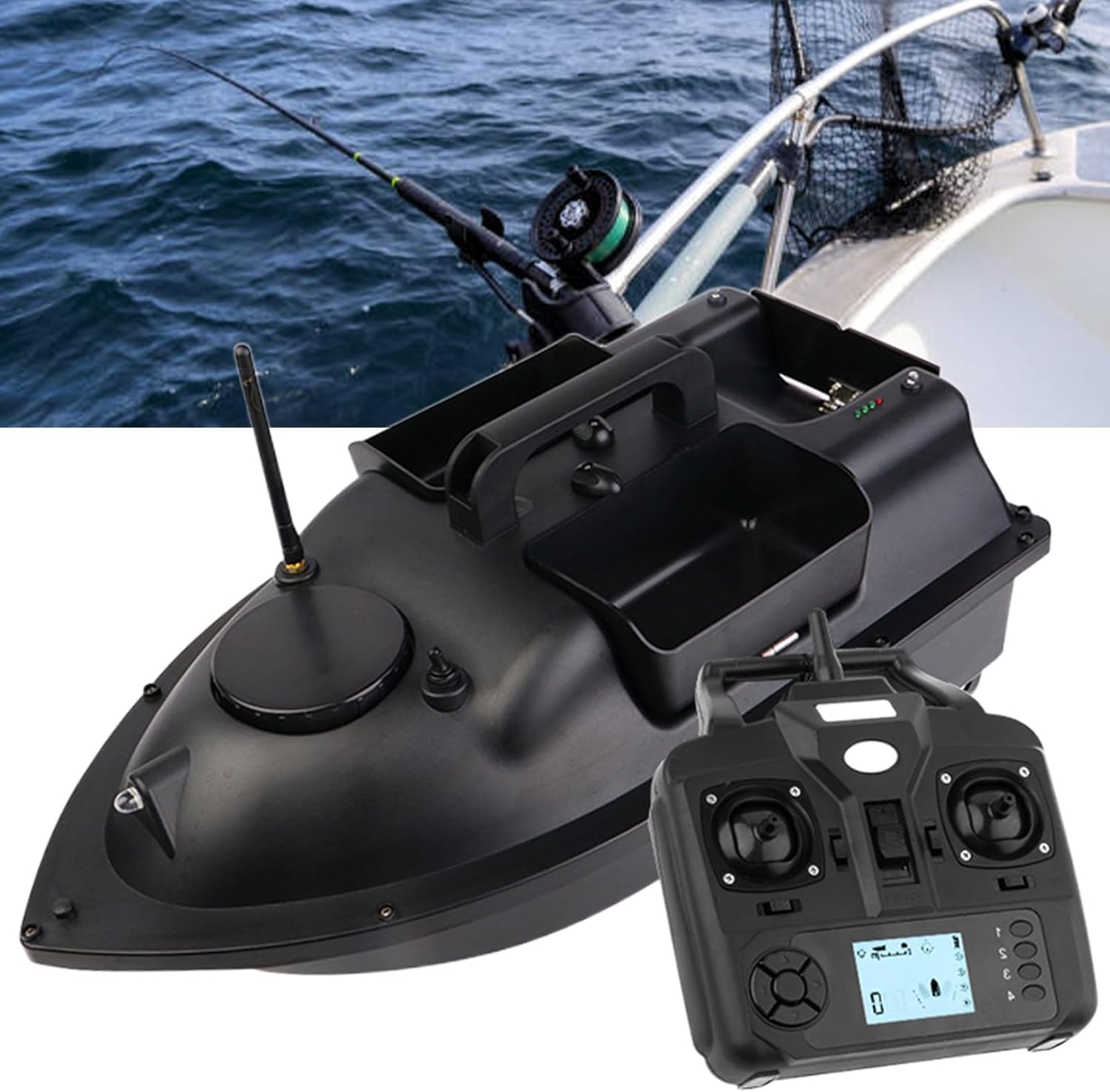
Figure 7: Bait boat dimensions and wind resistance capability. This image shows the boat's approximate measurements (50cm length, 25cm width, 17cm height) and highlights its 7-8 level wind resistance for both freshwater and saltwater use.
Warranty and Support
For warranty information, technical support, or service inquiries, please refer to the contact information provided with your purchase documentation or visit the official XYFSP website. Keep your proof of purchase for warranty claims.