
Product Overview
This manual provides instructions for the Hormann D437336 HS4-315 Hand Remote Control. This remote operates on a 315 MHz frequency and is designed for use with specific Hormann SilentDrive Garage Openers.
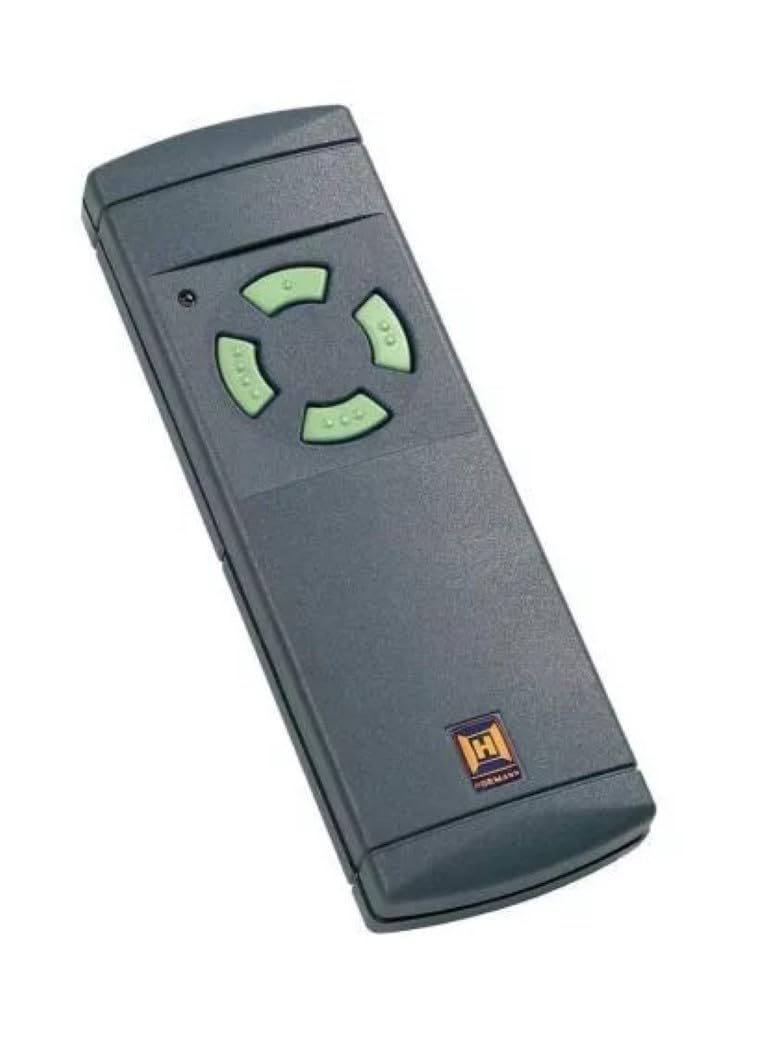
Image: The Hormann D437336 HS4-315 Hand Remote Control, featuring a dark grey casing and four light green buttons arranged in a directional pad configuration. A small LED indicator is visible near the top left, and the Hormann logo is at the bottom right.
Key Features:
- Operates on a frequency of 315 MHz.
- Features a 4-button design for intuitive control.
- Compatible with Hormann SilentDrive Garage Openers: SD5500, SD7500, and SD8500.
Setup and Programming
Follow these steps to program your Hormann D437336 HS4-315 remote control to your compatible garage door opener.
- Locate the Learn Button: On your Hormann SilentDrive garage door opener (SD5500, SD7500, or SD8500), locate the "Learn" or "Program" button. This button is typically found on the motor unit itself, often near the wiring terminals or the antenna. Consult your garage door opener's manual for its exact location if needed.
- Press the Learn Button: Press and immediately release the "Learn" button on the garage door opener. The LED indicator on the opener will typically light up or flash, indicating it is in programming mode. You usually have about 30 seconds to complete the next step.
- Activate the Remote: Within the 30-second programming window, press and hold the desired button on your new Hormann HS4-315 remote control that you wish to program.
- Confirm Programming: Continue holding the button on the remote until the garage door opener's light flashes or clicks, indicating successful programming. Release the button on the remote.
- Test the Remote: Press the programmed button on your remote control to test its operation. The garage door should activate (open or close).
Note: If the remote does not work after programming, repeat the steps. Ensure you are within range of the garage door opener during programming. If you have multiple garage door openers, repeat the process for each one, assigning a different button on the remote if desired.
Operating Instructions
Using your Hormann D437336 HS4-315 remote control is straightforward:
- Opening/Closing the Door: Press the programmed button on the remote control once. The garage door will begin to open or close.
- Stopping the Door: Press the same programmed button again while the door is in motion to stop it.
- Reversing Direction: If the door is stopped mid-cycle, pressing the button again will reverse its direction.
- Range: For optimal performance, operate the remote control within a reasonable range of your garage door opener, typically up to 100 feet, depending on environmental factors.
Maintenance
The Hormann HS4-315 remote control requires minimal maintenance.
- Battery Replacement: If the remote's range decreases significantly or the LED indicator (if present) does not light up when a button is pressed, the battery may need replacement. Refer to the "Specifications" section for battery type. To replace, carefully open the remote casing (often by prying along a seam with a small flat-head screwdriver) and replace the old battery with a new one, observing polarity.
- Cleaning: Clean the remote's exterior with a soft, dry cloth. Avoid using abrasive cleaners or solvents.
- Storage: Store the remote in a dry place, away from extreme temperatures and direct sunlight.
Troubleshooting
| Problem | Possible Cause | Solution |
|---|---|---|
| Remote does not work. | Battery is dead or low. | Replace the battery. |
| Remote is not programmed. | Follow the "Setup and Programming" steps. | Reprogram the remote to the garage door opener. |
| Remote has poor range. | Low battery or interference. | Replace battery. Check for sources of radio frequency interference (e.g., other electronic devices). |
| Garage door opener not responding. | Opener is unplugged or power outage. | Ensure opener is plugged in and power is restored. Check circuit breaker. |
Specifications
- Model: HS4-315
- Frequency: 315 MHz
- Number of Buttons: 4
- Compatible Garage Openers: Hormann SilentDrive SD5500, SD7500, SD8500
- Manufacturer: Horman
- Item Weight: 2.4 ounces
- Product Dimensions: 1 x 1 x 1 inches
- Country of Origin: USA
- Battery Type: Alkaline (specific size typically found inside the remote, e.g., A23 or CR2032)
Warranty and Support
For warranty information and technical support regarding your Hormann D437336 HS4-315 remote control, please refer to the documentation provided with your original garage door opener or contact the manufacturer directly.
Manufacturer: Horman
Contact Information: Please visit the official Horman website or consult your product packaging for the most current support contact details.
