This manual provides detailed instructions for the proper setup, operation, and maintenance of your Timex UFC Kick TW2V86700 Men's Digital Watch. Please read this manual thoroughly to ensure optimal performance and longevity of your timepiece.
Figure 1: Timex UFC Kick TW2V86700 watch on a wrist, displaying the digital time.
Watch Components and Buttons
Familiarize yourself with the watch's buttons and display features. While specific button labels may vary, typical digital watch functions include:
MODE/SET: Used to cycle through different modes (Time, Stopwatch, Alarm) and to enter setting modes.
START/STOP: Used to start/stop functions like the stopwatch or to adjust values during setting.
RESET/LAP: Used to reset functions or to view lap times.
LIGHT/INDIGLO: Activates the backlight for visibility in low light conditions.
Figure 2: Side view of the watch, highlighting the control buttons on the left and right sides of the case.
Setup
Setting Time and Date
Press the MODE button repeatedly until the time setting mode is displayed (often indicated by flashing digits).
Use the START/STOP button to adjust the flashing value (e.g., hours, minutes).
Press the RESET/LAP button to move to the next setting (e.g., minutes, year, month, day).
Repeat steps 2 and 3 until all desired settings are adjusted.
Press the MODE button to exit the setting mode and return to the normal time display.
12/24 Hour Format
In time setting mode, you may be able to toggle between 12-hour (with AM/PM indicator) and 24-hour formats using the START/STOP button when the hour digits are flashing.
Operating Instructions
Using the Stopwatch
Press the MODE button until the stopwatch mode is displayed.
Press START/STOP to begin timing.
Press START/STOP again to pause timing.
Press RESET/LAP to reset the stopwatch to zero.
To record lap times, press RESET/LAP while the stopwatch is running. The lap time will display briefly before returning to the running total.
Setting and Using the Alarm
Press the MODE button until the alarm mode is displayed.
Press START/STOP to adjust the hour, then RESET/LAP to move to minutes.
Press START/STOP to adjust the minutes.
Press MODE to confirm and exit.
To activate/deactivate the alarm, typically a specific button combination or a dedicated button in alarm mode is used. Refer to the on-screen indicators for alarm status.
Using the Indiglo Night-Light
Press the LIGHT button (often located on the top left or front of the watch) to illuminate the display for a few seconds.
Maintenance
Cleaning Your Watch
To clean your watch, wipe it with a soft, damp cloth. Avoid using harsh chemicals or abrasive materials, as these can damage the watch case or strap. For plastic straps, mild soap and water can be used. Ensure the watch is dry before storage.
Water Resistance
The Timex UFC Kick TW2V86700 watch has a water resistance rating of 100 meters (10 ATM). This means it is suitable for swimming, showering, and snorkeling. Do not press any buttons while the watch is submerged in water, as this can compromise the water resistance seal. Avoid exposing the watch to extreme temperature changes.
Battery Replacement
When the display dims or functions become erratic, it may be time to replace the battery. Battery replacement should ideally be performed by a qualified watch technician to ensure proper sealing and maintain water resistance. Refer to the watch back for battery type information (e.g., CR2032).
Figure 3: Rear view of the watch, showing the stainless steel case back with engravings including water resistance and model number.
Troubleshooting
Problem
Possible Cause
Solution
Display is blank or dim.
Low or dead battery.
Replace the battery.
Time is inaccurate.
Time needs to be reset; watch was exposed to strong magnetic fields.
Reset the time and date according to the "Setting Time and Date" section. Avoid strong magnetic fields.
Buttons are unresponsive.
Watch may be in a locked mode; internal malfunction.
Try pressing all buttons to see if any respond. If not, a battery replacement or professional service may be required.
Water inside the watch.
Water resistance compromised (e.g., buttons pressed underwater, seal damaged).
Immediately take the watch to a qualified technician for inspection and repair to prevent further damage.
Specifications
Feature
Detail
Model Number
TW2V86700
Brand
TIMEX
Display Type
Digital
Watch Movement Type
Quartz
Case Material
Stainless Steel
Band Material Type
Plastic
Band Color
Black
Clasp Type
Buckle
Crystal Type
Mineral Glass
Case Diameter
51 Millimetres
Case Thickness
16.5 Millimetres
Band Width
22 Millimetres
Item Weight
163 Grams
Water Resistance
100 Meters (10 ATM)
Additional Features
Second Hand, Indiglo Night-Light
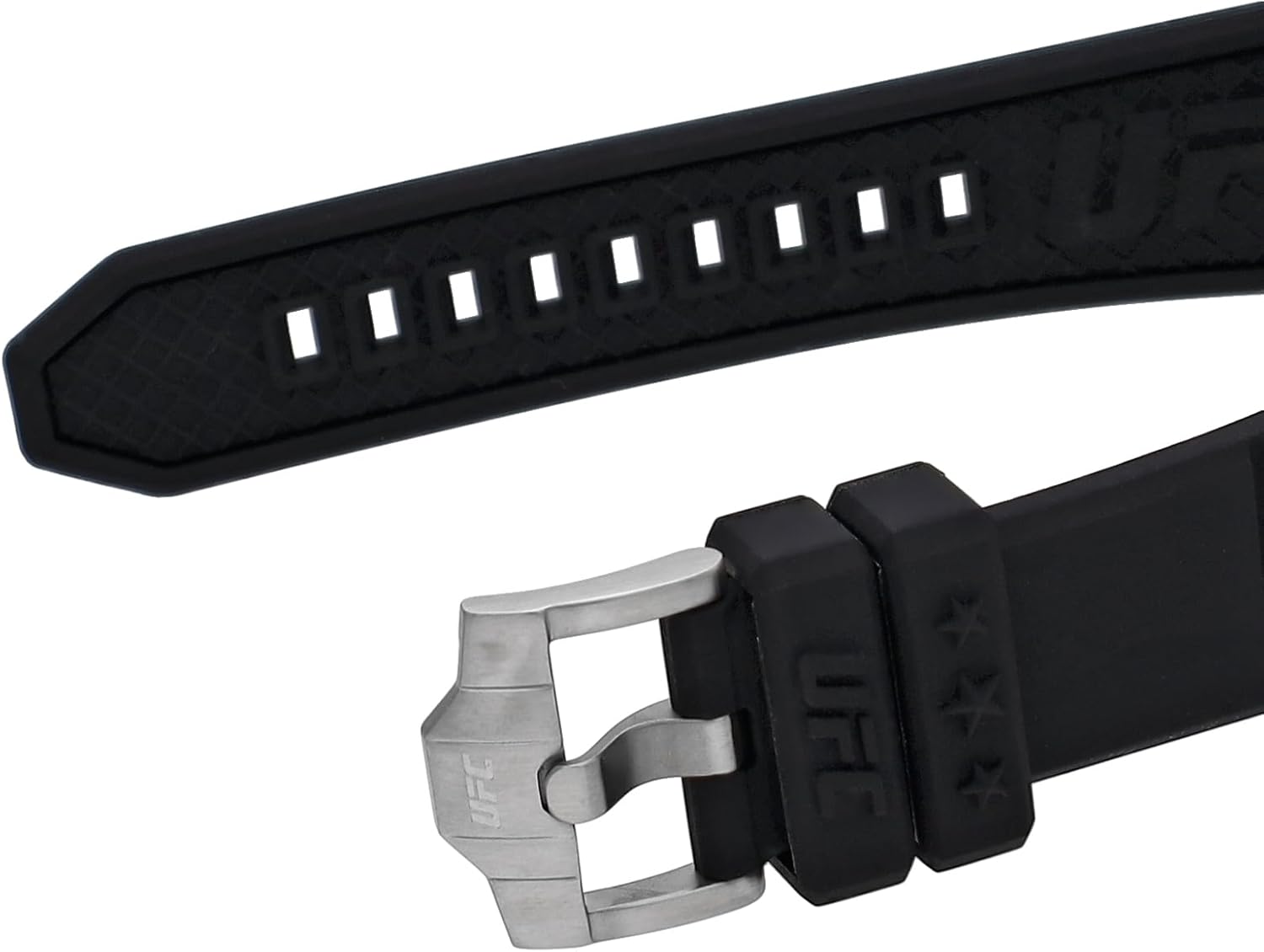
Figure 4: Detail of the watch strap and buckle, featuring the UFC logo.
Warranty and Support
Warranty Information
Your Timex watch is covered by a manufacturer's warranty. For specific details regarding the warranty period, coverage, and terms, please refer to the warranty card included with your purchase or visit the official Timex website. Keep your proof of purchase for warranty claims.
Customer Support
Should you require assistance with your Timex UFC Kick TW2V86700 watch, including repairs or technical support, please contact Timex customer service. Contact information can typically be found on the official Timex website or in the documentation provided with your watch.
Ask a question about this manual
Ask about setup, troubleshooting, compatibility, parts, safety, or missing instructions. Manuals+ will review the question and use this page’s manual context to help answer it.