
Introduction
This manual provides essential information for the installation, maintenance, and care of your GAOCHENG Laptop LCD Bezel, specifically designed for the HP 245 G7 laptop model L23181-001. Please read these instructions carefully before proceeding with installation to ensure proper fit and function.
Product Overview
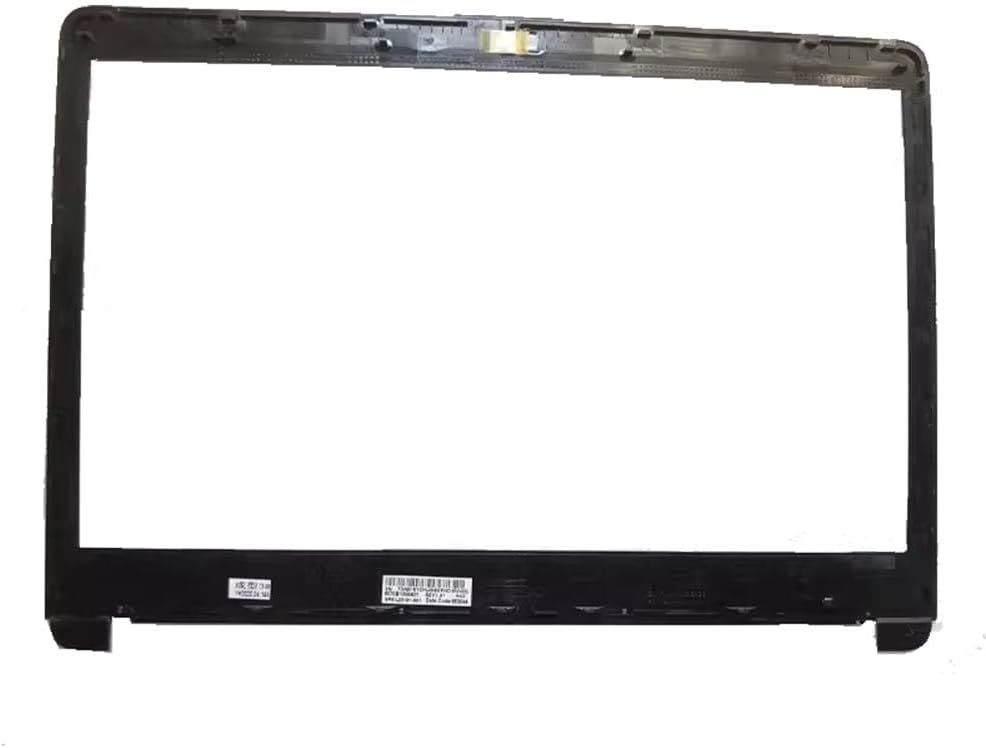
Image 1: The GAOCHENG Laptop LCD Bezel (L23181-001) for HP 245 G7. This image displays the black plastic frame designed to surround and secure the laptop's LCD screen, featuring mounting points and internal structure.
The LCD bezel is a critical component that frames and protects the laptop's display panel. This replacement part ensures a secure fit and maintains the aesthetic integrity of your HP 245 G7 laptop.
Installation Guide
Disclaimer: Laptop disassembly and component replacement require technical expertise. Incorrect installation can lead to damage to your laptop or the new part. If you are not confident in performing this procedure, it is highly recommended to seek assistance from a qualified technician.
Required Tools (Not Included):
- Small Phillips head screwdriver
- Plastic prying tool (spudger)
- Anti-static wrist strap (recommended)
Step-by-Step Installation:
- Power Off and Disconnect: Ensure your laptop is completely powered off and disconnected from the power adapter. Remove the battery if it is external.
- Remove Old Bezel: Carefully use a plastic prying tool to separate the old bezel from the display assembly. Start from a corner and work your way around, gently releasing the clips. Be mindful of any adhesive or screws securing it.
- Clean Area: Once the old bezel is removed, gently clean any dust or debris from the display area and the edges of the LCD panel.
- Position New Bezel: Align the new GAOCHENG LCD bezel with the display assembly. Ensure all clips and screw holes (if applicable) match up correctly.
- Secure New Bezel: Gently press the new bezel into place, starting from one edge and working around until all clips are securely fastened. If there are screws, reinsert and tighten them carefully.
- Reassemble and Test: Reinstall the battery (if removed) and connect the power adapter. Power on the laptop to ensure the display functions correctly and the bezel is securely attached without gaps.
Usage Considerations
Once installed, the LCD bezel requires no specific operational steps. Its primary function is structural and protective. Avoid applying excessive pressure to the bezel or display area, as this can cause damage to the screen or the bezel itself.
Maintenance
To maintain the appearance and integrity of your LCD bezel:
- Cleaning: Use a soft, lint-free cloth slightly dampened with water or a mild, non-abrasive screen cleaner. Do not spray cleaner directly onto the bezel or screen.
- Avoid Harsh Chemicals: Do not use strong solvents, alcohol, or abrasive cleaners, as these can damage the finish of the bezel.
- Handling: Always handle your laptop with care, avoiding drops or impacts that could stress the bezel or display.
Troubleshooting
If you encounter issues after installing the LCD bezel, consider the following:
- Bezel Not Seating Properly: Ensure all internal cables are properly routed and not obstructing the bezel. Recheck that all clips are aligned and fully engaged.
- Gaps Around the Screen: This often indicates that the bezel clips are not fully engaged or that the bezel is not correctly aligned. Gently re-press along the edges to secure it.
- Display Issues After Installation: If the screen is not functioning, this is likely unrelated to the bezel itself but rather to the display panel or its connections. Recheck all display cable connections.
Specifications
| Item Model Number: | L23181-001 |
| Compatible Brand: | HP |
| Compatible Model: | 245 G7 |
| Manufacturer: | GAOCHENG |
| Color: | Black |
| Package Dimensions: | 11.81 x 7.87 x 3.94 inches |
| Item Weight: | 4.4 pounds |
| ASIN: | B0D9TFKMLG |
| Date First Available: | July 21, 2024 |
Warranty Information
This GAOCHENG product is covered by a standard manufacturer's warranty against defects in materials and workmanship. Please refer to the seller's return policy or contact GAOCHENG directly for specific warranty terms and conditions. Keep your purchase receipt as proof of purchase.
Customer Support
For technical assistance, warranty claims, or further inquiries, please contact your point of purchase or visit the GAOCHENG official website for support resources. When contacting support, please have your product model number (L23181-001) and purchase details ready.