
1. Introduction
The Generic X8 Wireless Video Doorbell Camera is designed to enhance your home security and convenience. This battery-operated device features crystal-clear night vision, two-way audio communication, and app connectivity, allowing you to monitor your front door from anywhere. Its weather-resistant design makes it suitable for both indoor and outdoor use, providing real-time surveillance and motion detection alerts directly to your smartphone.
2. What's in the Box
Please ensure all the following components are present in your package:
- Camera Body (X8 Wireless Video Doorbell)
- Chime Unit
- Adhesive Tape
- Wire (for optional wired installation or charging)

Image: The X8 Wireless Video Doorbell Camera (left) and its accompanying Chime Unit (right). The doorbell features a camera lens, a blue indicator light, and a doorbell button with a bell icon. The chime unit has a speaker grille and control buttons on its side.
3. Key Features
- Advanced Night Vision: Offers ultra-clear video capture even in low light conditions, ensuring 24/7 surveillance for homes and apartments.
- 2-Way Audio Communication: Communicate with visitors at your doorbell using the pairable app, enhancing home security.
- Voice Changer Protection: Features a voice changer technology to provide an additional layer of protection, allowing users to alter their voice during communication.
- Wireless Installation: Completely wireless and battery-operated, requiring no complicated wiring. Can be mounted using strong adhesives.
- Versatile Indoor-Outdoor Surveillance: Weather-resistant construction suitable for various applications, providing real-time alerts to your smartphone.

Image: Illustration of the voice changer feature. A person is shown on a laptop, with speech bubbles indicating a conversation. Below, two circles show 'Actual Female Voice' and 'Male Voice Changer' icons, demonstrating the ability to alter the user's voice for security.
4. Setup Guide
Follow these steps to set up your X8 Wireless Video Doorbell Camera:
- Charge the Doorbell: Ensure the doorbell camera is fully charged before installation.
- Download the App: Download the compatible app (e.g., Tuya Smart app) from your smartphone's app store.
- Pair the Device: Open the app and follow the on-screen instructions to pair your X8 doorbell camera with your Wi-Fi network. This typically involves scanning a QR code on the device or entering a pairing mode.
- Mount the Doorbell: Choose a suitable location near your entrance. Use the provided strong adhesives to mount the doorbell camera. No drilling is required for installation.
- Place the Chime: Plug the chime unit into a power outlet inside your home, within range of the doorbell camera.
- Test Functionality: Press the doorbell button to ensure the chime rings and you receive notifications on your app.
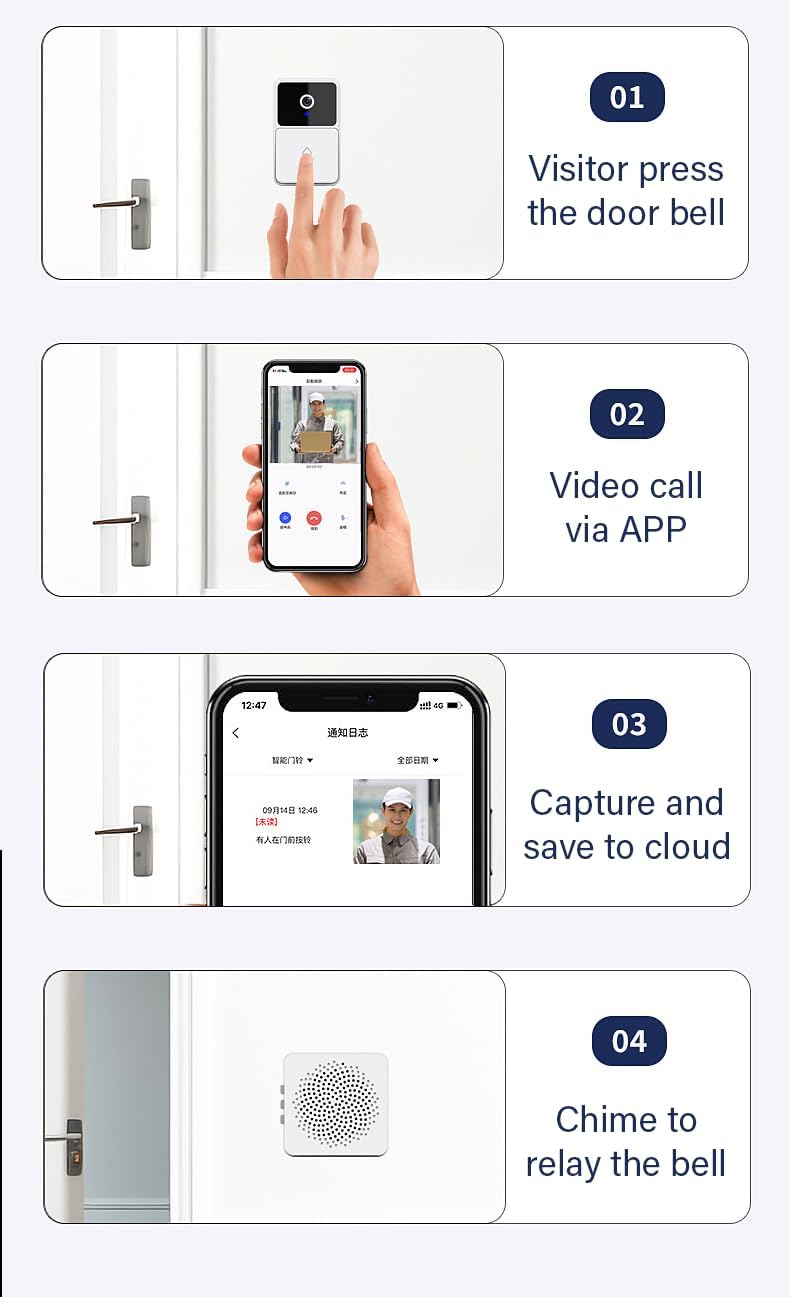
Image: A four-step visual guide illustrating the doorbell's workflow. 01: Visitor presses the doorbell. 02: Video call is initiated via the app. 03: Footage is captured and saved to the cloud. 04: The chime unit relays the bell sound indoors.
5. Operating Instructions
Once set up, operating your X8 Wireless Video Doorbell is straightforward:
- Receiving Notifications: When a visitor presses the doorbell or motion is detected, you will receive an alert on your paired smartphone.
- Two-Way Audio: Tap the notification to open the live view in the app. Use the microphone icon to speak to the visitor and the speaker icon to hear their response.
- Voice Changer: Activate the voice changer feature within the app during a two-way audio call if you wish to alter your voice for privacy or security.
- Live View and Recording: Access the live video feed anytime through the app. The doorbell automatically records events triggered by motion or doorbell presses, saving footage for review.
- Reviewing Footage: Navigate to the 'History' or 'Playback' section in the app to review recorded video clips.
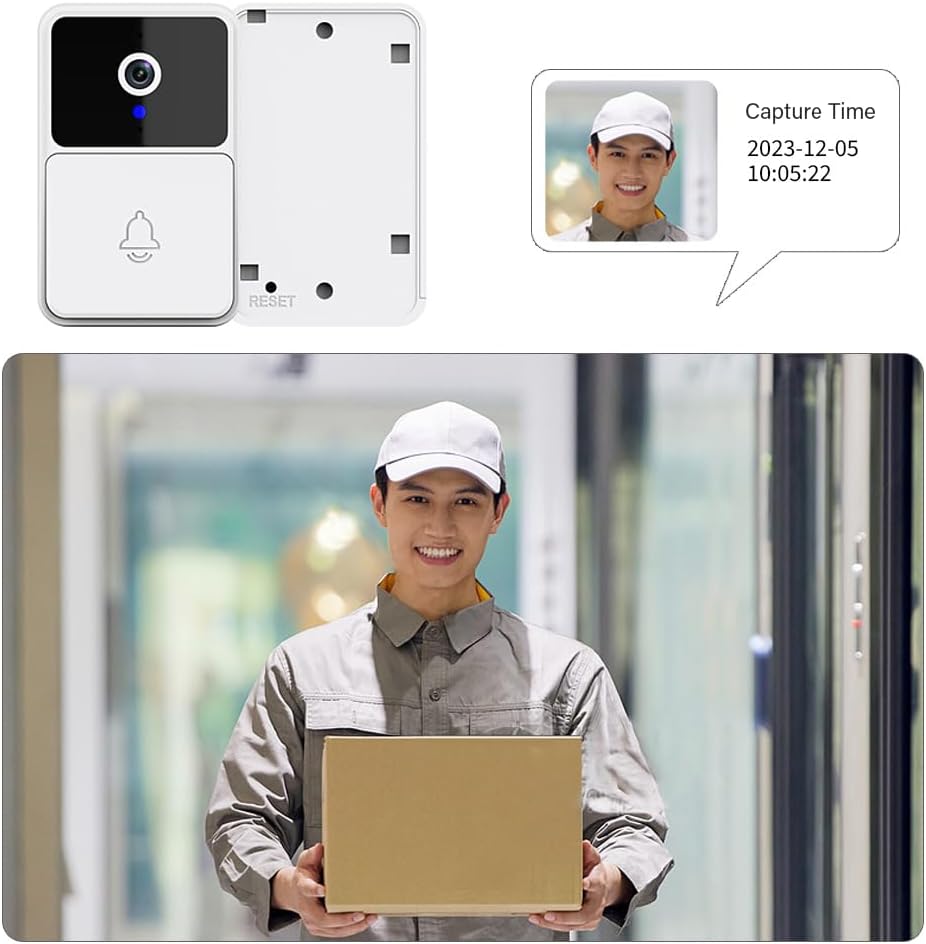
Image: A visual representation of visitor interaction with the X8 doorbell. The top portion shows the doorbell unit and a pop-up indicating 'Capture Time' and a visitor's image. The bottom portion shows a person holding a package, representing a visitor at the door, as seen through the doorbell camera.
6. Maintenance
To ensure optimal performance and longevity of your X8 Wireless Video Doorbell Camera:
- Battery Management: The doorbell is battery-operated. Monitor the battery level through the app and recharge as needed using the provided wire. Battery life varies based on usage and environmental factors.
- Cleaning: Periodically wipe the camera lens and the doorbell's exterior with a soft, damp cloth to remove dust and dirt. Avoid using harsh chemicals or abrasive materials.
- Firmware Updates: Check the app regularly for any available firmware updates. Keeping the device's firmware up-to-date ensures you have the latest features and security enhancements.
- Environmental Considerations: While weather-resistant, avoid prolonged exposure to extreme temperatures or direct water submersion.
7. Troubleshooting
If you encounter issues with your X8 Wireless Video Doorbell, refer to the following common problems and solutions:
| Problem | Possible Cause | Solution |
|---|---|---|
| Doorbell not connecting to Wi-Fi | Incorrect Wi-Fi password; too far from router; 5GHz Wi-Fi network. | Ensure correct 2.4GHz Wi-Fi password. Move doorbell closer to router. The device supports Wi-Fi, Zigbee, and Tuya connectivity protocols. |
| No notifications on phone | App permissions not granted; notifications disabled; app not running in background. | Check app notification settings on your phone. Ensure app has necessary permissions (e.g., background refresh). |
| Poor video quality or night vision | Dirty lens; low battery; poor Wi-Fi signal. | Clean the camera lens. Recharge the doorbell. Improve Wi-Fi signal strength. |
| Two-way audio not working | Microphone/speaker permissions not granted; network latency. | Ensure app has microphone permissions. Check internet connection stability. |
| Chime not ringing | Chime unplugged; out of range; not paired. | Ensure chime is plugged in and within range of the doorbell. Re-pair chime if necessary. |
8. Specifications
| Feature | Detail |
|---|---|
| Model Name | X8 Wireless Cam |
| Brand | Generic |
| Indoor/Outdoor Usage | Outdoor |
| Compatible Devices | Smartphone |
| Power Source | Battery Powered |
| Connectivity Protocol | Wi-Fi, Zigbee and Tuya |
| Controller Type | Tuya |
| Mounting Type | Wall Mount (Adhesive) |
| Video Capture Resolution | 1080p |
| Color | White |
| Item Dimensions (L x W x H) | 3.45 x 1.96 x 1.02 inches |
| Item Weight | 1 pounds |
| Alert Type | Motion Only |
| Video Capture Format | MP4 |
| Special Features | 2-Way Audio, Motion Sensor, Night Vision, Voice Changer |
9. Warranty and Support
For warranty information and technical support, please contact the seller or manufacturer directly. An e-manual in English is available; please reach out to the seller to obtain the file for more detailed instructions and support.


