
Woxcker L2 MAX
Woxcker L2 MAX 5.5W Laser Engraving Machine User Manual
Model: L2 MAX
1. Introduction
This manual provides essential information for the safe and effective operation of your Woxcker L2 MAX 5.5W Laser Engraving Machine. This device is designed for high-precision engraving and cutting on a variety of materials, including wood, metal, leather, plastic, and glass. Please read this manual thoroughly before initial use to ensure proper setup, operation, and maintenance.

Figure 1.1: Woxcker L2 MAX 5.5W Laser Engraving Machine with its protective enclosure.
2. Safety Information
Your Woxcker L2 MAX is a Class 1 laser product. Adherence to safety guidelines is paramount to prevent injury and ensure safe operation. This machine incorporates several comprehensive safety features:
- Fully Enclosed Design: The machine features a 360° fully enclosed design with an orange protective cover and laser cover to shield users from direct laser exposure and protect eyes.
- Lid-Open Automatic Stop: The machine automatically stops operation if the lid is opened during use, preventing accidental laser exposure.
- Flame Sensor System: A built-in flame sensor detects unusual heat or flames, halting operation immediately to prevent hazards.
- Emergency Stop Button: An easily accessible emergency stop button allows for immediate shutdown of the machine in critical situations.
- Safety Lock: A physical safety lock prevents unauthorized access and misuse, especially important in environments with children.
- 15° Tilt Stop Feature: The machine automatically pauses if it tilts beyond a safe 15° angle, preventing unstable operation.
Always ensure proper ventilation when operating the machine to manage fumes and dust generated during engraving. Although the enclosure helps contain these, an efficient smoke exhaust fan is integrated (pipe not included) to further improve air quality.

Figure 2.1: Overview of the machine's comprehensive safety features, including the protective cover, flame sensor, tilt stop, limit switches, safety lock, and emergency stop button.

Figure 2.2: Details of the emergency stop button and the child safety lock for enhanced user protection.
3. Setup
The Woxcker L2 MAX features a modular assembly design, simplifying the setup process. It is divided into five main components, making it easy for beginners to assemble without complex adjustments like belt tensioning. This streamlined process can save significant installation time.
3.1 Unpacking and Inspection
Carefully unpack all components and verify against the packing list. Inspect for any visible damage that may have occurred during transit. Report any discrepancies or damage to customer support immediately.
3.2 Assembly Steps
Follow the detailed assembly instructions provided in the separate quick start guide. The intuitive design ensures a straightforward build. Ensure all connections are secure and the laser module is properly seated.
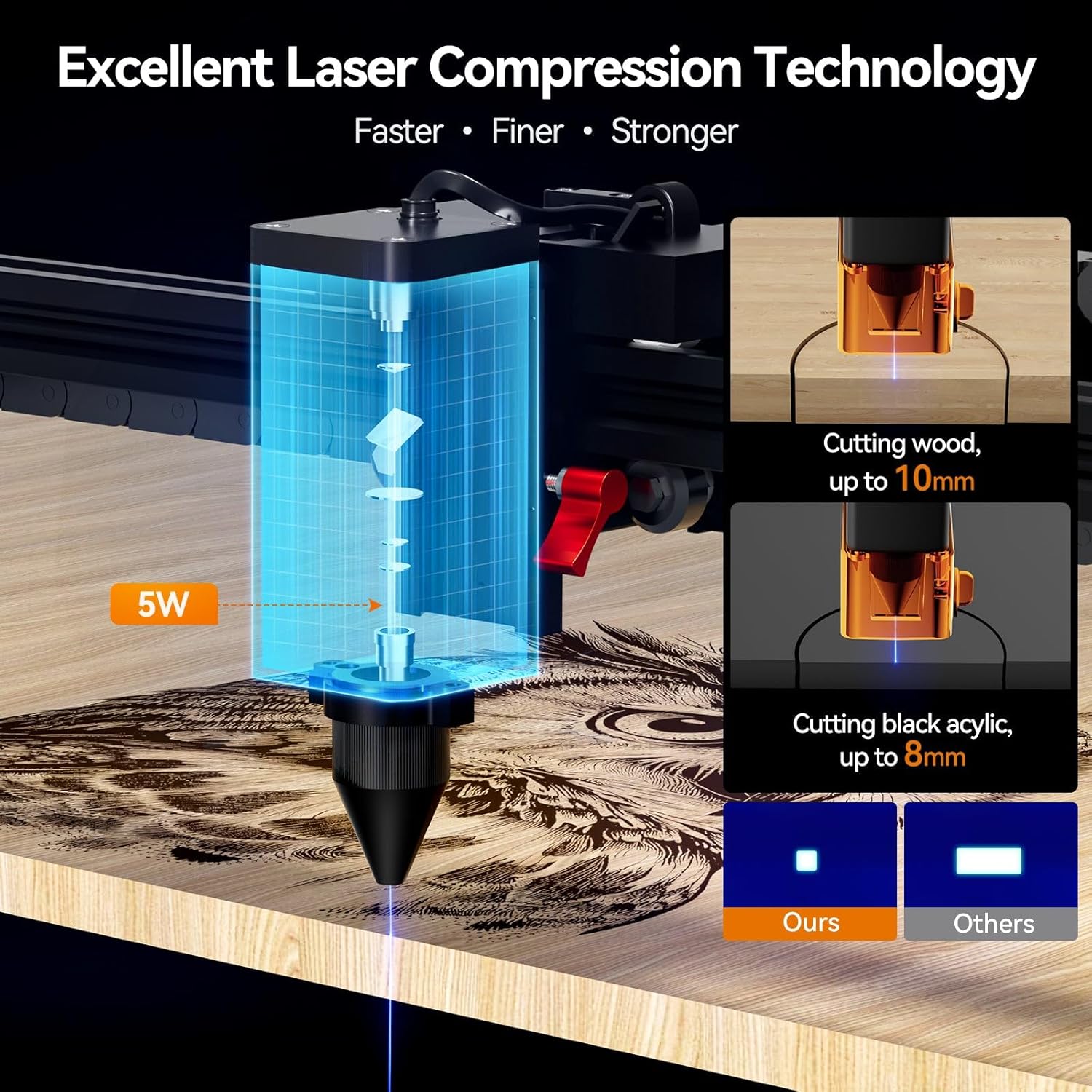
Figure 3.1: Key structural components and features, including Class 1 laser certification, cable guide, built-in focus knob, precision motor, smooth roller, 360° laser filter, 10000H laser life, hard acrylic enclosure, and efficient smoke exhaust fan.

Figure 3.2: Visual guide to the modular assembly process, highlighting ease of completion and listing included accessories and product parameters.
4. Operating Instructions
The Woxcker L2 MAX offers versatile connectivity and high-precision performance for various engraving and cutting tasks.
4.1 Software and Connectivity
The machine is compatible with popular software such as LightBurn, LaserGRBL, and Cutlabx, supporting Windows, Mac OS, and Linux operating systems. Multiple connection methods are available:
- Wi-Fi
- USB Cable
- Dedicated APP
- Offline via TF Card
Supported file formats include JPEG, JPG, PNG, BMP, SVG, DXF, and AI. Users can import photos, utilize built-in graphics, and edit text directly within the software.
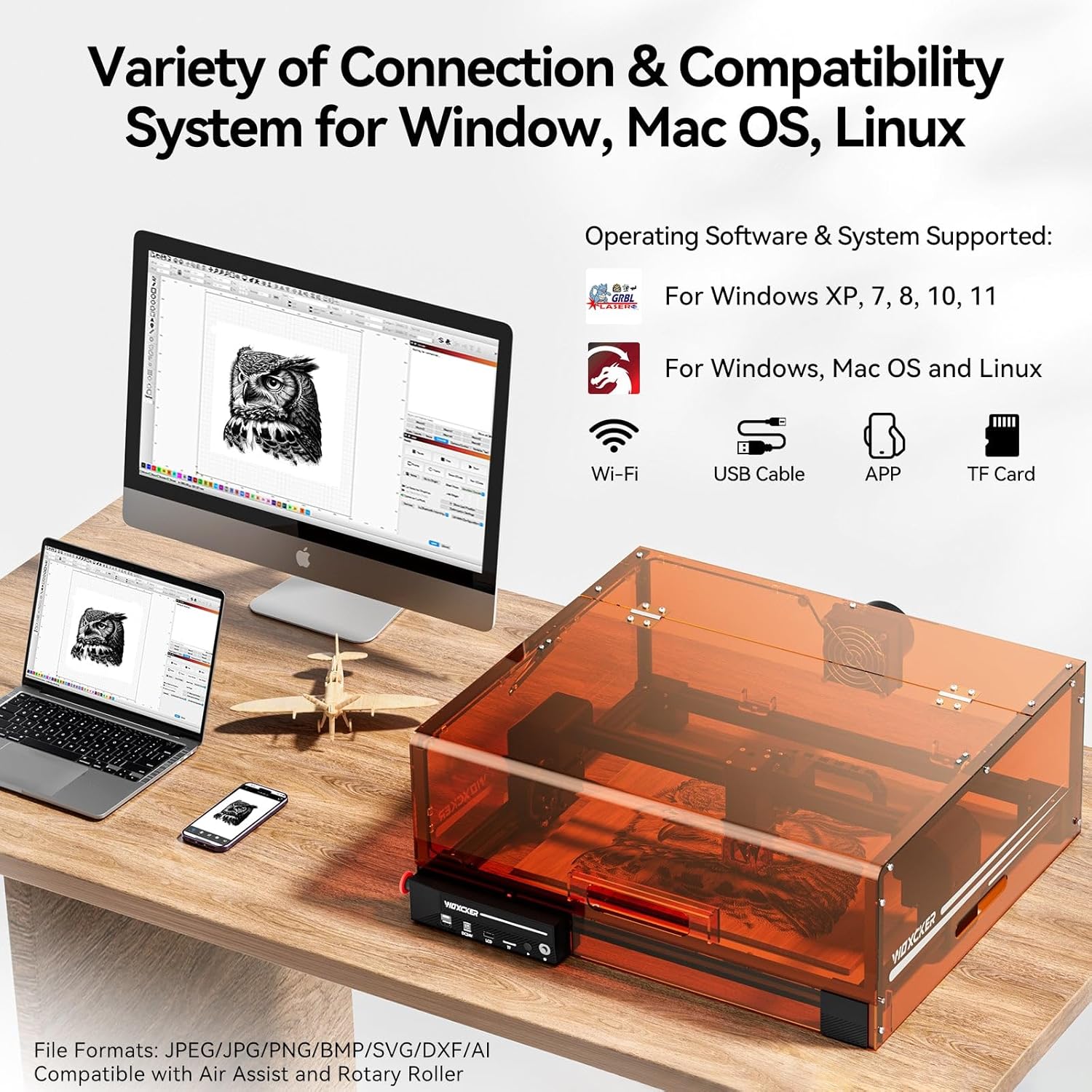
Figure 4.1: Connectivity options including Wi-Fi, USB, APP, and TF card, along with supported operating systems and software.
4.2 Engraving and Cutting Capabilities
The L2 MAX features 0.01mm ultra-fine compression fixed focus technology, ensuring high precision for intricate patterns and clear text. It is equipped with a versatile semiconductor laser capable of engraving on a wide range of materials:
- Metal
- Wood (up to 10mm cutting depth)
- Leather
- Plastic
- Glass
- Food
- Black Acrylic (up to 8mm cutting depth)
- Paper, Cardboard, Fabric, Stone
The machine boasts a high engraving speed of 20,000mm/min, significantly reducing project completion times.
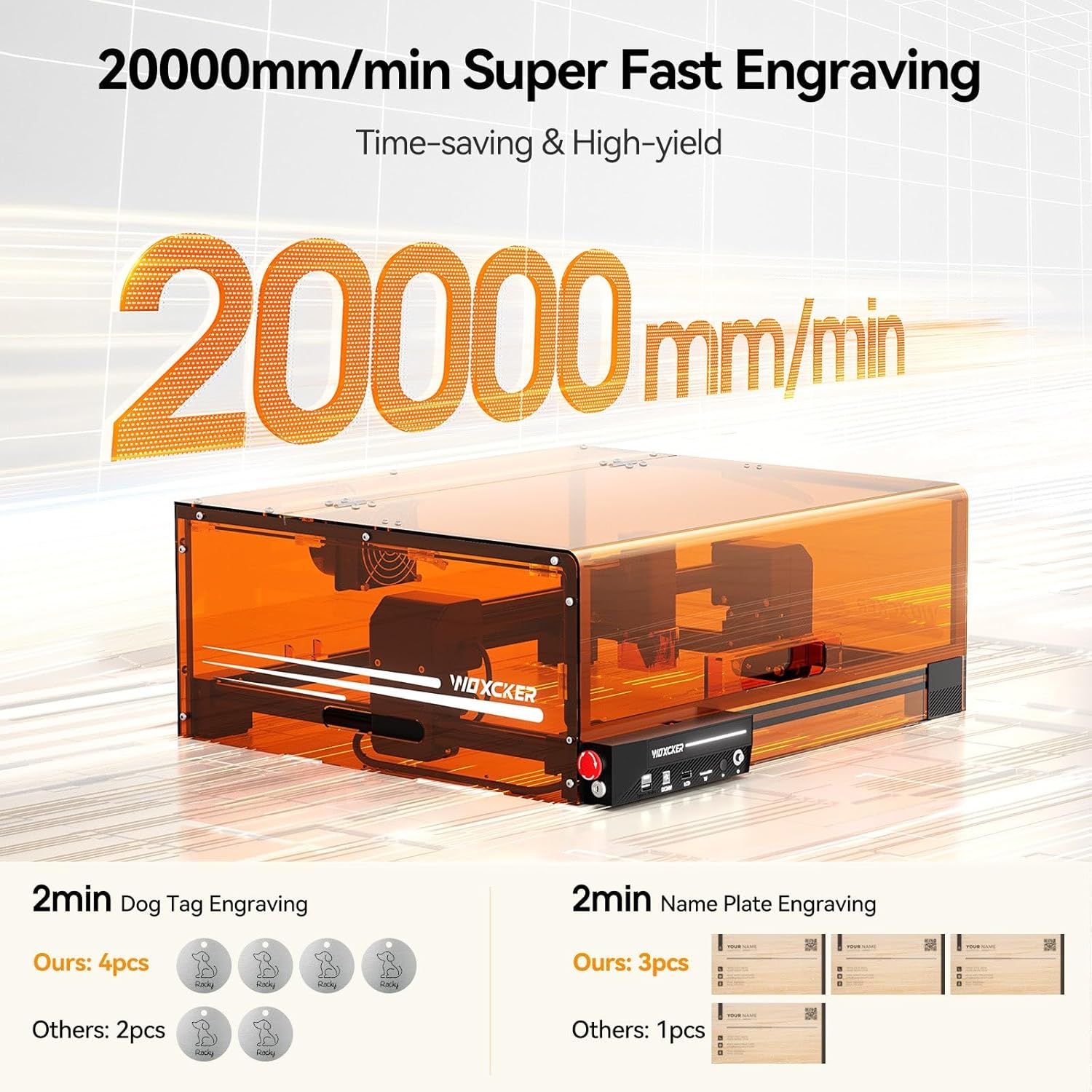
Figure 4.2: Demonstration of the machine's high-speed engraving capability, showing time savings for common projects.

Figure 4.3: Examples of diverse materials and projects that can be created with the Woxcker L2 MAX laser engraver.
4.3 Focusing and Accessories
The machine is equipped with a fast focus knob for easy and convenient focusing. It is also compatible with external accessories such as Air Assist and a Rotary Roller for enhanced functionality and expanded project possibilities.

Figure 4.4: Detailed view of the laser module, illustrating the adjustable height, detachable laser cover, and rotation for fast focusing.
5. Maintenance
Regular maintenance ensures the longevity and optimal performance of your Woxcker L2 MAX laser engraver.
- Laser Protection Lens: The machine features a built-in replaceable laser protection lens. Regularly inspect the lens for dust or debris and replace it if necessary to maintain laser efficiency and prolong service life. The solid machine structure ensures a service life of more than 10,000 hours.
- Cleaning: Keep the engraving area and the machine's exterior clean. Use a soft, dry cloth to wipe surfaces. For the laser lens, use a specialized lens cleaning solution and cloth.
- Smoke Exhaust System: Periodically check and clean the efficient smoke exhaust fan to ensure proper airflow and prevent smoke accumulation.
- Cable Management: The machine features protective guides for cables. Ensure cables are not pinched or damaged.

Figure 5.1: The replaceable laser protection lens, designed to extend the laser's service life beyond 10,000 hours.

Figure 5.2: The integrated smoke exhaust system, which helps to quickly remove smoke and reduce accumulation during operation.
6. Troubleshooting
If you encounter issues with your Woxcker L2 MAX, consider the following common troubleshooting steps:
- Machine Not Powering On: Ensure the power adapter is securely connected to both the machine and a working power outlet. Check the power switch and the safety key.
- Laser Not Firing/Engraving: Verify that the laser protection lens is clean and properly installed. Check software settings to ensure the laser power and speed are correctly configured for your material. Confirm the lid is fully closed and the safety lock is disengaged.
- Poor Engraving Quality: Adjust the focus of the laser using the focus knob. Ensure your material is flat and securely placed. Review your design file for any errors or low resolution. Experiment with different power and speed settings for your specific material.
- Connection Issues: If using Wi-Fi, ensure the machine is connected to your network. For USB connections, try a different USB port or cable. Restart both the machine and your computer/device.
- Unusual Noises or Odors: Immediately stop the machine using the emergency stop button. Inspect for any obstructions or loose components. Ensure proper ventilation is active.
For persistent issues or problems not covered here, please refer to the comprehensive troubleshooting guide available on the Woxcker support website or contact customer support.
7. Specifications
| Feature | Specification |
|---|---|
| Model | L2 MAX |
| Manufacturer | Woxcker |
| Laser Output Wattage | 5500 Milliwatts (5.5W) |
| Laser Precision | 0.01mm Ultra-Fine Compression Fixed Focus |
| Engraving Speed | Up to 20,000mm/min |
| Product Dimensions | 18.78 x 21.57 x 8.4 inches |
| Item Weight | 13.8 pounds |
| Material | Metal |
| Country of Origin | China |
| Supported Operating Systems | Windows, Mac OS, Linux |
| Supported File Formats | JPEG, JPG, PNG, BMP, SVG, DXF, AI |
8. Warranty and Support
The Woxcker L2 MAX Laser Engraving Machine comes with a 1-Year Warranty from the date of purchase. This warranty covers manufacturing defects and ensures the product meets its specified performance standards under normal use.
For warranty claims, technical assistance, or any questions regarding your product, please contact Woxcker customer support. You can find contact information on the official Woxcker website or through your purchase platform.
For additional resources and frequently asked questions, please visit the Woxcker Store on Amazon.