
1. Introduction
This manual provides detailed instructions for the installation, operation, and maintenance of the BAISULI DDS518L Digital Energy Meter. This single-phase energy meter is designed for measuring active energy consumption in AC circuits, featuring a backlit display for clear readings and a DIN rail mount for easy installation.
The DDS518L meter is available in two main configurations: AC 230V 50Hz and AC 110V 60Hz, supporting a current range of 5A to 32A. Please ensure you have the correct model for your electrical system.
2. Safety Information
WARNING: Electrical installation and wiring should only be performed by qualified personnel. Failure to follow these instructions can result in electric shock, fire, or serious injury.
- Always disconnect power before installing or servicing the meter.
- Ensure all connections are secure and properly insulated.
- Do not operate the meter in wet or damp conditions.
- Verify that the voltage and current ratings of the meter match your electrical system specifications.
- Avoid exposing the meter to direct sunlight or extreme temperatures.
3. Product Features
- High Accuracy: Class 1 accuracy for reliable energy measurement.
- Wide Current Range: Supports rated current of 5A and maximum current of 32A.
- Backlit LCD Display: Clear digital display for easy reading of kWh values, even in low light conditions.
- DIN Rail Mount: Standard 35mm DIN rail installation for convenient integration into electrical panels.
- Anti-Electromagnetic Interference: Designed for stable readings and strong overload capacity in various environments.
- Compact Design: Space-saving dimensions suitable for diverse applications.
4. Specifications
| Parameter | Specification |
|---|---|
| Model Number | DDS518L |
| Rated Voltage | AC 230V 50Hz or AC 110V 60Hz |
| Rated Current | 5A |
| Maximum Current | 32A |
| Max Operating Current | 20A - 49A (as per product description, typically 32A max for this model) |
| Accuracy Class | 1 |
| Measuring Energy Range | 0 to 9999999.9 kWh |
| Phase | Single Phase |
| Display | Digital LCD with Backlight |
| Installation | 35mm DIN Rail |
| Operating Temperature | -10°C to 50°C |
| Dimensions (L x W x H) | 116mm x 18mm x 59mm |
| Item Weight | 7.1 ounces (approx. 200g) |

Figure 4.1: Dimensions of the DDS518L meter, showing a length of 116mm, width of 18mm, and depth of 59mm.
5. Setup and Installation
The DDS518L energy meter is designed for 35mm DIN rail installation. Follow these steps carefully:
- Power Disconnection: Before starting any installation, ensure that the main power supply to the circuit is completely disconnected at the breaker.
- Mounting: Clip the meter onto a standard 35mm DIN rail in your electrical distribution box. Ensure it is securely fastened.
- Wiring: Refer to the wiring diagram below for correct input and output connections. Connect the Live (L) and Neutral (N) wires from your power source to the 'Input' terminals, and connect the Live (L) and Neutral (N) wires to your load (output) terminals.
- Input: Connect the incoming Live (L) and Neutral (N) wires.
- Output: Connect the outgoing Live (L) and Neutral (N) wires to the load.
- Verification: Double-check all wiring connections for tightness and correct polarity before restoring power.
- Power Restoration: Once installation is complete and verified, restore power to the circuit. The meter's display should illuminate.

Figure 5.1: Wiring diagram for the DDS518L meter. The input and output terminals for Live (L) and Neutral (N) are clearly marked. Ensure correct connection to avoid damage or malfunction.
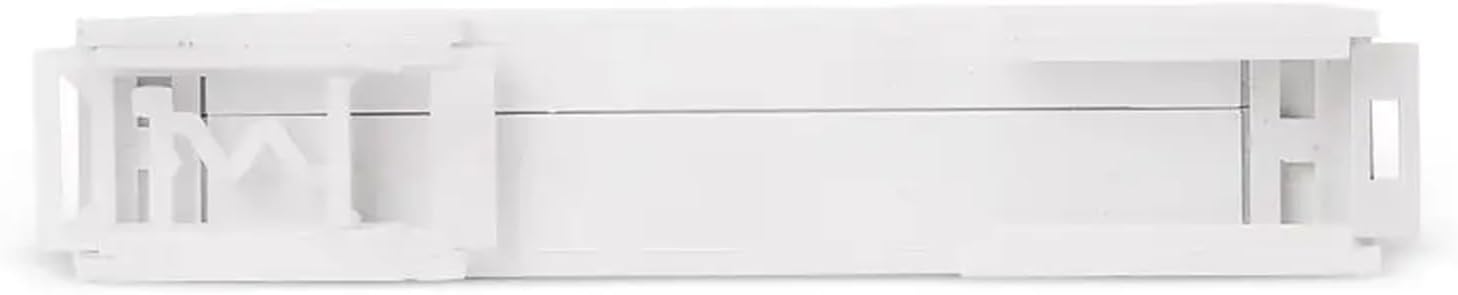
Figure 5.2: Top view of the DDS518L meter, illustrating the integrated clip mechanism for secure attachment to a 35mm DIN rail.
6. Operating Instructions
The BAISULI DDS518L Digital Energy Meter is designed for straightforward operation.
- Power On: Once correctly installed and power is restored, the meter's backlit LCD display will automatically turn on.
- Reading Energy Consumption: The display shows the total accumulated energy consumption in kilowatt-hours (kWh). The value will continuously increase as power is consumed through the circuit.
- Backlight: The display features a backlight for improved visibility in various lighting conditions. The backlight is typically always on when the meter is powered.
- Pulse Indicator: A small LED indicator (often labeled 'Imp' or similar) will flash to indicate energy pulses, confirming that the meter is actively measuring consumption. The flash rate is proportional to the power being consumed.

Figure 6.1: Front and angled view of the DDS518L meter, showing the digital display for kWh readings and terminal connections.
7. Maintenance
The DDS518L Digital Energy Meter requires minimal maintenance to ensure long-term, accurate operation.
- Cleaning: Use a soft, dry cloth to clean the meter's exterior. Do not use abrasive cleaners, solvents, or liquids directly on the meter.
- Environmental Conditions: Ensure the operating environment remains within the specified temperature and humidity ranges (-10°C to 50°C). Avoid dusty or corrosive atmospheres.
- Connection Checks: Periodically inspect the wiring connections to ensure they remain tight and free from corrosion. This should only be done by qualified personnel with power disconnected.
8. Troubleshooting
If you encounter issues with your DDS518L energy meter, refer to the following common problems and solutions:
| Problem | Possible Cause | Solution |
|---|---|---|
| Display is blank or off | No power supply; Incorrect wiring; Internal fault. | Check power supply to the circuit. Verify wiring connections (L and N). If power is present and wiring is correct, the unit may be faulty; contact support. |
| Meter not accumulating kWh | No load connected; Incorrect wiring; Meter malfunction. | Ensure a load is connected and drawing power. Re-check wiring according to the diagram. If issues persist, contact support. |
| Inaccurate readings | Incorrect model for voltage/frequency; External interference; Faulty meter. | Confirm the meter's voltage/frequency matches your supply. Ensure proper grounding and shielding if interference is suspected. Contact support for calibration or replacement if necessary. |
| Pulse LED not flashing | No power consumption; Meter malfunction. | Verify that a load is active and drawing power. If power is being consumed and the LED does not flash, contact support. |
For problems not listed above or if troubleshooting steps do not resolve the issue, please contact BAISULI customer support.
9. Warranty and Support
BAISULI products are manufactured to high-quality standards. This product typically comes with a standard manufacturer's warranty against defects in materials and workmanship. Please refer to your purchase documentation or contact your retailer for specific warranty terms and conditions.
For technical support, warranty claims, or any questions regarding the DDS518L Digital Energy Meter, please contact the seller or BAISULI customer service through the platform where the product was purchased. When contacting support, please have your product model number (DDS518L) and purchase details readily available.