
Introduction
This manual provides essential instructions for the safe and effective use of your ToruKeep DLA80 7.6 Cuft Heavy Duty Home Safe Box. Please read this manual thoroughly before installation and operation, and retain it for future reference. This safe is designed to protect your valuable documents and belongings from fire, water, and theft.
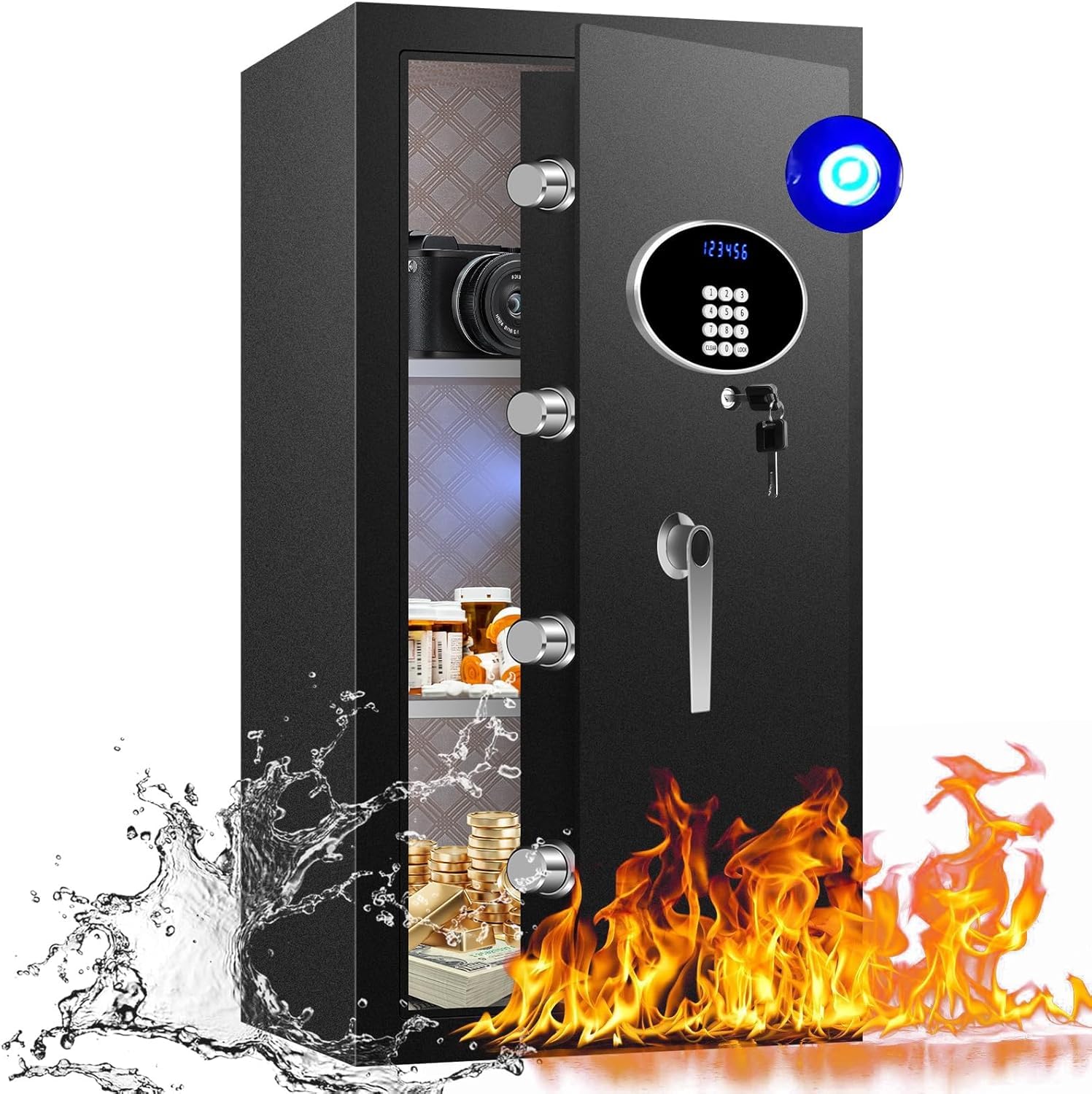
Image: The ToruKeep DLA80 safe, highlighting its fireproof and waterproof capabilities with visual effects of water splashing and flames. The image also shows a diagram of the safe's multi-layer construction for protection.
Important Safety Information
- Always keep the emergency keys in a secure location away from the safe. Do not store them inside the safe.
- Ensure the safe is installed on a stable, level surface.
- Do not attempt to open the safe by force.
- Keep children away from the safe to prevent accidental lockout or injury.
- Regularly check battery levels to ensure proper operation of the electronic lock.
Setup Instructions
1. Unboxing and Initial Inspection
Carefully remove the safe from its packaging. Inspect the safe for any signs of damage. Ensure all included components are present:
- 1 x Safe Box
- 1 x User Manual (this document)
- 2 x Emergency Keys
- 4 x Expansion Screws (for anchoring)
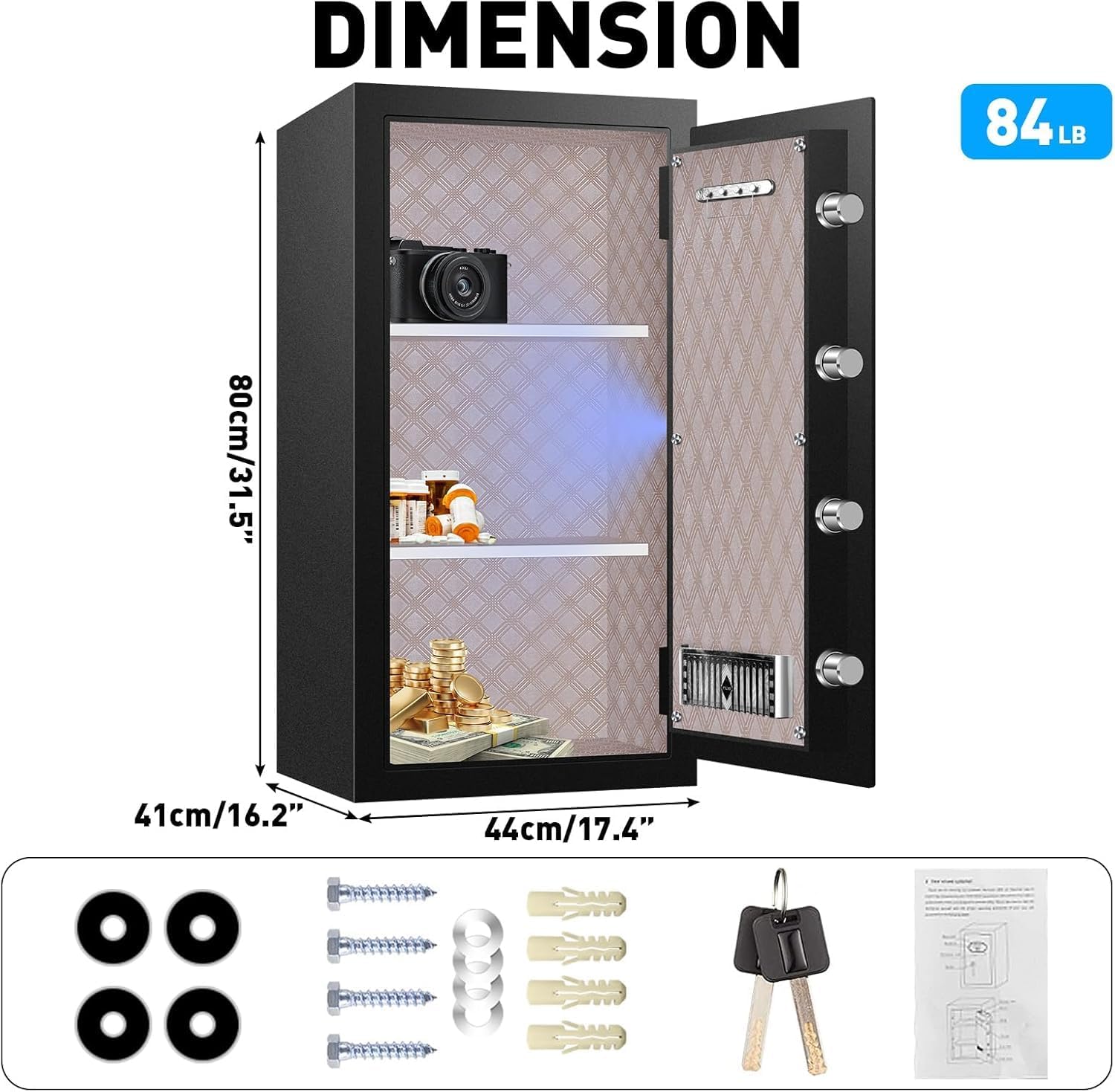
Image: The ToruKeep DLA80 safe with its dimensions (80cm/31.5" height, 41cm/16.2" depth, 44cm/17.4" width) and a display of included accessories: four expansion screws, four washers, and two emergency keys.
2. Battery Installation
The electronic keypad requires batteries for operation. Locate the battery compartment, usually on the inside of the safe door. Insert the required batteries (typically AA, not included) according to the polarity markings. Close the compartment securely.
3. Anchoring the Safe
For enhanced security, it is recommended to anchor the safe to a wall or floor. The safe features pre-drilled holes on the back and bottom for this purpose.
- Choose a suitable location for the safe, ensuring it is level and stable.
- Mark the drilling points on the wall or floor through the pre-drilled holes in the safe.
- Move the safe and drill holes at the marked positions using an appropriate drill bit for your wall/floor material.
- Position the safe back in place and align the holes.
- Insert the expansion screws through the safe's holes and into the drilled holes. Tighten them securely.

Image: The ToruKeep DLA80 safe securely mounted to a wall, illustrating the anchoring process with a close-up of the mounting points.
4. Installing Removable Shelves
The safe includes removable shelves to customize the interior storage space. Insert the shelves into the desired slots within the safe. Ensure they are seated firmly.

Image: The interior of the ToruKeep DLA80 safe showing adjustable and removable shelves, with one shelf being inserted to demonstrate customization.
Operating Instructions
1. Opening the Safe
The safe can be opened using either the electronic keypad or the emergency key.
Using the Electronic Keypad:
- Enter your User Code (1 to 6 digits) or Master Code (1 to 6 digits) on the keypad.
- Press the "LOCK" button to confirm.
- The LCD screen will display "IN" if the code is correct.
- Turn the handle clockwise to open the door.
Using the Emergency Key:
In case of battery failure or forgotten code, the emergency key can be used.
- Locate the emergency keyhole, usually concealed behind a cover on the keypad panel.
- Insert the emergency key and turn it.
- Simultaneously turn the handle to open the door.

Image: A close-up of the ToruKeep DLA80 safe's digital keypad, illustrating the "DUAL LOCK SYSTEM" with options for "KEY + DIAL" and "KEYPAD + DIAL" for opening. A low battery indicator (red flashing light) is also shown.
2. Setting Your Passcode
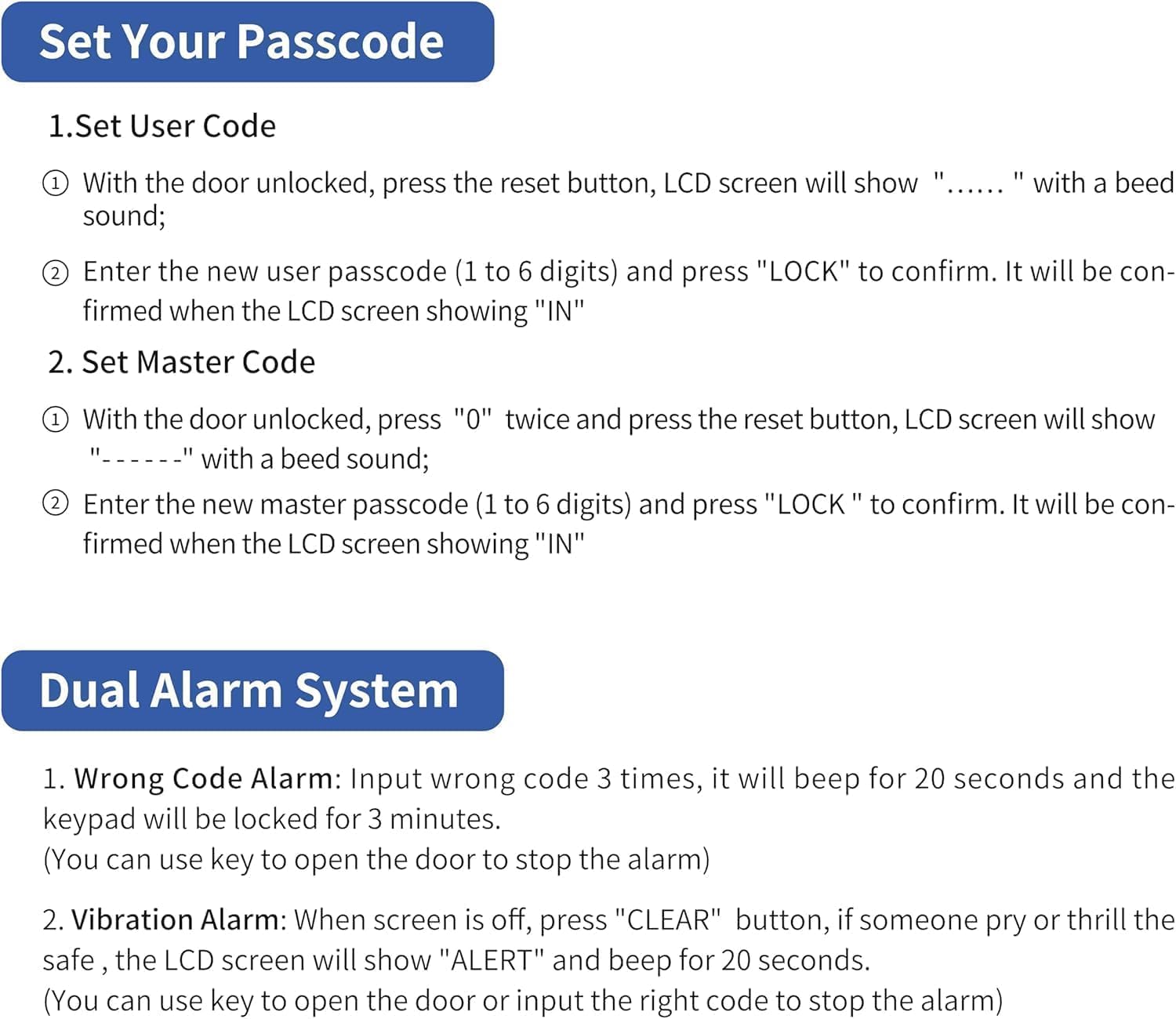
Image: A detailed instruction graphic showing how to set the User Code and Master Code for the ToruKeep DLA80 safe, including steps for pressing the reset button, entering the new passcode, and confirming with "LOCK".
2.1. Set User Code
- With the door unlocked, press the reset button (usually located on the inside of the door). The LCD screen will show "------" with a beep sound.
- Enter the new user passcode (1 to 6 digits) and press "LOCK" to confirm. It will be confirmed when the LCD screen shows "IN".
2.2. Set Master Code
- With the door unlocked, press "0" twice and then press the reset button. The LCD screen will show "------" with a beep sound.
- Enter the new master passcode (1 to 6 digits) and press "LOCK" to confirm. It will be confirmed when the LCD screen shows "IN".
The safe also features a password-hiding function to prevent others from seeing your password as you type it.
3. Interior Lighting
The safe is equipped with an intelligent lighting system. When the door is opened after unlocking, the interior light will illuminate for 30 seconds, then slowly dim and turn off automatically. This allows for easy access to items even in low-light conditions.
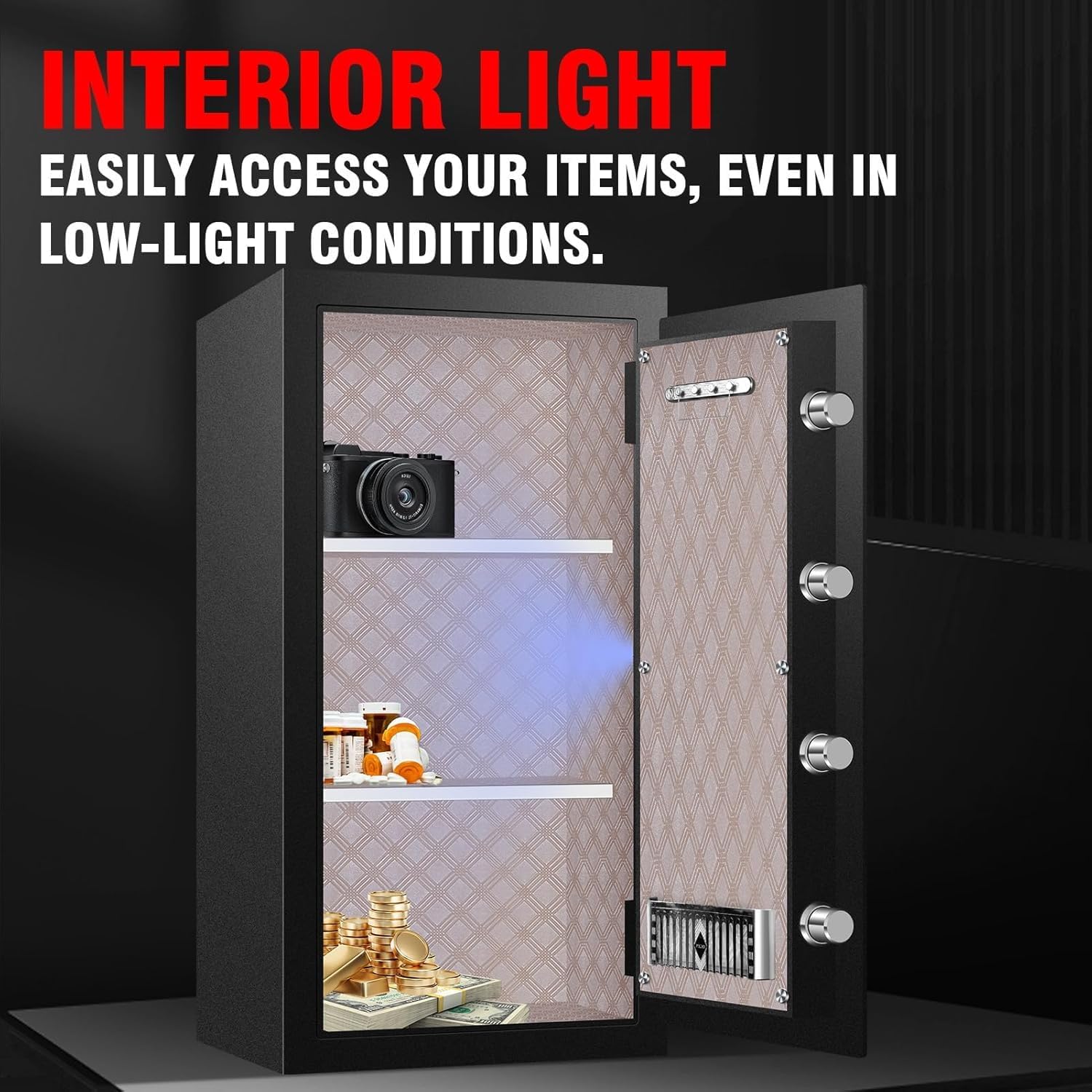
Image: The interior of the ToruKeep DLA80 safe with the internal light activated, illuminating items such as a camera, medication, and coins on the shelves.
Maintenance
1. Battery Replacement
When the low battery indicator (red flashing light) appears on the keypad, it is time to replace the batteries. Use the emergency key to open the safe if the batteries are completely drained. Replace all batteries with new ones of the same type and size.
2. Cleaning
Clean the exterior of the safe with a soft, damp cloth. Do not use abrasive cleaners or solvents, as these can damage the finish. Ensure the keypad and lock mechanism are kept free of dust and debris.
Troubleshooting
1. Wrong Code Alarm
If an incorrect passcode is entered 3 times consecutively, the safe will trigger a security alarm for 20 seconds, and the keypad will be locked for 3 minutes. To stop the alarm, you can use the emergency key to open the door.
Image: A detailed instruction graphic showing the "Dual Alarm System" for the ToruKeep DLA80 safe, explaining the Wrong Code Alarm and Vibration Alarm triggers and how to stop them.
2. Vibration Alarm
The safe is equipped with a tamper and motion-sensitive alarm. If the safe is shaken violently or tampered with, the LCD screen will show "ALERT" and an alarm will sound for 20 seconds. To stop the alarm, press "CLEAR" on the keypad or use the emergency key to open the door or input the correct code.
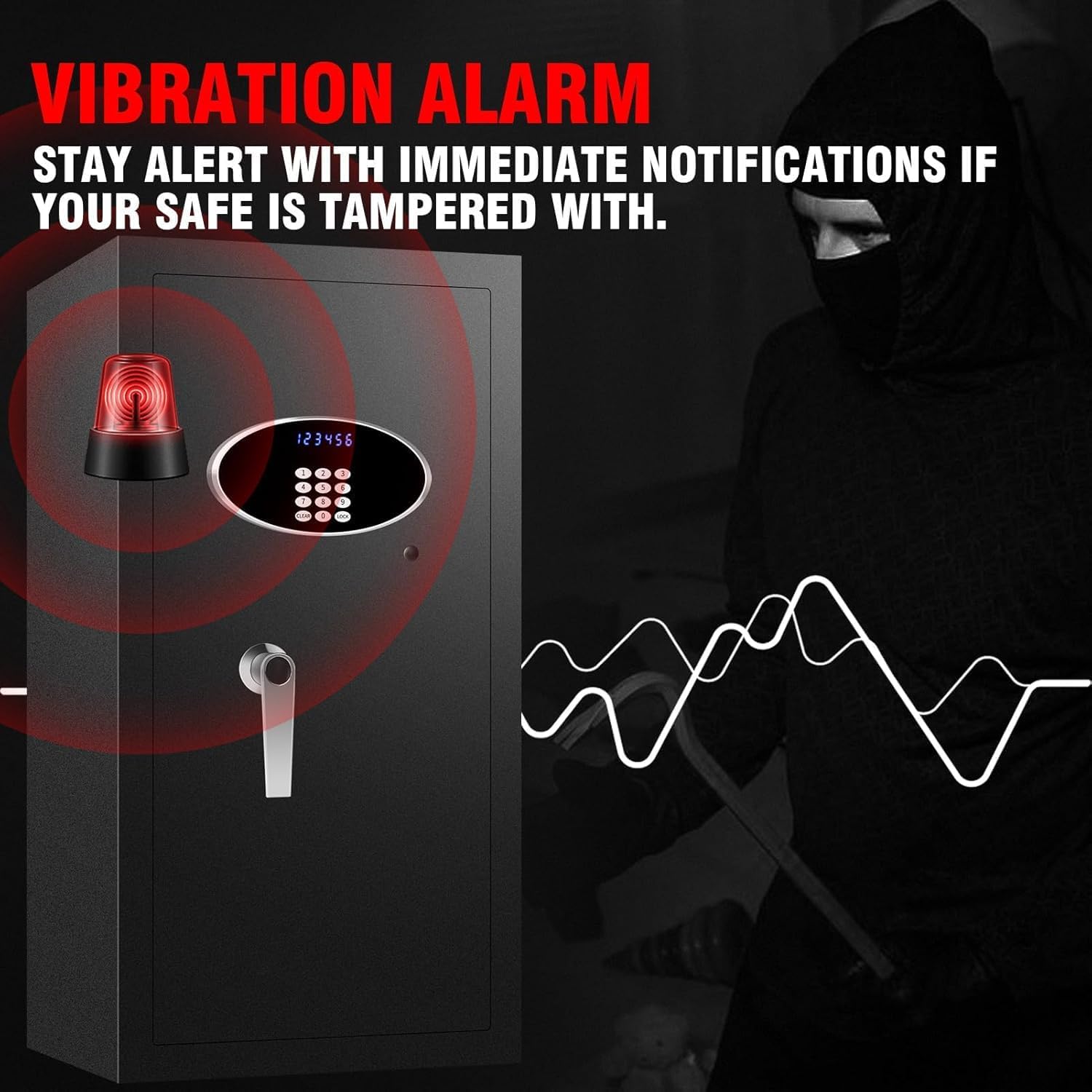
Image: The ToruKeep DLA80 safe with a red flashing alarm light and sound wave graphics, indicating the activation of the vibration alarm due to tampering.
3. Low Battery Indicator
A red flashing light on the keypad indicates low battery power. Replace the batteries promptly to ensure continuous operation.
4. Safe Will Not Open
- Check Batteries: Ensure batteries are correctly installed and have sufficient power. Replace if necessary.
- Verify Code: Double-check that the correct user or master code is being entered.
- Use Emergency Key: If electronic access fails, use the emergency key as described in the "Opening the Safe" section.
Product Specifications
| Model Number | DLA80 |
| Capacity | 7.6 Cubic Feet |
| Dimensions (External) | 41.1D x 44.2W x 80H Centimetres (approx. 16.2D x 17.4W x 31.5H inches) |
| Weight | 39.5 kg (approx. 87 lbs) |
| Material | Alloy Steel |
| Lock Type | Electronic Keypad with Emergency Key |
| Special Features | Alarm System, Anti-Theft, Fireproof, Removable Shelf, Sensor Light |
| Mounting Type | Floor Mount (can also be wall-mounted) |
Warranty Information
For detailed warranty information, please refer to the warranty card included with your product or contact ToruKeep customer support directly. Keep your purchase receipt as proof of purchase for any warranty claims.
Customer Support
If you encounter any issues or have questions regarding the operation, installation, or maintenance of your ToruKeep DLA80 safe, please do not hesitate to contact our customer support team. We provide 24-hour online service to assist you.
Contact information can typically be found on the product packaging or the official ToruKeep website.