
1. Introduction
Thank you for choosing the Vebner 67W GaN Charger. This compact and powerful adapter is designed to provide efficient charging for a wide range of devices, including laptops, smartphones, and tablets. Featuring advanced Gallium Nitride (GaN) technology, it offers high power output in a smaller form factor. This manual provides essential information for the safe and effective use of your charger.
The charger is equipped with two USB-C ports and one USB-A port, allowing for simultaneous charging of multiple devices.

Figure 1: Vebner 67W GaN Charger (Front View)
2. Safety Information
Please read and follow these safety instructions carefully to prevent injury or damage to the product and connected devices.
- Do not expose the charger to water, moisture, or extreme temperatures.
- Avoid dropping or subjecting the charger to strong impacts.
- Do not attempt to disassemble, repair, or modify the charger.
- Ensure the charger is used in a well-ventilated area.
- Keep out of reach of children.
- Unplug the charger during lightning storms or when unused for extended periods.
- Use only compatible cables and devices with the charger.
3. Product Overview
The Vebner 67W GaN Charger features multiple ports for versatile charging.

Figure 2: Charger Ports (USB-C1, USB-C2, USB-A)
- USB-C1 Port: Primary USB-C output for high-power devices.
- USB-C2 Port: Secondary USB-C output.
- USB-A Port: Standard USB-A output for a wide range of devices.
- Foldable Prongs: For easy storage and portability.
4. Setup and Operation
Follow these steps to set up and begin using your Vebner 67W GaN Charger.
4.1 Connecting the Charger
- Unfold the AC prongs from the charger body.
- Plug the charger into a standard wall outlet (100-240V AC).
- Connect your device's charging cable to the appropriate port (USB-C or USB-A) on the charger.
- Connect the other end of the cable to your device.

Figure 3: Charger in use, powering multiple devices
4.2 Multi-Device Charging
The Vebner 67W GaN Charger supports simultaneous charging of up to three devices. The charger intelligently distributes power based on the connected devices and their charging requirements.
When connecting or disconnecting devices, there may be a brief interruption in power delivery to other connected devices as the charger re-negotiates power output. This is normal behavior.
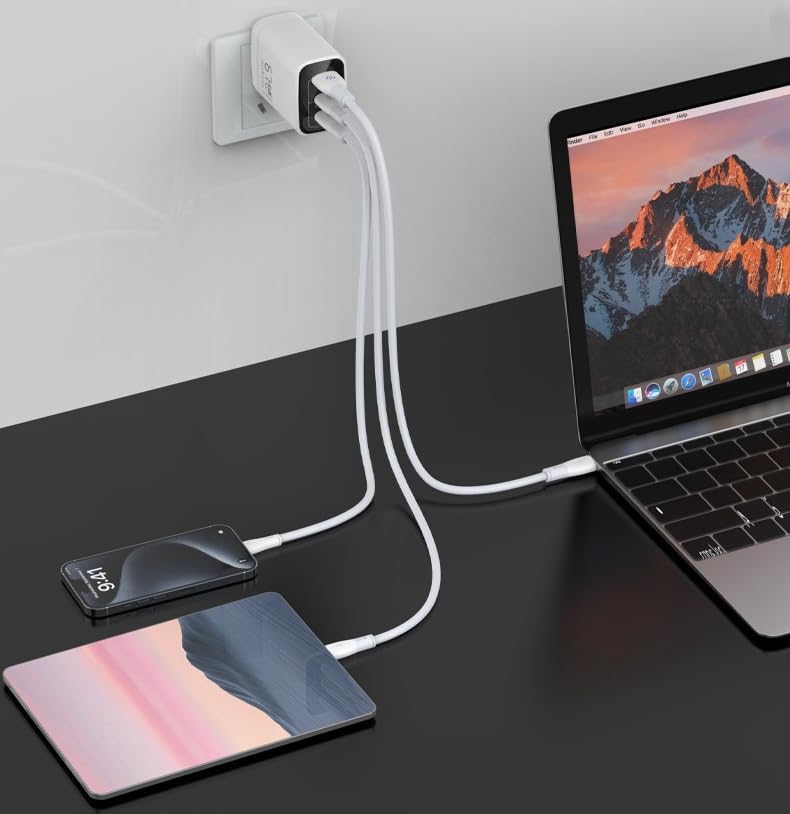
Figure 4: Power Output Distribution
Refer to Figure 4 for detailed power output configurations:
- Single Port Mode:
- USB-C1 or USB-C2: Up to 67W
- USB-A: Up to 30W
- Dual Port Mode:
- USB-C1 + USB-C2: 45W + 20W
- USB-C1 + USB-A: 45W + 18W
- Three Port Mode:
- USB-C1 + USB-C2 + USB-A: 45W + (5V/3A)
5. Maintenance
Proper care ensures the longevity and optimal performance of your charger.
- Clean the charger with a dry, soft cloth. Do not use liquid cleaners or aerosols.
- Store the charger in a cool, dry place when not in use.
- Avoid wrapping cables tightly around the charger, as this can damage the cables or ports.
6. Troubleshooting
If you encounter issues with your Vebner 67W GaN Charger, refer to the following common solutions.
| Problem | Possible Cause | Solution |
|---|---|---|
| Device not charging. | Loose connection, faulty cable, incompatible device, or charger not receiving power. |
|
| Slow charging. | Cable not supporting fast charging, multiple devices connected, or device's charging input limit. |
|
| Charger feels warm. | Normal operation during high power output. | A slight warmth during operation is normal, especially when charging multiple devices or high-power devices. If the charger becomes excessively hot, disconnect it immediately and contact support. |
7. Specifications
Detailed technical specifications for the Vebner 67W GaN Charger.

Figure 5: Charger with Printed Specifications
| Feature | Detail |
|---|---|
| Model Number | U67-1A2C |
| Input Voltage | 100-240V ~ 50/60Hz, 1.5A Max |
| USB-C1 Output | 5V/3A, 9V/3A, 12V/3A, 15V/3A, 20V/3.35A (67W Max) |
| USB-C2 Output | 5V/3A, 9V/3A, 12V/3A, 15V/3A, 20V/3.35A (67W Max) |
| USB-A Output | 5V/3A, 9V/3A, 12V/2.5A (30W Max) |
| Total Output | 67W Max |
| Dimensions | 2.48 x 2.05 x 1.42 inches |
| Item Weight | 3.84 ounces |
| Technology | GaN (Gallium Nitride) Power Delivery |
| Ports | 2 x USB-C, 1 x USB-A |
| Color | Black |
8. Warranty and Support
For warranty information and customer support, please refer to the contact details provided with your purchase or visit the official Vebner website.
If you experience any issues not covered in the troubleshooting section, or require further assistance, please contact Vebner customer service.