
1. Introduction
This manual provides essential instructions for setting up, operating, and maintaining your Matast GP2 Smartwatch. Please read this manual thoroughly before using the device to ensure proper function and to maximize your user experience. Keep this manual for future reference.
2. Package Contents
Verify that all items are present in your package:
- Matast GP2 Smartwatch
- Charging Cable
- User Manual

Image: Matast GP2 Smartwatch, wrist strap, charging cable, and user manual.
3. Setup
3.1 Charging the Smartwatch
Before initial use, fully charge your smartwatch. Connect the magnetic charging cable to the charging points on the back of the watch and plug the USB end into a compatible power source. The watch display will indicate charging status.
3.2 App Installation and Pairing
To unlock the full functionality of your Matast GP2 Smartwatch, you must install the companion application on your smartphone and pair the devices.
- Download the App: Scan the QR code provided in the included user manual or search for the 'GloryFit' app in your smartphone's app store (Google Play Store for Android, Apple App Store for iOS).
- Enable Bluetooth: Ensure Bluetooth is enabled on your smartphone.
- Open the App: Launch the 'GloryFit' app and follow the on-screen instructions to create an account or log in.
- Add Device: Within the app, navigate to the device management section and select 'Add Device' or 'Search for Device'. The app will search for your smartwatch (e.g., 'T60').
- Pairing: Select your smartwatch from the list to initiate the pairing process. Confirm the pairing request on both your phone and the smartwatch if prompted.
- Audio Bluetooth Connection (for calls): For full call functionality on iOS 13.0 and below, or if experiencing issues, manually connect the audio Bluetooth. Go to your phone's Bluetooth settings, find 'T60' (or similar audio device name), and connect.

Image: Visual guide for app download and Bluetooth pairing process.
4. Operating the Smartwatch
4.1 Basic Navigation
The Matast GP2 Smartwatch features a 1.91-inch HD touchscreen display for intuitive navigation. Swipe left, right, up, or down to access different menus and functions. The side button typically serves as a power button or a return-to-home screen button.
4.2 Custom Watch Faces
Personalize your smartwatch with over 100 customizable watch faces available through the companion app. You can change the watch face directly on the device or via the app.

Image: Examples of various customizable watch faces.
4.3 Call and Message Functions
Once paired via Bluetooth, the smartwatch allows you to make and answer calls directly from your wrist. You can also access your contacts and call logs.
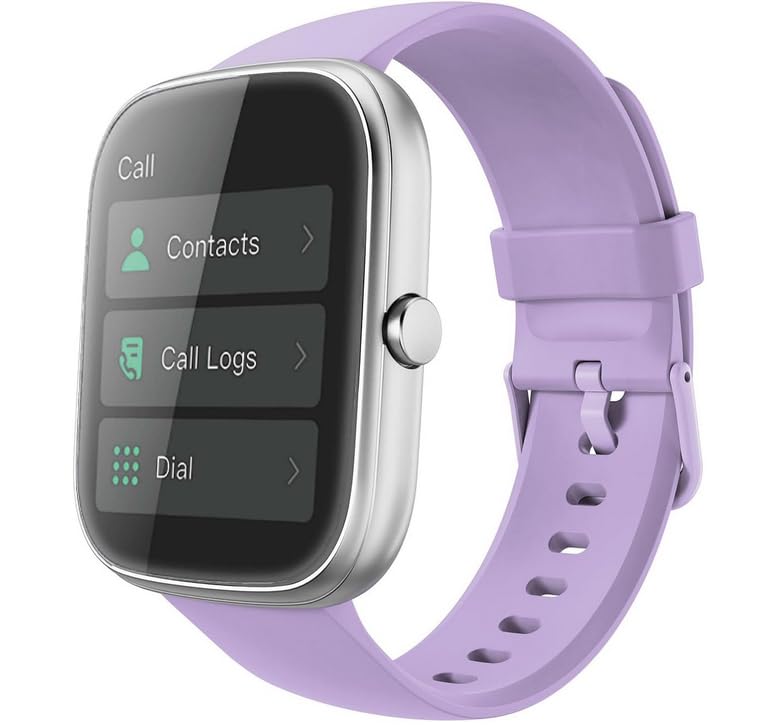
Image: Smartwatch screen displaying call interface with options for contacts and dialing.
Receive notifications for incoming calls, text messages, and alerts from various social media applications directly on your watch. This feature requires the companion app to be running and properly configured on your smartphone.

Image: Smartwatch displaying information reminders from various applications.
4.4 Other Smart Features
The Matast GP2 Smartwatch offers additional convenient features:
- Music Controls: Control music playback on your smartphone (play, pause, skip tracks).
- Camera Remote: Use your watch as a remote shutter for your phone's camera.
- Weather: View current weather conditions and forecasts.
- Alarm Clock: Set alarms directly from your wrist.
- Stopwatch & Timer: Access timing functions.
- Breathing Exercises: Guided breathing sessions for relaxation.
- Sedentary Reminder: Receive alerts to move after periods of inactivity.
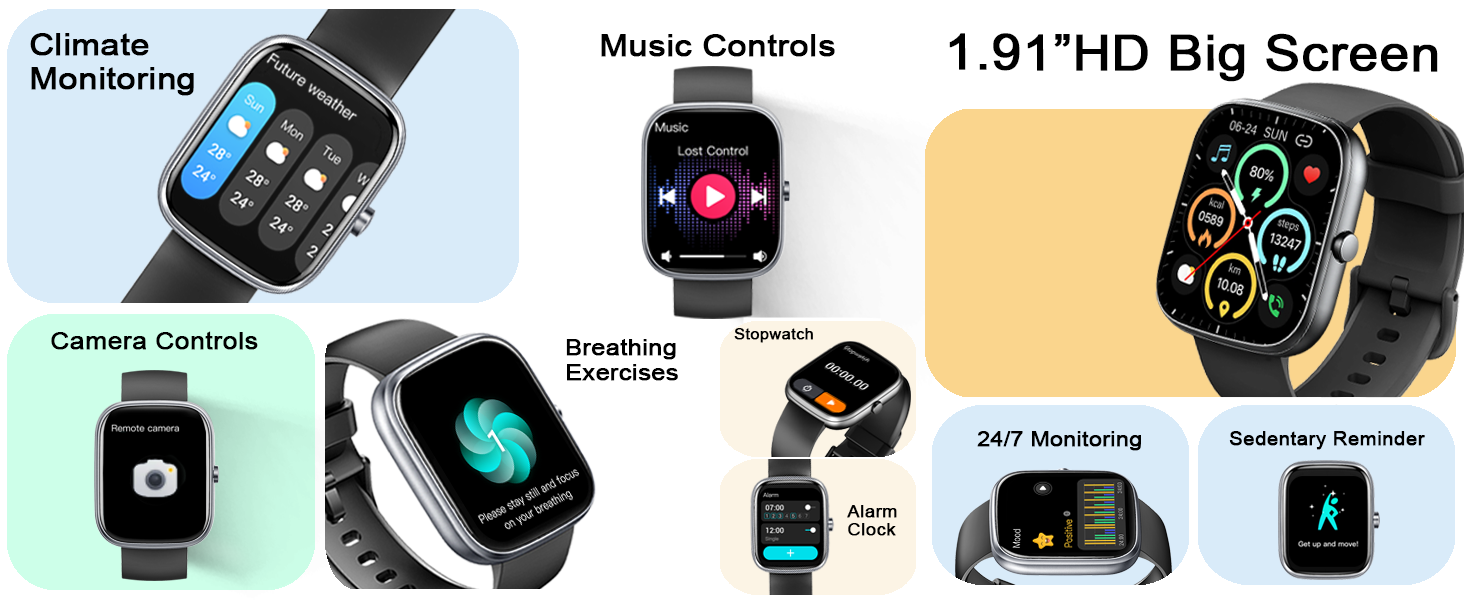
Image: Overview of various smart features available on the watch.
5. Fitness Tracking
5.1 Sport Modes
The Matast GP2 Smartwatch supports over 110 sport modes, allowing you to track a wide range of physical activities. Select the appropriate mode before starting your workout for accurate data collection.
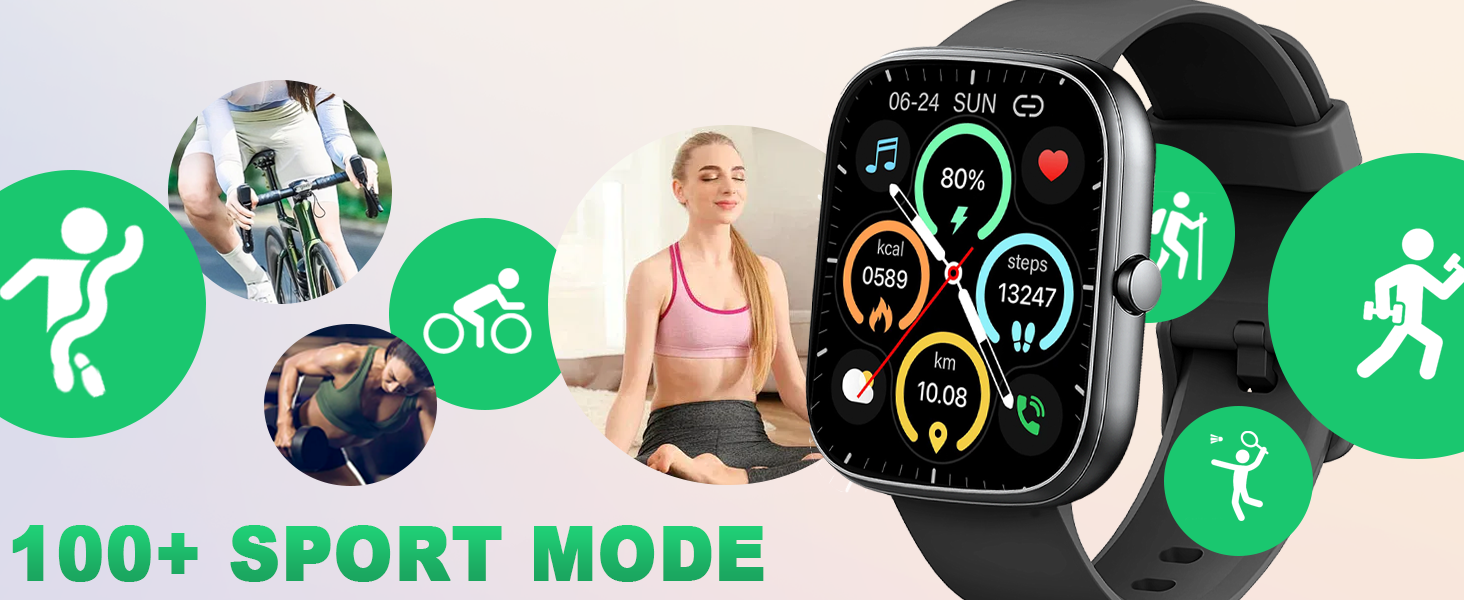
Image: Smartwatch interface showing multiple sport modes and real-time fitness data.
5.2 Activity Tracking
The smartwatch continuously tracks your daily activity, including steps taken, calories burned, and distance traveled. View your progress directly on the watch or in the companion app for detailed insights.
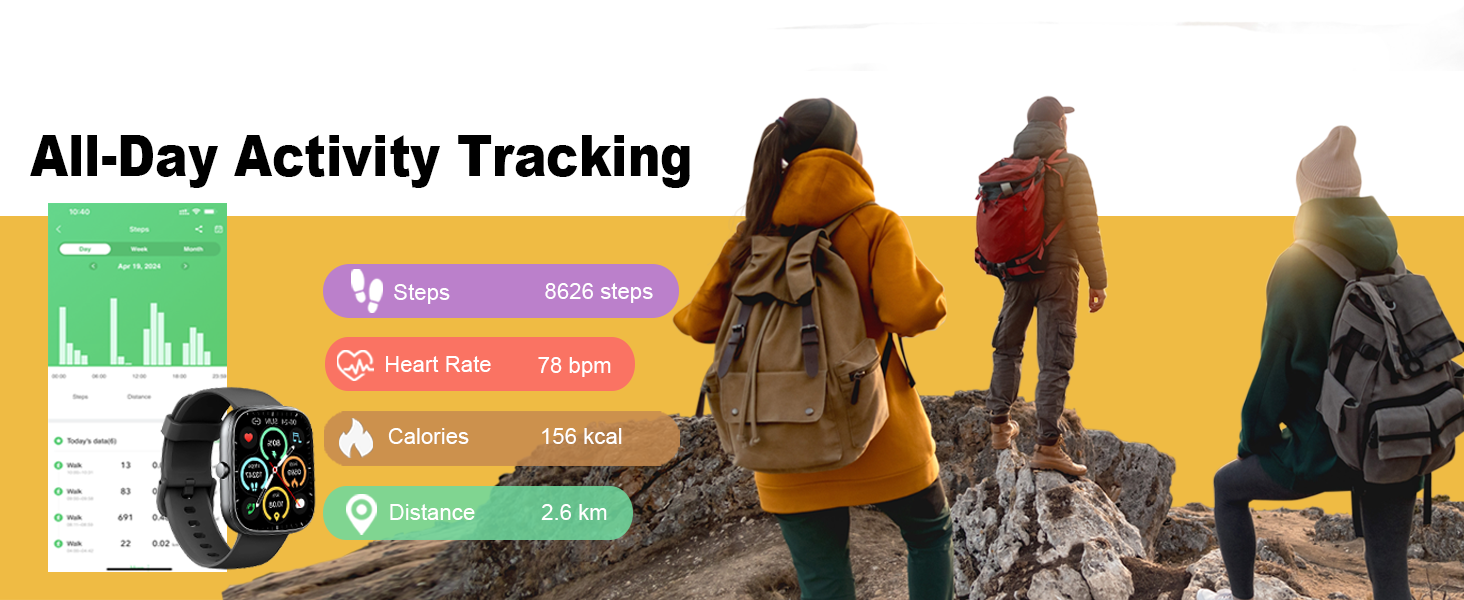
Image: Smartwatch displaying daily activity metrics such as steps, heart rate, calories, and distance.
6. Health Monitoring
The Matast GP2 Smartwatch is equipped with advanced sensors to monitor various health metrics.
6.1 Heart Rate Monitoring
The watch continuously monitors your heart rate throughout the day. Access real-time heart rate data on your watch and review trends in the app.

Image: Smartwatch actively monitoring heart rate on a user's wrist.
6.2 Blood Oxygen (SpO2) Monitoring
The SpO2 monitor measures your blood oxygen saturation levels. This data can provide insights into your overall respiratory health.

Image: Smartwatch displaying blood oxygen saturation (SpO2) data.
6.3 Sleep Monitoring
The sleep tracker automatically monitors your sleep patterns, distinguishing between deep sleep, light sleep, and awakening times. Review detailed sleep analysis in the app to help adjust your lifestyle for better rest.
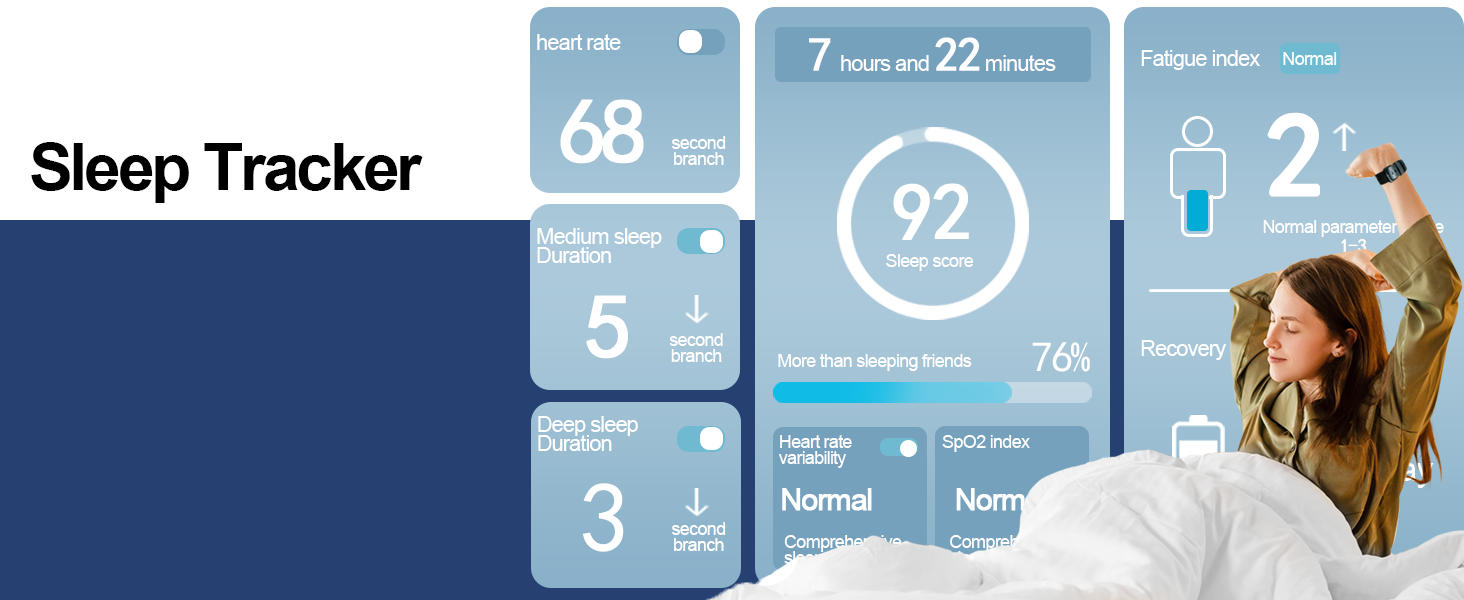
Image: Smartwatch interface showing sleep duration, sleep score, and other sleep metrics.
6.4 Women's Health Tracking
The smartwatch offers comprehensive tracking for women's health, including menstrual cycle prediction and reminders. Configure this feature within the companion app.

Image: Smartwatch displaying a calendar interface for women's health tracking.
7. Specifications
| Feature | Detail |
|---|---|
| Brand | Matast |
| Model Number | T60 |
| Product Dimensions | 1.57 x 1.18 x 1.97 inches |
| Item Weight | 1.76 ounces (50 Grams) |
| Screen Size | 1.91 Inches |
| Operating System | Wear OS 3.0 |
| Battery Type | 1 Lithium Polymer battery (included) |
| Battery Capacity | 300 Milliamp Hours |
| Connectivity Technology | Bluetooth |
| Water Resistance | IP68 Waterproof |
| Special Features | Activity Tracker, Heart Rate/SpO2/Sleep Monitor, 110+ Sport Modes |
8. Maintenance
8.1 Cleaning
Regularly clean your smartwatch and wristband to prevent skin irritation and maintain device performance. Use a soft, lint-free cloth. If necessary, slightly dampen the cloth with water. Avoid harsh chemicals or abrasive materials.
8.2 Water Resistance (IP68)
The Matast GP2 Smartwatch is IP68 waterproof, meaning it is resistant to dust and can withstand immersion in water up to 1.5 meters for up to 30 minutes. It is suitable for daily use, hand washing, and light rain. However, it is not recommended for hot showers, saunas, or diving, as steam and high water pressure can compromise the seal.
8.3 Storage
When not in use for extended periods, store the smartwatch in a cool, dry place away from direct sunlight and extreme temperatures. Ensure the battery is partially charged (around 50%) before long-term storage to preserve battery health.
9. Troubleshooting
If you encounter issues with your smartwatch, refer to the following common solutions:
- Device Not Turning On: Ensure the watch is fully charged. Connect it to the charger for at least 30 minutes.
- Pairing Issues: Make sure Bluetooth is enabled on your phone and the watch is within range. Restart both your phone and the smartwatch. Try unpairing and re-pairing the device through the app.
- Inaccurate Health Data: Ensure the watch is worn snugly on your wrist, not too tight or too loose. Clean the sensors on the back of the watch. Environmental factors and individual physiology can affect readings.
- Notifications Not Appearing: Check app permissions on your phone to ensure the 'GloryFit' app has access to notifications. Verify that notifications are enabled within the 'GloryFit' app settings for specific applications.
- Short Battery Life: Reduce screen brightness, disable unnecessary features, and ensure the watch is fully charged before use.
If problems persist, consult the 'Help' section within the 'GloryFit' app or contact customer support.
10. Warranty and Support
Your Matast GP2 Smartwatch is covered by a manufacturer's warranty. Please refer to the warranty card included in your package for specific terms and conditions, including the warranty period and coverage details. For technical support, product inquiries, or warranty claims, please contact Matast customer service through the contact information provided in your warranty documentation or on the official Matast website.