
Yoobure 1
Yoobure Nightstand with Charging Station and LED Lighting
Model: 1
Brand: Yoobure
Introduction
Thank you for choosing the Yoobure Nightstand. This product is designed to provide convenient storage, charging capabilities, and ambient lighting for your bedroom or living space. Please read this manual carefully before assembly and use to ensure proper function and longevity of your nightstand.

Image: The Yoobure Nightstand in black, featuring a top surface with a wireless charger, an open shelf with blue LED lighting, and four fabric drawers. A power cord extends from the side.
Important Safety Information
WARNING: Consult product packaging for specific safety warnings, including weight limits, stable placement guidelines, and cautions for safe assembly.
- Do not exceed the maximum weight capacity of 60 lbs for the top surface and open shelf.
- Ensure all screws and fasteners are securely tightened during assembly to prevent instability.
- Place the nightstand on a flat, stable surface to avoid tipping.
- Keep electrical components (charging station, LED strip) away from water or excessive moisture.
- Do not attempt to modify the electrical components.
Package Contents
Please verify that all components are present before beginning assembly. If any parts are missing or damaged, contact customer support.
- Nightstand Frame (Metal)
- Top Panel (Wood)
- Middle Shelf (Wood)
- Fabric Drawers (4 units)
- Charging Station with Power Cord
- LED Light Strip with Controller (Remote/App compatible)
- Assembly Hardware (Screws, Allen Wrench)
- Assembly Guide
Product Specifications
| Feature | Detail |
|---|---|
| Brand | Yoobure |
| Model Name | 1 |
| Product Dimensions (L x W x H) | 24.5" x 11.8" x 23.7" (11.81"D x 24.49"W x 23.74"H) |
| Item Weight | 18.52 Pounds |
| Color | Black |
| Material Type | Wood (Top), Metal (Frame) |
| Number of Drawers | 4 (Fabric) |
| Number of Shelves | 1 (Open Shelf) |
| Maximum Load Capacity | 60 lbs (Top & Shelf) |
| Charging Station | 2 AC Outlets (125V/12A), 3 USB Ports (5V/2A) |
| Power Cord Length | 6.56 Feet |
| LED Light Strip | RGB, App/Remote Control, 22 Dynamic Modes, Music Sync, Timer |
| Adjustable Feet | Yes |

Image: Detailed diagram showing the dimensions of the nightstand (24.5in W x 11.8in D x 23.7in H), drawer (10.8in W x 10.9in D x 6.5in H), and the power strip with 2 AC outlets and 3 USB ports.

Image: Close-up views highlighting the high-quality board, adjustable feet for stability and floor protection, and the highly supportive metal frame of the nightstand.
Setup and Assembly
Assembly of the Yoobure Nightstand is designed to be straightforward. A detailed manual, labeled parts, and necessary assembly tools are included. For visual guidance, refer to the QR video guide provided in the package or on the product page.
Assembly Steps:
- Unpack Components: Carefully remove all parts from the packaging and lay them out on a clean, soft surface to prevent scratches. Verify all parts against the package contents list.
- Assemble Frame: Connect the metal frame components using the provided screws and Allen wrench. Ensure all connections are secure but do not overtighten initially.
- Attach Shelves: Secure the wooden top panel and middle shelf to the assembled metal frame. The top panel can be oriented to position the charging station as desired (left or right).
- Install Charging Station: Insert the charging station into the designated slot on the top panel. Ensure it is flush and secure.
- Install LED Light Strip: Attach the LED strip to the underside of the middle shelf. It can be secured using both the adhesive backing and the provided screws for long-lasting illumination. Connect the LED strip to the hidden USB port on the charging station.
- Insert Drawers: Fold and insert the four fabric drawers into their respective compartments in the frame.
- Final Tightening: Once all components are in place, carefully tighten all screws to ensure the nightstand is stable and rigid.
- Adjust Feet: Adjust the leveling feet at the bottom of the nightstand to ensure it sits evenly on your floor and prevents wobbling.
Operating Instructions
Using the Charging Station:
The integrated charging station provides convenient power access for your electronic devices.
- Plug the nightstand's main power cord (6.56 ft) into a standard wall outlet.
- Use the 2 AC outlets (125V/12A) for larger electronics like lamps or laptops.
- Use the 3 USB ports (5V/2A) to charge smartphones, tablets, smartwatches, and other USB-powered devices.
- An additional hidden USB port powers the LED light strip, ensuring the other USB ports are available for your devices.

Image: A close-up of the nightstand's top surface showing a smartphone charging wirelessly, a smartwatch charging via USB, and a tablet connected to one of the AC outlets.
Controlling the LED Lighting:
The LED light strip offers customizable ambient lighting for your space.
- The LED strip is controlled via a dedicated remote control or a smartphone application.
- Choose from 22 dynamic modes and a wide range of color adjustments to match your mood or decor.
- Utilize the music sync function to make the lights react to audio.
- Set a timer for automatic on/off functionality.
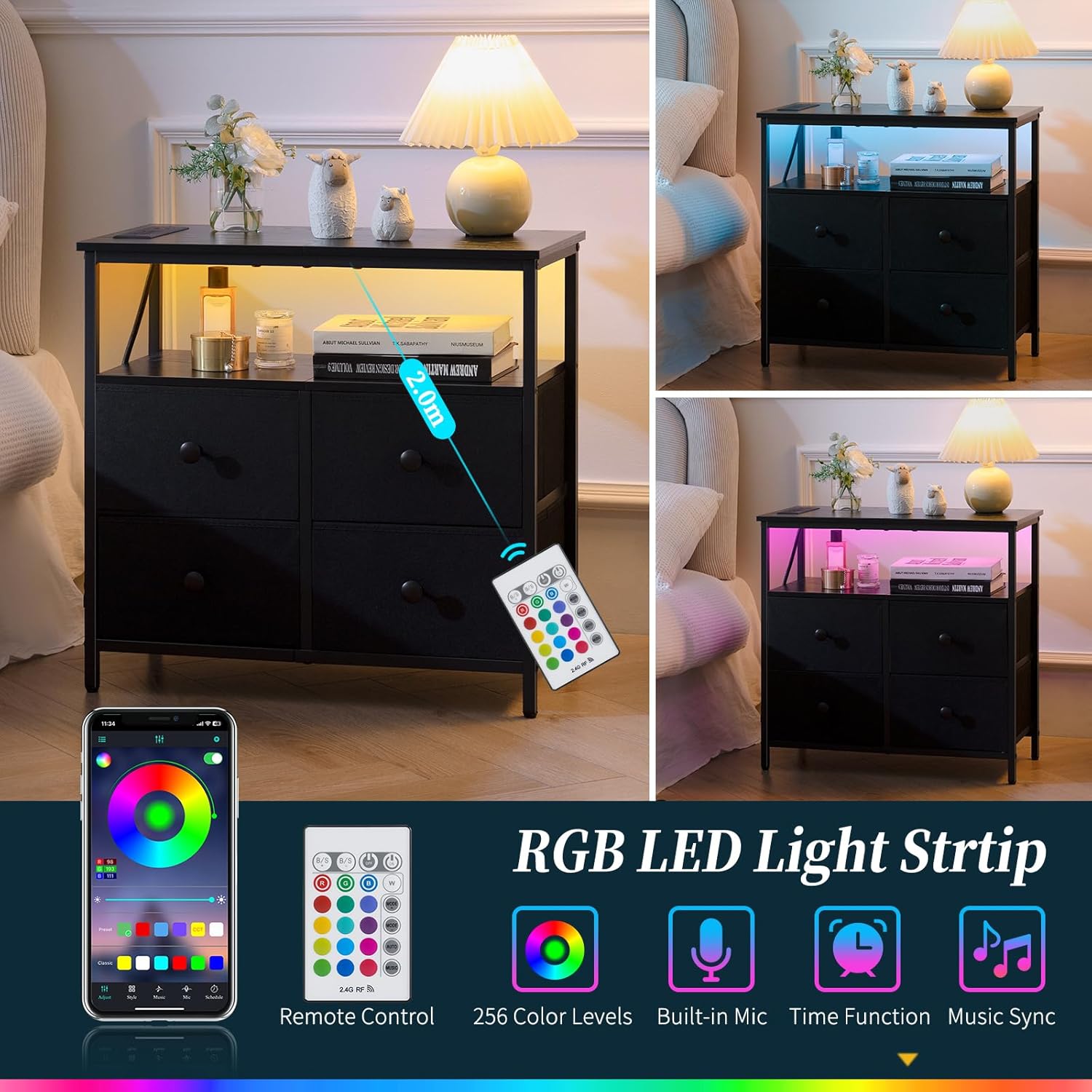
Image: A visual representation of the RGB LED light strip features, including a remote control and a smartphone app interface for color selection, music sync, and timer functions.
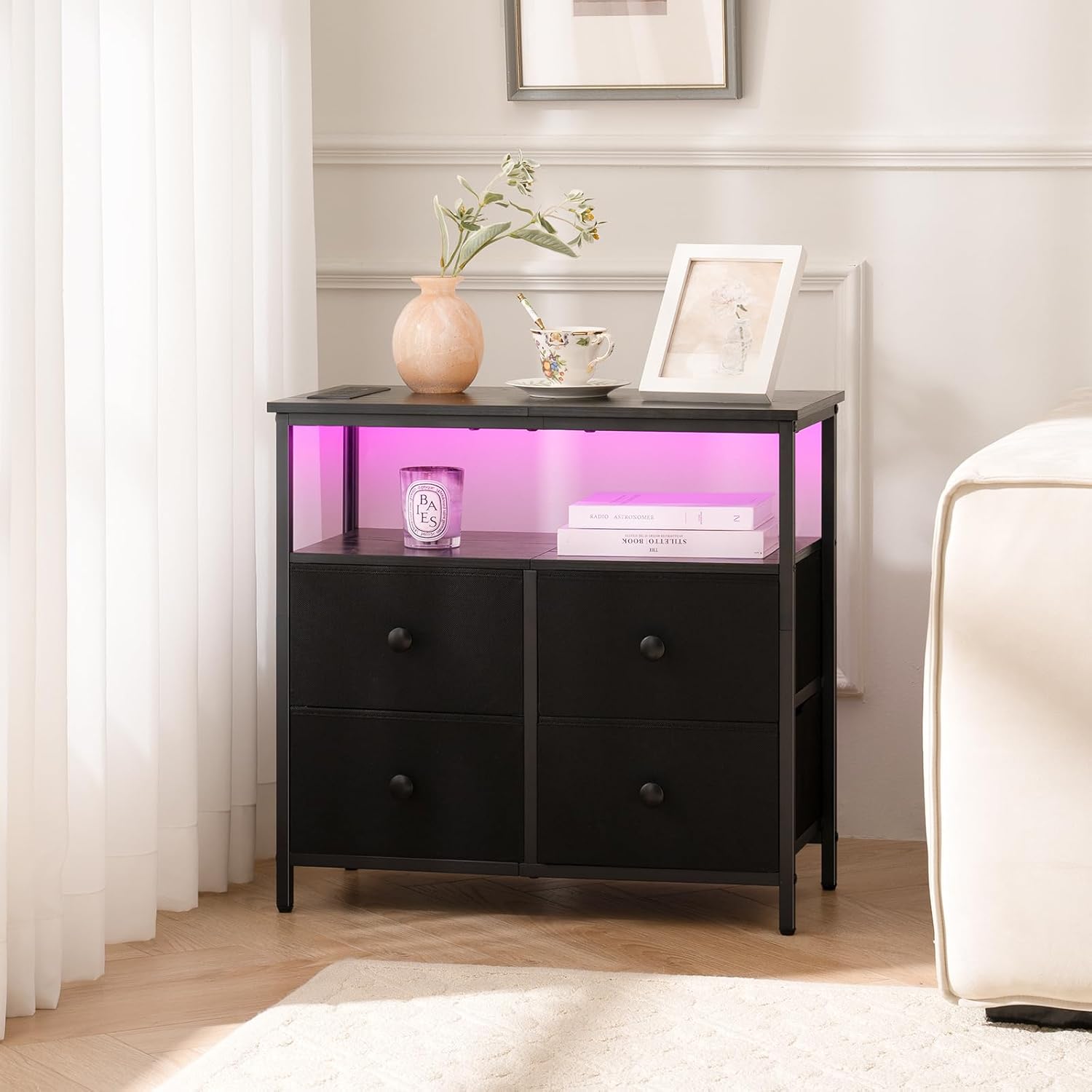
Image: The Yoobure Nightstand placed next to a sofa, showcasing its open shelf illuminated with a pink LED light, creating an ambient atmosphere.
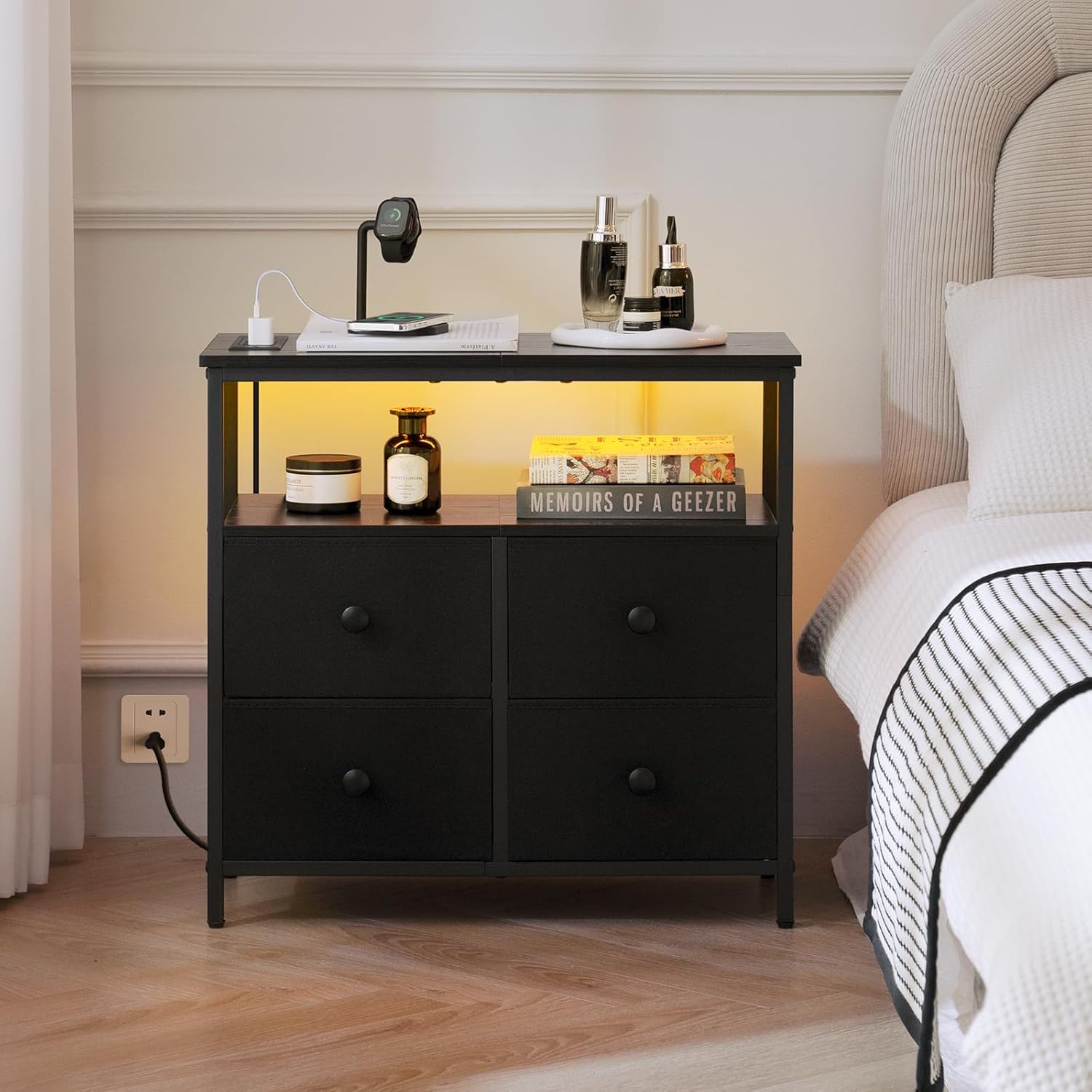
Image: The Yoobure Nightstand positioned beside a bed, with its open shelf emitting a warm yellow LED light, enhancing the bedroom's ambiance.
Utilizing Storage Drawers:
The four fabric drawers provide ample space for organizing personal items.
- Use the drawers to store clothing, books, accessories, or other items to keep your space tidy.
- The fabric construction is suitable for lighter objects.
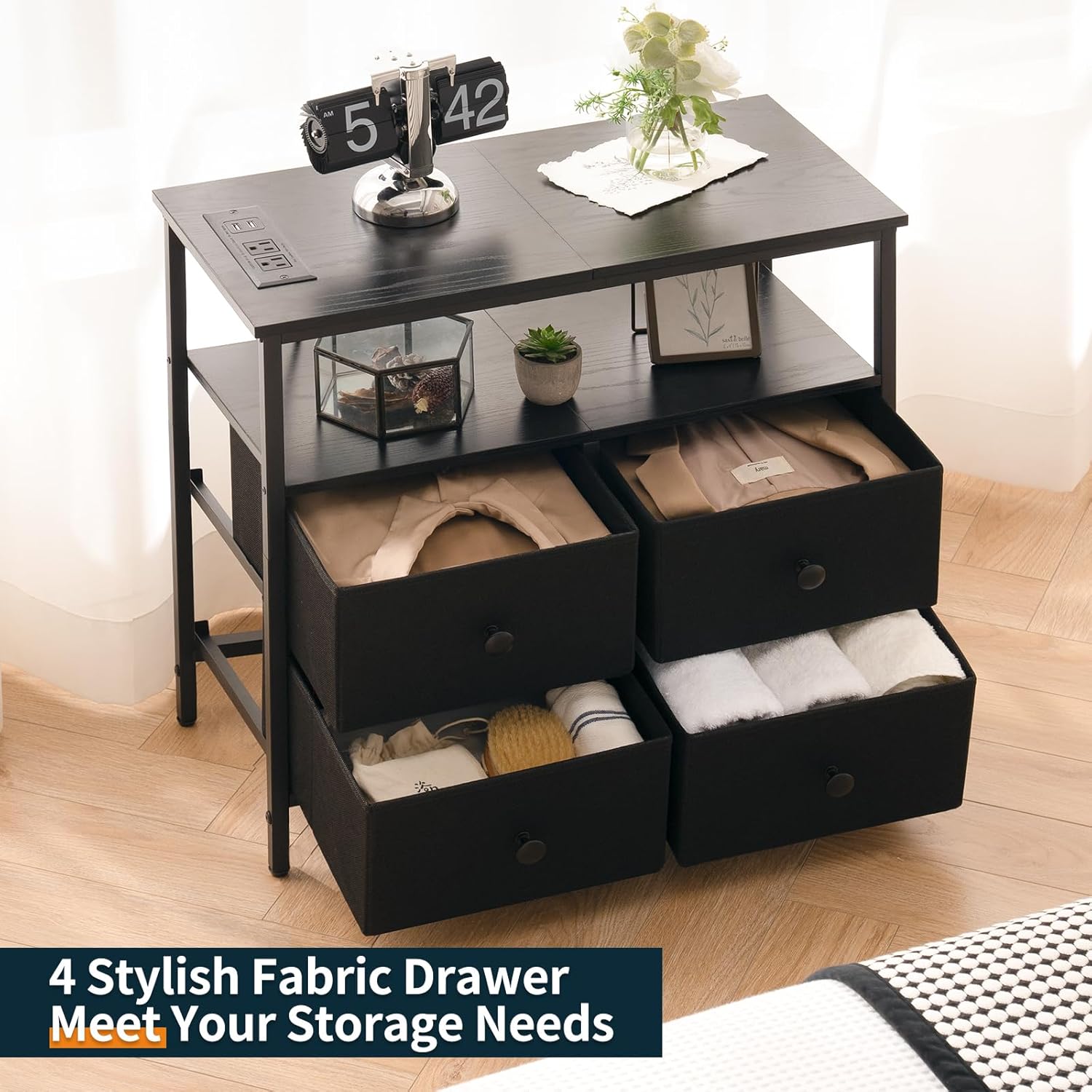
Image: The nightstand with its four fabric drawers partially open, revealing various items such as folded clothes and towels, demonstrating its storage capacity.
Maintenance and Care
- Cleaning the Wood Surfaces: Wipe wooden surfaces with a soft, damp cloth. Avoid harsh chemicals or abrasive cleaners that could damage the finish.
- Cleaning the Metal Frame: Use a soft cloth to wipe the metal frame. For stubborn marks, a mild soap solution can be used, followed by drying thoroughly.
- Cleaning Fabric Drawers: Spot clean fabric drawers with a mild detergent and a damp cloth. Allow to air dry completely. Do not machine wash.
- Electrical Components: Ensure the charging station and LED strip are unplugged before cleaning. Wipe with a dry cloth only.
- Regular Checks: Periodically check all screws and connections to ensure they remain tight. Retighten if necessary.
Troubleshooting
- Charging Station Not Working:
- Ensure the nightstand's main power cord is securely plugged into a functional wall outlet. Check if the outlet itself is receiving power by testing with another device. Verify that the devices you are trying to charge are properly connected to the outlets/USB ports.
- LED Lights Not Turning On:
- Confirm that the LED strip is correctly connected to the hidden USB port on the charging station. Ensure the charging station is powered. Check the remote control or app for battery levels or connection issues. Try resetting the LED strip by unplugging and re-plugging its USB connection.
- Nightstand is Unstable/Wobbly:
- Check that all assembly screws are fully tightened. Adjust the leveling feet at the bottom of the nightstand to compensate for uneven floor surfaces.
- Drawers Do Not Slide Smoothly:
- Ensure the fabric drawers are correctly inserted and not overloaded. Check for any obstructions in the drawer compartments.
Warranty and Support
For any questions, concerns, or issues not covered in this manual, please contact Yoobure customer support. Refer to your purchase documentation for specific warranty details and contact information.
You can typically find support contact information on the product packaging, the seller's website, or through your purchase platform.
Ask a question about this manual
Ask about setup, troubleshooting, compatibility, parts, safety, or missing instructions. Manuals+ will review the question and use this page’s manual context to help answer it.