
YUTEEO Rd7010wf
YUTEEO Rd7010wf Solar-Powered 4K 30MP Wildlife Trail Camera User Manual
Model: Rd7010wf
Product Overview
The YUTEEO Rd7010wf is a high-performance solar-powered wildlife trail camera designed for outdoor monitoring. It captures stunning 4K video and 30MP still images, featuring a rapid 0.3-second trigger time and IP66 waterproof rating for reliable operation in various environmental conditions. Equipped with a 4400mAh solar panel for extended standby time, this camera is ideal for observing wildlife, monitoring property, or enhancing security.

Image: Front view of the YUTEEO Rd7010wf Solar-Powered Wildlife Trail Camera, showcasing its camouflage design and integrated solar panel.
Package Contents
Upon opening the package, please verify that all the following items are included:
- Trail Camera (Rd7010wf)
- User Manual
- USB Cable
- Wall Mount
- Mounting Belt
- Screws and Wall Plugs
- Threaded Tripod
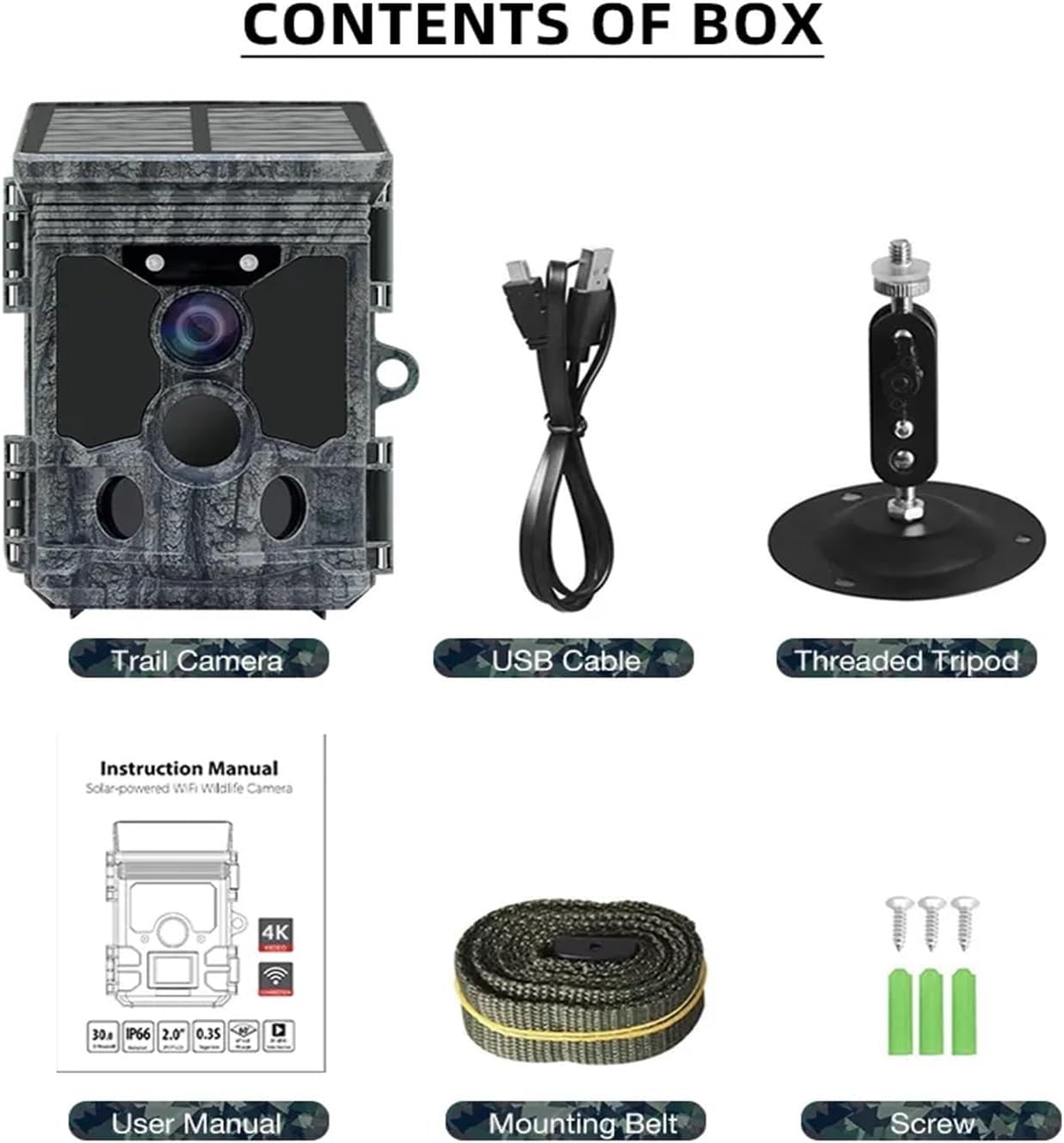
Image: A visual representation of all items included in the product package, including the camera, USB cable, threaded tripod, user manual, mounting belt, and screws.
Specifications
| Feature | Detail |
|---|---|
| Product Model | RD7010WF |
| Photo Resolution | 30M (7392x4160), 24M (6544x3680), 20M (5888x3312) |
| Video Resolution | 4K (3840x2160@30fps), 2K (2560x1440@30fps), 1296P (2304x1296@30fps) |
| Trigger Time | Approx. 0.3 seconds |
| PIR Sensors | 3 PIR |
| Speaker | 1W, 85dB |
| Solar Panel Capacity | 4400mAh |
| Sensor Detection Angle | Central sensor zone: 60° |
| Trigger Distance | 20 meters |
| Standby Time | Approx. 6-18 months |
| Waterproof Rating | IP66 |
| Dimensions (H x B x T) | 143mm x 107mm x 95mm |
| Product Weight (NW) | 270g |
| Package Weight (GW) | 528g |
Setup Guide
1. Battery Installation
The camera is powered by internal batteries, supplemented by the integrated solar panel. Ensure batteries are inserted correctly according to polarity markings inside the battery compartment. The solar panel will help maintain battery charge, extending operational time.
2. TF Card Insertion
Insert a Class 10 or higher TF (microSD) card into the designated slot. For first-time use, it is recommended to format the TF card directly through the camera's settings to ensure compatibility and optimal performance.
3. Mounting the Camera
The camera can be mounted using the provided mounting belt for trees or poles, or the wall mount and screws for flat surfaces. Position the camera to ensure the solar panel receives adequate sunlight for charging. The threaded tripod can also be used for flexible positioning.
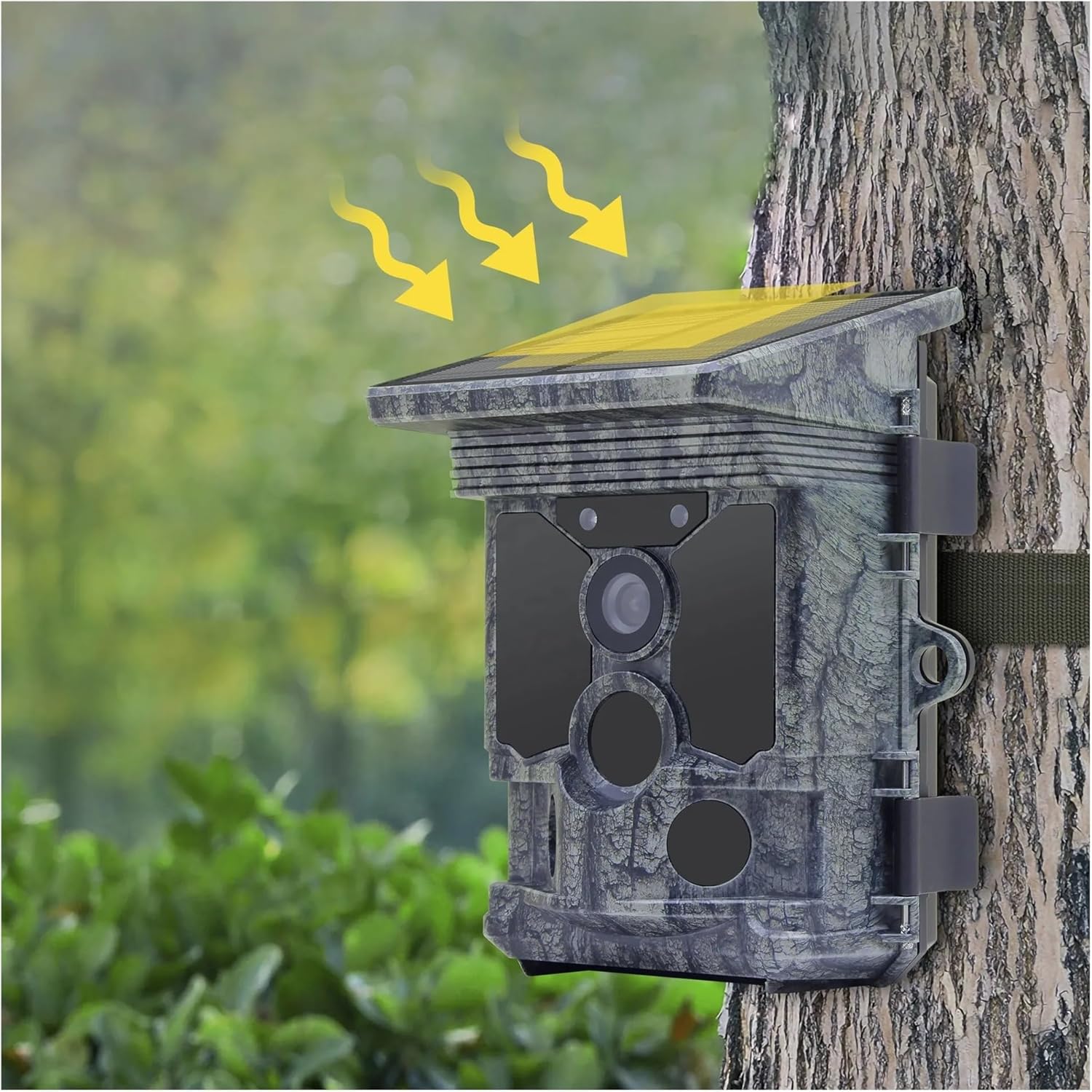
Image: The camera mounted on a tree, illustrating how the solar panel captures sunlight for power.
Operating Instructions
Basic Operation
The camera is designed for ease of use. Once powered on and a TF card is inserted, the camera will enter standby mode. The 3 PIR sensors detect rapid changes in ambient temperature within the evaluation area, triggering the camera to activate and record. The camera will automatically switch between photo and video modes based on its internal settings and detection.
App Connectivity
This camera supports app connectivity for remote management. Through the dedicated application, users can:
- Preview captured photos and video files.
- Download media files to a connected device.
- Delete unwanted files from the TF card.
- Change MENU settings, including resolution, trigger sensitivity, and recording modes.
- Check battery level and memory capacity.

Image: Diagram highlighting key features such as WiFi connectivity, 2K Full HD video, loop recording, and uninterruptible power supply from the solar panel.
Applications
The YUTEEO Rd7010wf camera is versatile and can be used for various purposes:
- Hunting Camera Trap: Ideal for scouting game and understanding animal movement patterns.
- Wildlife Observation: Perfect for observing animals and events in their natural habitat without disturbance.
- Home and Office Security: Functions as a motion-triggered security camera for monitoring premises.
- Property Surveillance: Provides evidence of intrusions or unauthorized activities for internal and external monitoring needs.

Image: The camera shown operating outdoors in the rain, demonstrating its IP66 waterproof capability.
Maintenance
- Lens and IR LED Cleaning: Regularly inspect the lens and IR LED area for dirt, dust, or smudges. Use a soft, clean cloth to gently wipe them. Ensure any protective films are removed before initial use.
- Battery Check: Periodically check the battery level via the app or camera interface. Replace batteries when they are low to ensure continuous operation, especially for outdoor deployments.
- TF Card Management: Format the TF card regularly to maintain optimal performance and prevent data corruption. Back up important files before formatting.
- Environmental Protection: While the camera is IP66 waterproof, avoid submerging it in water. Ensure the battery compartment and TF card slot covers are securely closed to prevent water ingress.
- Storage: When not in use for extended periods, store the camera in a cool, dry place, away from direct sunlight and extreme temperatures. Remove batteries if storing for a very long time.
Troubleshooting
1. Camera Does Not Power On
- a. Battery Installation: Verify that the batteries are installed correctly according to the polarity markings.
- b. Battery Capacity: Check if the battery capacity is low or depleted. Replace with new batteries if necessary.
2. Camera Powers Off Automatically
- Battery Capacity: Confirm if the battery capacity is below 1%. For outdoor use, replace with new batteries. For indoor use, connect an AC adapter (not included) if continuous power is desired.
3. "TF Card Error" is Displayed
- a. TF Card Standard: Ensure the TF card is Class 10 standard or higher. Lower class cards may not support the required data transfer rates.
- b. Formatting: Format the TF card when using the camera for the first time or if errors persist. This can be done through the camera's settings menu.
4. Video Playback on Computer is Interrupted or Choppy
- a. Computer System Requirements: Verify that your computer meets the minimum system requirements for playing high-resolution video files.
- b. Video Format Compatibility: Ensure your computer's media player can play MP4 format video clips. Try using a different media player if issues persist.
5. Image is Not Clear
- a. Protective Film: Before use, always peel off any protective film from the IR LED and lens.
- b. Lens Cleanliness: Check if the lens is dirty or smudged. Clean it gently with a soft, lint-free cloth.
Warranty and Support
For warranty information or technical support, please refer to the contact details provided on the product packaging or the official YUTEEO website. Keep your purchase receipt as proof of purchase for warranty claims.
Ask a question about this manual
Ask about setup, troubleshooting, compatibility, parts, safety, or missing instructions. Manuals+ will review the question and use this page’s manual context to help answer it.