
Introduction
The Herzberg HG03848 Electronic Digital Steel Safe is designed to provide secure storage for your valuables.Constructed from high-quality alloy steel and metal, featuring a robust 2.0mm cold-rolled steel plate, this safe offers enhanced durability and protection.It incorporates a dual-bolt electronic locking mechanism and is equipped with fireproof and waterproof capabilities, making it suitable for safeguarding documents, papers, and other cherished items.Its compact dimensions (17cm x 22cm x 17cm) and versatile mounting options allow for seamless integration into various home or office environments.

Figure 1: Front view of the Herzberg HG03848 Electronic Safe, showing the digital keypad and manual knob.
Safety Information
- Always keep the emergency keys in a secure location, separate from the safe itself, and not inside the safe.
- Ensure the safe is installed on a stable and level surface, or securely mounted to a wall or floor using the provided anchor bolts to prevent unauthorized removal.
- Do not store flammable liquids or materials inside the safe.
- Keep the keypad clean and dry to ensure proper functionality.
Package Contents
Please check the package contents to ensure all items are present:
- 1 x Herzberg HG03848 Electronic Safe
- 2 x Emergency Keys
- 2 x Anchor Bolts for mounting
- 4 x AA 1.5V Batteries
- 1 x User Manual (this document)
Setup
1. Initial Opening (First Use)
Upon receiving your safe, the batteries are not pre-installed. You will need to use the emergency key for the initial opening.
- Locate the key cover on the front panel, usually near the knob. Gently remove it.
- Insert one of the emergency keys into the keyhole.
- Turn the key counter-clockwise (to the left).
- While holding the key turned, rotate the knob clockwise to open the safe door.

Figure 2: Using the emergency key for initial access.
2. Battery Installation
Once the safe is open, install the batteries to enable the electronic keypad.
- Locate the battery compartment inside the safe door.
- Insert the 4 x AA 1.5V batteries, ensuring correct polarity (+/-).
- Close the battery compartment cover.
3. Mounting the Safe (Optional)
For enhanced security, the safe can be mounted to a wall or floor using the provided anchor bolts.
- Choose a suitable location for mounting, ensuring it is a solid surface (e.g., concrete wall, wooden stud, or floor).
- Open the safe door. Locate the pre-drilled mounting holes on the back or bottom of the safe.
- Position the safe and mark the drilling points on the wall or floor through the mounting holes.
- Drill pilot holes at the marked points using an appropriate drill bit for your surface.
- Align the safe with the drilled holes and insert the anchor bolts.
- Tighten the anchor bolts securely to fix the safe in place.

Figure 3: Rear view of the safe, indicating pre-drilled mounting holes.
Operating Instructions
1. Setting Your Personal Passcode
You can set a custom password for convenient access.
- With the safe door open, locate the red reset button on the inside of the door, near the hinge.
- Press the red reset button. You will hear a beep, and the indicator light on the keypad will illuminate.
- Within 5 seconds, enter your desired new passcode (3-8 digits) on the keypad.
- Press the "E" (Enter) button to confirm. You will hear a confirmation beep.
- Test the new passcode with the door open before closing it.
2. Opening the Safe with Your Passcode
- Enter your personal passcode on the keypad.
- Press the "E" (Enter) button. The indicator light will turn green.
- Within 5 seconds, turn the knob clockwise to open the safe door.
3. Closing and Locking the Safe
To lock the safe, simply close the door firmly. The electronic locking mechanism will engage automatically.
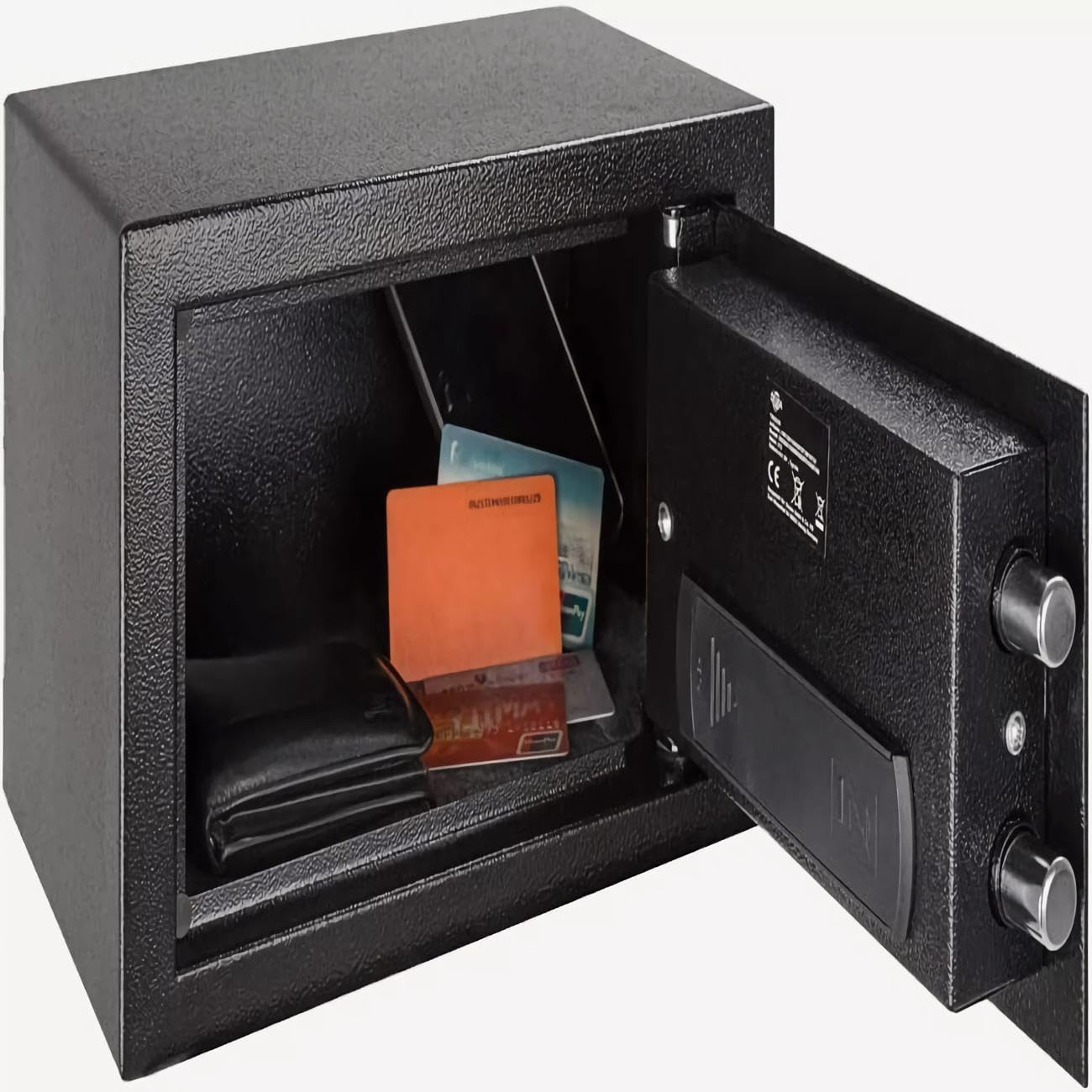
Figure 4: Interior view of the safe, demonstrating storage capacity.
4. Emergency Key Access
In case you forget your passcode, the batteries run out, or the keypad malfunctions, you can use the emergency keys.
- Remove the key cover on the front panel.
- Insert the emergency key into the keyhole and turn it counter-clockwise (to the left).
- While holding the key turned, rotate the knob clockwise to open the safe door.
5. Security Lockout Feature
The safe is equipped with an enhanced security locking system to prevent unauthorized access.
- After three consecutive incorrect passcode entries, the keypad will be temporarily deactivated for 5 minutes.
- If incorrect entries continue, the keypad will be blocked for 20 minutes on the third lockout attempt.
- During any lockout period, the emergency key can still be used to access the safe.
Maintenance
- Cleaning: Wipe the exterior of the safe with a soft, damp cloth. Do not use abrasive cleaners or solvents.
- Battery Replacement: When the battery indicator light flashes or the keypad becomes unresponsive, it's time to replace the batteries. Use 4 x AA 1.5V batteries. Always replace all four batteries at once.
- Key Maintenance: Keep emergency keys clean and dry. Do not lubricate the keyhole.
Troubleshooting
| Problem | Possible Cause | Solution |
|---|---|---|
| Keypad does not respond. | Low batteries or batteries installed incorrectly. Keypad is in lockout mode. | Replace batteries with new 4 x AA 1.5V batteries, ensuring correct polarity. Wait for the lockout period to expire, or use the emergency key. |
| Safe does not open with passcode. | Incorrect passcode entered. Keypad is in lockout mode. Knob not turned within 5 seconds. | Re-enter the correct passcode carefully. Wait for lockout to expire or use emergency key. Ensure you turn the knob immediately after the green light appears. |
| Safe door does not close or lock properly. | Obstruction in the door frame. Bolts are extended. | Check for any items blocking the door. Ensure the bolts are retracted before closing the door. |
| Emergency key does not turn. | Key not fully inserted or misaligned. | Ensure the key is fully inserted and aligned correctly before attempting to turn. Do not force the key. |
Specifications
| Brand | Herzberg |
| Model Number | HG03848 |
| Lock Type | Electronic Digital Keypad & Key |
| Door Thickness | 3 MM |
| Body Thickness | 1.5 MM |
| Special Features | Fireproof, Waterproof, Tamper-proof hinges |
| Mounting Type | Floor Mount, Wall Mount (via anchor bolts) |
| Control Type | Push-button control |
| Bolt Mechanism | Unidirectional locking (2 bolts of φ 20mm) |
| Batteries Required | 4 x AA 1.5V (included) |
| Chamber Width | 6.4 inches (16.3 cm) |
| Item Weight | 6.01 pounds (2.9 kg) |
| Product Dimensions (L x W x H) | 17cm x 22cm x 17cm |
| Material | Alloy Steel |
| Color | Black |
Warranty and Support
Specific warranty information for the Herzberg HG03848 Electronic Safe is not provided in this manual.For details regarding warranty coverage, technical support, or replacement parts, please contact Herzberg customer service or refer to the product packaging for contact information.