
1. Introduction
Thank you for choosing the AINIRO Biometric Handgun Safe. This compact and secure safe is designed to provide quick and reliable access to your firearms while ensuring their safe storage. Please read this manual thoroughly before operating your safe to ensure proper setup and function.
The AINIRO-012 safe offers multiple access methods including biometric fingerprint, digital keypad, and traditional key, providing versatile security for your handgun(s) and valuables.
2. Safety Information
- Always store firearms unloaded and separate from ammunition.
- Keep backup keys in a secure location away from the safe and out of reach of children.
- Ensure the safe is securely mounted or tethered to prevent unauthorized removal.
- Do not store the safe in areas with extreme temperatures or high humidity.
- Familiarize yourself with all access methods before relying on the safe for critical situations.
3. Package Contents
Please verify that all items listed below are included in your package:
- 1 x AINIRO Handgun Safe
- 1 x Heavy Steel Cable
- 1 x USB Cable (for charging)
- 2 x Backup Keys
- 1 x Instruction Manual (this document)
4. Product Overview
The AINIRO-012 safe is constructed from robust aviation aluminum, offering both durability and a lightweight design. It features a convenient pull-out handle for portability and an internal zipper pouch for small accessories.

Figure 4.1: The AINIRO Biometric Handgun Safe, shown both closed and open to display its interior capacity for handguns.
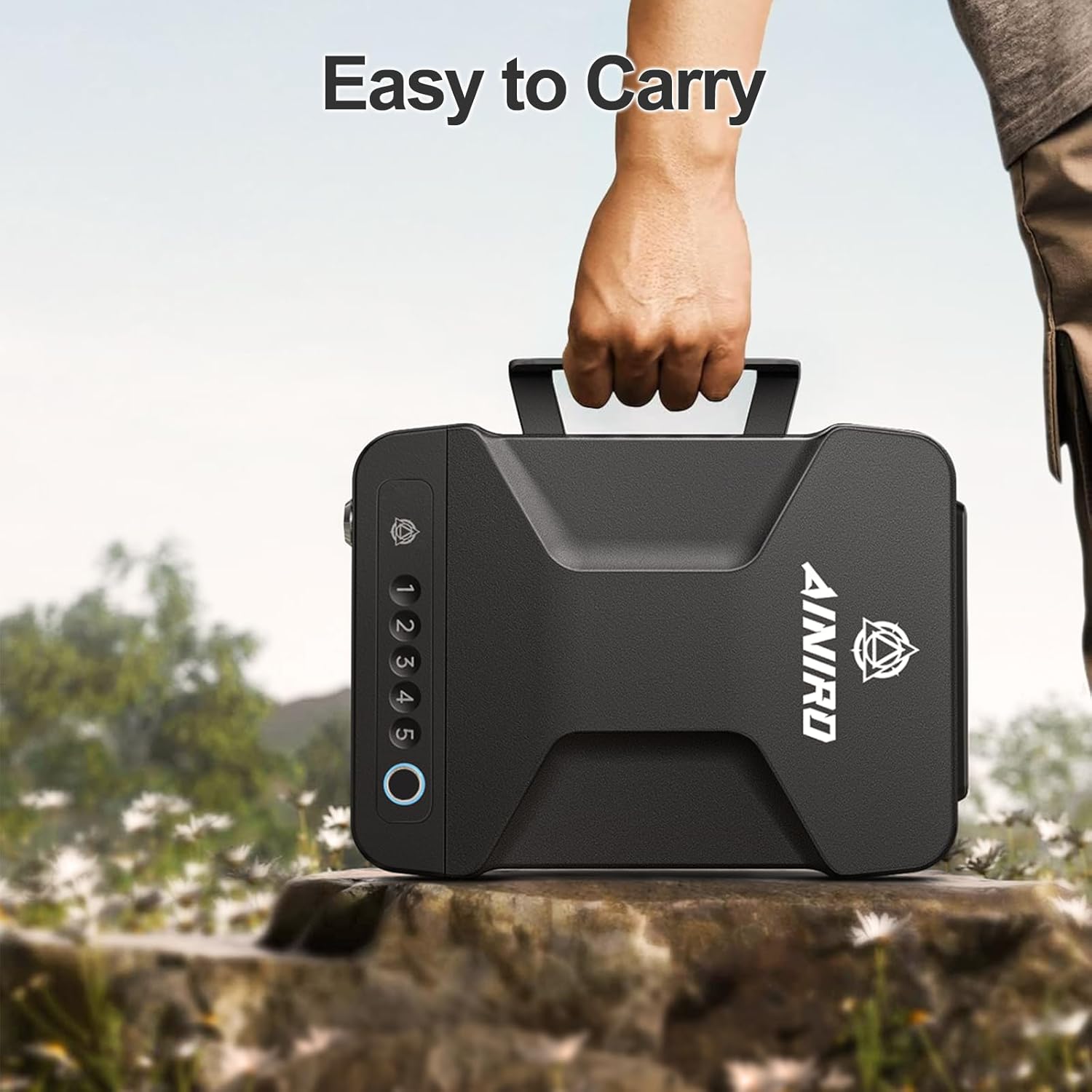
Figure 4.2: The safe features a retractable handle for easy portability, making it convenient for transport.

Figure 4.3: Key features include a retractable handle, protective built-in soft foam, a convenient USB-C charging port, and an interior LED light for visibility in low light conditions.
5. Setup
5.1 Initial Power-Up and Battery Installation
The safe requires 1 Lithium Ion battery (included). The battery compartment is located inside the safe. Use one of the backup keys to open the safe for the first time. Install the battery according to the polarity indicators. The built-in voice prompt system will guide you through initial setup and battery checks.
5.2 Charging the Safe
The safe features a USB-C charging port for convenience. Connect the provided USB cable to the safe and a power source to charge the internal battery. The voice prompt system will provide low battery alerts.
5.3 Securing the Safe
For added security, the safe can be tethered or mounted.
5.3.1 Using the Heavy Steel Cable
The included heavy-duty steel cable allows you to secure the safe to a fixed object, such as a vehicle seat or sturdy furniture. Thread the cable through the designated attachment point on the safe and around the object, then secure it with the lock mechanism.

Figure 5.1: Steps for securing the safe with the heavy steel cable to a fixed point.
5.3.2 Screw Enhanced Fixation
The safe can also be permanently mounted using screws (included). Locate the pre-drilled holes inside the safe's base. Use appropriate tools to secure the safe to a desired surface, such as a floorboard or a sturdy cabinet.

Figure 5.2: The safe's base includes designated points for screw-enhanced fixation to a surface.
6. Operating the Safe
The AINIRO-012 offers three primary methods for quick and secure access.
6.1 Unlocking Methods

Figure 6.1: The safe provides three versatile unlocking methods for quick access.
6.1.1 Biometric Fingerprint Access
The safe features advanced fingerprint recognition for lightning-fast access (approx. 0.5 seconds). Up to 50 fingerprints can be recorded.
- Enrollment: Follow the voice prompts to register your fingerprints. Place your finger firmly on the scanner, lift, and repeat several times until enrollment is complete.
- Unlocking: Place a registered finger on the fingerprint scanner. The safe will unlock automatically upon successful recognition.

Figure 6.2: Quick access is achieved by placing a registered finger on the biometric scanner.

Figure 6.3: The safe utilizes advanced fingerprint biometric technology for secure and rapid entry.
6.1.2 Digital Keypad Access
The safe can be unlocked using a programmable digital passcode.
- Setting Passcode: Refer to the detailed instructions in the included instruction manual for setting or changing your digital passcode. The voice prompt system will assist you.
- Unlocking: Enter your programmed passcode using the numbered buttons. The safe will open upon correct entry.

Figure 6.4: Digital password unlock provides an alternative secure access method.
6.1.3 Traditional Key Access
In case of battery depletion or forgotten codes, the safe can be opened with the backup keys.
- Unlocking: Insert the backup key into the keyhole and turn to unlock the safe.

Figure 6.5: Traditional key access serves as a reliable override for the electronic locking mechanisms.
6.2 Mute Mode
The safe features a mute mode for silent operation. Refer to the full instruction manual for details on how to activate and deactivate this feature.
7. Maintenance
- Cleaning: Wipe the safe's exterior with a soft, damp cloth. Avoid abrasive cleaners or solvents.
- Battery Replacement: Replace the Lithium Ion battery when the low battery alert is given. Always use the specified battery type.
- Fingerprint Sensor: Keep the fingerprint sensor clean and dry for optimal performance.
8. Troubleshooting
| Problem | Possible Cause | Solution |
|---|---|---|
| Safe does not open with fingerprint. | Finger not registered; dirty sensor; improper placement. | Ensure finger is registered. Clean sensor. Place finger firmly and completely on the sensor. Try different registered fingers. |
| Keypad does not respond. | Low battery; incorrect passcode. | Charge or replace battery. Re-enter correct passcode. Use backup key if necessary. |
| Voice prompts are not audible. | Mute mode is active. | Deactivate mute mode (refer to full manual). |
| Safe does not open after correct entry. | Mechanical obstruction; internal mechanism issue. | Ensure nothing is blocking the door. Use backup key. Contact customer support if issue persists. |
For further assistance, please refer to the comprehensive instruction manual or contact AINIRO customer support.
9. Specifications
| Feature | Detail |
|---|---|
| Brand | AINIRO |
| Model Number | AINIRO-012 |
| Product Dimensions | 11.43"D x 8.02"W x 3.17"H |
| Item Weight | 3.5 Pounds |
| Material | Aviation Aluminum |
| Lock Type | Biometric, Key, Mechanical Code Lock |
| Control Type | Biometric/Key Control/Digital Button Control |
| Capacity | 170.26 Cubic Inches |
| Mounting Type | Freestanding, Tabletop |
| Special Features | Alarm System, Anti-Theft, Biometric Fingerprint, Combination Lock, Portable, Built-in LED lighting, USB-C charging, Mute mode |
| Battery Type | 1 Lithium Ion battery (included) |
| Water Resistance Level | Not Water Resistant |
10. Warranty and Support
AINIRO is committed to providing outstanding products and top-level customer service.
- Warranty: This product comes with a 12-month warranty.
- Customer Service: If you encounter any issues with your AINIRO gun safe, please do not hesitate to contact us. Our customer service team is ready to assist you.
For contact information, please refer to the product packaging or the official AINIRO website.

