
Seesii S20 PRO
SEESII 8-Inch Electric Suction Cup Lifter (Model S20 PRO) Instruction Manual
Model: S20 PRO | Brand: Seesii
1. Introduction
This manual provides essential instructions for the safe and efficient operation, maintenance, and care of your SEESII 8-Inch Electric Suction Cup Lifter, Model S20 PRO. This heavy-duty tool is designed for lifting and moving large, flat, non-porous materials such as glass, tiles, granite, and metal, with a maximum load capacity of 600 LBS. Please read this manual thoroughly before first use and retain it for future reference.

Figure 1.1: The SEESII S20 PRO Electric Vacuum Lifter in operation.
2. Product Overview and Features
The SEESII S20 PRO Electric Suction Cup Lifter is engineered for enhanced safety and efficiency in material handling. Key features include:
- Automatic Suction: Features a powerful motor and one-touch automatic suction for a fast, strong, and consistent grip, reducing manual effort.
- High Load Capacity: Provides a robust 600 LBS (approximately 272 kg) suction strength for secure attachment to flat, smooth, non-porous surfaces.
- Digital Pressure Display: An integrated digital display shows the current vacuum level. The brushless motor automatically reactivates if the vacuum drops to 55±5 to maintain safe lifting pressure.
- Replaceable Batteries: Comes with 4x 2400mAh batteries, each with a digital display to monitor power levels, ensuring extended operation.
- Versatile Application: Suitable for handling windows, doors, large glass panels, tiles, granite, metal, marble, MDF, and other smooth, non-porous materials.
- Lightweight and Portable: Designed for easy handling and transport, including a convenient storage case.

Figure 2.1: Comparison highlighting the advantages of the SEESII Electric Lifter over manual alternatives.

Figure 2.2: Demonstrating the 600 LBS load capacity for heavy materials.
3. Package Contents
Verify that all items are present and undamaged upon opening the package:
- 2 x 8-Inch Suction Lifters
- 1 x Carry Case
- 4 x 2400mAh Batteries
- 2 x USB-C Cables
- 1 x User Manual (this document)

Figure 3.1: All components included in the package.
4. Safety Information
Adhere to the following safety guidelines to prevent injury and damage to the product or materials:
- Always ensure the suction cup and the surface are clean, dry, and free from dust or debris before application.
- Do not use on curved surfaces, wet surfaces, dirty/dusty areas, rough textures, or porous materials. These surfaces will not allow for a secure vacuum seal.
- Regularly check the digital pressure display to ensure adequate vacuum is maintained, especially when lifting heavy objects.
- Avoid sudden movements or excessive force when lifting or moving materials with the suction cups.
- Ensure batteries are properly charged and inserted before use.
- Store the tool in its carry case when not in use to protect it from damage.

Figure 4.1: Visual guide for suitable and unsuitable surfaces for the suction cup lifter.
5. Setup
Before using your SEESII Electric Suction Cup Lifter, follow these setup steps:
- Charge Batteries: Connect the provided USB-C cables to the 2400mAh batteries and a suitable USB power adapter (not included). The digital display on the battery will indicate charging status. Ensure all batteries are fully charged before use.
- Insert Batteries: Slide a charged battery into the designated slot on the suction cup lifter handle until it clicks securely into place.
- Inspect Suction Pad: Ensure the rubber suction pad is clean and free from any damage or foreign particles.
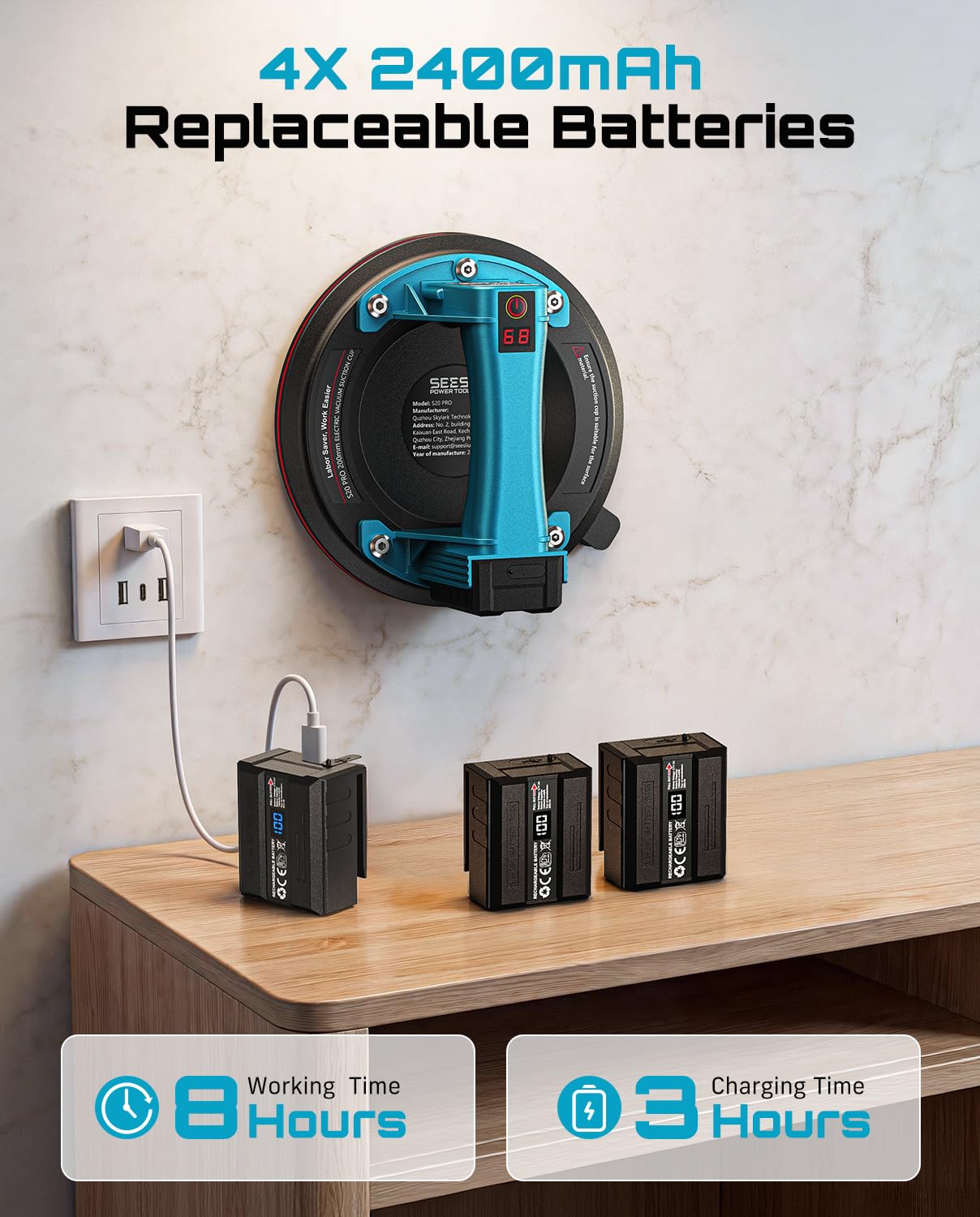
Figure 5.1: Charging the 2400mAh replaceable batteries using USB-C.
Video 5.1: Demonstrates the strong and fast battery-powered suction of the cups. This video shows the product in action, highlighting its quick suction capability and ease of use for various materials.
Video 5.2: An overview of the SEESII Electric Suction Cup 2-pack. This video provides a closer look at the product's components and how they are assembled and used.
6. Operating Instructions
Follow these steps for proper operation of the electric suction cup lifter:
- Prepare Surface: Ensure the surface of the material to be lifted is clean, dry, and non-porous.
- Position Lifter: Place the suction cup lifter firmly onto the desired surface.
- Activate Suction: Press and hold the power button for approximately 0.5 seconds. The lifter will begin to create a vacuum.
- Monitor Display: Observe the digital display. The vacuum pump will operate until the "Security Value" (typically 68) is reached, indicating a secure grip.
- Auto-Replenishment: The device features smart auto-replenishment. If the vacuum pressure drops below 55±5, the pump will automatically reactivate to restore the optimal pressure, ensuring continuous safety.
- Lift and Move: Once the secure value is displayed, you can safely lift and move the material.
- Release Suction: To release the suction, double-click the power button. This will quickly exhaust the vacuum.
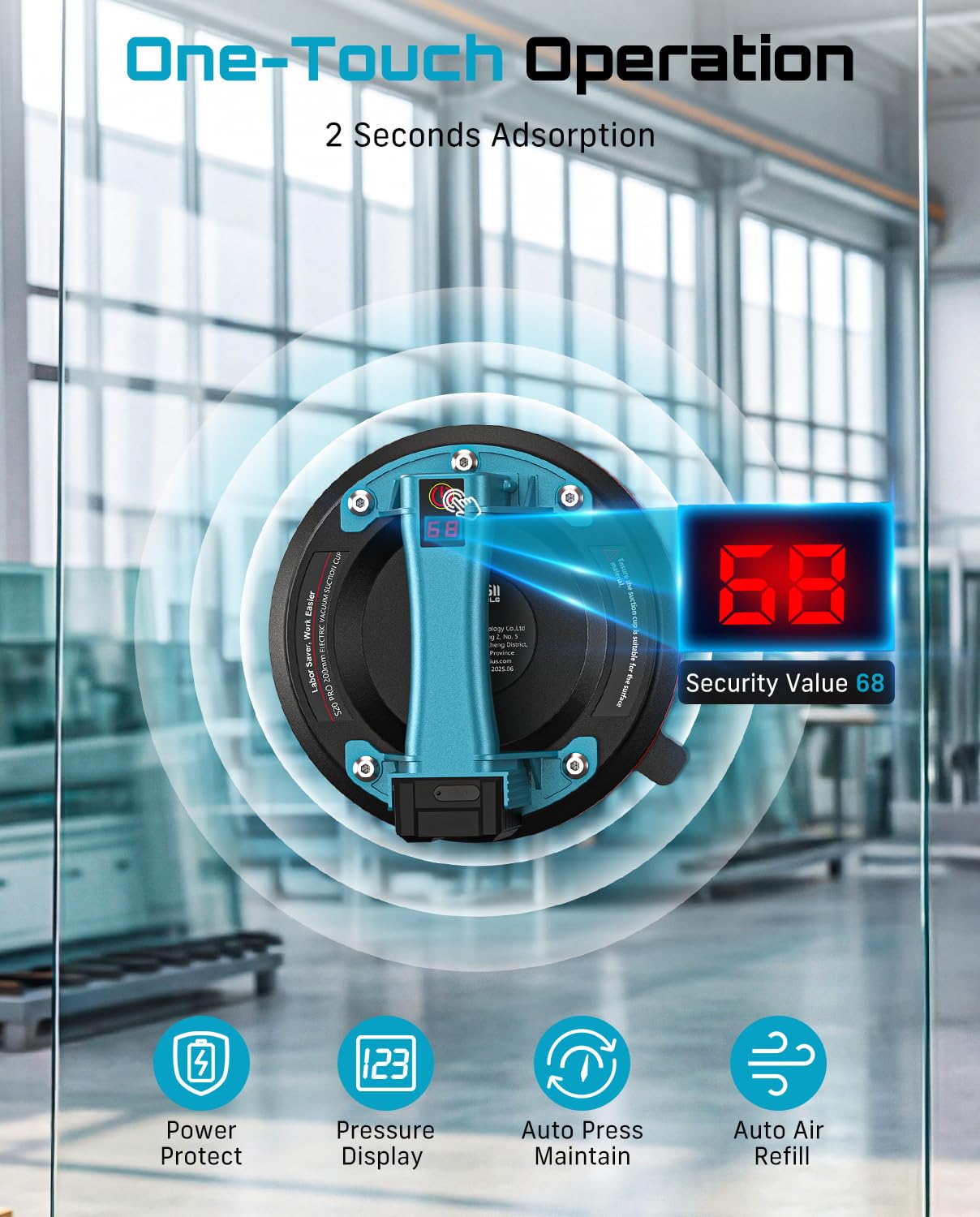
Figure 6.1: The digital pressure display and one-touch operation for activating suction.

Figure 6.2: Step-by-step procedure for using the suction cup lifter.

Figure 6.3: Explanation of the smart auto-replenishment function.
Video 6.1: Demonstration of the SEESII Vacuum Suction Cup in action, showing its grip and ease of use.
7. Maintenance
Proper maintenance ensures the longevity and optimal performance of your suction cup lifter:
- Clean Suction Pad: After each use, wipe the rubber suction pad with a clean, damp cloth to remove any residue. Ensure it is completely dry before storage.
- Automatic Cleaning Function: The device includes an automatic cleaning function for the internal pump mechanism.
- Remove the filter and pour a small amount of water onto a table surface.
- Start the vacuum cleaner and direct the water inlet onto the water surface.
- Press the vacuum button three times to activate cleaning mode.
- Wait until the water coming out of the vacuum is no longer cloudy. The process is then complete.
- Battery Care: Store batteries in a cool, dry place. Avoid fully discharging batteries for extended periods.
- Storage: Always store the suction cup lifter in its provided carry case to protect it from dust and physical damage.

Figure 7.1: Steps for utilizing the automatic cleaning function.
8. Troubleshooting
If you encounter issues with your SEESII Electric Suction Cup Lifter, refer to the following common problems and solutions:
| Problem | Possible Cause | Solution |
|---|---|---|
| Suction not holding or weak |
|
|
| Digital display not lighting up |
|
|
| Pump runs continuously without reaching target pressure |
|
|
If problems persist, contact SEESII customer support for further assistance.
9. Specifications
| Feature | Detail |
|---|---|
| Model Number | S20 PRO |
| Max Load Capacity | 600 LBS (approx. 272 kg) |
| Suction Cup Diameter | 8 inches (200mm) |
| Battery Type | 2400mAh (4 included) |
| Charging Port | USB-C |
| Product Dimensions | 8 x 8 x 3.54 inches |
| Item Weight | 5.28 pounds |
| Manufacturer | Seesii |

Figure 9.1: Detailed view of product dimensions and components.
10. Warranty and Support
Specific warranty details are not provided in the product information. For warranty claims, technical support, or to inquire about replacement parts, please contact SEESII customer service directly through their official channels or the retailer where the product was purchased.
You can visit the official Seesii Store on Amazon for more information and contact options.
Ask a question about this manual
Ask about setup, troubleshooting, compatibility, parts, safety, or missing instructions. Manuals+ will review the question and use this page’s manual context to help answer it.