
JINSHANGZI MT55
JINSHANGZI MT55 Smartwatch User Manual
Model: MT55 | Brand: JINSHANGZI
1. Introduction
Thank you for choosing the JINSHANGZI MT55 Smartwatch. This device is designed to enhance your daily life with features such as health monitoring, activity tracking, and smart notifications. This manual will guide you through the setup, operation, and maintenance of your new smartwatch to ensure optimal performance and user experience.
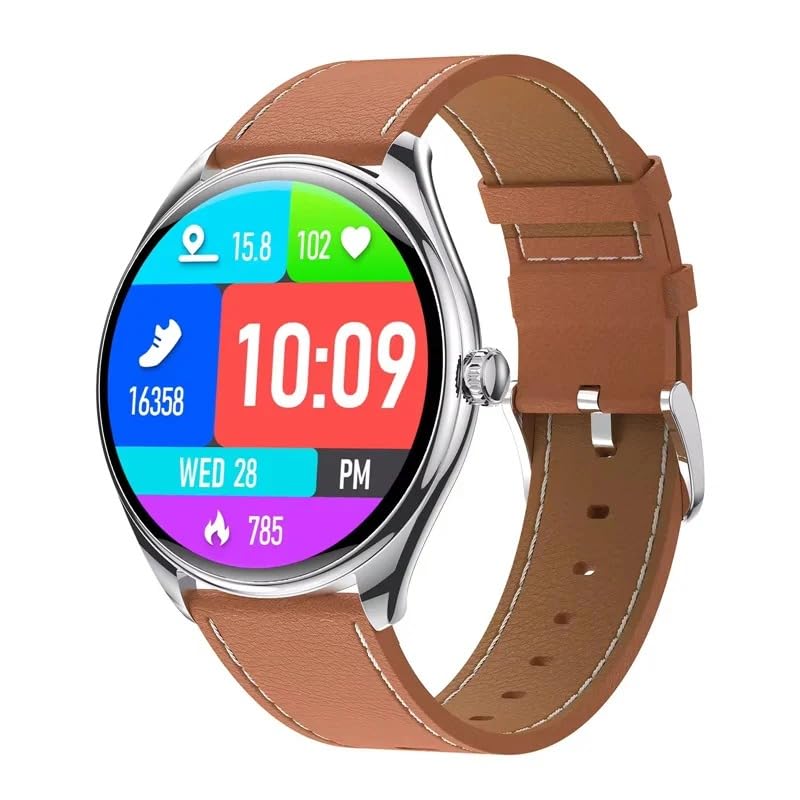
Image 1.1: The JINSHANGZI MT55 Smartwatch, showcasing its elegant design and round AMOLED display.
2. Safety Information
- Do not attempt to disassemble or modify the device. This may void the warranty and cause damage.
- Keep the device away from extreme temperatures, direct sunlight, and corrosive liquids.
- Consult a medical professional before starting any new exercise regimen or if you have pre-existing health conditions. The health data provided by this device is for reference only and should not be used for medical diagnosis or treatment.
- Avoid prolonged contact with the skin if you experience irritation.
- Ensure the charging cable is properly connected to prevent short circuits.
3. Package Contents
Please check the package for the following items:
- JINSHANGZI MT55 Smartwatch
- Charging Cable
- User Manual (this document)
4. Device Overview
The JINSHANGZI MT55 Smartwatch features a round AMOLED touchscreen display and a physical button on the side for navigation and control.

Image 4.1: The 1.43-inch AMOLED HD display of the MT55 Smartwatch, offering clear visuals and vibrant colors.

Image 4.2: The slim 6.8mm profile of the MT55 Smartwatch, emphasizing its compact and lightweight design.
5. Setup
5.1 Charging the Device
Before first use, fully charge your smartwatch. Connect the provided charging cable to the charging port on the back of the watch and plug the USB end into a power adapter (not included) or a computer's USB port. The watch display will indicate charging status.
- Charging time: Approximately 2-3 hours for a full charge.
- Battery capacity: 180-220mAh.
5.2 Powering On/Off
- To Power On: Press and hold the side button for a few seconds until the screen lights up.
- To Power Off: Press and hold the side button, then select the "Power Off" option on the screen.
5.3 App Installation and Pairing
To unlock the full functionality of your MT55 Smartwatch, you need to install the companion application on your smartphone and pair the devices.
- Download the App: Scan the QR code provided in the quick start guide (if available) or search for the official JINSHANGZI app in your smartphone's app store (compatible with iOS and Android OS).
- Enable Bluetooth: Ensure Bluetooth is enabled on your smartphone.
- Open the App: Launch the installed app and follow the on-screen instructions to create an account or log in.
- Add Device: Within the app, navigate to the "Add Device" or "Pair Device" section. The app will search for available smartwatches.
- Select MT55: Select "MT55" from the list of found devices. Confirm the pairing request on both your smartphone and the smartwatch.
- Complete Setup: Once paired, the app will guide you through any remaining setup steps, such as personal profile information and notification permissions.
6. Operating Instructions
6.1 Navigating the Interface
- Touchscreen: Swipe left, right, up, or down to navigate through menus and features. Tap to select an item.
- Side Button: Press the side button to return to the home screen or wake the device. A long press may access power options.
6.2 Health Monitoring
The MT55 Smartwatch offers various health tracking features. Ensure the watch is worn snugly on your wrist for accurate readings.
- Heart Rate Monitor: Access the heart rate function on the watch or through the app to measure your heart rate. The watch can track your heart rate continuously and provide warnings if thresholds are exceeded.
- Blood Oxygen Saturation (SpO2): The watch can measure your blood oxygen levels, providing insights into your body's oxygen status, especially during sleep.
- Sleep Monitor: Wear the watch to bed to track your sleep patterns, including sleep duration and quality. Data is synchronized with the app.
- Blood Pressure Monitor: (If available) Follow the on-screen instructions to take a blood pressure reading.
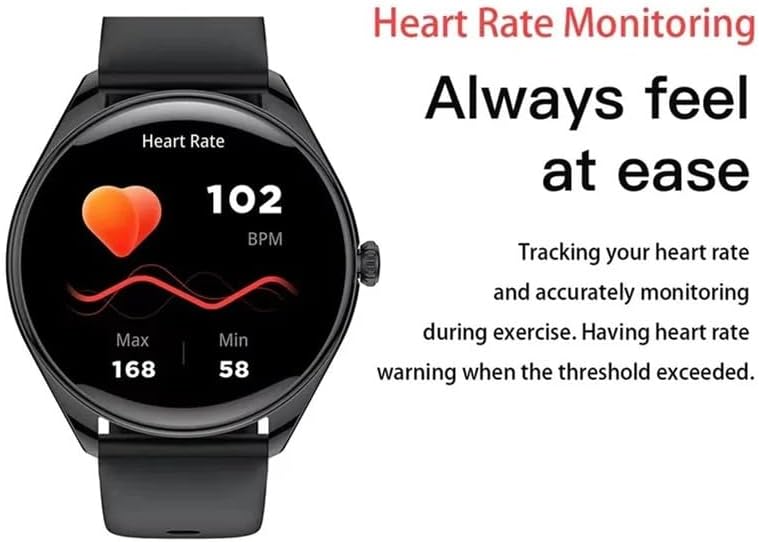
Image 6.1: The smartwatch displaying real-time heart rate data, including current BPM and maximum/minimum recorded values.
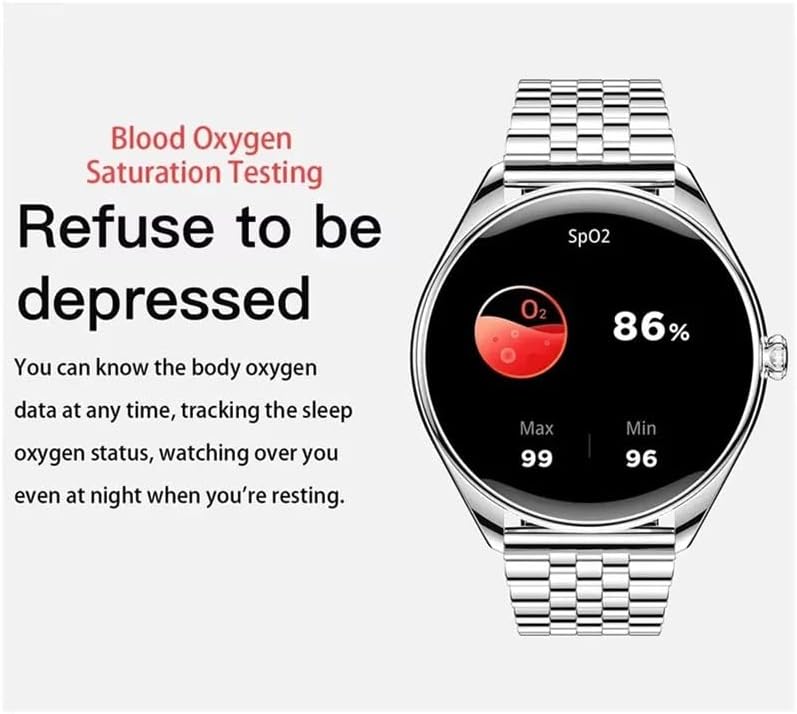
Image 6.2: The smartwatch screen showing blood oxygen saturation (SpO2) at 86%, with maximum and minimum values.
6.3 Activity Tracking
The MT55 Smartwatch tracks your daily activities and supports multiple sports modes.
- Steps Tracker: Automatically counts your daily steps.
- Calorie Tracker: Estimates calories burned based on your activity.
- Activity Tracker: Monitors overall activity levels.
- Sports Modes: Select from various sports modes (e.g., running, walking) to get more accurate data for specific workouts.

Image 6.3: The smartwatch displaying activity data, including total steps and running duration, alongside an activity tracking interface.
6.4 Smart Features
- Notifications: Receive call, message, and app notifications directly on your wrist after enabling them in the companion app.
- Bluetooth Call: Make and receive calls directly from your watch when connected to your smartphone via Bluetooth 5.3.
- Voice Assistant: Utilize the built-in voice assistant for quick commands and information (if enabled and configured in the app).
- Customizable Watch Faces: Change the watch face through the app to personalize your device.
7. Maintenance
- Cleaning: Wipe the watch screen and body with a soft, dry cloth. For stubborn dirt, use a slightly damp cloth and then dry thoroughly. Avoid harsh chemicals.
- Water Resistance: The MT55 Smartwatch is designed with "life waterproof" capabilities, meaning it can withstand splashes, rain, and brief immersion. It is not suitable for swimming, diving, or showering with hot water. Avoid pressing buttons underwater.
- Battery Care: To prolong battery life, avoid fully discharging the battery frequently. Charge the device regularly.
- Storage: When not in use for extended periods, store the watch in a cool, dry place.
8. Troubleshooting
- Watch not turning on: Ensure the watch is fully charged. Connect it to the charger and wait a few minutes before attempting to power on again.
- Cannot pair with smartphone:
- Ensure Bluetooth is enabled on your smartphone and the watch.
- Make sure the watch is within range of your smartphone.
- Restart both the watch and your smartphone.
- Check if the correct app is installed and updated.
- Inaccurate health data: Ensure the watch is worn snugly on your wrist, not too loose or too tight. Clean the sensors on the back of the watch. Avoid excessive movement during measurements.
- Notifications not received:
- Verify that notifications are enabled in the companion app and your smartphone's settings.
- Ensure the watch is connected to your smartphone via Bluetooth.
- Check if the app has the necessary permissions on your smartphone.
- Short battery life: Reduce screen brightness, disable unnecessary notifications, and limit continuous health monitoring features if not needed. Ensure the watch is fully charged.
9. Specifications
| Model | MT55 |
| Brand | JINSHANGZI |
| Display | 1.43 inch AMOLED, 466 x 466 resolution |
| CPU Model | JL7012A6 |
| Memory (RAM/ROM) | <128 MB RAM, <128 MB ROM |
| Bluetooth Version | 5.3 |
| Battery Capacity | 180-220mAh |
| Operating System | Android OS, iOS compatible |
| Waterproof Rating | Life Waterproof |
| Measured Metrics | Heart Rate, Sleep, Blood Pressure (if applicable), Blood Oxygen |
| Activity Tracked | Steps, Calories, General Activity |
| Special Features | Bluetooth Call, Voice Assistant, Notifications, GPS (via phone) |
| Band Material | Fine Steel |
| Case Material | Alloy |
10. Warranty and Support
JINSHANGZI provides a limited warranty for this product. For detailed warranty information, please refer to the warranty card included with your purchase or contact JINSHANGZI customer support. If you encounter any issues or have questions not covered in this manual, please reach out to our customer service team for assistance.
Contact Information: Please refer to the official JINSHANGZI website or your purchase documentation for customer support contact details.