
1. Introduction
Thank you for choosing the ANTELA Smart Plug (Type F), Model TD002. This device allows you to control your home appliances remotely, monitor energy consumption, and automate tasks using a smartphone app or voice commands. Please read this manual carefully before use to ensure proper operation and safety.
2. Safety Information
- Overload Protection: The ANTELA Smart Plug is equipped with an overload protection function. If the current exceeds 16A, the plug will automatically power off to ensure safety.
- Indoor Use Only: This device is designed for indoor use in dry locations. Do not expose to water or humid conditions.
- Electrical Rating: Do not exceed the maximum load of 16A / 3680W. Connecting appliances that exceed this rating can cause damage to the device or connected appliance, and may pose a fire hazard.
- Children Safety: Keep out of reach of children. The plug features safety shrapnel to prevent accidental insertion of foreign objects.
- Maintenance: Do not attempt to disassemble or repair the device yourself. Contact customer support if service is required.
3. Package Contents
- ANTELA Smart Plug (Type F) - 4 units
- User Manual

This image displays four ANTELA Smart Plugs, each featuring a Type F plug, a power monitoring indicator, and a central power button. These plugs are designed for European outlets.
4. Product Overview
The ANTELA Smart Plug offers a range of features to enhance your home automation experience:
- Remote Control: Control connected devices from anywhere using your smartphone.
- Voice Control: Compatible with Amazon Alexa and Google Assistant for hands-free operation.
- Timer & Schedule: Set custom schedules and countdown timers for automatic power on/off.
- Energy Monitoring: Track daily, monthly, and yearly power consumption of connected appliances.
- Group Control & Family Sharing: Manage multiple plugs simultaneously and share control with family members.
- Security Protection: Features like surge protection and overvoltage protection ensure device safety.

A central image of the ANTELA Smart Plug is surrounded by icons illustrating its key functionalities: Remote Control, APP Control, Energy Monitoring, Security Protection, WiFi Connection, Voice Control, and Timer Setting. This provides a quick overview of the product's capabilities.
5. Setup
5.1 App Installation
- Download the 'Smart Life' or 'Tuya Smart' app from the App Store (iOS) or Google Play Store (Android).
- Register or log in to your account.
5.2 Device Pairing
The ANTELA Smart Plug requires a 2.4GHz Wi-Fi network. 5GHz networks are not supported.
- Plug the smart plug into a power outlet.
- Press and hold the power button on the smart plug for approximately 5 seconds until the indicator light starts blinking rapidly. This indicates the plug is in pairing mode.
- Open the 'Smart Life' or 'Tuya Smart' app on your smartphone. Ensure your phone is connected to your 2.4GHz Wi-Fi network.
- In the app, tap the '+' icon (usually in the top right corner) to add a device.
- Select 'Electrical Outlet' or 'Smart Plug' from the device list.
- Follow the on-screen instructions to confirm the indicator light is blinking rapidly and enter your Wi-Fi network password.
- The app will connect to the smart plug. Once connected, you can rename the device and assign it to a room.

This diagram illustrates the easy setup process, emphasizing that the ANTELA Smart Plug requires a 2.4GHz Wi-Fi network for connection. A router and a coffee machine plugged into the smart plug are shown, indicating seamless integration.
6. Operating Instructions
6.1 Remote Control
Once paired, you can control your smart plug from anywhere with an internet connection:
- Open the 'Smart Life' or 'Tuya Smart' app.
- Tap on the smart plug's icon to turn it on or off.

An image showing individuals using their smartphones, symbolizing the remote control capability of the ANTELA Smart Plug. Users can manage their appliances from anywhere via the app.
6.2 Voice Control
Integrate your smart plug with voice assistants for convenient control:
- For Amazon Alexa: Link your 'Smart Life' or 'Tuya Smart' account in the Alexa app. Discover devices.
- For Google Assistant: Link your 'Smart Life' or 'Tuya Smart' account in the Google Home app.
- Use commands like: "Alexa, turn on [device name]" or "Hey Google, turn off [device name]."

An image depicting users controlling devices via voice commands, with 'Alexa, turn on your light' and 'ok' speech bubbles. The image highlights compatibility with Amazon Alexa and Google Assistant for convenient voice control of connected appliances.
6.3 Timer and Schedule Functions
Automate your devices to turn on or off at specific times:
- In the app, select your smart plug.
- Navigate to the 'Schedule' or 'Timer' section.
- Set desired times for the plug to turn on or off. You can also set countdown timers.
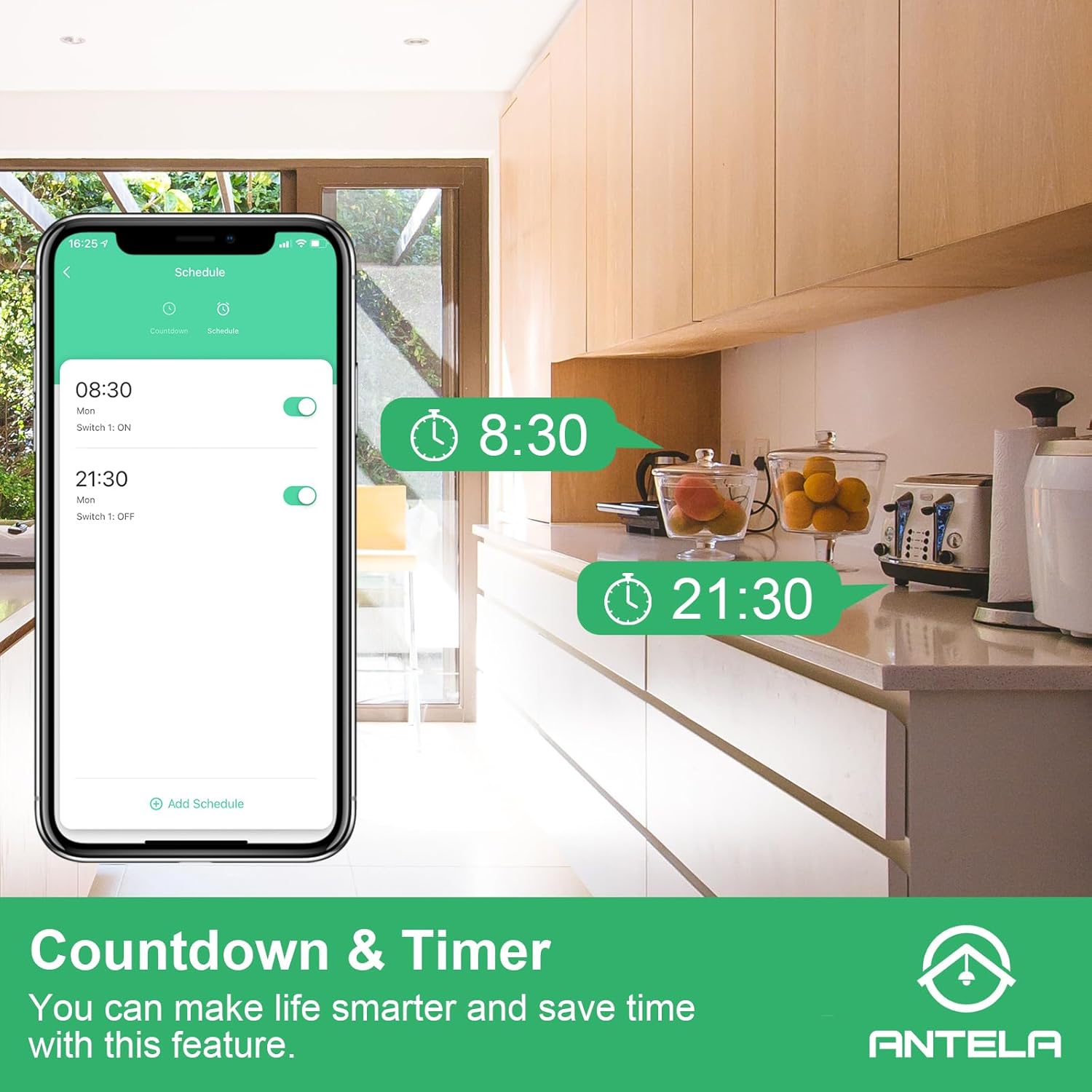
A smartphone screen displays the countdown and schedule settings within the app, showing specific times for turning devices on and off. This feature allows users to automate appliance operation, saving energy and enhancing convenience.
6.4 Energy Monitoring
Track the power consumption of your connected appliances:
- In the app, select your smart plug.
- Look for the 'Energy Monitoring' or 'Electricity Statistics' section.
- View daily, monthly, and yearly consumption data to optimize energy usage.

A smartphone screen displays the energy monitoring interface of the Smart Life or Tuya app, showing daily, monthly, and yearly power consumption data. This feature allows users to track and optimize appliance energy usage.
6.5 Group Control and Family Sharing
Manage multiple devices efficiently and share access:
- Group Control: In the app, create groups for multiple smart plugs to control them simultaneously with a single tap.
- Family Sharing: Share device control with family members through the app, allowing multiple users to manage the same devices.

A group of people looking at a smartphone together, representing the group control and family sharing features. Multiple users can control the same devices, and devices can be grouped for simultaneous management.
7. Maintenance
- Clean the smart plug with a dry, soft cloth. Do not use abrasive cleaners or solvents.
- Ensure the plug is disconnected from the power outlet before cleaning.
- Store in a cool, dry place when not in use for extended periods.
8. Troubleshooting
- Device not connecting to Wi-Fi:
a. Ensure your Wi-Fi network is 2.4GHz. 5GHz networks are not supported.
b. Check if the smart plug is within range of your Wi-Fi router.
c. Verify that your Wi-Fi password is entered correctly in the app.
d. Reset the smart plug by unplugging it and plugging it back in, then try pairing again. - Voice control not working:
a. Ensure your 'Smart Life' or 'Tuya Smart' account is correctly linked to Alexa or Google Home.
b. Check if the device name in the app matches the name you are using for voice commands.
c. Verify that your voice assistant device (e.g., Echo, Google Home) is connected to the internet. - Plug is unresponsive:
a. Check if the plug is receiving power.
b. Ensure your Wi-Fi network is active and stable.
c. If the overload protection has been triggered (due to current exceeding 16A), unplug the device, reduce the load, and plug it back in.
9. Specifications

This image provides a visual representation of the ANTELA Smart Plug's dimensions, indicating a width of 4.3 cm and a depth of 5.1 cm. It also highlights the plug's electrical specifications: 16 Amperes and 3680 Watts.
| Specification | Value |
|---|---|
| Brand | ANTELA |
| Model Number | TD002 |
| Product Dimensions (L x W x H) | 5 x 5 x 8 cm |
| Item Weight | 370 grams |
| Operating Mode | ON-OFF-ON |
| Current Rating | 16 A |
| Operating Voltage | 240 Volts |
| Contact Type | Normally Open |
| Connector Type | Plug-in |
| Switch Type | Push Button |
| Terminal | Screw |
| Material | Plastic |
| Country of Origin | China |
10. Warranty and Support
Warranty information for this product is not available in the provided data. For support, please refer to the contact information provided with your purchase or visit the ANTELA brand store on Amazon.


