
1. Introduction
This manual provides instructions for the ZORSOME Kids Protective Case, designed specifically for the Onn 8 inch Gen 4 (2024 Model) tablet, model number 100135923. This case offers enhanced protection and usability features for children.
Compatibility: This case is exclusively designed for the Onn 8 inch Gen 4 (2024 Model) tablet, model number 100135923. It is not compatible with any other tablet models. Please verify your tablet's model number before installation.
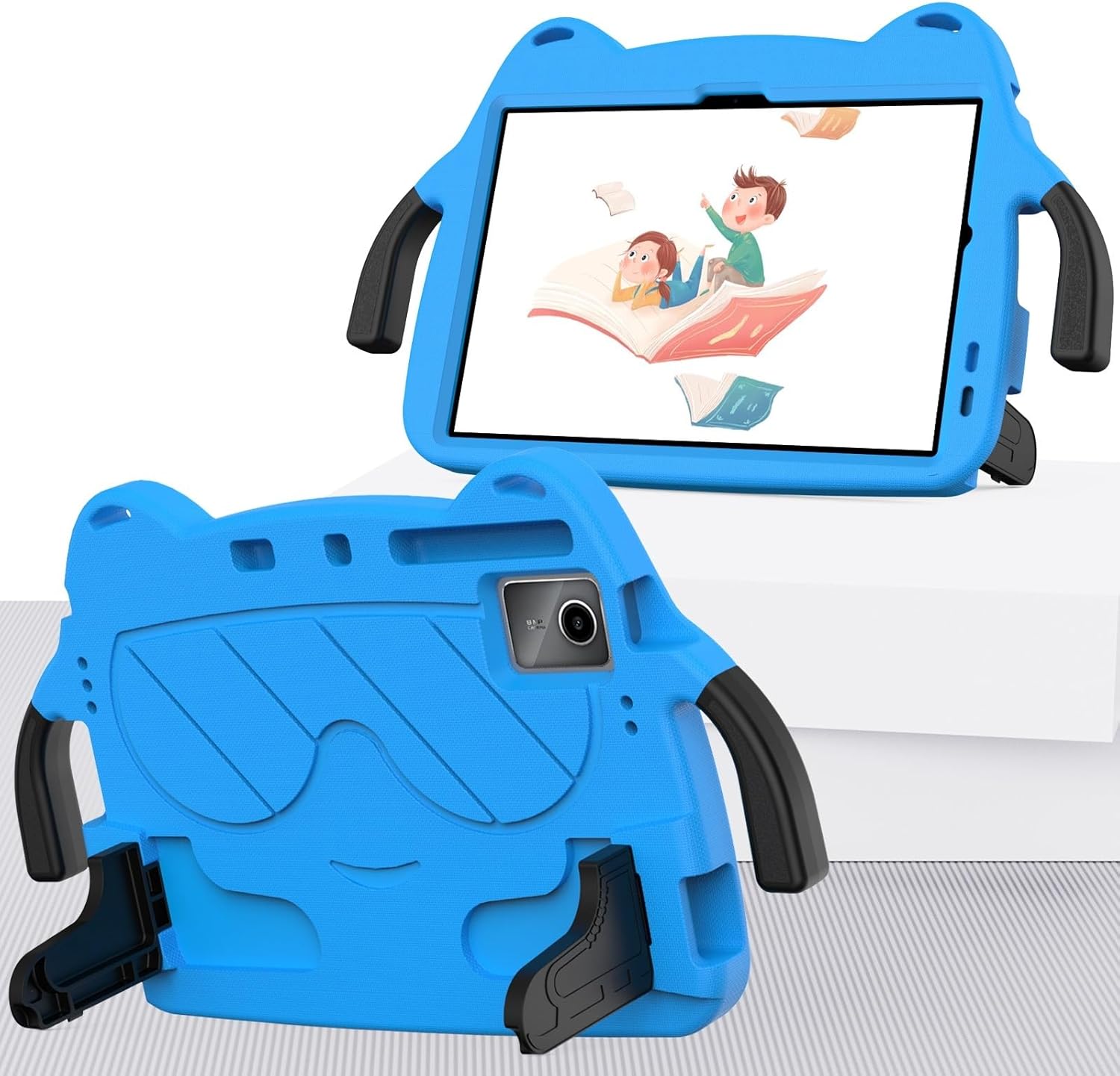
Image 1.1: Front and back view of the ZORSOME Kids Case with a tablet.
2. Package Contents
Please check the package to ensure all items are present:
- 1 x ZORSOME Tablet Case
- 1 x Shoulder Strap
3. Features Overview
The ZORSOME Kids Case is constructed from durable, non-toxic EVA foam and PC materials, providing comprehensive protection and user-friendly features.
- Shockproof Protection: Made from EVA foam, the case offers robust protection against drops and impacts, with reinforced corners and a raised bezel to protect the screen.
- Integrated Handle: A large, rotatable handle allows for easy carrying and comfortable one-hand grip.
- Foldable Kickstand: Two integrated legs on the back serve as a kickstand, offering multiple viewing angles.
- Shoulder Strap: Provides an additional carrying option for portability.
- Precise Cutouts: Ensures full access to all ports, buttons, speakers, and the rear camera without removing the case.

Image 3.1: Case construction details, showing EVA material and PC components.

Image 3.2: Illustration of the case's drop protection features.
4. Installation Guide
Follow these steps to install your Onn 8 inch Gen 4 tablet into the ZORSOME Kids Case:
- Ensure your tablet is clean and free of dust or debris.
- Gently separate the hard PC bracket from the EVA foam outer layer if they are assembled. This may involve carefully prying the inner plastic frame from the foam.
- Align your Onn 8 inch Gen 4 tablet with the inner PC bracket, ensuring all ports and buttons match the cutouts. Press the tablet firmly into the bracket until it is securely seated.
- Carefully re-insert the PC bracket with the tablet into the EVA foam outer layer. Ensure the foam fully encases the bracket and tablet, providing a snug fit.
- Verify that all tablet ports, buttons, and the camera are accessible through the case's cutouts.
5. Operating Instructions
5.1 Using the Integrated Handle
The case features a robust handle for easy portability. Simply grasp the handle to carry the tablet. The handle can also be rotated 180 degrees to adjust its position for comfortable holding or to serve as a base for the kickstand.

Image 5.1: Child holding the case by its handle.
5.2 Using the Foldable Kickstand
The two foldable legs on the back of the case function as a kickstand, providing stable support for viewing. To deploy the kickstand:
- Locate the two foldable legs on the back of the case.
- Gently pull each leg outwards until it clicks into an open position.
- Position the tablet on a flat surface. The kickstand offers two primary viewing angles: a 60-degree angle for video viewing and a 30-degree angle suitable for drawing or typing.
- To retract the kickstand, push the legs back into their recessed positions until they are flush with the case.
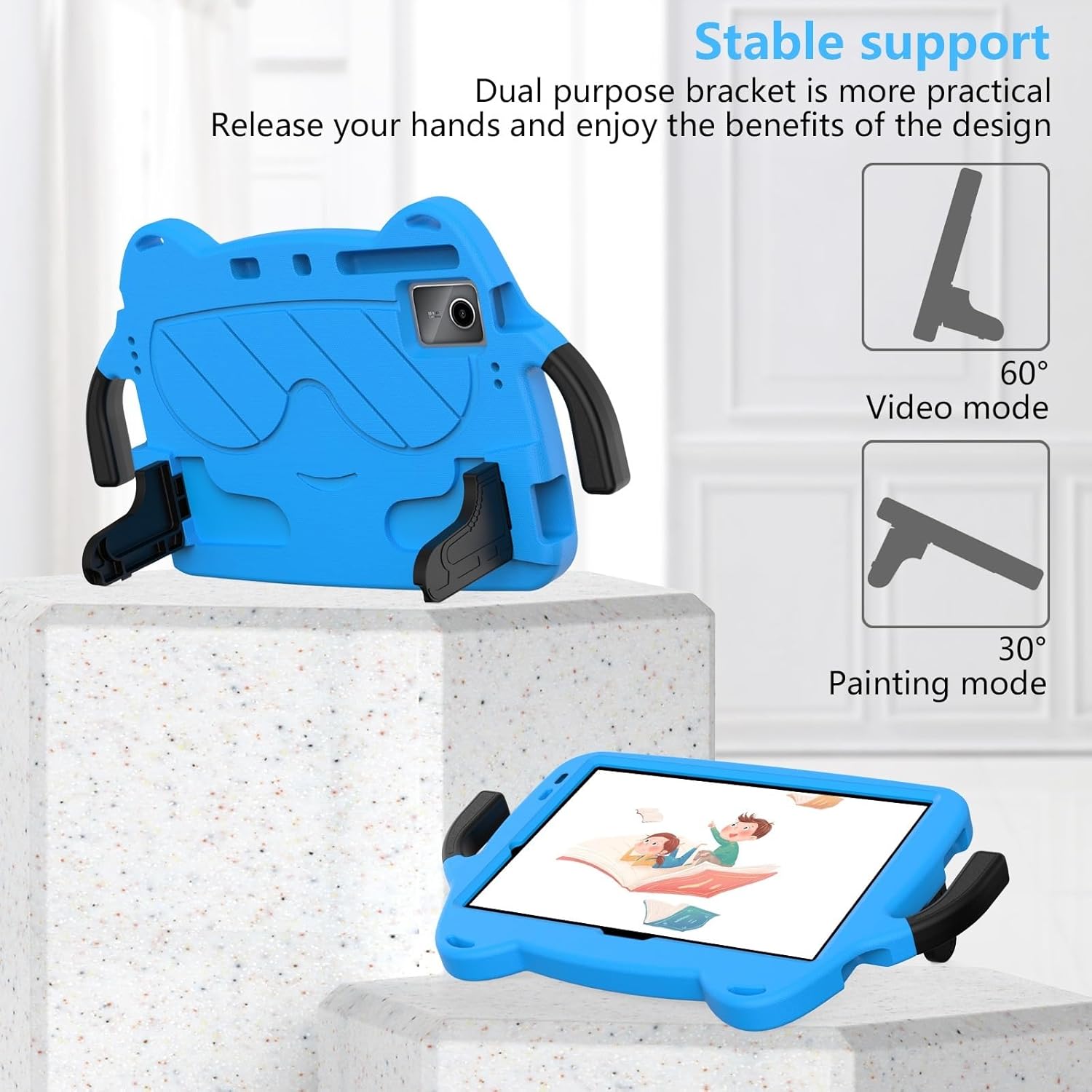
Image 5.2: Kickstand functionality with different viewing angles.
5.3 Attaching the Shoulder Strap
The included shoulder strap can be attached to the designated loops on the case for hands-free carrying. To attach:
- Locate the attachment points on the corners of the case.
- Thread the strap's clips through the loops and secure them.
- Adjust the strap length for comfortable carrying.
6. Care and Maintenance
To ensure the longevity and cleanliness of your ZORSOME Kids Case:
- Cleaning: The EVA material is washable. Use a mild soap and water solution with a soft cloth to clean the case. Rinse thoroughly and allow it to air dry completely before re-installing the tablet.
- Avoid Harsh Chemicals: Do not use abrasive cleaners, solvents, or harsh chemicals, as these can damage the material.
- Storage: Store the case in a cool, dry place away from direct sunlight when not in use for extended periods.

Image 6.1: Case design and washable feature.
7. Troubleshooting
- Case does not fit: Ensure your tablet is the Onn 8 inch Gen 4 (2024 Model) with model number 100135923. This case is not universal.
- Buttons are difficult to press: Re-check the tablet's alignment within the case. Ensure it is seated correctly and not misaligned, which could obstruct button access.
- Kickstand is unstable: Ensure both legs of the kickstand are fully extended and locked into position on a flat, stable surface.
8. Product Specifications
| Feature | Detail |
|---|---|
| Brand | ZORSOME |
| Compatible Devices | Onn 8 inch Gen 4 (2024 Model) 100135923 |
| Material | EVA Foam, PC (Polycarbonate) |
| Form Factor | Bumper, Full Protective |
| Special Features | Kickstand, Lightweight, With Handle, With Shoulder Strap |
| Manufacturer | HD-BBB-onn 8.0 Gen 4 |