
Introduction
This instruction manual provides essential information for the safe and effective installation, operation, and maintenance of your Kesulu Zhishen A95131 Metal Fan Blade. Please read this manual thoroughly before proceeding with any installation or maintenance to ensure proper function and safety.
Product Overview
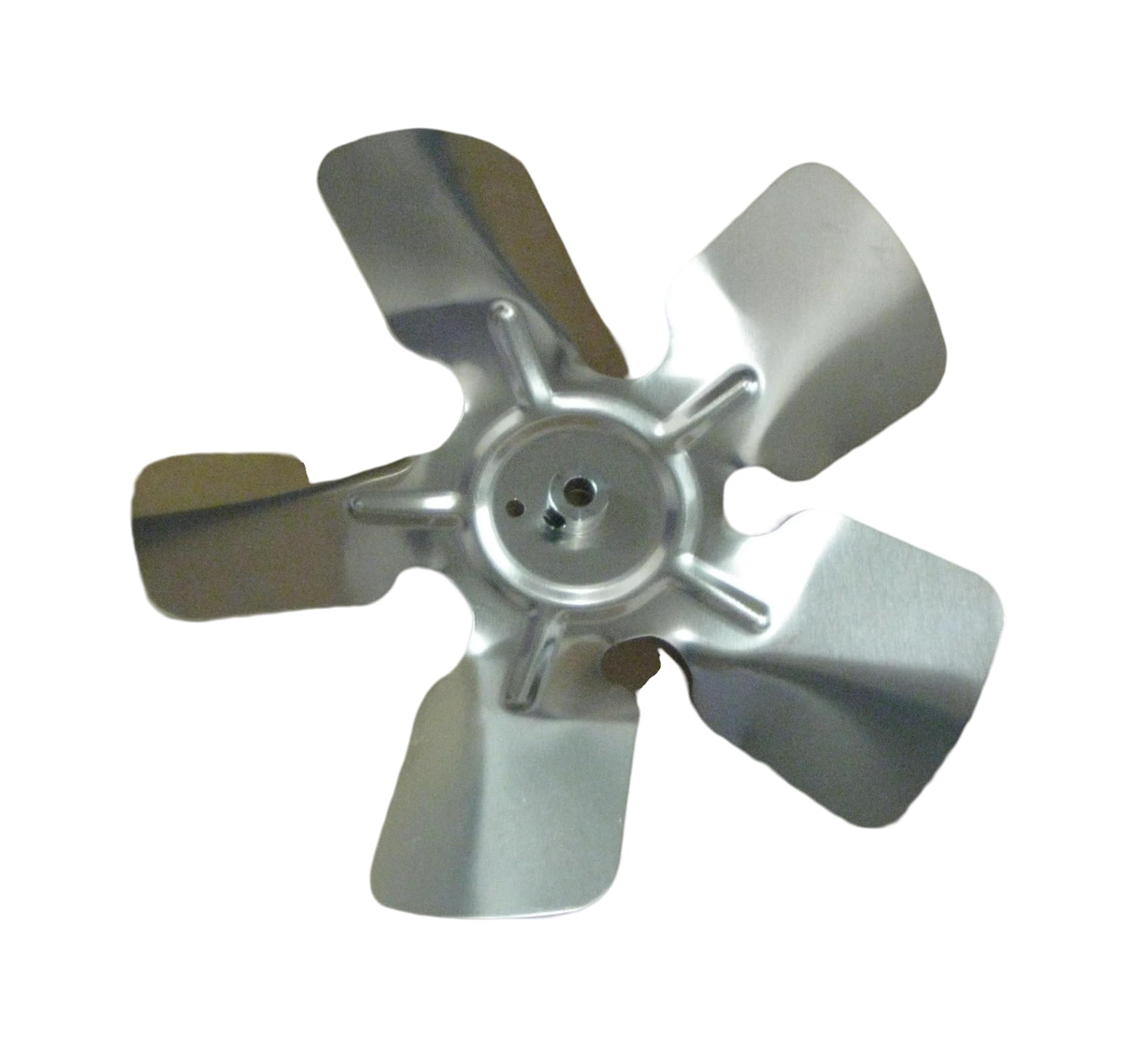
Image: A view of the Kesulu Zhishen A95131 metal fan blade, showcasing its five metallic blades and the central hub with a bore for shaft attachment. The blades are angled for optimal air movement.
The Kesulu Zhishen A95131 is a durable metal fan blade designed for various fan applications. It features a specific diameter, number of blades, and bore size to ensure compatibility with appropriate fan motors. This blade is engineered for efficient air movement when correctly installed.
Specifications
| Model Number | A95131 |
| Brand | Kesulu Zhishen |
| Diameter | 9 inches |
| Number of Blades | 5 |
| Bore Hub Size | 5/16 inches |
| Rotation Direction | Clockwise (CW) |
| Blade Angle | 30 Degree Prop |
| Material | Metal |
| Finish Type | Metallic |
| Indoor/Outdoor Usage | Indoor |
| Control Method | Touch (Refers to the fan unit, not the blade itself) |
| Cordless | No (Refers to the fan unit, not the blade itself) |
| UPC | 763657093671 |
Setup and Installation
Safety First: Always ensure the power to the fan motor is completely disconnected and locked out before attempting any installation or maintenance. Failure to do so can result in serious injury or electric shock.
- Power Disconnection: Turn off the main power supply to the fan unit at the circuit breaker. Verify that the power is off using a voltage tester.
- Access Fan Motor: Carefully remove any protective grilles or covers to access the fan motor shaft.
- Remove Old Blade (if applicable): If replacing an existing blade, loosen any set screws or fasteners holding the old blade to the motor shaft and carefully remove it.
- Inspect Motor Shaft: Ensure the motor shaft is clean and free from debris or damage.
- Align New Blade: Slide the Kesulu Zhishen A95131 fan blade onto the motor shaft, aligning the 5/16-inch bore hub with the shaft. Ensure the blade is fully seated and the set screw hole (if present) aligns with any flat spots on the shaft.
- Secure Blade: Tighten the set screw(s) firmly to secure the blade to the motor shaft. Do not overtighten, as this can strip the screw or damage the shaft.
- Check for Clearance and Balance: Manually rotate the blade to ensure it spins freely without hitting any part of the fan housing. Check for any noticeable wobble. If wobbling occurs, re-check the blade's seating and tightness.
- Reassemble: Replace any protective grilles or covers that were removed.
- Restore Power: Turn the main power supply back on.
Operation
Once installed, the fan blade operates as an integral part of your fan unit. Proper installation is key to its effective and safe operation.
- Initial Start-up: After installation, turn on the fan at its lowest setting. Observe the blade for any unusual noises, excessive vibration, or wobbling.
- Smooth Rotation: The blade should rotate smoothly and quietly. Any significant vibration or noise indicates a potential issue that needs to be addressed immediately.
- Airflow Direction: Ensure the fan is moving air in the intended direction. The 30-degree prop angle and CW rotation are designed for specific airflow.
Maintenance
Regular maintenance helps ensure the longevity and efficient performance of your fan blade.
- Cleaning: Periodically clean the fan blade to remove dust and debris. Accumulation can reduce efficiency and cause imbalance. Always disconnect power before cleaning. Use a soft, damp cloth.
- Inspection: Regularly inspect the blade for any signs of damage, such as bends, cracks, or corrosion. Damaged blades should be replaced immediately.
- Fastener Check: Periodically check the tightness of the set screw(s) securing the blade to the motor shaft. Loose fasteners can lead to vibration and potential damage.
Troubleshooting
Refer to the table below for common issues and their potential solutions.
| Problem | Possible Cause | Solution |
|---|---|---|
| Excessive Vibration or Wobbling |
|
|
| Reduced Airflow |
|
|
| Unusual Noise (Grinding, Clicking) |
|
|
Support
For further assistance or if you encounter issues not covered in this manual, please refer to the original fan unit's instruction manual or contact the manufacturer or seller of the Kesulu Zhishen A95131 Metal Fan Blade. Provide your model number (A95131) and a detailed description of the issue when seeking support.