
1. Introduction
This user manual provides essential information for the safe and effective operation of your Fieryzeal LED 200W RGBW Beam Moving Head Disco Light. Please read this manual thoroughly before installation and use, and retain it for future reference.
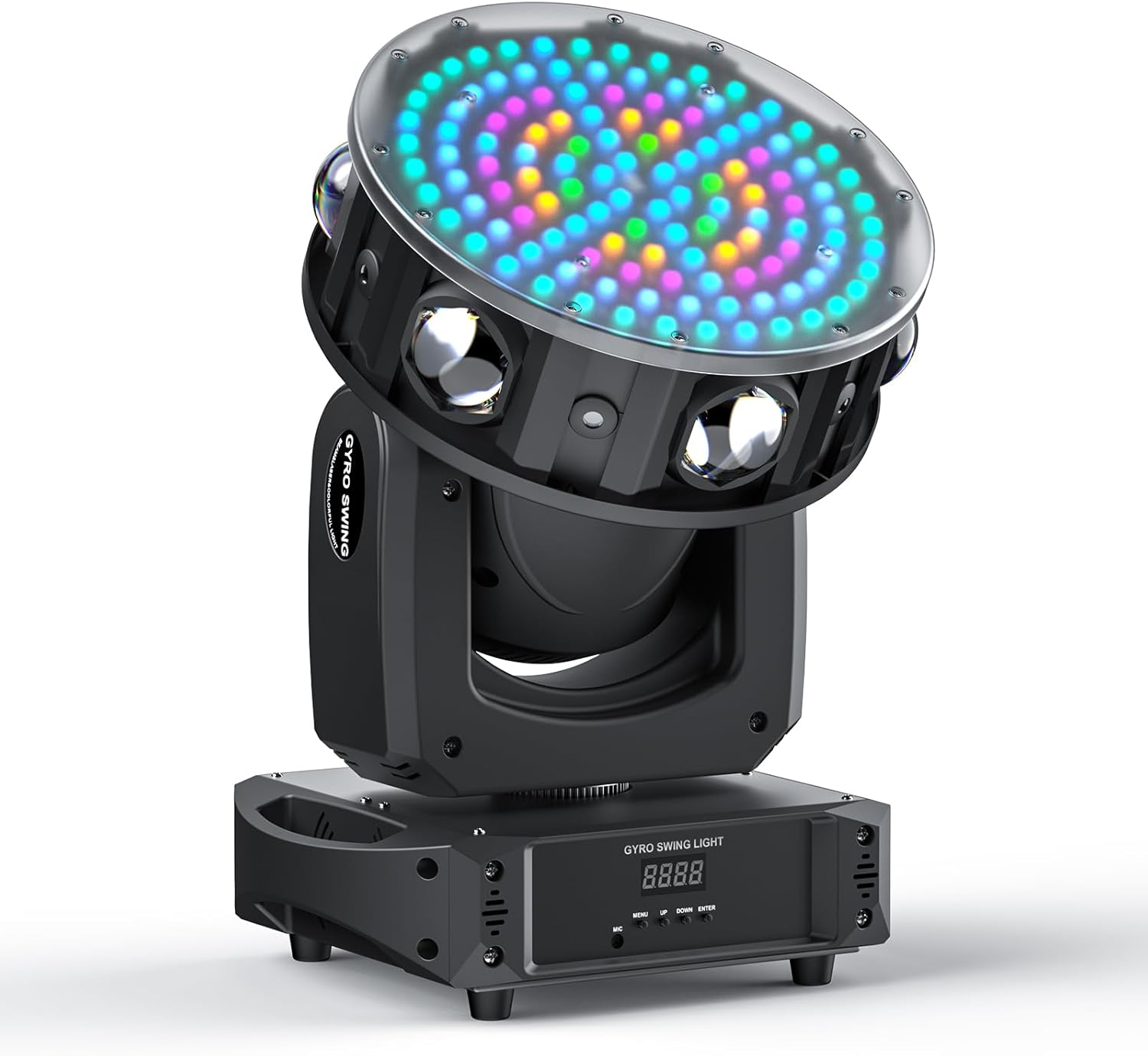
Figure 1: Fieryzeal LED 200W RGBW Beam Moving Head Disco Light, showcasing its compact design and multi-directional light output.
2. Safety Instructions
To prevent electric shock, fire, or injury, always follow these basic safety precautions:
- Ensure the power supply voltage matches the product's requirements.
- Do not open the casing; there are no user-serviceable parts inside. Refer all servicing to qualified personnel.
- Avoid direct eye exposure to the light source.
- Keep the device away from water, moisture, and high humidity environments.
- Ensure proper ventilation around the unit to prevent overheating.
- Always disconnect power before cleaning or performing any maintenance.
- Install the device securely using appropriate mounting hardware.
3. Package Contents
Verify that all items are present and in good condition upon unpacking:

Figure 2: Included components: Moving Head LED light, power cord, manual, screws, and install pendants.
- 1 x Moving Head LED Light
- 1 x Power Cord (EU plug)
- 1 x User Manual
- 4 x Screws
- 2 x Install Pendants (Mounting Brackets)
4. Product Overview and Features
The Fieryzeal LED 200W RGBW Beam Moving Head Light is designed for dynamic lighting effects in various entertainment settings. It combines multiple light sources and movement capabilities to create a vibrant atmosphere.
4.1 Key Features
- Powerful Light Output: Features 6 high-brightness RGBW LEDs, 6 red/green light sources, and 126 5050RGBW wash lights.
- Extensive Light Effects: Includes integrated program changes with color, beam, and strobe effects. Effect speed is adjustable.
- Three-Axis Rotation:
- X-axis: 540° rotation
- Y-axis: 180° rotation
- Z-axis: Infinite rotation
- Multiple Operating Modes: Sound activation, DMX control (20CH/57CH), automatic, and master-slave modes.
- Stable Operation: Utilizes high-quality chips and motors for smooth, stable performance and efficient heat dissipation.
- Easy Installation: Comes with a simple mounting bracket for hanging or floor placement.
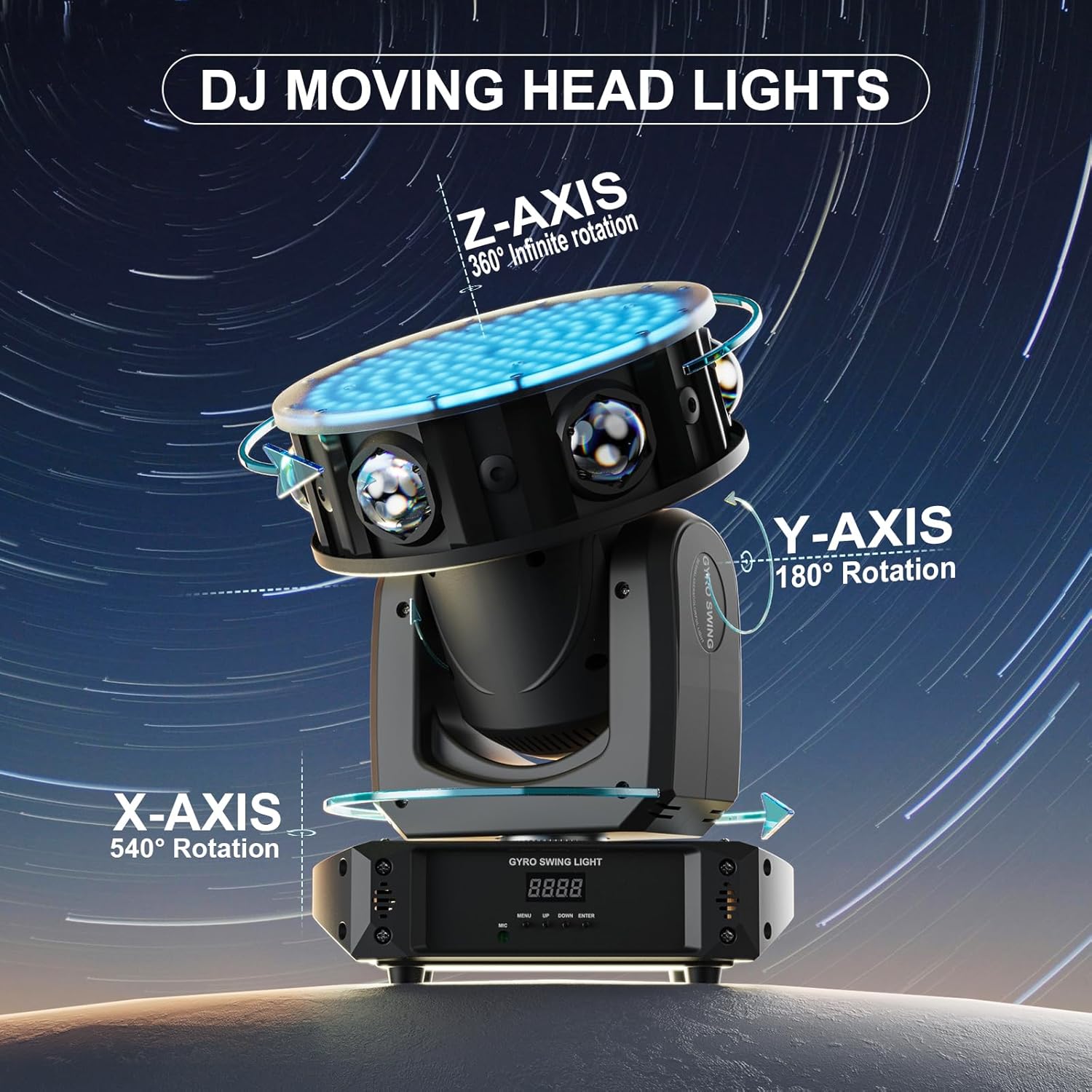
Figure 3: Illustration of the X-axis (540°), Y-axis (180°), and Z-axis (360° infinite) rotation capabilities.
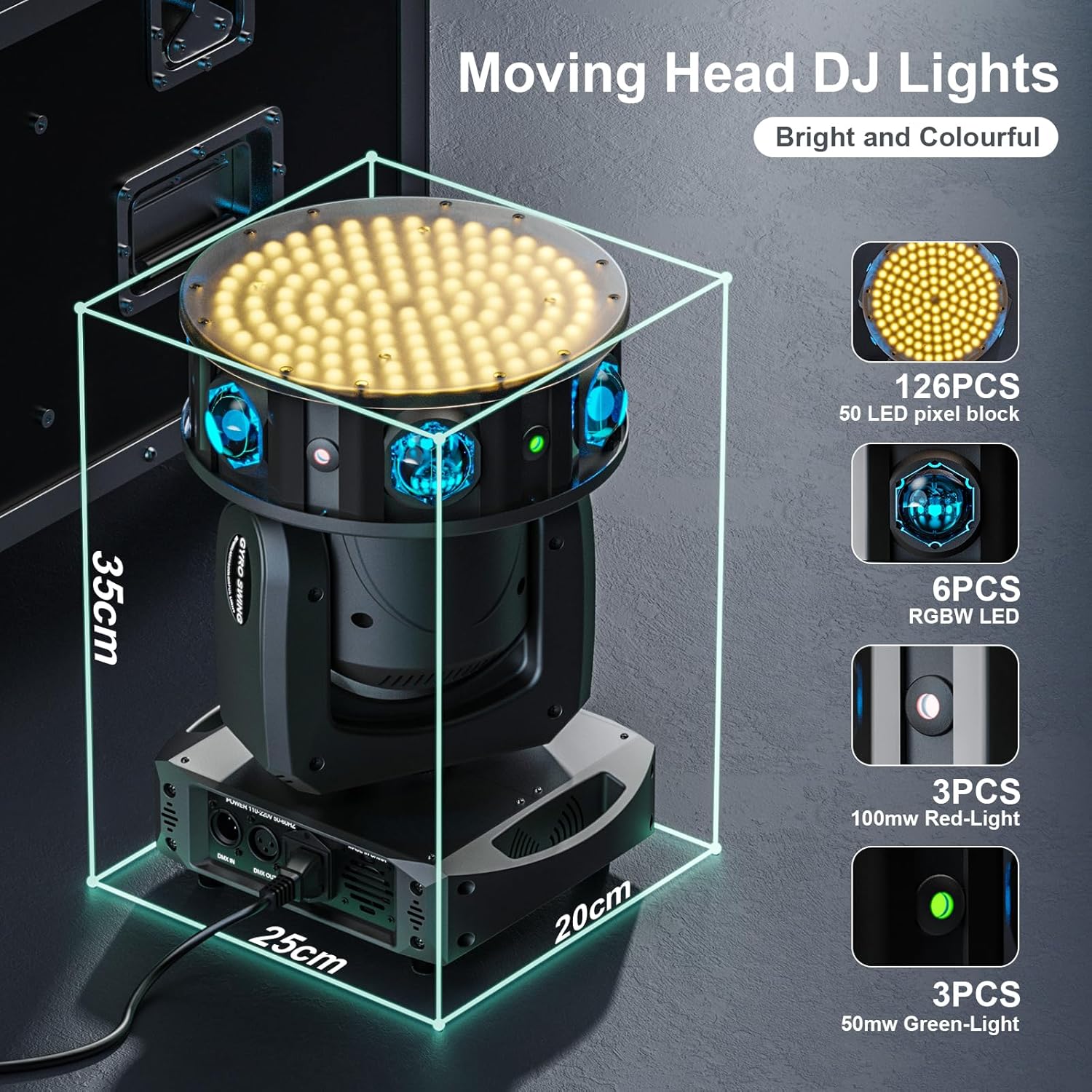
Figure 4: Product dimensions (25cm x 20cm x 35cm) and internal light components, including 126 50 LED pixel blocks, 6 RGBW LEDs, 3 red lights, and 3 green lights.

Figure 5: Rear view of the unit showing the LCD display, menu buttons (MENU, UP, DOWN, ENTER), DMX In/Out ports, and Power In connection.
5. Setup
Proper setup is crucial for optimal performance and safety.
5.1 Mounting Options
The moving head light can be installed in several ways:
- Floor Placement: Simply place the unit on a stable, level surface.
- Ceiling/Truss Mounting: Use the provided mounting brackets and screws to securely attach the unit to a truss or ceiling structure. Ensure the mounting surface can support the weight of the fixture.
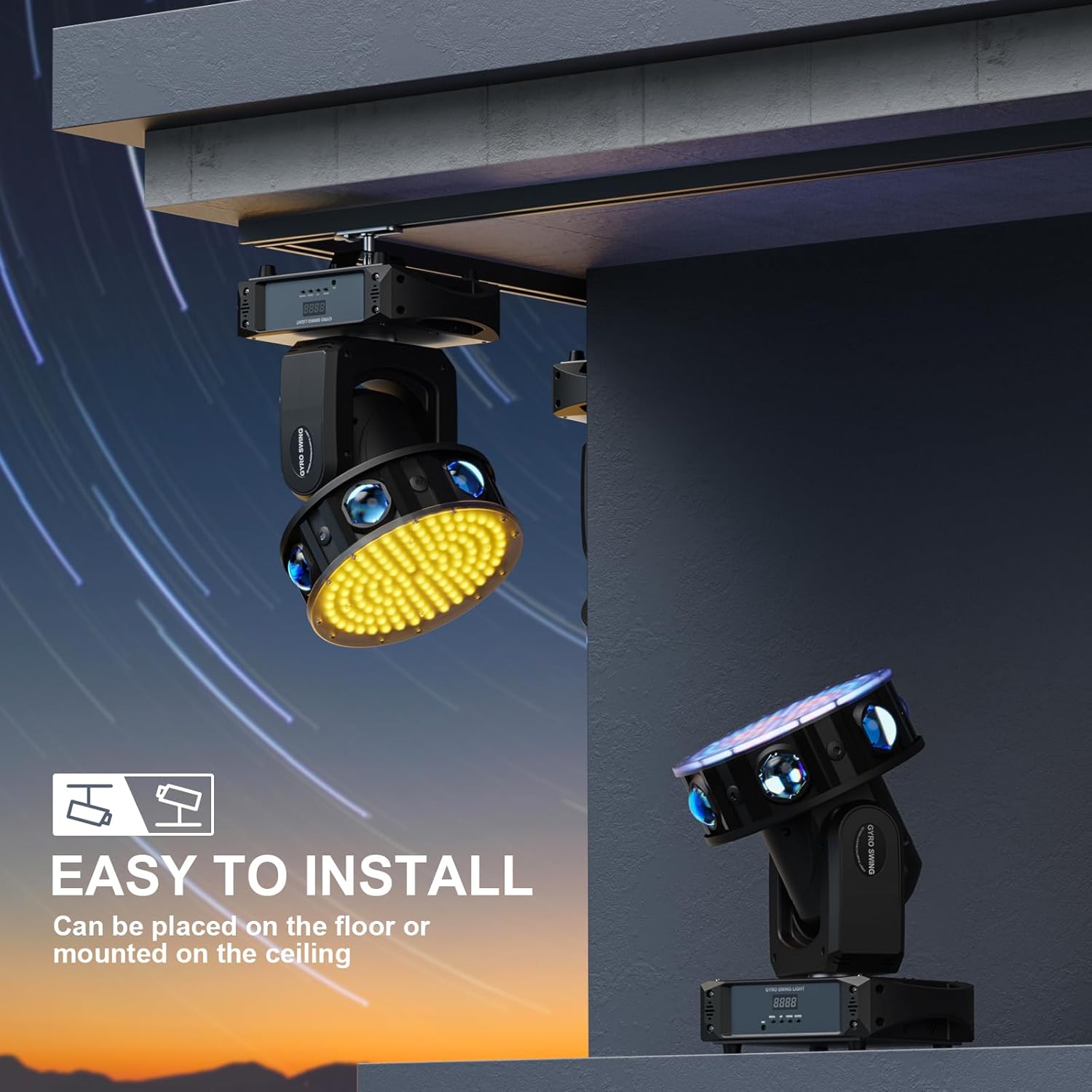
Figure 6: The light can be placed on the floor or securely mounted to a ceiling or truss using the included brackets.
5.2 Power Connection
Connect the provided power cord to the "POWER IN" port on the rear of the unit and then to a suitable power outlet (220V standard). The unit will power on automatically upon connection.
5.3 DMX Connection (Optional)
For DMX control, connect a DMX controller to the "DMX IN" port. If linking multiple units, connect the "DMX OUT" of the first unit to the "DMX IN" of the next, and so on. Ensure a DMX terminator is used on the last unit in the chain for stable signal transmission.
6. Operating Instructions
The moving head light offers several operating modes to suit different needs.
6.1 Control Panel Navigation
Use the buttons on the control panel (refer to Figure 5) to navigate through menus and select modes:
- MENU: Enters the menu or goes back to the previous level.
- UP/DOWN: Navigates through menu options or adjusts values.
- ENTER: Confirms selection or enters a sub-menu.
6.2 Operating Modes
- Sound Activation Mode: The light reacts to ambient sound or music. Adjust sensitivity via the menu if available.
- Automatic Mode: The light cycles through pre-programmed light shows and movements.
- Master-Slave Mode: Connect multiple units via DMX cables. Set one unit as "Master" and others as "Slave." Slave units will mimic the Master's movements and effects.
- DMX Control Mode (20CH/57CH): For professional control, connect to a DMX controller. Refer to the DMX channel chart (usually provided in a separate DMX manual or detailed specification sheet) for specific channel functions and values. This mode allows precise control over color, movement, strobe, and other effects.

Figure 7: Examples of the diverse light effects, including beam, wash, and pixel block patterns, achievable with the fixture.

Figure 8: Demonstrates the rotating beam, red and green spot lights, LED pixel block coloring effect, and rich pre-programmed shows.
7. Maintenance
Regular maintenance ensures the longevity and optimal performance of your light fixture.
- Cleaning: Periodically clean the lens and exterior casing with a soft, dry cloth. Do not use abrasive cleaners or solvents. Ensure the unit is unplugged before cleaning.
- Inspection: Regularly check power cables, DMX cables, and mounting hardware for any signs of wear or damage. Replace damaged components immediately.
- Ventilation: Ensure ventilation openings are clear of dust and debris to maintain proper airflow and prevent overheating.
8. Troubleshooting
If you encounter issues, refer to the following common problems and solutions:
| Problem | Possible Cause | Solution |
|---|---|---|
| No power/Light does not turn on | No power from outlet; Loose power cable; Faulty power cable. | Check power outlet; Ensure power cable is securely connected; Try a different power cable. |
| No DMX control | Incorrect DMX address; Faulty DMX cable; No DMX terminator; Incorrect DMX mode. | Verify DMX address setting; Check DMX cables; Use a DMX terminator; Ensure unit is in DMX mode. |
| Light flickers or behaves erratically | Unstable power supply; DMX signal interference; Overheating. | Ensure stable power; Check DMX connections and termination; Ensure proper ventilation. |
| Motor noise or restricted movement | Obstruction; Internal issue. | Check for physical obstructions; If problem persists, contact support. |
9. Specifications
Detailed technical specifications for the Fieryzeal LED 200W RGBW Beam Moving Head Disco Light (Model: ZQ02355EU).
| Specification | Value |
|---|---|
| Product Dimensions | 25 x 20 x 35 cm |
| Product Weight | 6.2 Kilograms |
| Finishing Type | Metallized |
| Batteries Required | No |
| Model Number | ZQ02355EU |
| Color | RGBW |
| Shape | Cylinder |
| Material | Metal |
| Light Source Type | LED |
| Power Source | Corded Electric |
| X-axis Rotation | 540° |
| Y-axis Rotation | 180° |
| Z-axis Rotation | Infinite Rotation |
| DMX Channels | 20CH / 57CH |

Figure 9: Technical data and product information sheet, providing comprehensive details on performance and compliance.

Figure 10: Energy label for model ZQ02355, indicating an energy efficiency class of E and consumption of 27 kWh/1000h. More details can be found at eprel.ec.europa.eu/qr/2071477.
10. Warranty and Support
The product comes with a 2-year warranty from the date of purchase. This warranty covers manufacturing defects and material faults under normal use. It does not cover damage caused by misuse, accidents, unauthorized modifications, or improper installation.
For technical support, warranty claims, or any questions regarding your Fieryzeal product, please contact your retailer or the manufacturer's customer service. Refer to your purchase documentation for specific contact details.