
KRPTQJoo Joo4550
KRPTQJoo Voice Remote Control Instruction Manual
Model: Joo4550
1. Introduction
This manual provides instructions for the KRPTQJoo Voice Remote Control, designed as a replacement or spare for various Haier Smart 4K LED HDTV models. This remote offers standard control functions and voice command capabilities. Please ensure your television model is listed as compatible before use.
2. Setup
2.1. Battery Installation
The remote control requires two (2) AAA alkaline batteries (not included). Follow these steps to install them:
- Locate the battery compartment cover on the back of the remote control.
- Slide the cover downwards or press the latch (if present) and lift to remove it.
- Insert two AAA batteries, ensuring the positive (+) and negative (-) terminals align correctly with the markings inside the compartment.
- Replace the battery compartment cover, sliding it back into place until it clicks securely.
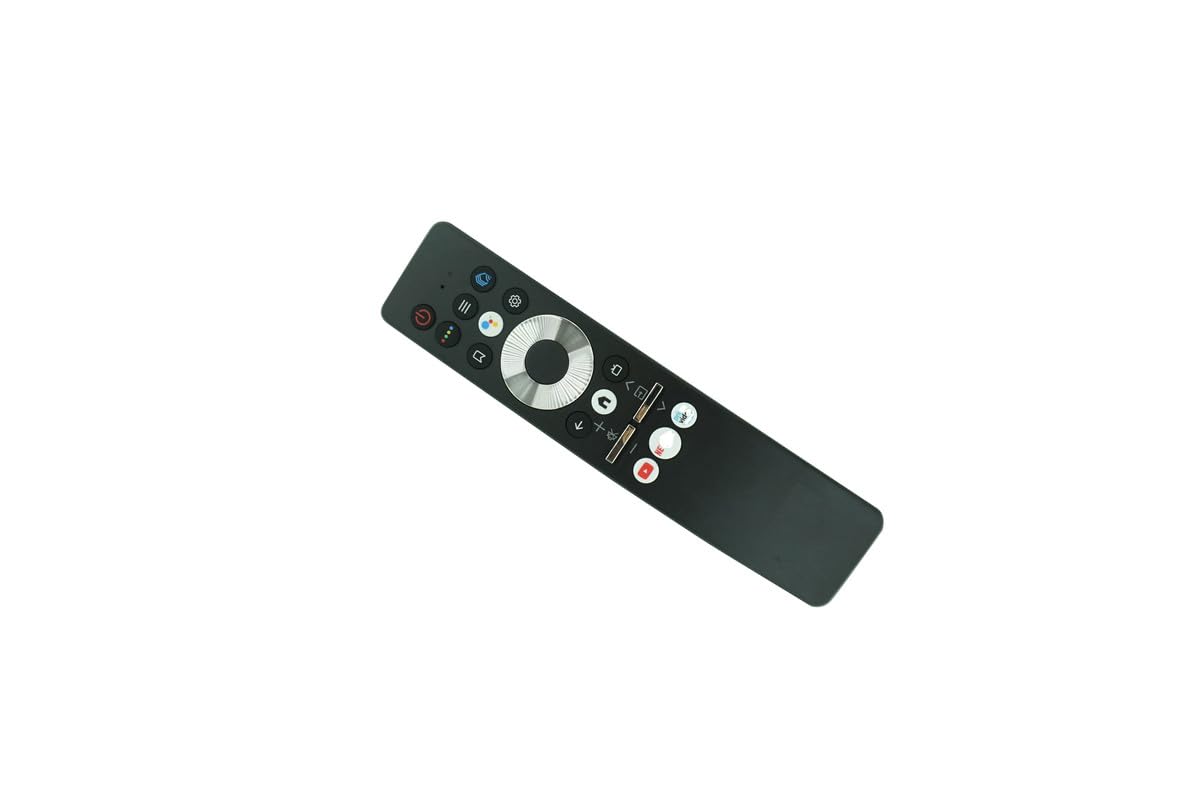
Image: Back of the remote control with the battery compartment open, ready for battery insertion.
2.2. Initial Pairing (for Voice Functionality)
For voice control and full functionality, this remote may require pairing with your Haier Smart 4K LED HDTV. Refer to your television's user manual for specific pairing instructions. General steps often include:
- Ensure the TV is powered on.
- Navigate to the TV's settings menu (often labeled 'Settings', 'System', or 'Remotes & Accessories').
- Select an option to 'Add Remote' or 'Pair New Device'.
- Follow the on-screen prompts, which may involve pressing specific buttons on the new remote (e.g., 'OK' and 'Volume Down' simultaneously) or holding the remote close to the TV.
- A confirmation message should appear on the TV screen once pairing is successful.
Note: If your original remote was not a voice remote, or if your TV model does not support voice control, this feature may not be available.
3. Operating the Remote Control
The KRPTQJoo Voice Remote Control provides intuitive access to your television's functions. Familiarize yourself with the button layout:

Image: Front view of the remote control, displaying its buttons.
3.1. Basic Functions
- Power Button: Turns the TV on or off.
- Volume Up/Down: Adjusts the audio volume.
- Channel Up/Down: Changes TV channels.
- Navigation Pad (Up/Down/Left/Right/OK): Used to navigate menus and select options.
- Back/Exit: Returns to the previous screen or exits a menu.
- Home/Smart Hub: Accesses the TV's main smart interface or app launcher.
3.2. Voice Control
If successfully paired and supported by your TV, press the dedicated Voice Button (often indicated by a microphone icon) and speak clearly into the remote. You can use voice commands to:
- Search for content (e.g., "Find action movies").
- Change channels (e.g., "Go to Channel 5").
- Adjust settings (e.g., "Turn up the volume").
- Launch applications (e.g., "Open Netflix").
Consult your TV's manual for a complete list of supported voice commands.
4. Maintenance
4.1. Cleaning
To clean the remote control, use a soft, dry cloth. For stubborn dirt, slightly dampen the cloth with water or a mild, non-abrasive cleaner. Avoid using harsh chemicals or excessive moisture, as these can damage the remote's electronics.
4.2. Battery Replacement
Replace batteries when the remote's response becomes sluggish or it stops functioning. Always replace both batteries at the same time with new AAA alkaline batteries. Do not mix old and new batteries, or different types of batteries.
4.3. Storage
When not in use for extended periods, remove the batteries to prevent leakage and potential damage to the remote. Store the remote in a cool, dry place away from direct sunlight and extreme temperatures.
5. Troubleshooting
- Remote not responding:
- Check if the batteries are correctly installed and have sufficient charge. Replace if necessary.
- Ensure there are no obstructions between the remote and the TV's infrared receiver.
- Confirm the remote is pointed directly at the TV.
- If it's a voice remote, ensure it is properly paired with the TV.
- Voice commands not working:
- Verify the remote is paired for voice functionality (refer to Section 2.2).
- Speak clearly and hold the remote close to your mouth when using voice commands.
- Check your TV's settings to ensure voice control is enabled.
- Limited range:
- Replace batteries with fresh ones.
- Ensure no strong light sources (like direct sunlight) are interfering with the IR signal.
6. Specifications
| Brand | KRPTQJoo |
| Model Name | TV remote (Joo4550) |
| Connectivity Technology | Infrared |
| Controller Type | Button Control, Voice Control |
| Compatible Devices | Television (Specific Haier Smart 4K LED HDTV models) |
| Maximum Range | 8 Meters |
| Number of Batteries Required | 2 |
| Battery Type | AAA Alkaline |
7. Warranty and Support
7.1. Warranty Information
This KRPTQJoo remote control comes with a 90-day warranty from the date of purchase. This warranty covers manufacturing defects under normal use. It does not cover damage caused by misuse, accidents, unauthorized modifications, or battery leakage.
7.2. Customer Support
For further assistance or troubleshooting beyond the scope of this manual, please refer to the support information provided by your retailer or the manufacturer of your television. For specific TV functions or advanced settings, always consult your television's original user manual.