
Introduction
Welcome to the user manual for your new Megacephalus E13 Smart Glasses. These innovative sunglasses combine stylish eyewear with advanced audio and smart features, allowing you to listen to music, make calls, control your phone's camera, and interact with your voice assistant, all while keeping your hands free.
Please read this manual carefully to ensure proper use and maintenance of your device.
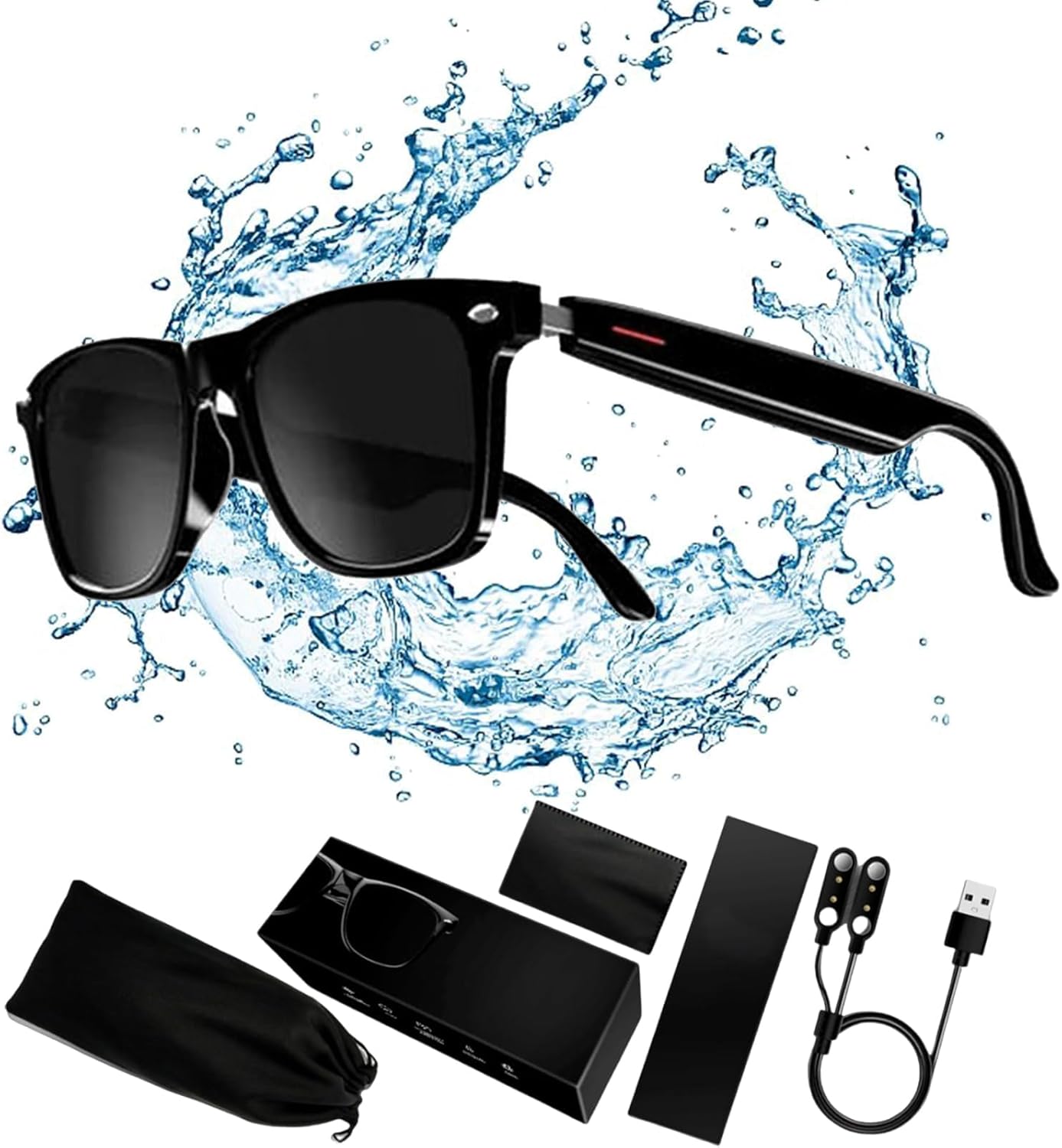
Figure 1: Megacephalus E13 Smart Glasses and Included Accessories.
Package Contents
Ensure all items are present in the package:
- Megacephalus E13 Smart Glasses
- Charging Cable (USB)
- Cleaning Cloth
- Carrying Pouch
- User Manual (this document)
Setup
Charging the Glasses
Before first use, fully charge your smart glasses. Connect the provided USB charging cable to the charging port on the glasses and to a USB power source. The charging indicator light will show the charging status.
- Charging Time: Approximately 1.2 hours for a full charge.
- Battery Life: Up to 4-6 hours for music playback, 3-6 hours for calls, and over 168 hours standby time.

Figure 2: Battery Endurance Information.
Pairing with Your Device (Bluetooth)
To connect your smart glasses to your smartphone or other Bluetooth-enabled device:
- Ensure the glasses are charged.
- Turn on the glasses by touching both temples simultaneously. (Refer to Figure 3 for visual guidance).
- Enable Bluetooth on your smartphone or device.
- Search for available Bluetooth devices. The glasses will appear as "E13" or similar.
- Select "E13" to pair. Once connected, you will hear a confirmation tone.

Figure 3: Initial Power On and Bluetooth Connection.
Operating Instructions
The Megacephalus E13 Smart Glasses feature intuitive touch controls located on the temples. Refer to the diagram below for a quick overview of the controls.

Figure 4: Intelligent Touch Controls.
Music Playback and Calls
- Play/Pause Music: Single tap on either temple.
- Answer/End Call: Single tap on either temple.
- Reject Call: Long press on either temple.
- Next Song: Double tap on the right temple.
- Previous Song: Double tap on the left temple.
- Adjust Volume: Adjust volume directly on your connected smartphone.
Voice Assistant
- Activate Voice Assistant: Press and hold the left or right temple for two seconds.
- Deactivate Voice Assistant: Tap to close the voice assistant.
Remote Photography
To use the remote photography feature:
- Ensure your phone's camera app is open and active.
- Double tap on either temple of the smart glasses to trigger the camera shutter on your phone.

Figure 5: Remote Photography in Action.
Audio Quality and Microphone
The E13 Smart Glasses are equipped with custom oversized voice units for immersive stereo sound and a high-sensitivity, noise-canceling microphone for clear calls.

Figure 6: Custom Oversized Voice Unit for Enhanced Audio.

Figure 7: High Sensitivity Microphone and HD Speaker.
Maintenance
Proper care will extend the life of your smart glasses:
- Clean lenses with the provided cleaning cloth or a soft, lint-free cloth. Avoid abrasive materials.
- Do not submerge the glasses in water. While designed for outdoor use, they are not fully waterproof.
- Store the glasses in the provided carrying pouch when not in use to protect them from scratches and dust.
- Avoid exposing the glasses to extreme temperatures or direct sunlight for prolonged periods.
- Charge the glasses regularly, even if not in frequent use, to maintain battery health.
Troubleshooting
| Problem | Possible Cause | Solution |
|---|---|---|
| Glasses do not turn on. | Low battery. | Charge the glasses fully. |
| Cannot pair with device. | Bluetooth is off on device; glasses not in pairing mode; too far from device. | Ensure Bluetooth is on. Turn glasses off and on again to enter pairing mode. Keep device within 10 meters. |
| No sound or poor sound quality. | Volume too low; glasses not connected; interference. | Increase volume on your phone. Reconnect Bluetooth. Move away from other electronic devices. |
| Remote photography not working. | Camera app not open; phone not connected. | Open your phone's camera app. Ensure glasses are connected via Bluetooth. |
Specifications
| Feature | Detail |
|---|---|
| Model Number | E13 |
| Brand | Megacephalus |
| Connectivity | Bluetooth |
| Frame Material | CTA, PC, TR90 |
| Temple Material | Super tough PC |
| Lens Material | Plastic Cement |
| Battery Capacity | 80mAh + 80mAh (Total 160mAh) |
| Call Duration | 3-6 Hours |
| Music Playback Time | 4-6 Hours |
| Standby Time | Over 168 Hours |
| Charging Time | Approx. 1.2 Hours |
| Weight | 35 grams |
| Dimensions (Approx.) | Frame Width: 144mm, Lens Width: 53mm, Bridge Width: 20mm, Temple Length: 146mm, Lens Height: 41mm |
Warranty and Support
Warranty Information
This product comes with a standard manufacturer's warranty. Please refer to the warranty card included in your package for specific terms and conditions. Typically, a 30-day refund/replacement policy is offered for defects.
Customer Support
For any questions, technical assistance, or warranty claims, please contact Megacephalus customer support through the retailer where you purchased the product or visit the official Megacephalus website for contact information.
Online Support: Megacephalus Brand Page on Amazon


